Good Evening Guys! Today you learn how to Install Players Klub Add-on Kodi 17 Krypton, Players Klub is a new Add-on which allows you to watch all the famous UK and USA TV Channels Live. Along with that this Add-on has a separate section for Sports, now let’s start the method to Install Players Klub Add-on Kodi 17.3 Krypton.

Read more:
- Install Kodi Live TV Add-on Kodi 17.3 Krypton & Watch Kodi Live TV
- Install Chappie Build Kodi 17.3 Krypton [ Tutorial ]
- Install Tesla Light Build Kodi 17.3 Krypton [ Tutorial ]
- Install Diggz Mega All in One Build Kodi 17.3 Krypton [ Tutorial ]
Contents
*Kodi Tips*:
- Now keep that in mind if you need a proper coverage of Kodi then we would suggest you install the best and low-cost VPN. IPVanish is specially designed for Kodi and it has multiple high-speed servers with no throttling or logs.
- Learn how to enable Unknown Sources in Kodi. Click Here.
Install Players Klub Add-on Kodi 17.3 Krypton:
- Download Kodi and Install it. Launch Kodi, Click on Add-ons.

- Click File Manager.

- Click Add Source.

- Click None.

- Type this URL: http://theplayersklub.us/playersklub/
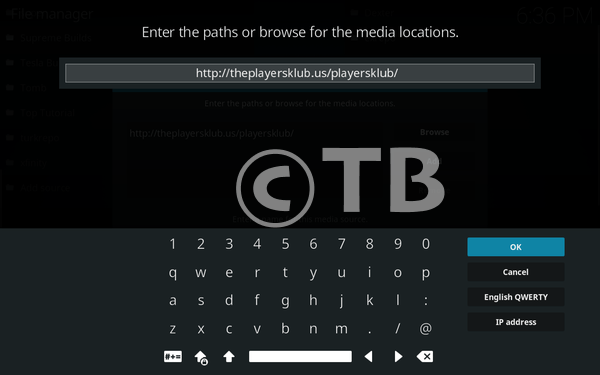
- Name it PlayersKlub.

- Head back to home screen, Click Add-ons.

- Click on Package Installer icon.

- Click Install from ZIP File.

- Click Player Klub.
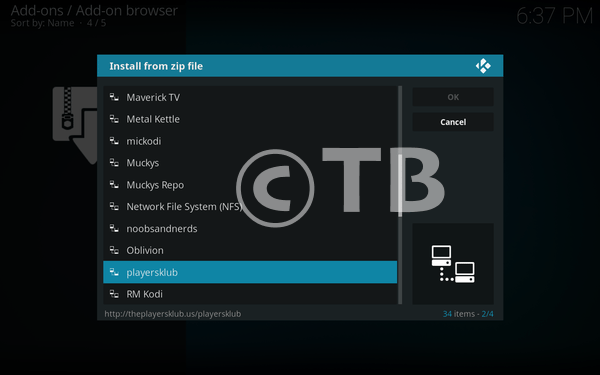
- Click plugin.video.playklub.zip.

- Wait till you see ” Playersklub Enabled ” Pop-up.

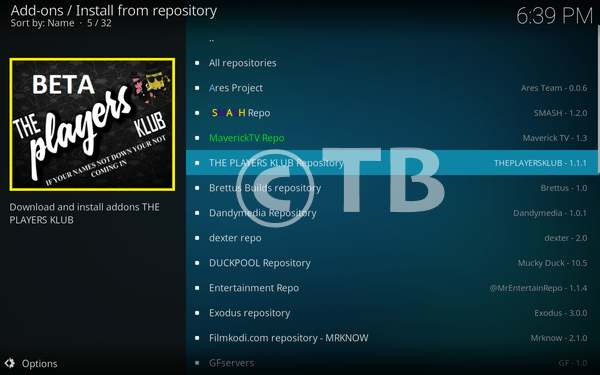
- Click Install from Repository.

- Click The Players KLUB Repository.
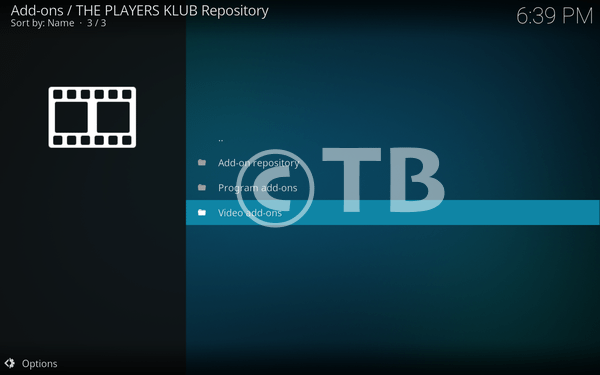
- Click Video Add-ons.
- Click THE PLAYERS KLUB.

- Click Install.

That’s all. That would be all If you face any issue you can tell me in comments. Thanks.
See More: