Apple’s Worldwide Developers Conference is technically where app developers get schooled by the company’s engineers on new system features. But let’s be real—it’s become the stage where the public gets their first taste of all the incredible tech heading to their devices.
At this week’s keynote in Cupertino, we witnessed dozens of game-changing features rolling out across Apple’s six operating systems (all sporting version 26 badges, thanks to the company’s shift to year-based naming conventions). These updates hit beta next month before their full release later this year.
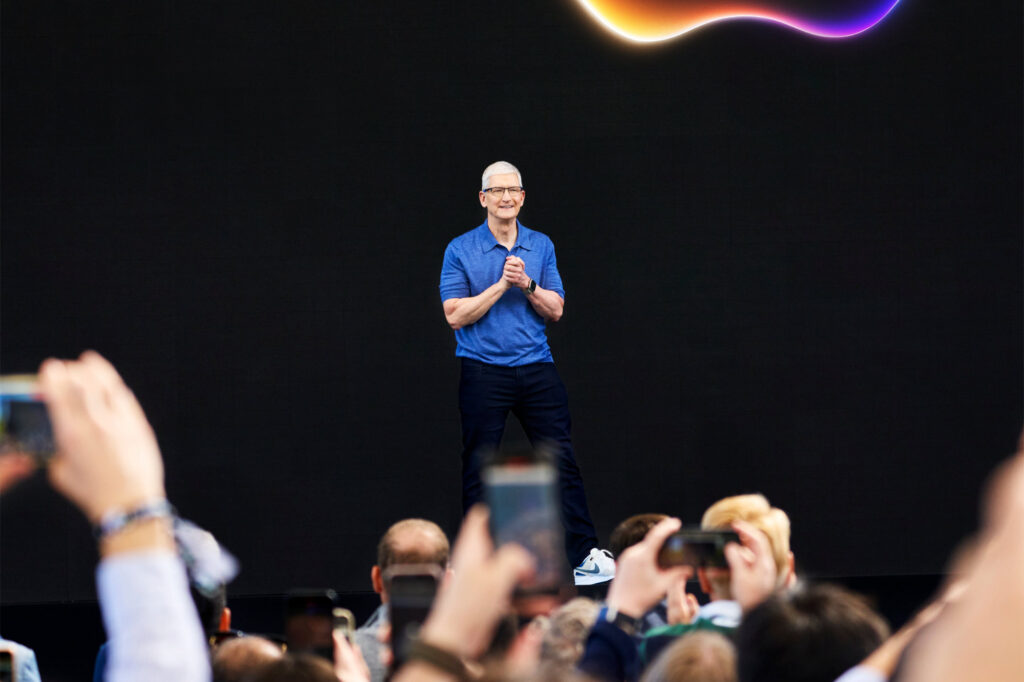
Tim Cook kicked things off by greeting developers with his trademark enthusiasm, setting the stage for what would prove to be one of Apple’s most ambitious update cycles in recent memory.
Liquid Glass: When Your Interface Becomes Pure Magic
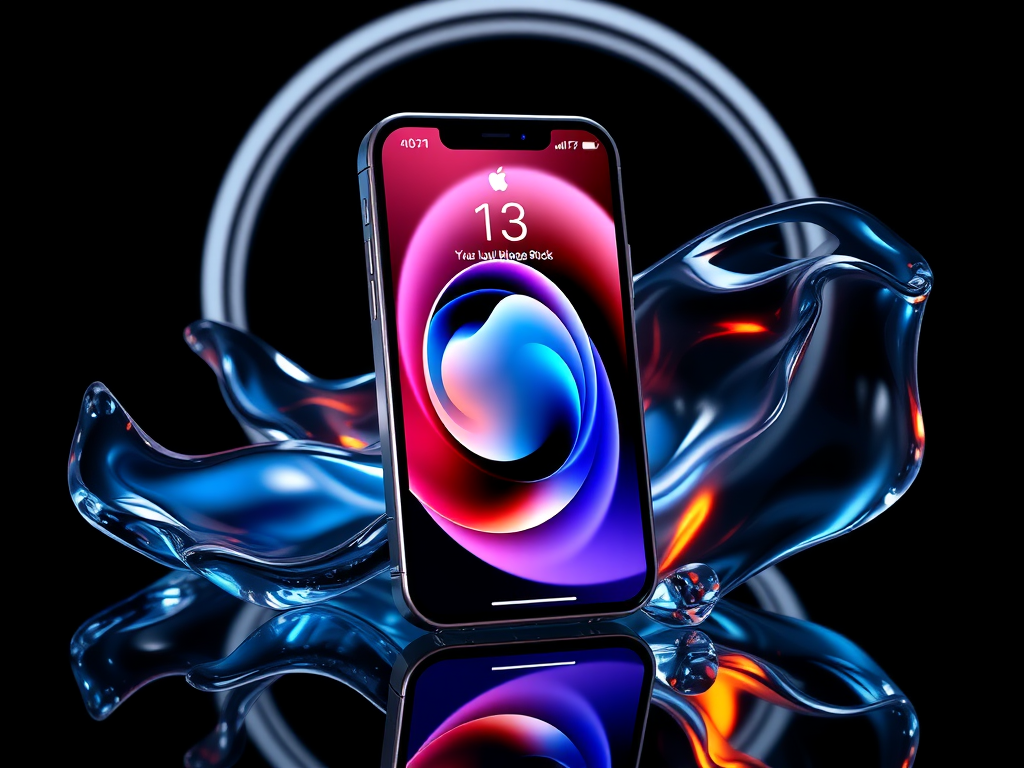
The absolute star of the show was Liquid Glass—Apple’s revolutionary new visual design language that’s about to transform every single one of their devices. Picture this: operating system elements that appear as though they’re crafted from magical, floating, shape-shifting glass that can be either brilliantly colored or crystal transparent, complete with glossy highlights and mesmerizing refractions of whatever elements lie beneath them.
This isn’t just aesthetic eye candy either. In many apps, interface elements will intelligently appear only when you actually need them, or they’ll elegantly expand when tapped to reveal additional functionality. Take the iPhone’s lock screen time display—it’ll dynamically morph its size and shape based on context and usage patterns. And here’s where it gets really wild: alongside the familiar light and dark modes we’ve grown accustomed to, there’s now a completely transparent mode that transforms your app icons into what looks like carefully stacked pieces of pristine clear glass. It’s giving major futuristic sci-fi vibes, and honestly, we’re absolutely here for it.
Games App: Apple Finally Gets Gaming Right
Enter the new Games app—essentially Apple’s long-overdue answer to the question “why don’t we have a proper gaming hub?” This brilliant creation takes the best elements from both the App Store and Game Centre, then smashes them together into what can only be described as Apple’s own gaming launcher that actually makes sense.
Here’s what you can expect: complete visibility into every single game you’ve ever installed across your devices, comprehensive views of your friends and their hard-earned achievements, and genuinely useful personalized recommendations for your next gaming obsession. Mac users get an extra treat with an slick in-game overlay system that provides quick access to essential options without breaking your gaming flow. It’s like Apple finally realized that gaming deserves the same level of thoughtful integration as everything else in their ecosystem.
iPhone: iOS 26 Brings the Heat
Beyond the stunning Liquid Glass makeover and the new Games app, iOS 26 is absolutely packed with features specifically designed to eliminate visual clutter while laser-focusing on the functions you actually use daily. This is streamlining done right:
Camera now defaults to displaying just “photo” and “video” options for a beautifully clean, streamlined appearance. All those other shot types and advanced options? They’re still there, just cleverly hidden until you touch or swipe the top or bottom of the screen.
Photos takes a similar approach—the main tab simply showcases your library of shots in all their glory, while everything else gets relocated to a secondary Collections tab. No more hunting through cluttered interfaces.
Safari goes absolutely full-screen with your web content spanning the entire height of your display, while actions and tools live in those gorgeous expandable glass menus. Music, News, and Podcasts are all getting similar redesign treatment that prioritizes content over chrome.
Maps is getting seriously smart, with the ability to remember the places you’ve been and develop an understanding of your daily routes. This means it can proactively alert you to delays and changes before they ruin your day.
Phone introduces an optional new view that uses AI magic to condense all your current tabs into a single, intelligently organized screen that surfaces the most relevant content based on your usage patterns.
And speaking of the Phone app, it’s gaining two features that’ll make Android users seriously jealous:
Call Screening is a game-changer—it automatically answers those sketchy unfamiliar numbers for you, deploying an AI agent that politely asks callers for their name and the purpose of their call. Text appears on your screen letting you know exactly what the agent discovered, so you can make an informed decision about whether these people deserve your precious time or not.
Hold Assist activates automatically when your phone detects you’ve been sentenced to hold-music purgatory. The call stays connected in the background, but you’re free to continue using your phone normally or go handle other tasks. When it detects a real human has finally returned to the line, your phone will ring to bring you back to the conversation.
Messages is receiving a comprehensive overhaul that brings it much closer in line with other popular texting platforms that people actually enjoy using:
Custom backgrounds can now be set for individual chats, choosing from Apple’s curated pre-sets, your own photos, or even AI-generated images that match your conversation’s vibe. In group chats, users can send polls to help streamline decision-making with friends (because we all know how impossible it is to pick a restaurant), and your phone will intelligently suggest creating one when it detects the conversation could benefit from some democratic input.
Also in group chats, typing indicators will now appear for each individual member, so you’ll know exactly who’s crafting that novel-length response. And if you’re drowning in spam messages, you can enable intelligent screening that automatically routes messages from unknown numbers to a dedicated folder where they won’t clog up your important conversations. The system is smart enough to still surface messages it thinks might be urgent or time-sensitive, so you won’t miss anything crucial.
The Apple Intelligence suite is also getting some serious upgrades:
Live Translation becomes deeply embedded across Phone, Messages, and FaceTime, enabling seamless conversations between people speaking entirely different languages. Everything processes locally on your device, so none of your private conversations ever touch the cloud, and the person you’re talking to doesn’t even need an iPhone for it to work. This translation magic also extends to Music, appearing automatically when you’re viewing song lyrics in languages you don’t speak, complete with helpful pronunciation guides.
Visual Intelligence is expanding beyond what your camera can see in real-time—it now works with any screenshots you capture. Spot something interesting on your phone? Just screenshot it and start asking questions. The system can connect directly to Google and other apps to help you make purchases or get more information about whatever caught your eye.
Genmoji now lets you create entirely new emoji by combining multiple existing ones, optionally guided by text prompts for maximum creative chaos.
New Shortcuts are available that can give direct instructions to the AI system, enabling you to create sophisticated automations involving text summarization, image generation, and other AI-powered tasks.
Perhaps most exciting for the broader ecosystem, Apple is opening up its foundation models to third-party developers, meaning we’ll start seeing much more on-device AI functionality appearing in non-Apple apps throughout the coming months.
iPad: The Tablet Finally Grows Up
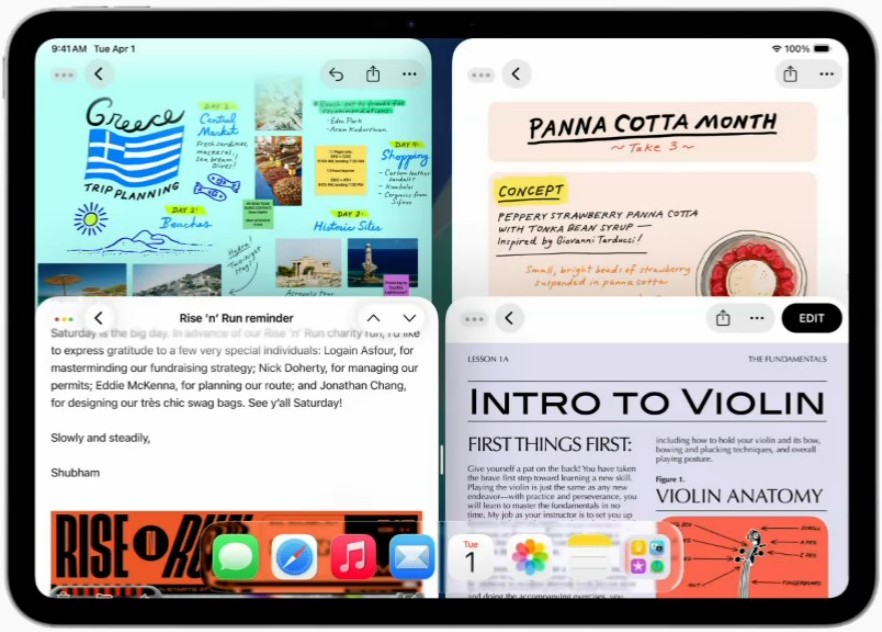
Most of the features mentioned above are also making their way to iPadOS 26, but that larger screen real estate comes with some unique tricks all its own. Apple boldly claims this represents the biggest iPadOS release in the platform’s history, and it’s especially massive if you’re someone who’s been trying to get serious work accomplished on your tablet:
An entirely revolutionary windowing system can make apps behave much more like traditional windows on a desktop computer. They still open in full-screen by default, so nothing changes if that’s your preferred workflow. But grab that little tab in the corner and you can resize any app exactly how you want it. Mac-style window control icons materialize, you can flick apps to the sides of your device for automatic tiling, and apps will intelligently remember their size and position for the next time you launch them.
There’s now a menu bar that becomes accessible by swiping down from the top edge of the screen. Just like on Mac, this provides access to commands that are specific to whatever app you’re currently using.
Files is finally becoming genuinely useful and much more desktop-like in its capabilities. There’s a proper list view, the ability to customize folder colors or even place folders directly in your dock, and you can set default applications to handle each specific file type.
The Preview app is making the journey from Mac to iPad, bringing with it the ability to markup images and PDFs with professional-grade tools.
There are also significant new updates specifically designed for creative professionals:
Computationally intensive and long-running tasks like media exports can now happen entirely in the background. A Live Activity will appear at the top of your screen showing progress while you’re completely free to accomplish other work on your iPad without interruption.
A new input picker lets you choose which specific microphone you want each app to use, including the system microphone and any external ones you have connected. Voice Isolation can intelligently remove distracting background noise from your recordings.
A local capture option works seamlessly with any video conferencing application and will save a high-quality recording of your side of any conversation. Other participants can be invited to record their end as well, then send those recordings over afterward for comprehensive documentation.
The Journal app is finally making its cross-platform debut, arriving from iPhone to give iPad users the same thoughtful reflection tools.
Everything Else Gets Love Too
The iPhone and iPad may have dominated the announcement spotlight at WWDC, but Apple’s other devices definitely didn’t get left behind.
macOS Tahoe 26 will enable users to make and receive phone calls directly through their connected iPhone, and will display Live Activities from their phone as persistent notifications in the desktop environment. A massive overhaul to Spotlight transforms the search bar into a command center that can take actions, trigger shortcuts, browse through files, and even access your clipboard history.
watchOS 26 introduces Fitness Buddy—a feature designed to serve as your personal AI coach speaking directly into your AirPods. This virtual trainer knows your complete fitness history and has access to real-time workout and biometric data streaming from your watch. It’s powered by an AI-generated voice that, based on the demo’s relentlessly enthusiastic tone and constant celebration of every minor achievement, might prove a bit overwhelming for many users who prefer their fitness motivation in smaller doses.
tvOS 26 doesn’t get much that’s dramatically new beyond the comprehensive visual design refresh, though there are meaningful improvements coming to user profiles, FaceTime integration, and the karaoke Sing mode functionality. Plus, there’s a collection of gorgeous new screen savers to keep your Apple TV looking fresh.
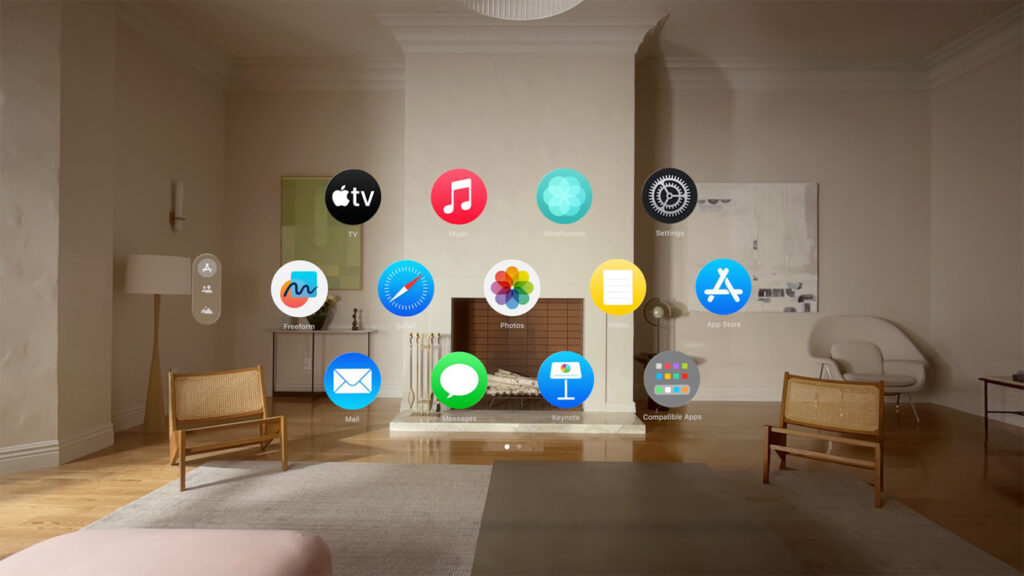
For visionOS 26, the most significant update is the introduction of widgets. These work similarly to what you’d expect on a phone or tablet, except they’re rendered in full 3D and can be positioned anywhere within your physical space. These widgets remember their designated locations, so you can effectively decorate your actual walls with digital calendars, clocks, photo displays, and music playlists. Apple also demonstrated an impressive mode that allows two Vision Pro users to see and interact with the same shared experience, and introduced some exciting partner hardware that integrates with the headset, including Sony’s PlayStation VR2 Sense game controllers for enhanced gaming experiences.