Home Blog Page 24

Best free Android Video Editor Apps in 2020
0
Best free Android Video Editor Apps in 2020

Take a look at the best free Android Video Editor Apps of 2020. These Android Video Editor Apps are hand-picked after a lot of research.

Influencers, Content creators, Social media stars and Journalists alike all use Android Video Editor Apps to keep their audience engaged. Some users only use these apps to make some casual clips for Instagram stories, Twitter clips. TikTok users use some advanced tools to gain recognition with super creative clips. Similarly, some YouTubers and journalists use tools to quickly compile and share video clips on their respective accounts and websites.

The capacity of today’s smartphones allows us to even record and edit videos in 4K resolution. This achievement must not be downplayed. It may not seem like it but in very little time, 4K would be the standard resolution in most parts of the world. Therefore, it is super important to make ever-lasting content in best possible resolution. 

I have compiled a list of best free video editor apps for Android below. Although, all of these apps are free to use, they still come with a premium membership option. The premium versions come with a lot of high-end features. Therefore, always take a trial run of the app’s free version before purchasing it. Another important thing to consider is the fact that video editing on Android phones and tablets is not seen in same space as a laptop or PC. It is mainly used for quick edits. Therefore, a good user interface and ease-of-use are two main priorities. It does not matter if an editing app comes with countless features. If the interface is not good enough for touchscreen, it may not appeal to most people.

Best Video Editor Apps for Android

1: KineMaster – Pro Video Editor

best android video editing apps

KineMaster is arguably the most comprehensive Video Editor designed for Android and touchscreen interface. It offers features like Chrome Key, Videos Blending Modes, Speed Control, Transitions, Background music, Voiceovers and much more. Since it is so easy to use, even a non-technical user finds it super easy to make the most out of it.

The maximum output resolution for a video is 4K at 30fps. And this one of the highest resolution videos we find on YouTube. Therefore, even if someone wants to upload their vlogs on YouTube at 4K, KineMaster would happily do the job.

The free users get limited access to premium assets like background music, effects etc. Moreover, a watermark is added to videos exported on free version. If you like this app, then subscribe to either its annual or monthly subscription.

2: Magisto

best free android video editing apps

Want to turn boring videos and photos into attention-grabbing social media videos? Magisto is one of the best tools to produce coolest videos without putting much effort. Its smart AI handles half the editing process for you. Just choose from built-in filters and templates and input your pictures or video clips. magisto uses magic to transform these boring and standalone assets into something unique and creative. 

The premium members get access to music snippets which is licensed for commercial use. Moreover, you can output longer videos. Social media influencers, YouTube vloggers, TikTok users, and even casuals love Magisto for how easy it is to use but how good the results are.

3: VivaVideo
best free video editing tools android

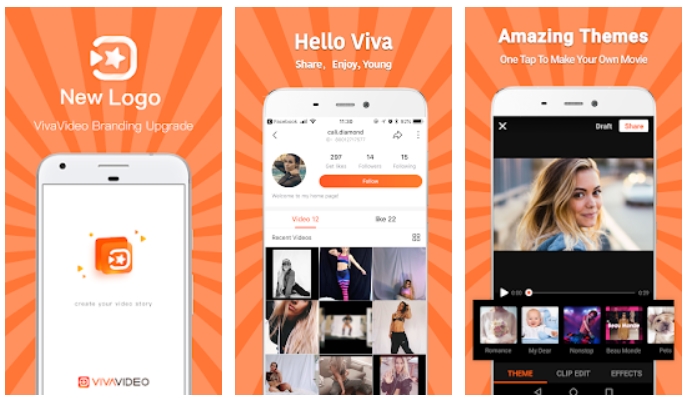
This is one of the most reviewed Android Video Editors Apps. It is free to use and works well for making slideshows, mini video clips and special effect videos. Either import videos from gallery or just shoot with VivaVideo itself. You can implement multiple filters and effects when shooting from the app itself.

The developers of VivaVideo implemented WYSIWYG interface. This means “What you see is what you get”. For an Android interface and especially mobile, it is one of the best things to do. Unlike PC, where we have huge screen to work on and powerful processor to render in real-time, it is not as easy on a smartphone. Therefore, VivaVideo does a really good job at making video editing on mobile feel easier and accessible. 

4: Quik – Free Video Editor for Photos, Clips, Music

best free video editor for android

GoPro users love to share their best footage as fast and without any hassle. However, the traditional editing takes very long. True to its name, Quik is the best tool to manage and edit GoPro videos on Android itself. Moreover, edit the videos stored in phone’s gallery too. Or just combine both and make some amazing art pieces. 

The compatible GoPro cameras with Quik are HERO7, HERO6, HERO5, HERO4, HERO Session, HERO+, HERO3+, HERO3 and HERO 2018. The quick tools in Quik editor automatically detect previously shot footage in 24 or 72 hours and compiles and shareable video. Its intelligent software detects smiles, jumps, eyes, water and other stimulants to select best possible moments. After initial video, use HiLights to choose memories and moments of your own choice. 

Overall, Quik is true to its name. If anyone is looking for a fast and automatic video editor for Android, then this might be the one!

5: FilmoraGo – Free Video Editor

best free android video editor apps

Just like the previous choice, FilmoraGO is good for quick and painless video editing on Android device. It is fast, super easy to use and reliable. For beginners, just select photos/videos, music, title and let FilmoraGo handle the rest. It will cook up a good-looking video that you can either export in 1:1 ratio for Instagram or 16:9 ratio for YouTube, Facebook and other media. 

The advanced features like adding transitions, reversing the video, controlling video speed, special effects are available too. However, you may need to dig a bit deeper for use these features. Edit the pre-made videos and add your own titles, sub-texts, music clips, voiceovers and much more. Easily controls the timeline, background music and frame-by-frame effects.

6: Adobe Premiere Clip

best android video editor apps android

On PC side of things, Adobe Premiere is an unrivaled kind for video editing. Anything that one can think of, is possible in this software. Adobe Premiere Clip is a gateway to its big brother. Of course, it cannot be as powerful and as feature rich, but it is still one of the best video editors on Android by comparison.

Just like any good Android Video Editing app, you can add images, sound track and title for it to output a video automatically, The enhanced software automatically detects best angles and moments to put into final clip. Video Editing on Android not about how many features there are, it is mainly just about how easy and accessible it is to use. 

When creating slideshows, use features like Photo Motion to add dynamic feel to the final product. Moreover, use amazing background music and sound effects to liven up your content. This app works well for both casuals and serious content creators. Whether you’re making a birthday video for a friend or a quick vlog to post on YouTube, Adobe Premiere Clip is certainly the way to go.

How to choose a Video Editing App for Android?

User Interface

A mobile Video Editor is only as good as its interface. Even if an app is filled with thousands of incredible features but those are super-difficult to find and use, not a lot of people are going to love it. Of course, experts and hardcore users still find a way around. However, the casuals and those who are just looking for a fast editing experience, definitely need a better interface.

Required Features or Personal Requirements

When choosing a video editor as daily driver for yourself, make sure that your and app’s goals really collide. For example, a GoPro use should go for Quik. Similarly, if someone just wants to create slideshows and small clips from photos, then VivaVideo and Adobe Premiere Clip are good options. Similarly, hardcore video editors should fully explore an app and see if it matches their requirements or not. 

Rendering Options

With the technology moving forward at such a high pace, vloggers and social media influencers need to keep their content modern too. It is not always just about the content. Imagine a top vlogger posting videos in 240p resolution in 2020. Most people won’t even bother giving it a try. 

Therefore, always try to make the videos look as sharp and smooth as possible. Now-a-days, the 1080p at 60fps is most popular form of video resolution on YouTube. In coming time, 4K would become as common and therefore, the content creators need to be proactive about this stuff.

Conclusion

We have compiled a comprehensive list of Android Video Editors that appeal to all sorts of audience. You can find the perfect match for your video editing needs right here in this list. 

Feel free to leave your feedback and queries in the comments section below.
5 Best Free Android Voice Changer Apps in 2020

0
5 Best Free Android Voice Changer Apps in 2020

Take a look at the best free Android Voice Changer Apps of 2020. The Android Voice Changer Apps are hand-picked after a lot of research.

Feeling like pranking friends? Or you just want to record some goofy sounds. We’ve compiled the list of best Android Voice Changer Apps that work for both prank calls and personal recordings. Additionally, some of these apps allow users to add background sound effects like rain, snoring, or some funky effects. 

Whether someone wants to prank call with voice changer on Android with a celebrity’s voice or just a cartoonish funny voice, there are options for all. Note that you should only use these kind of voice changers for fun, especially when calling. 

 Below is the list for Voice changer Android Apps for calls and recordings. Not every app works with call though. Also note that most of these apps only offer limited number of features with free version. If you want unlimited access to all voices and call time, then make sure to unlock the premium subscription. However, you can still use most of these apps for free.

Best Voice Changer Apps for Android

1: Voice changer with effects

best free voice changer apps for android

Voice Changer by Baviux is one of the simplest yet very effective solution. It offers a huge number of options for modifying the voice. Either record your speech and then apply an effect afterwards or use a pre-recorded voice clip.

Additionally, use a text document and apply sound effects to it as well. This is a cool feature if someone does not want to record something themselves. Just apply the AI/Computer voiceover and then a sound effect to it. 

Once recorded and modified, share any voice clip directly on WhatsApp. It is something like Voice notes or something very close to it. The only downside to it is the fact that there is no live call option.

play store button2: MagicCall – Real-time Call Voice Changer for Android

best android voice changer apps

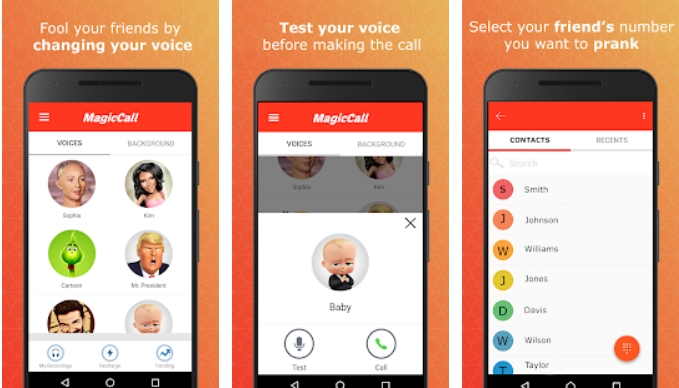
Want to prank call with voice changer on Android? And then share that recording with friends? And even hide your number so the victims have no clue? Well, MagicCall is the complete package. It is one of the most appropriate apps for making voice changer calls to anyone in the world. 

The most notable feature of MagicCall is the fact that users can actually hide or mask their number while calling. This ensure the fact that you friend is totally fooled and you can get few laughs. 

Want to share laughs with other friends too? Then save the recordings of these calls and share those either via WhatsApp, Facebook or other social media. 

The only downside to this app is that it uses its own credits. The first time users get free credits for calls. However, once these are over, you need to subscribe and get more credits to make calls. This service works directly in about 80 countries. 

play store button3: Voice Changer (AndroidRock)

best prank call app for android voice changer

AudioRock’s Voice Changer is one of the oldest in business. It offers simple and intuitive interface. Just record a voice note and then apply an effect from given list. This list contains effects like robot, Chipmunk, Child, Old man, Martian, Chorus, Bee, Foreigner, Nervous, Drunk, Valley, Church, Telephone, Underwater, Twisted tongue, Duck, Creepy movie, Devil, Big robot, Small robot, Alien, Giant, Fan, Big Alien, Hoarse.

AudioRock claims that their robot voice effect is the most ‘authentic’ among other options. However, we are not so sure about this claim. Since there is no actual robot voice to begin with, therefore, we are not sure how something can be authentic and close to original. All of these effects are just imagination or what a robot may sound like. However, other effects like hoarse, old man, baby etc do stand out.

play store button4: Call Voice Changer

android voice changer call app

Pretty much every live voice changer for calls on Android on Play Store does not work directly on out number. These apps make calls from their own servers where voice is processed and then transmitted to other user. Call Voice Changer by Telestar is no exception. All new users get few free minutes only. After that, you need to pay for the minutes to use for future prank calls.

In order to make a voice changed call on Android, first install this app from Play Store. Next up, make sure that your phone is connected to a fast internet connection. It used VoIP protocol to make calls. It is similar to what Skype uses. Therefore, if the connection is slow, there’ll be high delay in when you say it and when the recipient hears it. Once all of this is sorted, just enter the number of person you want to call and wait for the servers to connect to it.

Since it calls from servers, the call recipient won’t be able to tell right away who’s calling. They’ll most probably see a hidden number. This makes everything about prank calls even more interesting.

play store button5: VoiceFX – Live Android Voice Changer

live stream voice changer android

Want to use the voice changer on games, live streams or even singing? Well, VoiceFX is a cool solution that allows users to live stream their changed voice either through headphones, phone speakers or even web browser. The only downside is that there is a noticeable delay when sound clip travels from phone to web browser. When using with headphones, the sound delay is minimal and therefore quite usable.

The number of sound effects available is not mammoth. However, you get pretty much all basic types including AutoTune, Woman, Make, Strong voice, Baby and Robot. 

In order to live stream your voice to PC or any other web browser, make sure that phone and the live streaming target are connected to same router. Otherwise, it will not work. Once set up, just open VoiceFX App, tap on options menu button on left top corner. Select live streaming option from here. Then enter the given IP Address at bottom in web browser. From here on. anything you say on phone will automatically play on the browser.

play store buttonConclusion

When searching for Voice Changer apps for Android, you may come across a lot of fake apps. These apps just charge money and then do not work. Therefore, use one of the apps mentioned in list above. Since Voice Processing is not one of the hottest techs for Android, it is quite hard to find apps that actually work.

A lot of people want voice changer apps for prank calls only. These options are available too. The only difference is that these apps make calls via private servers and calling number is hidden from recipients. This could both add to the mystery or just bust your bubble. Moreover, you need a fast internet connection for it work. Otherwise, the delay in call would be massive.

Feel free to leave your feedback and experience in the comments sections below.

Best free Apps for Android in 2020 (January)

0
Best free Apps for Android in 2020 (January)

Find out the best free Apps for Android in 2020. These are the most popular free Android applications as of January 2020.

Android is the most common OS for smartphones in world right now. It offers great flexibility to its users. Therefore, Google Play Store is one of the biggest stores for Apps. It houses almost 3 Million applications. Unfortunately, Play Store is not very good at distinguishing between good and bad apps. Therefore, Android users may come across lot of spam and useless apps. We have gone through a huge list of apps and compiled the list for best Android Apps available in 2020. 

The list below contains apps from pretty much every category. Whether someone wants to use the app for editing photos, scanning documents, editing videos, file management and many more. This list contains all the essential Android apps in 2019. Of course, not everyone needs each of the following apps. However, there is something of interest for everybody.

best free apps for android

Below listed are some of the best Apps for Android, both productivity and fun. We’d love you for you to try these apps for yourself and leave your feedback in the comments below.

Essential Android Apps in 2020

1: Shazam

Ever listen to a song on radio, or some cafe and wonder which song is it? Well, this is a situation pretty much everyone faces at some point. We are desperately looking for the title of a song that is playing and there isn’t any direct solution. Well, Shazam is probably the best solution for this particular problem. It is fast, reliable and would almost never ever fail you. Use the Shazam app to recognize songs from your Android device in 2-3 seconds only!

2: Google Photos

If someone used Android and do not take advantage of Google photos, then they are missing out on one of major services. It is an unlimited photos storage option by Google itself. The best part is that, it is totally free to use and it works flawlessly across any device. Whether you try opening the photos on a laptop, a tablet or any phone with same account, you get all the photos in same place. 

However, there is a small catch. When using the free version with unlimited storage option, Google photos may reduce the quality of images before uploading. However, this effect is pretty much unnoticeable in most cases. The borderline is that you get a secure and free online storage for photos. Therefore, never worry about moving the photos between devices manually. The photos upload automatically as well.

Google Photos
Price: Free

3: Snapchat

One of the most popular photo-texting application is one of the essentials for every smartphone user. It does not matter if you are on Android or iOS, it is just impossible to not use it. Not only is it very easy to use, but one of the best apps to upload stories, watch sponsored stories and every photo text friends. Recently, the options for voice call and group chats is added as well.

If you want to keep stories private, then create custom audience from current friends list and share your stories with specific groups only. Since people cannot see stuff like online status, last seen on Snapchat in addition to messages deleting automatically, people love it more than messengers like WhatsApp and FB Messenger.

Snapchat
Price: Free

4: Bitmoji

Using Snapchat? Then Bitmoji is a must! This app perfectly integrates with SC to create unlimited bitmoji variations. Moreover, it creates a small-sized personalized face icon used in chats and chats list. Use the bitmoji to send personalized chat messages to friends.

If your friends also use Bitmoji, then bitmojis with both of characters appear in chat options as well. It is a cool addition and it is best used alongside Snapchat.

Bitmoji
Price: Free

5: Google Keep Notes

Keep App by Google provides a unified space for storing all of your notes. Well, one may ask, why Google’s note app over any other? Well, the reason is simple. This app works with the main Google account logged into device. It is highly inconvenient to remember numerous passwords. Just login with one Google account into any Android device and use all of its services with it. 

Moreover, access all of your notes on a PC, a tablet or any other phone with same account.

6: Notin

Talking about notes, we often want to take quick notes for reminders. Notin is one of the few apps in Editors Choice list on Play Store. It is the simplest yet most efficient solution for keeping reminders on Android phone. 

So this is how notin works? Just tap on the app’s icon in in App drawer. It will open up a simple text box. Type anything on it and then press the + icon. It will add the reminder as a notification. That’s it. In order to add anymore reminders, simply tap any previously added reminder.

When the task is done, simple swipe away the notification. Notin is the simplest and most efficient solution for quick notes and reminders. There are not extra options to make the app heavy. It delivers what it promises.

7: Pushbullet

One thing that every Apple products user boasts about is the “Apple ecosystem”. And it is truly one of its best selling points. Features like Airdrop and seamless syncing make it feel like one giant unified server space. Everything is available seamlessly on iPhone, Mac and iPad. However, Android does not have such a dedicated solution. Moreover, the Apple ecosystem is actually a closed-off system. Nothing gets in or out.

Android on the other hand is much more flexible. There are number of apps that offer similar services. One of the best apps for this purpose is Pushbullet. It is most commonly used for sending and receiving pictures and links in between laptops and computers. Just sign up with same Pushbullet account on as many devices as you like. Then send anything from any device to another device that is logged in with same account. It is actually very simple. You can also view the history of exchanges between any of the devices.

8: Swiftkey Keyboard

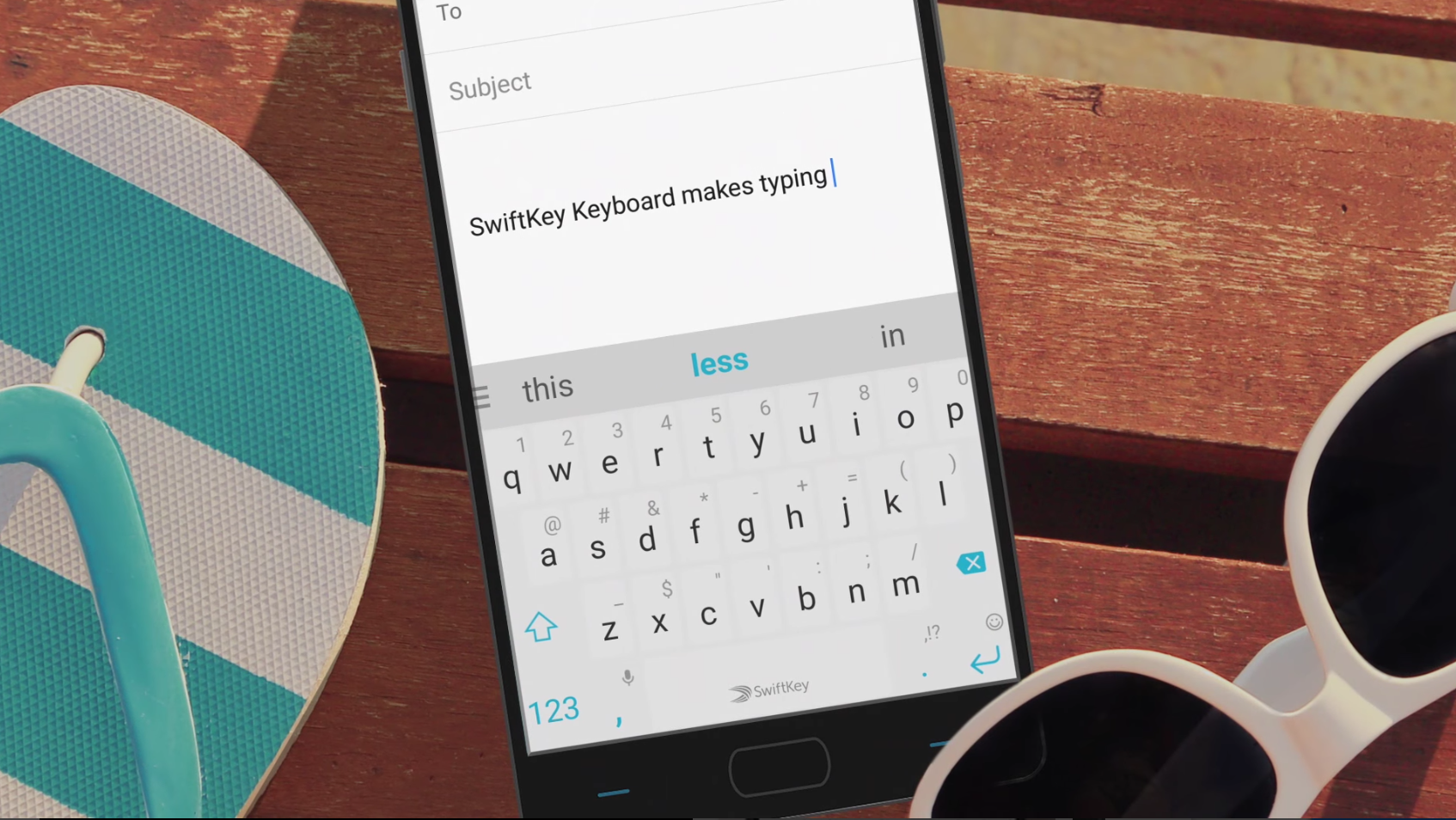
Which is the most used app on any phone? The keyboard. Therefore, it is the single most significant application. The default keyboards on Android devices vary depending on manufacturers. We see the likes of Samsung keyboard, Google keyboard and a few more options. However, none of these even come close to Swiftkey in terms of usability, features and especially auto-corrects. 

Swiftkey uses a neural network to constantly learn each user’s keywords and phrases. This autocorrect is not just for the basic english language. It is actually does not depend on any language. Since there is unique slang in every language, and a specific way of chatting too. Swiftkey keyboard learns every user’s typing patterns and saves them for future. These do not appear in suggestions, but you can use these phrases and words effectively in autocorrects as well. 

Additionally, change stuff like themes, backgrounds, layouts, sizes, long-press durations, long-press keys, keyboard sizes and a lot more for you to explore.

9: Speedtest

Testing internet speed is one of the few things that a lot of guys love to do. Whether it is a new connection, a new place or something is just not working right. The game is running on high ping, the stream is lagging, or you just wanna flex on friends. Speedtest is the perfectly balanced tool for testing out any kind of internet connection. It works with both cellular and WiFi networks. Moreover, select a server of your choice from anywhere the world. For best possible results, app will always recommend nearest servers. However, change the servers to different countries if you want to get a general idea of how good or bad your connection is going to be towards a certain region or country.

Speedtest by Ookla
Price: Free

10: Onefootball

Football fans around the world love to keep themselves updated on all kinds of scores. It does not matter which team you support. It is pretty much imperative to keep track of entire league, champions league and even leagues from different nations. In addition to this, no football fan wants to miss out on the spicy transfer news throughout the season.

Onefootball is a one-stop solution to meet all your needs. At start of the app, select your favorite players, teams, leagues, competitions and other topics. From here onwards, the homepage and all notifications from Onefootball app to your particular phone are tailored accordingly. It is recommended to login with Google to keep these settings saved for future. 

11: CamScanner

Remember the days when we used to scan the documents via a bulky machine called “scanner”? And how gruesome and slow that process used to be? Oh, are you still one of those people using it? Come on! It is time to move on. CamScanner is probably the best in its category. It is a perfect solution for scanning documents and creating a PDF afterwards. This is one of of the most essential Android apps ever! 

Note that, it is not a regular OCR that scans and prints text on a notepad. The CamScanner actually mimics the entire document pixel by pixel. Entire page, its layout, the design, and pretty much everything is scanned as it is! You cannot actually spot a difference. Whether there are some old documents lying around that you want to save or just use it in daily life, CamScanner is a must-have Android application for students, office people and even the regular folks. It could come in handy anytime!

12: Snapseed

Picture editing Apps on Android are plenty. When searching for photo editing apps on Play Store, there are thousands of random apps that are not even that good. Snapseed is a brilliant photo editing app developed by Google itself. It is one of the most popular apps in its genre, and it is for every right reason.

Ranging from touching up pictures to filters, cropping to overall adjustment, high level editing tools to transformations, it is has got it all. Once someone learns how to use Snapseed, they pretty much do not need another photo editing app for Android.

Snapseed
Price: Free

13: Xender

When it comes to file sharing on Android, there are fair number of options. Unlike iPhone, Android users are not stuck with any sort of limitations. The most basic method is bluetooth transfer. An advanced option is WiFi Direct. However, it may not always work and some may not even know how to use it.

Therefore, the best solution is using third-party file sharing apps for Android. One of the most popular apps in this genre is Xender. It uses WiFi hotspot on sender’s phone to share files at lightning speeds. Moreover, the built-in file manager and organizer makes sharing stuff like APKs, photos, videos and documents a total breeze. Although, all of this is possible via manual methods. But, most of those methods are long and cumbersome. Therefore, we recommend using third party apps like Xender to send and receive files on Android.

14: LastPass

With the increasing number of ‘essential’ apps like banking, online shopping and many more, it is not possible to remember every password. It is even more unsafe to keep same password for every important service. Therefore, LastPass provides a safe, reliable and efficient solution. All the passwords are stored on same app and automatically fills in the login details when you open those apps.

Use a certain account to save all of your passwords online. Therefore, even if you change the phone, or want to access the passwords on a laptop for example, just login and boom! That’s it! It is a very handy cross-platform service to keep all passwords in just one place.

Use security measures like two-factor authentication, fingerprint scanners and PIN codes.

15: MX Player

When it comes to video players for Android, MX Player is the leader of the lot. It is without a doubt, the best media player available for free. Phones with low-end and even mid-tier hardware often come with lackluster video players. Those are not only lacking in necessary codecs, but the overall UI experience isn’t up to the mark. Therefore, MX Players comes into the play ticks all the boxes. 

MX Players can certainly play pretty much any video format. Moreover, it uses hardware acceleration to play high-end videos along with sound part. Additionally, a lot of streaming websites and apps use MX Players too. On the whole, MX Player is a complete package and it is a must for anyone who watches a lot of movies and TV shows on their phone.

MX Player
Price: Free

Best WhatsApp Spying Apps for you [2020]

0
Best WhatsApp Spying Apps for you [2020]

Hello, I have been trying a number of WhatsApp Spying Apps on my smartphones for the past several weeks. I was amazed to find that there are a few apps that really work. As we all know that they are tons of fake apps and tools who claim that they can help you spy on WhatsApp. But in reality, they are only making people fools and injecting serious malware in their devices. Moreover, a number of users end up having privacy breaches.

But the apps I have tried, they all are authentic and working perfectly. They do what they say, the only downside I found while using all these WhatsApp Spying Apps. Most of them are paid, you can only use the trial version for free, only for a few days.

In the past, I have seen many apps for Android & iOS devices which require root or Jailbreak. In order to operate properly but you will be glad to know that all of these WhatsApp Spying Apps require no root nor Jailbreak.

There are hundreds of users who want to spy or monitor other’s WhatsApp media, posts, status, etc. That can be achieved with the help of certain apps but in the end, they have a fallout. At some point, they all lack somewhere or they miss out on some features. But I am sure all of the following apps will serve all the specific purpose.

Yet again, Keep that in mind, all of these apps will work on both Android & iOS devices without Root & Jailbreak. All you have to do is head over to their website and download the app. Not all of these apps work the same way, some will allow you to only spy on someone’s conversation. Some will allow you to spy on conversation, media, and others.

I think enough said, now let’s get started and give you the Best WhatsApp Spying Apps for you.

Best WhatsApp Spying Apps for you [2020]:

I will start with the best in business and after that, I will keep on going and provide you the other apps on my personal rating.

XNSPY:

XNSPY is the best app I used, it is available for both Android & iOS. If you want to spy on someone’s WhatsApp account with ease, you should try XNSPY. This app allows you to read all the incoming conversation of the account you want to spy on. So, this is the basic feature that you can easily use. However, if you want to use its advanced features then you need to Jailbreak or root your device.

WhatsApp Spying Apps

Now you will be wondering what you will get in advanced features? XNSPY not only allows you to access the incoming conversation, but it also allows you to read outgoing logs. Once your device is rooted or Jailbreak. After that one can access the call logs, chats, emails, text messages, web browsing and more.

One more thing, I would like to add. XNSPY interface is user-friendly and even a layman can easily use it. Moreover, if you face any problem while using XNSPY, you can contact them anytime. They have dedicated customer support. As I have told you earlier, most of these apps are paid. So does, XNSPY, you have to pay $8.33 per month for basic and $12.49 per month for Premium.


mSpy:

mSpy is second in my list of best WhatsApp Spying apps, the basic purpose is the same as XNSPY. It has two versions one is basic and the other one is for Rooted and Jailbroken devices. But I am sure you won’t be needing the one which works on root or Jailbreak. The basic version does all the work for you, you can easily track and monitor someone’s WhatsApp account.

WhatsApp Spying Apps

You can easily spy on someone’s device not only on WhatsApp. You can check other text messages, call logs, locations, emails and more. When it comes to using mSpy you will be surprised that it can be operated by even a layman. Works on both Android & iOS. You can easily access all the details of a WhatsApp contact or a conversation. mSpy allows you to check the multimedia shared and received in a WhatsApp conversation.

Spyzie:

A perfect tool to Syp on WhatsApp accounts. Not only you can monitor WhatsApp activities you can also check more using Spyzie. You can view and read all the sent and received message along with that you can download the media. Moreover, you won’t need root or Jailbreak in order Spyzie work. Spyzie has sperate apps and services for both Android & iOS devices.

Android users can monitor Chats along with the multimedia but iOS users only can check Whatsapp chat. If you ask me, I would say that it’s better to use Spyzie on Android devices because you can get more out of it. Spyzie is not only for WhatsApp, but parents can also use it as parental control. It lets you put a number of restrictions on a device.

WhatsApp Spying Apps

Spyzie supports screenshot while monitoring and also it can block specific apps and can monitor the browser’s history. This is one you should try once and then you will see how good Spyzie.

Like others, Spyzie does not has a basic version it comes with the Premium edition- $29.99 per month & Ultimate edition- $39.99 per month.


Download Ludo Star APK 2020 [Android and PC]

Download Ludo Star APK 2020 [Android and PC]
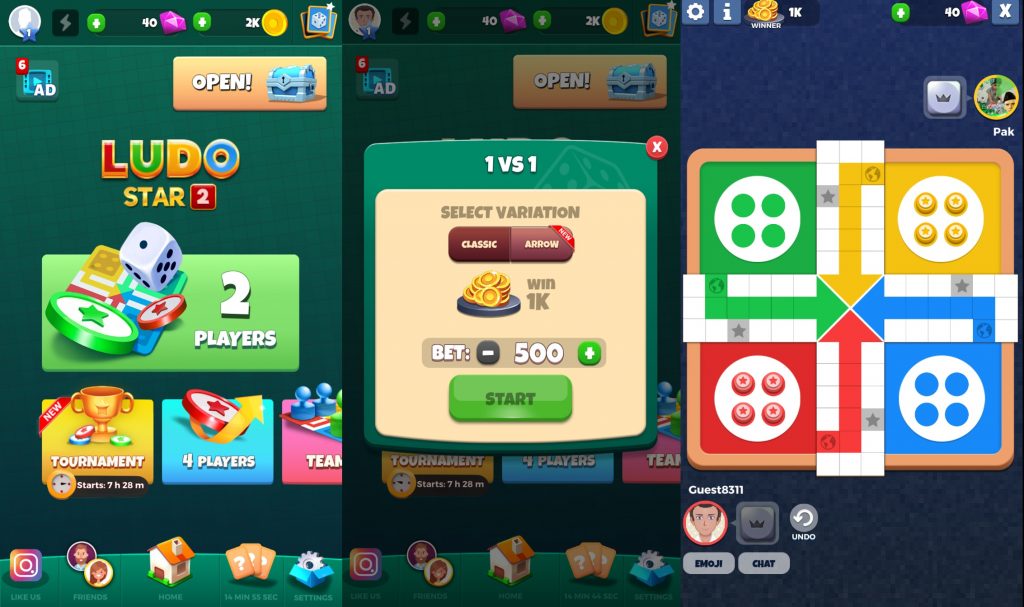
Ludo Star Game Screen

Follow the instructions given here to download Ludo Star APK for Android and PC. The steps to install Ludo Star for PC on Windows 10 and macOS are also given here.

Ludo Star APK
Ludo Star Game Screen

Ludo Star is one of the most popular Android games that came out back in 2017. The game quickly rose to fame because of its close-to-reality gameplay. The game is built to give you an experience of the real Ludo game. To understand the Ludo Star, you need a flashback of the Ludo game.

Ludo – The Pachisi

The Ludo game originally started back in 6th century. This game was named “Pachisi” back then. The game initiated from India and made it to other regions of the world too. In Germany, this game is called Mensch ärgere dich nicht. They call this game “Non t’arrabbiare” in Italy. In Bulgaria, the name of this game is “Не се сърди човече”. In  Romania, it’s known as “Nu te supăra, frate!”. The game is also played in Greece and its known as Γκρινιάρης. Since the 6th century, this game has gone through a number of evolutions and the form that we have right now is called Ludo.

In Ludo, 2 to 4 players can play at a time with or without a partnership. Each player has 4 tokens. These tokens are placed in their yard before the game starts. The players roll the dice which has numbers 1 to 6. Highest number i.e. 6 helps the players enter the Token on the board. If the dice returns a number lower than 6, the Token either stays in the yard, or the player moves an already released Token. In case the Token is at home, the turn is passed over to the next player without any movement.  The Tokens have to go through the entire board without getting hit from the opponent. The player with all the Tokens reaching home, first of all, wins the game.

Ludo is not just popular because of its interesting gameplay, this game is an amazing time killer as well. Most of the players love to play this game while sitting at Cafes with a cup of tea or coffee.

Ludo Star – How it changed the board game

To Play the original Ludo board game, the players have to gather physically. Ludo Star filled this gap and now players can play the game without gathering. Not only that, they can actually enjoy a modern form of Ludo while the core idea remains intact.

Ludo Star Players can play this game in realtime multiplayer mode, or they can join another player who’s online from another corner of the world. Furthermore, the game has a Diamonds system. The more diamonds you have, the more you repeat you get to roll the dice. 

Ludo Star is built by Gameberry, a gaming studio based in Bangalore. The game hit millions of downloads in a very short period of time. An unfortunate happening took the game off from the Play Store. As of January 2020, the game is once again available in the Play Store. The game has received several updates. At the time of writing this post, Ludo Star is at its version 2.0.

If you are still unable to find Ludo Star in the Play Store and you want to install it manually, you can find its APK here. I am going to put the Ludo Star APK below, which is directly downloaded from the Play Store. Additionally, I’m going to show you how you can play Ludo Star on your PC. Ludo Star for PC can run on Windows 10 and macOS powered computers.

Download Ludo Star APK

Ludo Star APKDownload

  1. Copy the APK to your phone.
  2. On the phone, open the Ludo Star APK using a File Manager.
  3. If the App asks for any permissions, allow it and finish the installation.
  4. Now open the Ludo Star game from the app drawer and play it.

How can I Play Ludo Star on PC? – Download Ludo Star for PC – Windows 10 and macOS

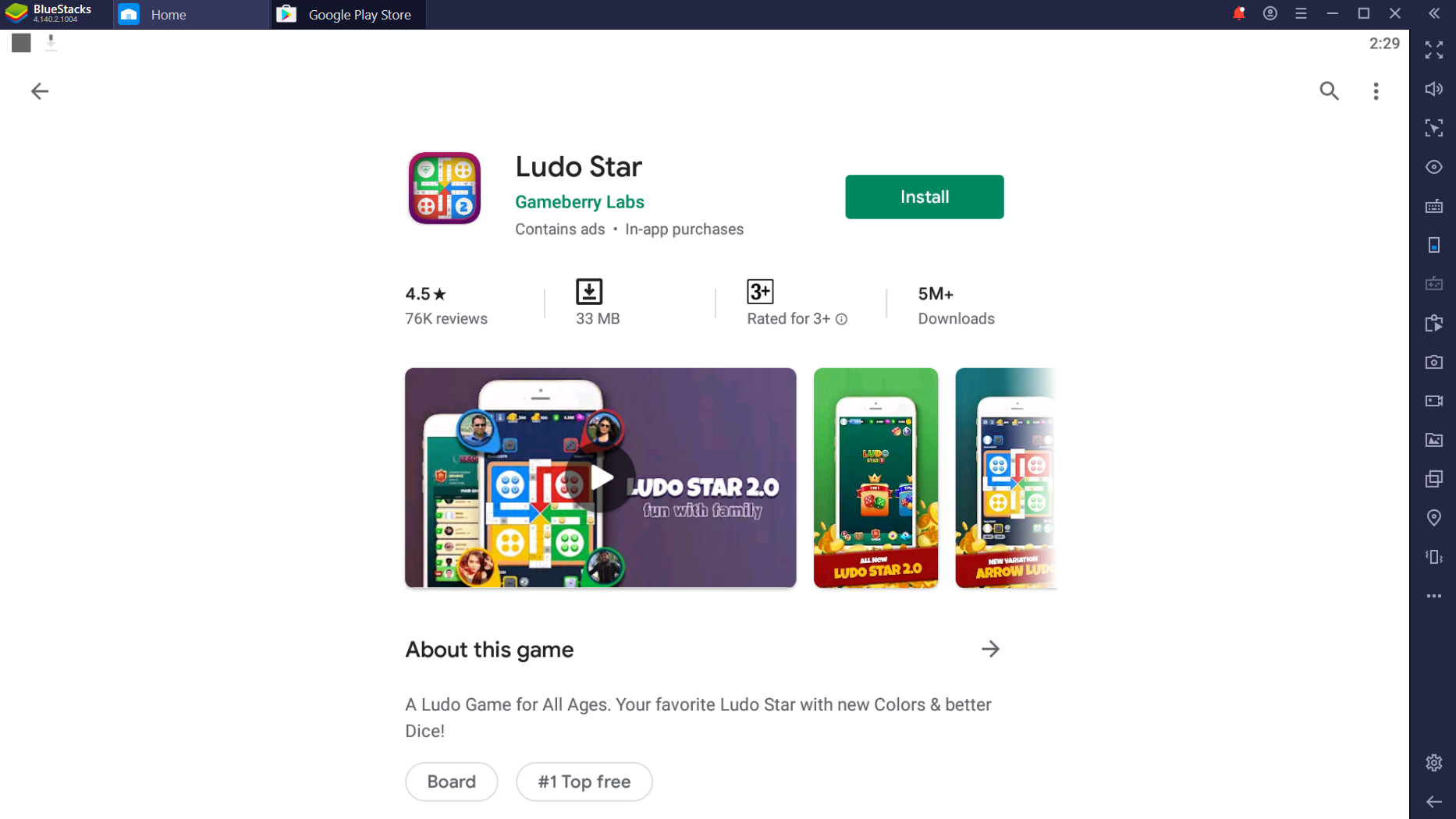
  1. On your computer, download and install BlueStacks 4.1.
  2. Once done, login into the BlueStacks using your Google Account.
  3. In the BlueStacks, open the Play Store.
  4. In the Play Store, look for “Ludo Star” and install it.
    Ludo Star for PC
    Ludo Star Play Store in BlueStacks
  5. Launch Ludo Star from the home screen.
    Ludo Star for PC
    Ludo Star in BlueStacks

Alternatively, you can drag and drop the Ludo Star APK onto the BlueSacks and it will be installed immediately.

Final Words

By now, you will have the Ludo Star running on your phone or computer. If you have any questions or queries about this game or the BlueStacks emulator, feel free to drop them in the comments section below. I will try my best to get back to you as soon as possible.

10 Best Android Antivirus Apps in 2020 – Protect your Android phone from viruses

4
10 Best Android Antivirus Apps in 2020 – Protect your Android phone from viruses

Android is the world’s most widely used mobile operating system having millions of apps making the Android device user-friendly. As it is an open-source operating system, it does have a vast development platform. Every now and then, something new is discovered every minute in the world of Android.  At present, Android has become the need of the hour. The Android apps are awesome to use, the games are good to play. Now, who doesn’t like to get hands-on a device having Android OS running on it?10 Best & Free Antivirus for your Android Smartphone

As mentioned above, Google’s Android OS has outnumbered all the other operating systems in the market. The users have always loved the functionality, smoothness and quality of Android.

When it comes to the usage of a mobile phone having Android running on it, one of the biggest concerns is the protection of the device’s OS. It is important to protect the user’s data from malicious attacks and malware. Google Play Store has tons of apps loaded in it serving different purposes.

Although Google ensures the user’s security and checks each and every application available in the Google Play Store for any type of malware/viruses still many of the applications can hit the device by malware attacks unknowingly – this results in the lag in device’s working. The other way for the malware to hit your smartphone is by browsing the internet.

While you are busy with the web pages on your phone’s browser, you never know when a malware lands in and thus makes your smartphone slow. Some automated scripts on the websites, and in the applications are also capable of stealing your personal data e.g contacts, messages so it is necessary to have an app installed which keeps a watch on all this and keeps you informed about all the ongoing activities inside your device.

10 Best Android Antivirus Apps 2020

Following the growing need of the users, I’ve compiled up the 10 best Android Antivirus Apps for Android available on the Play Store here in this post. Many of the users get confused while choosing the right app, you may not get confused here as all of these apps are the same when it comes to the functionality the difference is only with the brand name. I haven’t ranked the applications in numerical order as these apps have the same potential, so just go with the one you like.


AntiVirus Security – by AVG MobileAVG

You must be familiar with the computer’s best Antivirus software – AVG Antivirus. The best mobile Antivirus application available on the Google Play Store. Antivirus Security by AVG Mobile ensures the user’s security and privacy. It scans the storage, checks the applications for malware and also has an online scanner. It keeps the device clean and always scans the web page a user is browsing in order to block any malicious content.

The app also allows users to enhance the performance of their smartphones by monitoring the battery, storage, and package data usage. AVG Mobile also has a feature that allows the users to find or locate their lost or stolen phone through Google Maps. If you are looking for an AntiVirus to install on your smartphone, then Antivirus Security by AVG Mobile is the best to go with. Download it for Free Here.


Mobile Security & Antivirus – by AVAST SoftwareScreenshot_1

AVAST – the name you must be familiar with and if you are not, you may not have used a PC yet. The well-known software has joined Android as well to play its role regarding the device’s security and the user’s privacy. The functionality of the Mobile Security & Antivirus is same as that of the one by AVG but it has got some additional features like Backing up the contacts, messages, call logs, photos etc.

This app also allows the users to check the malicious calls and messages, offers the users to block unwanted numbers. Mobile Security & Antivirus is a must have Antivirus app on your Android Smartphone in case you are looking for one. Download it for Free Here


Norton Security antivirus – by NortonMobileNorton

Another PC Antivirus brand has come up providing its services for Android devices. Norton Security antivirus sports the features as same as those of AVG and AVAST. These include anti-theft which allows the users to locate, lock or wipe the device remotely. Norton allows the users to control the security for all of their devices having it installed on one website. It also sports the contacts back up feature.

The antivirus features help to improve the device performance, spy the apps for any malicious activity and keep a watch on the websites while browsing. As the brand name and the company ”Symantec” are much trusted and popular you can go without any hesitation. Download it Here for Free.


Kaspersky Mobile Security Lite – by Kaspersky LabsKasperSKy

The most powerful and best Antivirus for your PC has finally made it’s way to Android. Kaspersky Mobile Security Lite has the Anti-theft and Anti-Virus features. These features allow the users to scan their phones just like other antivirus applications mentioned above. The Anti-theft feature allows the users to remotely lock/wipe their device in case it is lost or stolen. It also has the call and SMS filters. Download it Here for Free


Avira Free Android Security – by AVIRAAVIRA

One of the awesome, and my favorite Antivirus for the computer – is now available for Android. It hosts features like Blacklisting Functionalities, Device Administration and of course Anti-theft and Anti-virus. It is a good choice to go with, Download it Here for Free.


NQ Mobile Security & Antivirus – by NQ Mobile Security (NYSE: NQ)NQ

NQ Mobile security has been popular among Android users for a quite long time now. It hosts the Antivirus, Anti-theft, Back up, Call & SMS filters features. It is one of the most trusted Android Antivirus applications as well so you may stick to it.  Download it Here for Free.


Dr.Web Anti-virus Light – by Dr. Web Ltd. Dr WEb

A light, simple and easy to use Antivirus for your Android device. Allows the users to perform a full or quick scan. It makes a light impact on the operating system. Dr.Web also helps the users to improve the battery performance of their device. If you are looking for a less complex Antivirus application then Dr. Web Anti-virus light is the best to go with. Download it for Here for Free


McAfee Antivirus & Security – by McAfee Mobile SecurityMcAfee

The award-winning Antivirus is now available for Android. Much similar to the other Antivirus applications, this application also ensures the device’s security and the user’s privacy. It helps to scan and remove any malicious data from the device. Furthermore, it has the anti-theft features which allow the users to locate/track, lock and wipe the data from the device remotely. It also features an Alarm feature which helps to locate the device if it’s hiding nearby. Download it Here for Free.  


Antivirus Free – by Comodo Security Solutions.Comodo

You may be familiar with Comodo Antivirus for PC – one of the best ranked among the computer freaks. This antivirus is now available for Android as well and is up on the Google Play Store for free download. As mentioned above the working, functionality, and features of almost all these antiviruses are same so you may not get confused with what to choose. Comodo is there for you as a good choice, go with it – Download it Here for Free.


Bitdefender Antivirus Free – by BitdefenderBitdefender

Another award-winning Antivirus for your Android smartphone/tablet. The Bitdefender is simple, light and easy to use application. Its main features include Unparalleled Detection, Feather-Light Performance, Hassle-Free Operation and Zero Configuration. In terms of an easy and lighter application, Bitdefender is the Antivirus for you. Download it Here for Free.

We would love your feedback regarding the Antivirus applications listed above. Feel free to leave your comments below 🙂 Have a great day!

Download Android USB Drivers 2020 Edition: Samsung, Huawei, OnePlus, LG, Xiaomi, Oppo & More

1
Download Android USB Drivers 2020 Edition: Samsung, Huawei, OnePlus, LG, Xiaomi, Oppo & More

As of January 2020, all these Android USB Drivers are latest and up-to-date. Download Android USB Drivers for all Android phones from here. These drivers are for all companies.

Here is the Android USB Drivers 2020 Edition. From this page, you can download the Android USB Drivers of almost all the Android phone makers. The official download links of the drivers are up here after verification.Android USB Drivers

Right now, there is an influx of Android smartphone manufacturers in the market. You can find an Android-powered phone in almost any price range. Even the smartphone giants like Samsung are coming up with low-end budget-friendly smartphones now. Because of the ongoing competition in the smartphone market, we see companies pulling out new phones every day and we also see new smartphone manufacturers popping up every now and then.

The importance of USB Drivers for an Android handset

Before getting a smartphone, you have to consider a few things. The most important thing is how the company handles its product support and whether it provides the required tools & drivers for its phone or not. Well, reputed companies like Samsung, Huawei, LG, and Sony have their appropriate USB Drivers, PC Suites, and the Flashtools as well. The problem comes up when you pick up a smartphone from a relevantly new manufacturer or a manufacturer that’s not in the mainstream market. It’s really, really hard to find the Android USB Drivers of smartphones by such phone makers. Keeping this difficulty in view, I compiled a list of over 27 different Android manufacturers along with the Android USB Drivers for their handsets.

From the following post, you can download the Samsung, Huawei, LG, OnePlus, Sony, Xiaomi, ZTE, Google Nexus, Google Pixel, ZTE, Alcatel, ASUS, Acer Android USB Drivers along with the Android USB Drivers of many other manufacturers. Go ahead and find out your phone’s drivers. The methods to install some of these drivers are also given in this post.

Download Android USB Drivers 2019 Edition

  • As of April 2019, all the links are verified and working to our best knowledge.
OEM Android USB Driver / Flashtools
Samsung USB Drivers
Huawei USB Drivers  Download Huawei Hi Suite
OnePlus Android USB Drivers Download USB Drivers
LG USB Drivers
Oppo Android USB Drivers
Sony Android USB Drivers
ZTE Android USB Drivers Download USB Drivers
NVIDIA Shield USB Drivers Download USB Drivers
Alcatel USB Drivers Download Alcatel Smart Suite or PC Suite
HTC  USB Drivers Download HTC Sync Manager
Google Nexus Android USB Drivers 
Google Pixel Android USB Drivers 
Motorola USB Drivers
Lenovo Android USB Drivers  Download Lenovo Moto Smart Assistant
Acer USB Drivers  USB Drivers
Asus Android USB Drivers  USB Drivers
Xiaomi Android USB Drivers
Fujitsu USB Drivers  Download USB Drivers
CAT USB Drivers 
Toshiba Android USB Drivers  Download USB Drivers
Blackberry Android USB Drivers 
Coolpad Android USB Drivers 
Gionee Android USB Drivers
YU Android USB Drivers  Download USB Drivers
DELL Android USB Drivers  Download USB Drivers
VIVO Android USB Drivers  Download USB Drivers
BenQ Android USB Drivers 
 
LeEco Android USB Drivers  Download USB Drivers
 Intel USB Drivers for Android Devices for all Intel Processors Download USB Drivers
Android USB Drivers for MediaTek Powered Devices
ADB and Fastboot Drivers for all Android phones Download
System-wide Android ADB and Fastboot Drivers Download

How to install Google Universal Android USB Drivers

  1. Download the driver package file for your phone from above.
  2. Extract the contents of the zip file.
  3. From the extracted contents, right click on the android_winusb.inf > install.
  4. Install the driver and restart your computer.
  5. Connect your phone now. That’s all.

Learn How to install Qualcomm USB Driver

  1. Extract the downloaded Qualcomm USB Driver file.
  2. Run the setup file from the extracted files.
  3. Follow on-screen instructions to install the driver.
  4. Restart your computer and connect your phone. That’s all.

How to install MediaTek VCOM and CDC Driver

  1. Disable Driver Signature Verification on your computer.
  2. Now open Device Manager on your PC.
  3. In Device Manager, right-click on your username and select “Add Legacy Hardware”.
  4. Click Next and then select “Install the hardware that I manually select from a list (Advanced)
  5. You will now see a list of Hardware Types. Click on Show All Devices and then click Next.
  6. Now click on “Have Disk” and select the .inf file of CDC or VCOM driver.
  7. Complete the driver installation and restart your computer.
  8. You can connect your phone now. That’s all.

 Updated:  11/24/2019 

Best Free Android XAPK Installers of 2020

0
Best Free Android XAPK Installers of 2020

XAPK Installers have become a must-have today. There are only a few XAPK installers out there. Out of those few, finding the best ones is quite a task. If you are looking for the best Android XAPK Installer, you will find it here. Here is the list of best Android XAPK Installers of 2020.

  1. Pure APK Install
  2. APKPure
  3. Up to Down Android
  4. APK Installer Proandroid xapk installers

Before you chose the XAPK Installer for your Android phone, its important to learn what an XAPK file is and how these XAPK Installers can help you.

XAPK Files

APK files of Android applications are just like exe files of Windows software. The APK file of an Android application allows you to install the app without the Google Play Store. A majority of Android applications have there data files embedded inside the APK files, but when it comes to the large Android games or apps, they use large data files. These large data files are called OBB files and these are stored in the Android\obb\ folder of an Android phone. Generally, when you install a game from the Google Play Store, it installs its interface file only, which is an APK. When you launch that game, it starts downloading its obb files from the servers and stores them directly in the obb folder. This happens only for bigger games.

If you try installing such large games manually, you have to download the obb and APK files separately. You copy the files to your phone, install the APK and manually move the obb files into their folder.

Some developers who didn’t like this idea of manually dealing with two different files, they merged these files into one, hence, invented the XAPK files.

So, in literal terms, an XAPK is a file having APK file and OBB files. XAPK = APK + OBB.

Having an XAPK file of a game will save you all that download time from game’s servers. The XAPK sources generally provide an amazing download speed, which is way faster than the Google Play or Game Developer’s servers.

There is only a couple of sources that provide XAPK files. These files are more trustworthy as compared to those separate files.

XAPK Installers

As I mentioned earlier, there were ways to install data files and apks manually, but as things evolved, we got new tools and methods. The XAPK files, which are not supported by ZIP extractors and simple APK installers, can be installed via XAPK installers only. The XAPK installers use those specific perimeters to extract files from the XAPK. The files are then automatically copied and installed on an Android phone. All it takes is a single touch to install a game of more than 2 or 3GB within one minute.

Assuming that you know what is an XAPK File and an XAPK Installer, let’s take a look at the Android XAPK Installers.

Android XAPK Installers

Pure APK Install

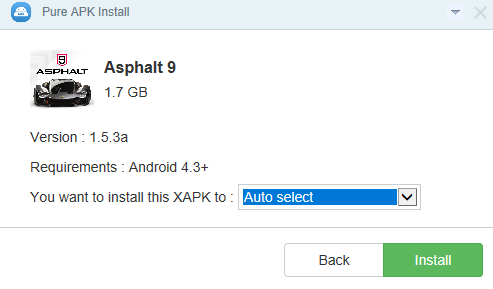
Pure APK Install is a desktop application. Most of the Android users download XAPK files on their computers. If you are one of those users and you don’t want to copy the XAPK to the phone, you will find Pure APK Install useful.

In this program, you can select the XAPK file that you want to install. After that, you can select the storage space of your phone i.e. internal or external, and then all you need to do is to hit the Install button.

While connecting your phone to the computer, you must have the USB Debugging mode enabled on it. The Pure APK Install will fail otherwise.

Pure APK Install comes from APKPure, which is the largest independent APK repository. The Pure APK Install is absolutely free and has no limits.

The reason it happens to grab the first spot is its simplest UI.

APKPure

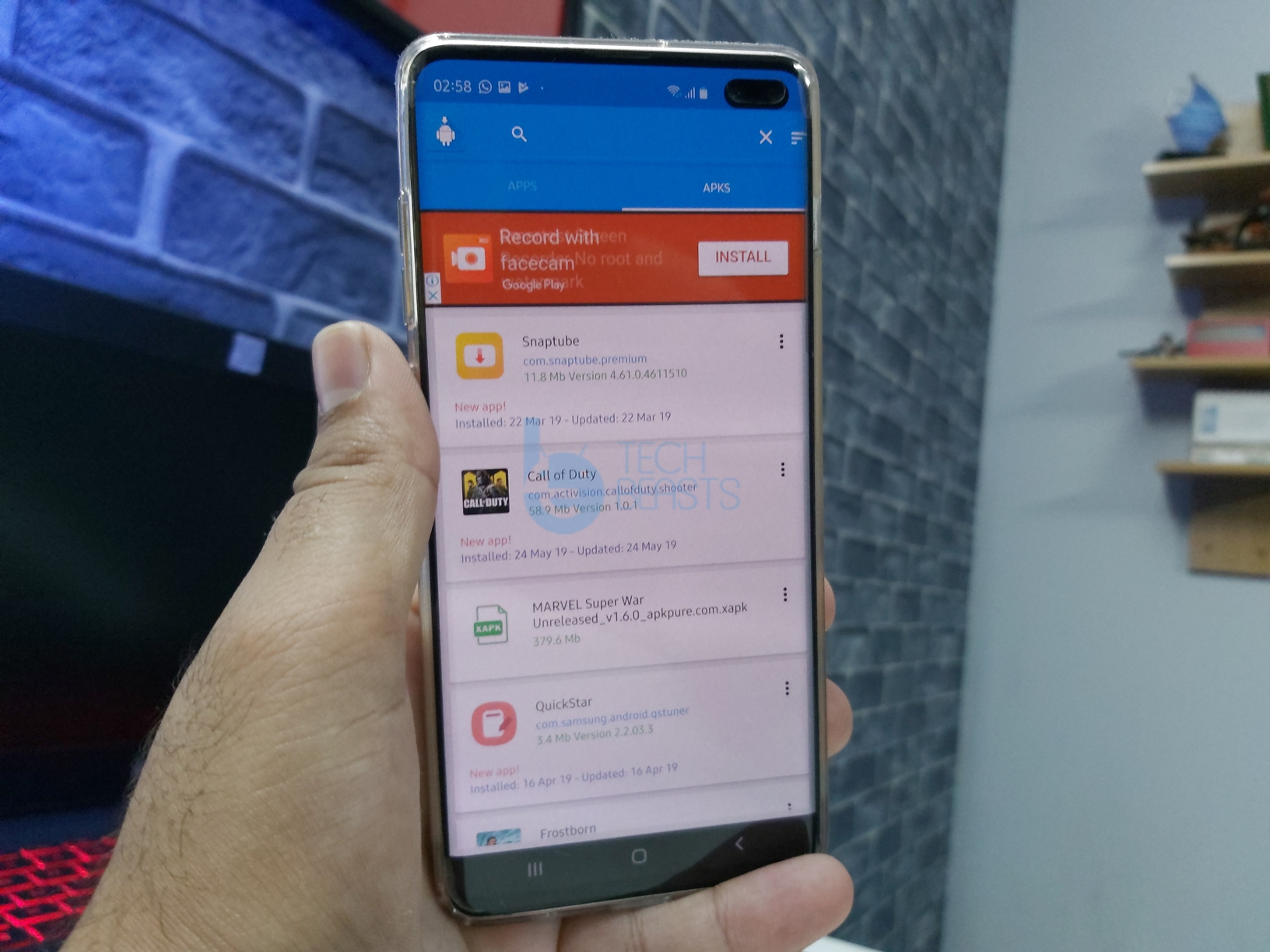
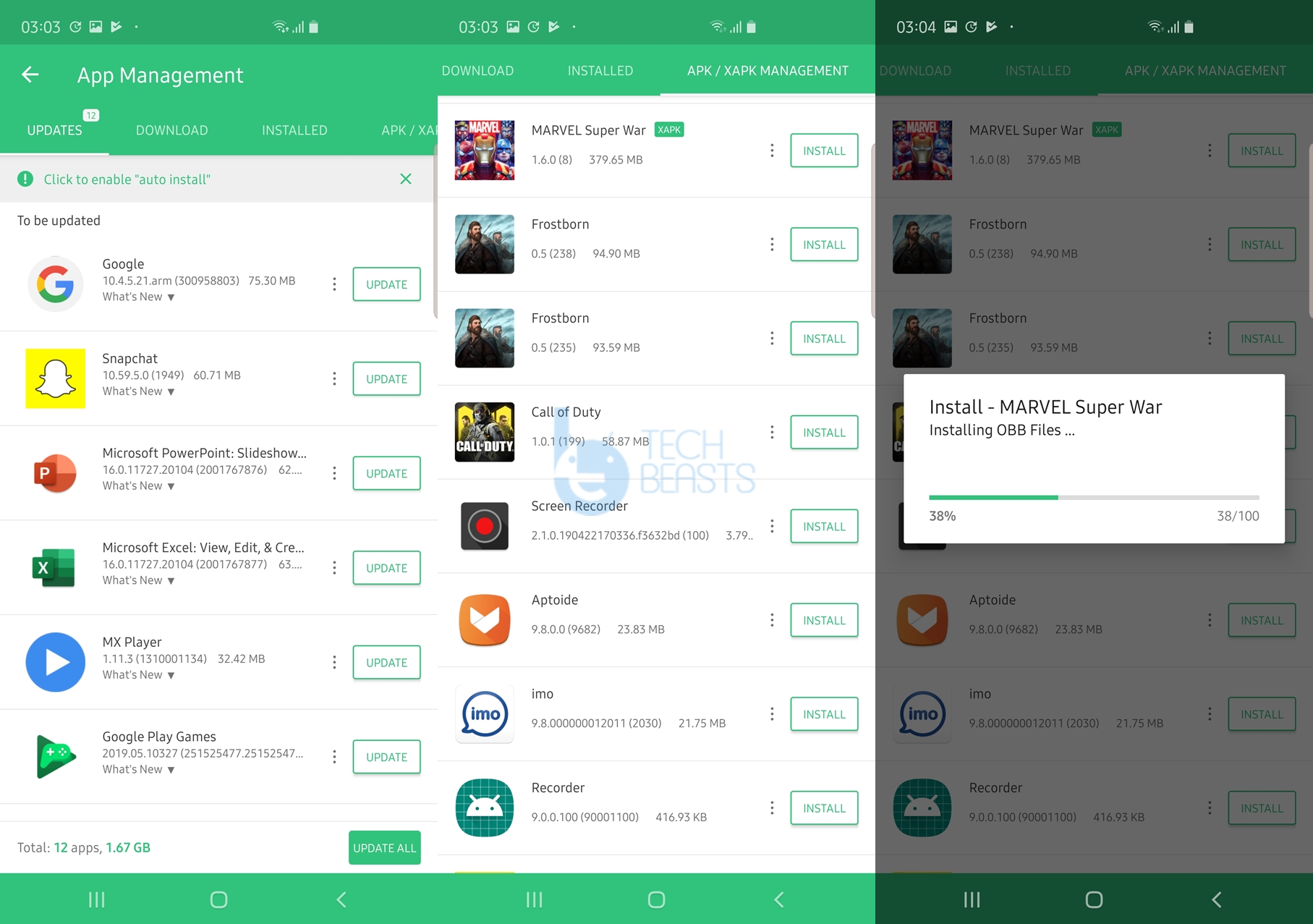
The guys over APKPure actually polished this idea of XAPK. Their APKPure app supported the XAPK installation first of all. The application is like an alternative to the Google Play Store. Within the same application, you will find APK and XAPK Manager. It can detect all the uninstalled APK and XAPK files in your phone. The App shows you a list of all the apps that you haven’ installed. Click on the application’s icon will install it. APKPure application can delete the APK files after installation, which will save the storage on the device. You can either download the XAPK files using this application or you can download on your computer and copy to the phone.

UptoDown

Up to Down is quite similar to the APKPure. It is also supported by its independent app store. The Up to Down guarantees the safety of all the applications it hosts. You can use this application has a stand-alone XAPK installer, or you can use it as a replacement of the Play Store too. One thing that I like the most about Up to Down store is that it has almost every single application that you will not find on the Google Play Store.

Platforms like APKPure and Up to Down are quite friendly to the Indie-developers.

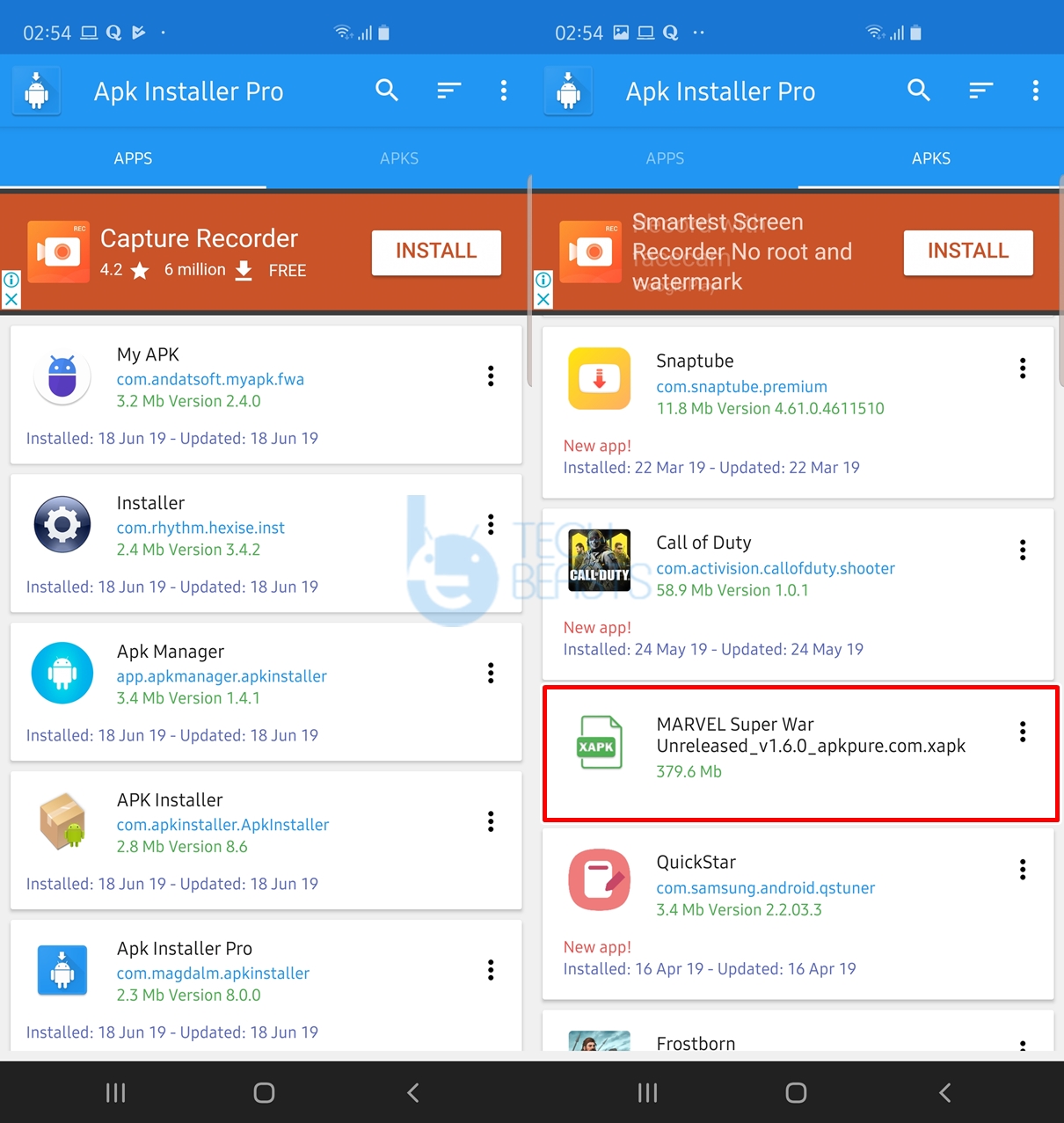
APK Installer Pro

The last one in the list is APK Installer Pro. Just as its name suggests, it is nothing more than an APK handler. It has very solid filters in place which can show you the apps that are not installed or the ones installed only. Apart from installing the APKs and XAPKs, you can manage the previously installed apps on your phone too. The search button will let you file the desired files too. To install the XAPKs through APK Installer, you must copy the XAPK files to your phone first. The installer will automatically detect them and then list.

Conclusion

That’s all. There may be many other XAPK installer apps out there, but we have to go with the ones that ensure a user’s safety. In our opinion, the apps listed above are the best ones. If you have anything to add to this list or any query, feel free to drop it in the comments section below. I will try my best to get back to you as soon as possible.

More:

  1. 5 Best Free Android Screen Recorder Apps in 2019
  2. 5 Best Video Converter Apps for Android
  3. Best Free Android Photo Compressor Apps in 2019
  4. Download iOS 13 Stock Wallpapers

Best Free IR Remote Apps for Android in 2020

0
Best Free IR Remote Apps for Android in 2020

Android smartphone started adding the IR blaster back in the year 2013. A number of manufacturers opted for the technology to add the capabilities of remote control in their smartphones. IR blasters have been on the phones since the early days of 2002. It’s just that who made the best use of these IR blasters on the smartphones. We have an array of smartphones that have the ability to control your Split AC, TV or any other device that requires a remote control to be used.

This technology gave a wake-up call to app developers. Google Play Store has a handful of IR Remote Apps that can be used to control your TV, AC or any other device by making your smartphone a Remote Control. If you want to make your phone remote control, you need to pick the best application for that purpose. We have enlisted some of the Best Free IR Apps for Android here today.

Best Free IR Remote Apps for Android in 2020

IR Universal TV Remote

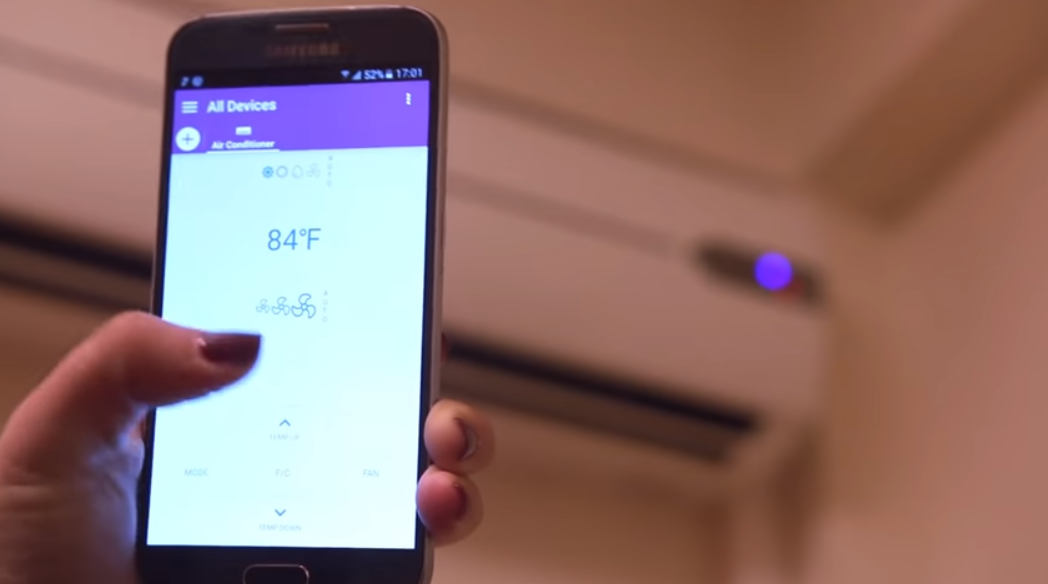
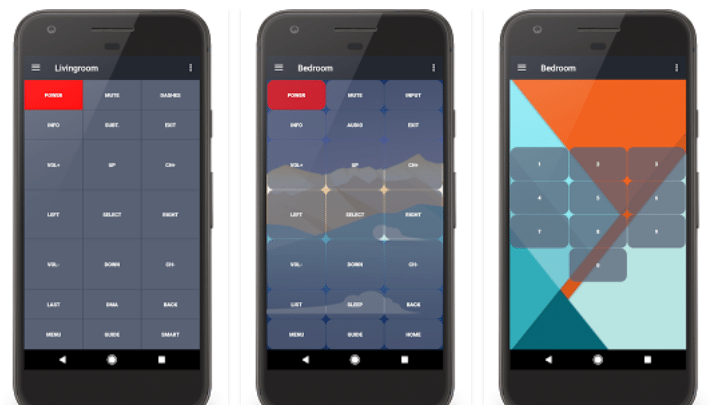
Although the name of this application suggests that it’s just a TV Remote application, but it’s just more than that. IR Universal TV Remote can control your AC, Fans, Lights and so many other home appliances. The application presents you with a list of all the brands and then you can select what device you are using. It also gives you the code sets to match the remote control with your device. Once you select a remote, the application saves it for the next time. Furthermore, you can create custom remotes in this application as well. By custom remotes, it means that you can set the UI elements of the remote according to your liking. IR Universal TV Remote is a completely free application and it can be downloaded here.

Best Free IR Remote Apps for Android

Peel Smart Remote

If you want a remote control application with reliable functionality and an intuitive UI, Peel Smart Remote is all you need. Peel Smart Remote has got what you need in a smart remote control. Peel is actually much more than an IR Remote Control. It synchronizes your live-streamed content on your smartphone. Peel Smart Remote can be used to control any TV, a set-top box, DVD Player, Blu-ray, Roku, Apple TV, Audio System and all other home appliances like AC and heaters. When paired with a Smart TV, Peel also suggests TV shows and movies to watch. Peel makes it extremely easy to set up your remote. You have to select your country, your device type, device brand and you are good to go with it.

SURE Universal Smart TV Remote

SURE Universal Smart TV Remote is among the most popular and most downloaded IR Remote apps. This application is also capable of controlling home-appliances of every single kind. SURE Universal Smart TV Remote has an interactive UI. It has a very easy to navigate and easy to set-up panel. The best part of SURE Universal Smart TV Remote is its integration with the Amazon Alexa. Use this application to control your Amazon Alexa by giving it voice commands now. SURE also joins the league of best free IR Remote Apps for Android. You can download it from here.

ASmart Remote IR

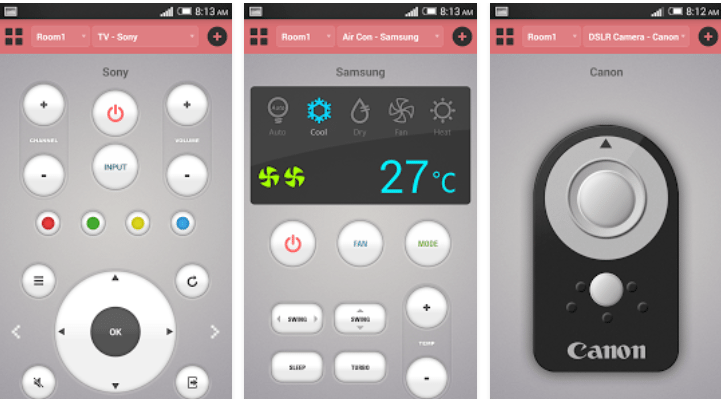
The last one in our list for now. Be it your TV, Set-top box, Air Conditioner, DVD, Projector, Streaming Box or your DSLR, ASmart can control everything. Of course, it needs an IR blaster on your phone. If you have one such phone, you can make the best out of your phone now. ASmart Remote IR is quite similar to the applications mentioned above, it just supports one or two more devices and it is also the least complex IR Remote application. You can get a smart Remote IR for free from this link.

That’s all for now. I hope you find these applications useful.

Best Free Photo Editors for Android 2020

0
Best Free Photo Editors for Android 2020

With time, photography has also moved to a new level and got enhanced at the maximum level. There was a time when people used to capture the snapshots and then wait for days to get em’ printed out and then wait for professionals to edit the captured pics and enhance the quality.

With innovation, people saw digital cameras,  starting from scratch and getting better every day, and then DSLRs to take high-quality pictures and to make the lives of people even easier, Cameras got a place in mobile phones and then smartphones having Android or IOS running on them. Not only that, a number of third-party photo editors got developed by time for different platforms including Windows, IOS, Android, and others.

Android’s revolution has definitely changed the smartphone world and is the most widely used mobile phone operating system at the moment. What helps it to be way too awesome is the open-source natures and tons of apps being developed every day and hitting the Google Play Store. These apps include all categories including tools, performance apps, games, etc.

There’s a number of photo editors available as well in the Google Play Store that helps the users to enhance the quality/effects of the pictures at their best and change the whole pictures to look great. Since Android has eased the lives of many, hence you don’t always need a computer to do the tasks as you can do all that on your small screen smartphone.

Best Free Photo Editors for Android 2020

In the following post, I’ve compiled up 5 different and best free photo editors that can add charm to your pictures on your Android smartphone. So just in case, you’re a photography enthusiast or you love editing your pictures, the following post is going to help you and add to your skills. Let’s move ahead and go through em’.

PicsArt

Best Free Photo Editors for Android 2018

A very fine and well-known photo editor for Android, as the name suggests, PicsArt believes in making you a  great Artist. With over 87,000,000 installs, PicsArt has become the most popular free Android photo editor. The all in one nature of PicsArt is really impressive. It includes a photo editor, photo grid, collage maker, and a drawing tool as well.

PicsArt is full of tons of effects, borders, frames, stickers, masks, clipart graphics, text effects, callouts and much more effects that you may apply to your pictures. Moreover, PicsArt Photo Camera allows the users to take photos and apply live effects in order to enhance the pictures on the spot. The Artist network allows you to share your edited pics over the social networks. There’s much more to know about it that you may test upon installing it on your Android device. Head over to the Google Play Store and start using it now.


Photo Editor by Aviary

Photo Editor by Aviary

One of the top-notch Android Photo Editors and used by tons of users. Photo Editor by Aviary Inc has a hefty list of features to offer the users can select from. A one-stop photo editor for everything, Aviary allows the users to auto fix the photos in one touch, it also allows the users to draw and add effects to the photos.

Other features of Photo Editor by Aviary are as same as that of other photo editors but differ only in the enhancing quality of the pictures. These include Fun stickers, color balance, re-size, crop, Sharpen and blur, Color temperature and many more. Photo Editor by Aviary also allows you to create your own memes. Head over the Google Play Store and get it on your device right now as it’s absolutely free.


Pixlr Express – photo editing

PicsArt

Similar to other photo editors but a good choice to point out from a hefty list. Pixlr Express by Autodesk Inc is a very nice photo editing tool that helps you to add effects to your photos. It also crops em’, re-sizes, colorizes, enhances the quality of pics, add frames and do a lot of other things.

One of the very useful features in Pixlr Express is it’s Auto Fix that automatically fixes your picture for color balance, lightening conditions and makes it look perfect. Pixlr Express aims at making it’s users feel like a pro even if they are not good at editing the pictures. Pixlr Express is available for free in the Google Play and supports the devices having Android 2.2 +, head over to the Play Store and install it on your device right now.


Adobe Photoshop Express

PhotoShop

Everyone’s probably familiar with the very well known Adobe and its applications. Adobe Systems have developed Adobe Photoshop Express for Android and is available in the Google Play Store for free. The functionality of Adobe Photoshop Express is quite similar to the above two photo editors with some exclusive features of its own including 20+ eye-catching effects.

Auto Fix is available in Photoshop Express as well to fix your photos automatically. Image rendering engine helps the users to handle the large sized pictures in a better way. Adobe Photoshop Express also allows the users to connect with their friends over the social networks. You can get it on the Play Store here.

Snapseed

Snapseed

Choice of many, and a very user-friendly, easy to use photo editor available around. Snapseed’s purpose is similar to other photo-editors but it edits the pictures in a slightly different way.

Snapseed’s features include AutoCorrect, Tune Image, Straighten & Rotate and Crop. Besides these, it’s exclusive features include Black & White, Vintage, Drama, Retrolux and many more. Snapseed also supports different languages and requires Android 4.0+ to run on. You can get it free on the Google Play Store.


That’s All. Please keep in mind that this list of Photo Editors is not based on alphabetical order. These are just randomly picked photo editors from the Google Play store and listed here after testing. In case you got any queries/suggestions, feel free stop by the comment box below. We will get back to you as soon as possible. Thanks All.

Also check out:

Best Free File Manager Apps For Android 2020

0
Best Free File Manager Apps For Android 2020

File managers are an essential part of a computing device. Android devices are chosen by millions of users today as their primary gadgets. The reason behind this choice is the nature of Android devices, which can perform almost all basic tasks that one would perform using a computer. Greater technology is getting kidnapped into smaller pockets now, the smartphones of today are an example.

Android devices offer a variety of features. Storage space matters a lot on Android device and then comes the storage management. You need to keep your files organized and keep a track of files stored on your Android device. To do this, you need a file manager that does this job at its best.

Most of the manufacturers push a file manager in their devices, but manufacturers like HTC and Sony miss it. You need to use a third party file manager to meet your requirements. Also, when you install a custom ROM, the custom ROM has the minimum number of applications and at least one of the missing applications is a File Manager. Best Free File Manager Apps For Android 2018

Best Free File Manager Apps For Android 2020

There are over 1 million applications in the Google Play Store at the moment. 100s of those applications are File Managers. You may try installing, but it will take a while for you to figure out the one that suits your needs the best.

To save your time searching for best free file explorer/manager, we have pulled out 6 file managers, that are the best ones and meet the needs of an Android user, whether a novice user or an expert one. These file managers are not ranked based on a number of downloads or anything, but these are randomly chosen from the Play Store after having the best experience.


ES File Explorer File Manager ES File Explorer   

The best, free and most widely used File Explorer. ES File Explorer offers a variety of features that help it to become the top choice for Android users. ES File Explorer has been downloaded for over 300 million times so far. The File Explorer offers almost all basic features that a user would want.

These features include File Manager, Remote File Manager which allows you to control your device’s storage using your computer, ZIP and RAR support, Task Manager, Text viewer and editor etc. ES File Explorer also allows the root users to explore root directory of their device. This can be used to play with the system files of an Android device. You may download ES File Explorer from here.


ASTRO File Manager With CloudAstro File Manager

ASTRO File Manager is also chosen by millions of users. This file manager does what the name suggests. ASTRO comes with the Cloud modules in-built. It doesn’t matter on which cloud storage your files are stored, ASTRO is going to allow you to manage those files in the best possible way. Using the Cloud management option, you can also backup your files on the Cloud storage.

ASTRO File Manager offers a very efficient search feature as well. This file manager also comes with a Task Killer that offers better battery management. ASTRO File Manager comes inbuilt in a number of custom ROMs as well. ASTRO doesn’t provide access to the root access to the device. You may want to download ASTRO File Manager With Cloud from here.


File Manager (File Explorer)File manager

File Manager is a very simple and feature-rich file explorer. It allows users to perform all basic tasks with the files. These include cut, copy, paste, move, delete, rename etc. File Manager also offers WiFi file transfer, which is one handy feature if you want to play with the files stored on your Android device using your PC.

This file explorer also offers Cloud storage options, users can use their Cloud storage accounts to backup and access files. File Manager offers multiple ways to sort and display files in an organized way. You can download File Manager (File Explorer) from here.
 

File Commander – File ManagerFile Commander

File Commander is another very well known file explorer used by millions of users. It works with all Android devices running Android 2.3 or higher. The File Commander is pretty light and easy to use a tool. It offers all the key features that a file manager should have. These

features include performing basic tasks with the files, sorting files and displaying them according to your needs. The File Commander also offers a powerful search feature to search your desired files on the go. Remote File Access & File Sharing, Folder & File Management are other key features of File Commander. You may download File Commander – File Manager using this link.


ExplorerExplorer

File manager by well-known developer Speed Software who are also behind the all-time famous Root Explorer. Explorer is the simplified version of the Root Explorer. The difference can be spotted seeing the names.

Explorer doesn’t provide access to the root directory of the device but performs all basic tasks with the files. It comes with an inbuilt text viewer and editor. Explorer also supports ZIP and RAR files. The Explorer also comes with Cloud Sync. Explorer offers multiple themes for a better UI. You may download Explorer for free using this link.


Root Browserroot browser

Just as the name suggests. Root Browser is meant to be for Android power users who like to access the root directory of their device and apply different tweaks. Root Browser offers a hefty list of features, which are mentioned below. Download Root Browser for free.


Two file manager panels
Batch copy/paste, zip, tar, delete, move any file or folder
Explore apk, rar, zip & jar files
Change file permissions and ownership
View and edit any file
Move, copy, rename, and delete files.
Create and delete directories (folders).
Add new files & folders in any directory
Install zips using clockwork recovery
Execute script files
Show list of files with thumbnails for images.
Change the theme (double tap home button)
Sort by name, size & date
Extract single files from zip/apks/jars

Don’t forget to tell us which one is your favorite Android File Manager!

Top 5 Free Keyboard Apps for Android 2020

0
Top 5 Free Keyboard Apps for Android 2020

If you are looking for the best keyboard Apps for Android, then you have come to the right place. Out of the so many good things about Android, one is that you can change how everything looks inside the UI for your Android smartphone. Apart from tweaking the performance, you can also personalize the graphics of your Android smartphone. There are thousands of applications available in the Play Store which help you to get rid of the boring functions, elements, and graphics and replace them with something that is highly likable. One such process is changing the keyboard of your Android device with a custom keyboard.

Manufacturers install their exclusive UI on the smartphones that they release, and that exclusive UI has a particular keyboard which is not always liked by the users. For instance, users do not always like the stock keyboard installed inside their Samsung Galaxy or HTC smartphone, they try to look for a decent and reliable replacement.

Taking advantage of this need of users, many developers have pushed various keyboard applications in the Play Store. You can pick any and start using it on your Android device. While there is a huge number of keyboard apps in the Android market, it can really confuse you which application to go with.

Top 5 Free Keyboard Apps for Android

You might need a shortlist of the keyboard apps to help yourself choose the best one without wasting a few precious minutes. We at Techbeasts have given a try to several keyboard applications. After giving a try to a bunch of keyboard applications and also doing some research work, we were able to compile a list of top 5 keyboard Apps for Android. The apps are listed below, have a look and pick the one that meets your needs.

Swiftkey

Keyboard Apps for Android
keyboard Apps for Android

Undoubtedly the best keyboard application for Android. Swiftkey used to be a paid application and even then it had thousands of users. Considering the growing demand and popularity of Swiftkey, its developers set it free. Swiftkey was made free back in the year 2014. The application now has over 250 million users all around the world now. Swiftkey has remained an inbuilt application for several smartphones in the past.

Swiftkey offers a plethora of themes to match the aesthetics of your phone. The prediction engine of this application is pretty smooth, it handles your typos properly and replaces them with suitable words without any hiccups here and there. It won’t be injustice with this app to say that it has remained the biggest rival of stock keyboards of companies like Google, Samsung, and others. Download Swiftkey from Google Play Store.

Google Keyboard

Best keyboard Apps for Android

The simplest and the easiest to use keyboard application that you may come across is the Google keyboard. Google’s keyboard is also available as a standalone application in the Google Play Store and you can install it on any compatible Android handheld.  Google keyboard carries features like one-handed mode on large screens, different themes, gesture typing, cool emojis etc. It also comes with text-to-speech functionality. Google keyboard has also successfully replaced the stock keyboards of many Android devices. And yes, Google keyboard is also an absolutely free application. Get the Google Keyboard from Google Play Store.

Swype Keyboard

Top 5 keyboard Apps for Android

Swype also happens to be one of the most popular keyboard apps. Just as the name suggests, it lets the users type in a word or whole sentence by simply swiping fingers on the screen. Swype allows typing in two different languages at the same time. It is also a user-friendly keyboard for a visually-impaired person as they can easily learn to type by simply touching the screen.

Swype has a free trial version and a paid version as well. The free version works cool but only for 30 days. The paid version definitely has its pros and you can figure out after using the trial version if this application is worth investing a dollar or not. Pick up the one that is convenient for you. Download Swype Keyboard from here right now.

TouchPal

TouchPal is one of the oldest aftermarket keyboard available in the Android app store. The TouchPal is highly customizable, you can apply the colors, wallpapers, and layouts according to your liking. It also has its unique set of emojis to add some charm to the text you’re going to type with this keyboard. Although no one would like to hit their face type, TouchPal allows the users to set their own photo as the keyboard theme. You can slide through the keys or type normally. It inserts a pair automatically for symbols like (), “, [] etc.

TouchPal is also free to install and use. Grab it from the Google Play Store to start using it.

Fleksy + GIF Keyboard

Fleksy is among the popular keyboard apps as well. It is better known for the cool themes that it offers and also some exciting features like GIFs integrated into it. Fleksy offers multiple layouts. You can choose the one that fits your typing style. Fleksy has a reward system that urges the users to master this keyboard and learn more and more about it.

You can easily grab the Fleksy Keyboard from the Play Store.

That’s all. Let us know which Android Keyboard application is your favorite. Your suggestions are always welcome!