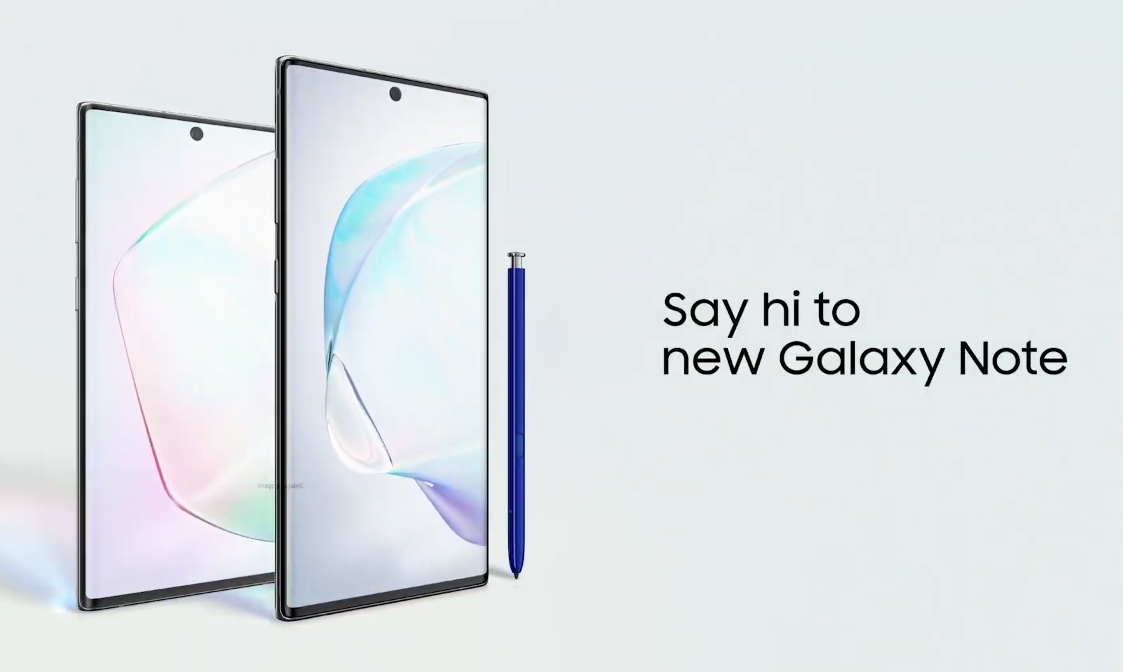
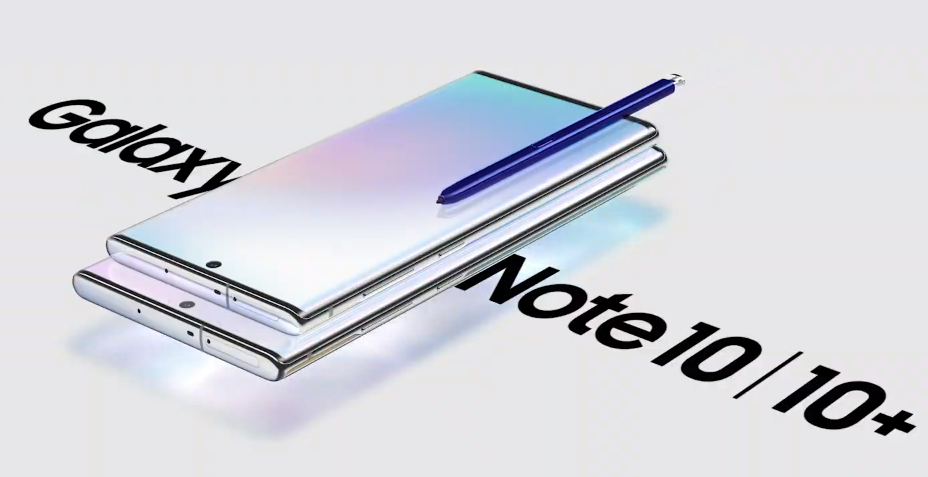
Samsung has finally released the new Galaxy note 10. Along with the Galaxy Note 10, the company has released Note 10 Plus as well. This is the very first time for a Note handset to come in two variants. Note 10 and Note 10 Plus have a few similarities and a lot of differences. We now have a complete Galaxy Note 10 vs Note 10 Plus comparison including the specs comparison, price comparison, and all key differences. Take a look at this table showing the Galaxy Note 10 vs Note 10 Plus comparison.
Both the Note 10 and Note 10 Plus bring a handful of new features to the table. I am listing down the main features which are common on both the phones.
Note 10/10 +
No Bixby button on Note 10 or Note 10 Plus.
No Headphone Jack on both the headphones.
DeX support without DeX station.
Ultrasonic Fingerprint Scanner.
25W Fast Charging.
Air Command with new features in the S Pen.
S Pen of the same color in each device.
Three Audio Zoom Mic setup.
New exclusive colors.
Galaxy Note 10 Release Date
Samsung will start shipping the Galaxy Note 10 in most of the countries by August 23, 2019. You can read everything about the Note 10 here.
Headline: Samsung has announced the Galaxy Note 10 & Galaxy Note 10 Plus. Here are the Galaxy Note 10 & Note 10 Plus Specs, Features, Price & Release Date.
Announced: Galaxy Note 10 & Note 10 Plus
Ladies & Gentlemen! Today is the biggest day in the history of Samsung’s Galaxy Note series. The iconic Galaxy Note lineup hits the 10th iteration today. The South Korean tech company has pulled the curtains off from the Galaxy Note 10.
From the very first looks, the Galaxy Note 10 looks incredible. Its a device with a new design, a new build, and a plethora of new features. Surely, the Galaxy Note 10 is the most powerful smartphone in Samsung’s own lineup now. The time will tell whether or not the Note 10 is a serious contender in the high-end smartphones segment. For now, we will focus on what’s new on this phone.
In a first for Note, Samsung announces two Note handsets; Note 10 & Note 10 Plus
Samsung announced the Galaxy Note 10 and Note 10 Plus at an exclusive Galaxy Unpacked Event. The event took place in the Barclays Center in Brooklyn. Company’s CEO took the stage to announce the 10th generation of the Note handset.
Samsung’s CEO unveiling the Note 10.
Galaxy Note 10 Design
Galaxy Note 10 is saying goodbye to the Galaxy Note 9 and the Galaxy S10 design language. Samsung is going all-screen for Note 10. No chin or forehead for the Galaxy Note 10. The device will have a bezel-less screen with the curved edges.
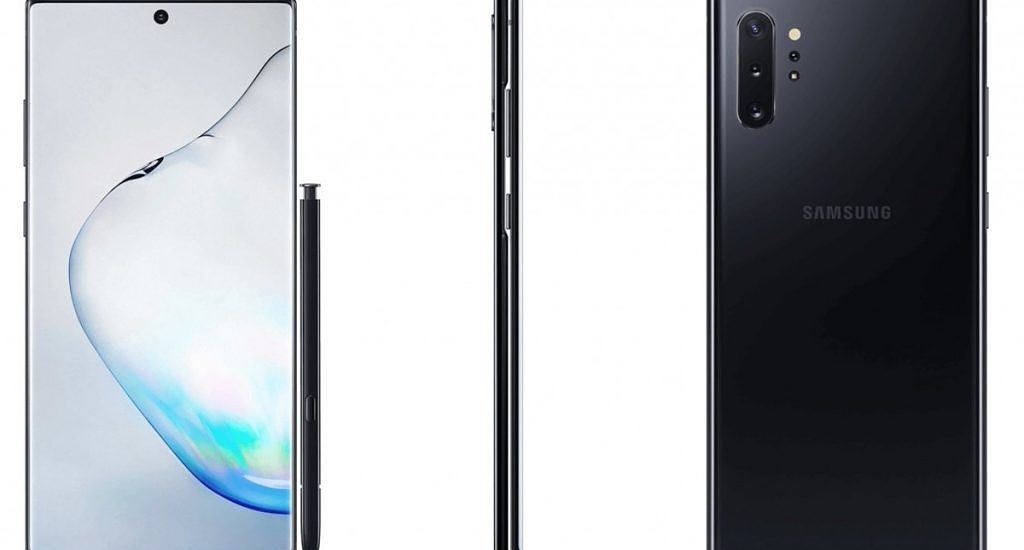
The front and back are protected by Corning Gorilla Glass 6. This glass-sandwich design is surrounded by the aluminum frames which have the Power, Volume Up & Down, and the Bixby keys.
Black Galaxy Note 10
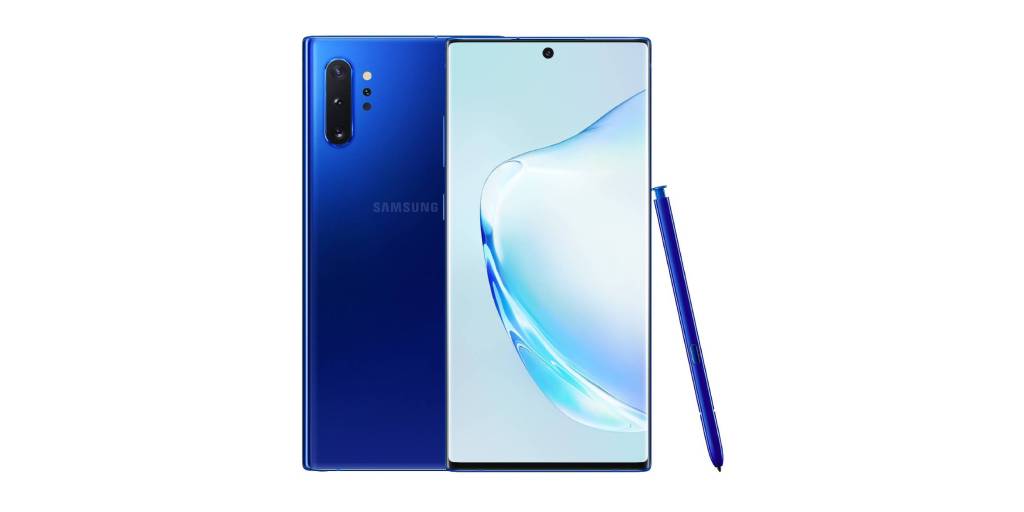
Samsung has also changed the camera placement. Note 10 and 10 Plus have the cameras moved to the top-left side of the phone’s rear. Samsung is using the vertical arrangement for the cameras. There is nothing else at the back. It looks as clean as it can.
Galaxy Note 10 Aura Glow – CC: PhoneArena
Note 10’s design resembles the Huawei P30 lineup. I am not sure where Samsung’s design inspiration is coming from, but the Chinese phone maker had it done before Samsung. One thing where Samsung should be given due credit is the Galaxy Note 10’s display’s form factor. The curved edges go hand in hand with the bezels. If you compare the curved display of Note 10 with the P30 Pro’s you will find Samsung’s edges less notable than Huawei’s.
The Galaxy Note 10’s dimensions are 151 x 71,8 x 7,9 mm and it weighs at 167g. The Note 10 Plus has dimensions of 162,3 x 77,2 x 7,9mm and it weighs at 196g.
Samsung Galaxy Note 10 & 10 Plus Display
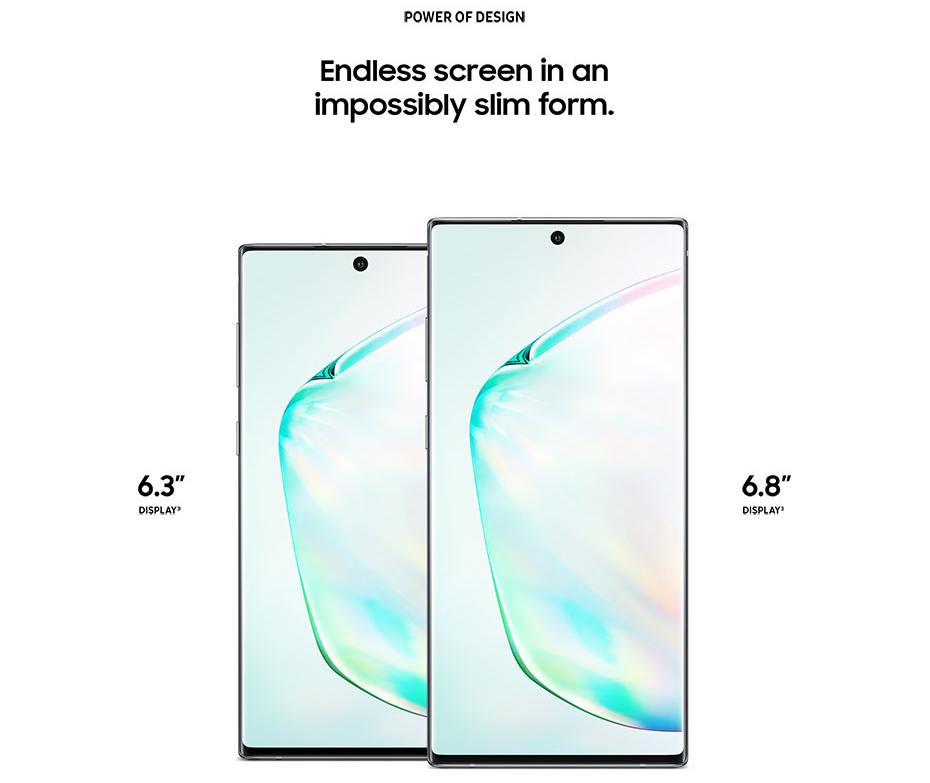
The smaller and standard Note 10 is coming with a 6.3-inch display. That’s 0.1-inch less than the display of last year’s Galaxy Note 9 and also the Galaxy S10 Plus. Standard Note 10’s screen has a resolution of 1080 x 2220 Pixels.
The Note 10 Plus will have a 6.8-inch screen. This screen has a QHD+ resolution i.e. 1440 x 3040 pixels. The aspect ratio of this display is 19:9.
Side by side Galaxy Note 10 & Note 10 Plus
These screens also support HDR10+. Remember that this is not the Super AMOLED panel like the one we saw on the Note 9. Samsung is using the Dynamic AMOLED screens on the Note 10.
Note 10 & Note 10 Plus: New Power
This segment is the highlight of the Galaxy Note 10. Samsung has some major upgrades here. Samsung, in fact, is setting the new industry standards here. Galaxy Note 10 or Note 10 Plus may not be too far away from becoming the most powerful smartphones to exist right now.
Usually, Samsung uses the processor of its recent Galaxy S handset in the Galaxy Note phone. This year, Samsung went a step ahead and built a whole new processor for the Galaxy Note. That is to say, the Galaxy S10 may become the only device with the Exynos 9820 SoC because Samsung has built its successor already.
Exynos 9820 for Samsung Note 10
Earlier today, Samsung launched the Exynos 9825 SoC. The Exynos 9820 was an 8nm LPP finFET processor which wasn’t a direct competitor of Apple’s A12 or Qualcomm Snapdragon 855’s. On the other hand, the Exynos 9825 is built through 7nm EUV process. Samsung has added more power to its new chipset to compete for the best in the industry.
If you are interested in the details, the Exynos 9825 has 2 x Exynos [email protected] GHz, 2x Cortex A75@ 2.4GHz, and 4x Cortex [email protected] cores.
Galaxy Note 10 & Note 10 Plus: Storage & RAM
Back in the day, we used to get a few MBs of storage in our phones. Even the SD cards and microSD cards couldn’t help us much. Thanks to the advent of smartphones, which started giving us phone storage in GBs.
There was a time when 16GB seemed like a lot of storage on a high-end smartphone. After that, 32GB storage became a new standard followed by 64GB. In the past couple of years, we saw most of the mid-range and high-end smartphones coming with 128GB of base storage (not talking about Apple). It looks like Samsung wants to raise the bar once again, that’s at least what the Note 10 suggests.
Both the Note 10 variants start with basic storage of 256GB. The storage of Note 10 Plus goes up to 512GB and 1TB. The Note 10 doesn’t have a microSD card slot while the Note 10 Plus supports external storage up to 1TB. You heard that right. Samsung wants to kill your laptop and wants you to use your phablet only.
Another thing to mention here is that the Note 10 will have a new storage standard. On the S10 Plus, we got the UFS 2.1 storage, which was quite old. Finally, we are getting the UFS 3.0 technology on the Note 10. The UFS 3.0 is already there on the Galaxy Fold which is about to be re-released later this year. The OnePlus 7 Pro also has this storage standard. It’s actually good to see Samsung paying heed to what its users want.
Now comes the RAM. The new standards are being set here once again. We are not getting a 6GB RAM variant of the Galaxy Note 10. The RAM will start from 8GB for the Galaxy Note 10. Note 10 Plus will have a RAM of 12GB.
Galaxy Note 10 & Note 10 Plus: Camera
First of all, both Galaxy Note 10 handsets are coming with the same cameras. This camera, in fact, is what we already have on the Galaxy S10 Plus.
Note 10 and Note 10 Plus have 3 cameras at the back. The main camera is a 12MP wide camera. Another 12MP telephoto shooter is there. The 3rd camera is a wide-angle 16MP camera.
Furthermore, the Note 10 Plus has a 4th sensor which is a 3D TOF VGA sensor. On the front, both handsets have a 10MP camera.
The rear cameras of the Note 10 are optically stabilized. These cameras can shoot a maximum of 4K @ 60FPS. They also support 940FPS Super Slow-Mo video recording.
Galaxy Note 10 & Note 10 Plus: Battery & Charging
The battery capacity of Note 10 is 3500 mAh. The Note 10 Plus has a 4300 mAh battery.
Galaxy Note 10 Battery
These phones use USB Type-C for charging purposes. Both handsets have the USB Power Delivery 3.0 support. This enables these devices to have a super-fast charging capability.
Note 10 Super Fast Charging
Samsung will pack a 25W charger in the box of its new handsets. Furthermore, the company will release a 45W standalone adapter too. However, the 45W charging speed will be limited to the Galaxy Note 10 Plus only. If you feel like spending a few extra bucks, you can get this adapter to charge the phone even faster.
25W Super Fast Charger
Samsung Note 10: S Pen & Intelligent Features
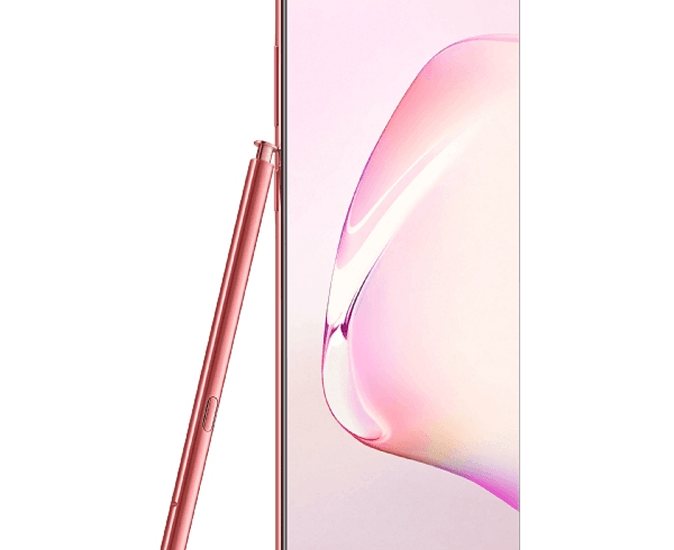
The S Pen is the most intelligent accessory of the Note 10. It has a plethora of features embedded inside its one tiny button. The S Pen will now let you change the camera modes. It will also allow users to change music tracks while they are working or working out. The S Pen can capture photos too. It has enhanced Air Command feature. The S Pen can also convert your handwriting into text now.
The S Pen of Galaxy Note 10
Furthermore, the color of the S Pen will now match the color of your Note. Since Samsung is going to release a handful of new colors for Note 10, the S Pen is going to be really exciting.
Samsung Galaxy Note 10 Software & Features
Android 9 Pie is the primary software on the Galaxy Note 10 and Note 10 Plus. This will be themed by Samsung One UI.
Note 10 comes with three Audio Zoom mic setup to capture sound within the field of view. This allows the phone to define a range within which it wants to record the audio. It will cut the noise and deliver better sound. Each mic records the sound within its own range.
There is no Bixby button. Thankfully, Samsung has killed it on both new devices. Bixby is now fully controllable only through voice commands.
Samsung has killed the headphone jack.
Both handsets have an ultrasonic fingerprint scanner underneath the screen.
Wireless DeX support. No need to attack the DeX station anymore.
Air Command gestures for YouTube and Music Player.
Samsung Galaxy Note 10 – Colors, Colors, Colors
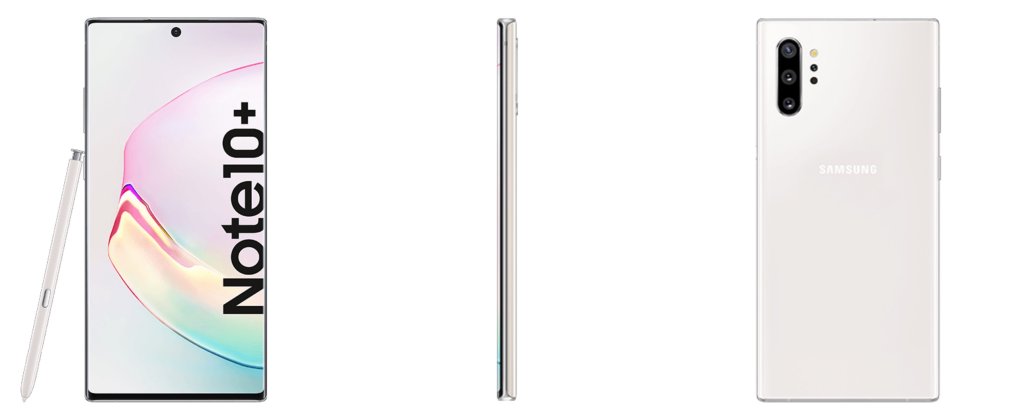
Get ready for the colors. The Note 10 is coming in Aura Glow, Aura Black, Aura White colors. Aura Red and Aura Pink colors are exclusive to the Note 10. Aura Blue color is exclusive to the Note 10 Plus. We haven’t seen any other Galaxy handset coming in such cool color options. Samsung is definitely taking things to a whole new level. Note 10 is going to leave you confused between the configuration choices, and then between the color choices.
White Galaxy Note 10/Plus
Silver Note 10/Plus
Black Note 10/Plus
Blue Galaxy Note 10
Samsung Galaxy Note 10 Silver
Galaxy Note 10 Black
Samsung Galaxy Note 10 Pink
Galaxy Note 10 Pink
Samsung Galaxy Note 10 Price & Availability
Note 10 will cost us $949. The Galaxy Note 10 Plus will start at $1,099. The prices will then go up for various configurations. Here are all the prices.
Samsung Galaxy Note 10 256GB + 8GB: $950
Galaxy Note 10 Plus 256GB: $1100
Note 10 Plus 512GB: $1200
Galaxy Note 10 Plus 5G: $1300
Galaxy Note 10 will be available in most of the markets starting August 23, 2019.
That’s all. Let us know about your thoughts on the Samsung Galaxy Note 10.
This is the guide to Sideload iOS Apps using Cydia Cydia Impactor. Through this method, you can Sideload iOS Apps on any iPhone and iPad. iOS & iPadOS users can run Cydia Impactor on both the Windows and Mac ecosystems.
Using Cydia Impactor to sideload iOS Apps
Before you learn how to Sideload iOS Apps using Cydia Impactor, its important to learn what is Sideloading and how it works.
Sideloading Apps on iPhone or iPad
Sideloading, back in the day was a term used for uploading and downloading files on the Internet. The term became common with the evolution of Android OS. Downloading the APK files on an Android phone using ADB method was popularly known as sideloading, but that was not the gist of sideloading. In literal terms, sideloading is the process of transferring files between a computer and a smartphone.
Sideloading Apps on iPhone or iPad pretty much means the same. Generally, Apple device owners use the Apple App Store to install any application. If they want to install an application which is not available in the App Store but is available independently in the form of an IPA, it can be sideloaded through an external source.
That external source to install the apps unofficially on any iPhone and iPad is the Cydia Impactor. Installing IPA files via Cydia Impactor is completely safe. This process does not require your iPhone/iPad to be Jailbroken. iOS has evolved a lot over the past few years. It has now become a lot easier to install the apps unofficially on the Apple devices. You can even find the IPA files of the Apps that are already there in the App Store.
One of the greatest uses of sideloading apps via Cydia Impactor is the installation of apps like iTorrent and iPotter. We all know that it was impossible to download torrents on iOS because of no torrent client in the App Store. Now, the iTorrent is there and you can sideload it. Similarly, you can use iPotter to manipulate the gameplay in Harry Potter Wizards Unite. There are thousands of other apps that will enhance your iOS experience.
The most important thing to keep in mind is the source from where you are downloading the IPA files. Since the IPA files do come through official Apple channels, they can be a bit tricky at times. To avoid any mishap, you should download the IPA files from a trusted source. Before posting any IPA file on our site, we thoroughly check it.
I hope that you have a very good understanding of sideloading now. Let’s move on to the process to Sideload iOS Apps using Cydia Impactor.
Sideload iOS Apps using Cydia Impactor
Prerequisites
You must have the latest version of iTunes on your Windows or Mac PC.
Always use original data cable of iPhone to connect to the computer.
You need an iPhone or iPad on which you will sideload apps.
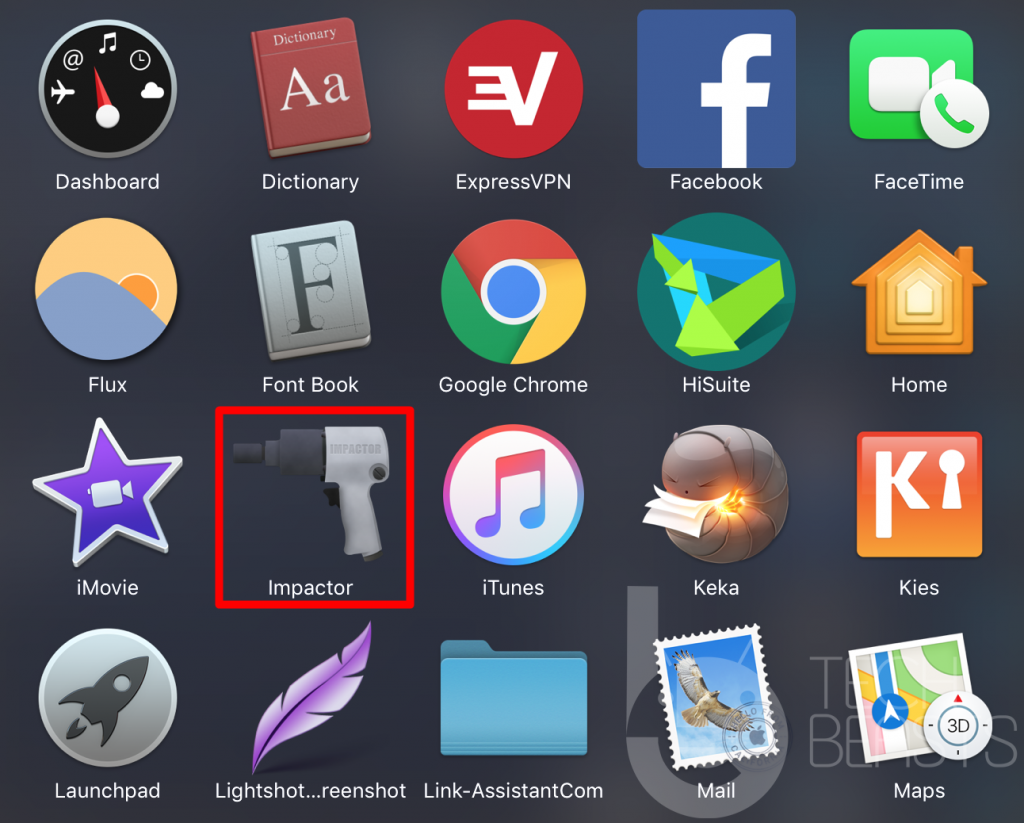
Download and install Cydia Impactor on your computer.
Also, download the IPA file of your desired application.
Guide on how to sideload IPA files using Cydia Impactor – Sideload Apps
Follow these simple steps to sideload iOS Apps on iPhone and iPad using Cydia Impactor.
Total Time:2 minutes
Open Cydia Impactor and connect iPhone/iPad.
First of all, open Cydia Impactor on your computer. Now connect your iPhone/iPad and in the drop-down of Cydia Impactor, select your device.
Load the IPA of iOS App in Cydia Impactor.
Drag the downloaded IPA of your desired iOS App and drop it onto the Cydia Impactor. After loading the file, click on the Start button.
Enter your Apple ID details now.
Cydia Impactor will ask for your Apple ID and Password now. Add the details and press enter. If you have 2FA enabled, you will first open your Apple ID on the computer, go to Security Settings and get the App-specific password. The App specific password will work here in the Cydia Impactor.
Sideloading will start now and end in a few seconds.
As soon as you enter the correct details, the sideloading will begin. It will take about 2 seconds for the sideloading to finish. Once done, disconnect your iPhone.
Authorize the sideloaded iOS App and use it away!
The app has been installed. Now open Settings on the iPhone. Go to General > Profiles and Device Management > Click on Trust > Once again, click on Trust. That’s all.
Final Words
That is how easy it was. Have learned how to sideload apps on the iPhone can be handy sometimes. Especially, when you have to quickly install so many apps without waiting for the download time of the App Store. You can have the IPA files pre-downloaded on your computer and these files can be used anytime to install the apps on the go. If you have any questions/queries related to the Cydia Impactor tool or the IPA files, feel free to reach out to us through the comments section below. I will try my best to get back to you as soon as possible.
Here is how to install iPotter on iPhone and iPad. There are two methods to install iPotter. The first method shows how to install iPotter directly. The 2nd method shows how to install iPotter using Cydia Impactor. Remember that no jailbreak is required for this tutorial.
iPotter – What it is all about?
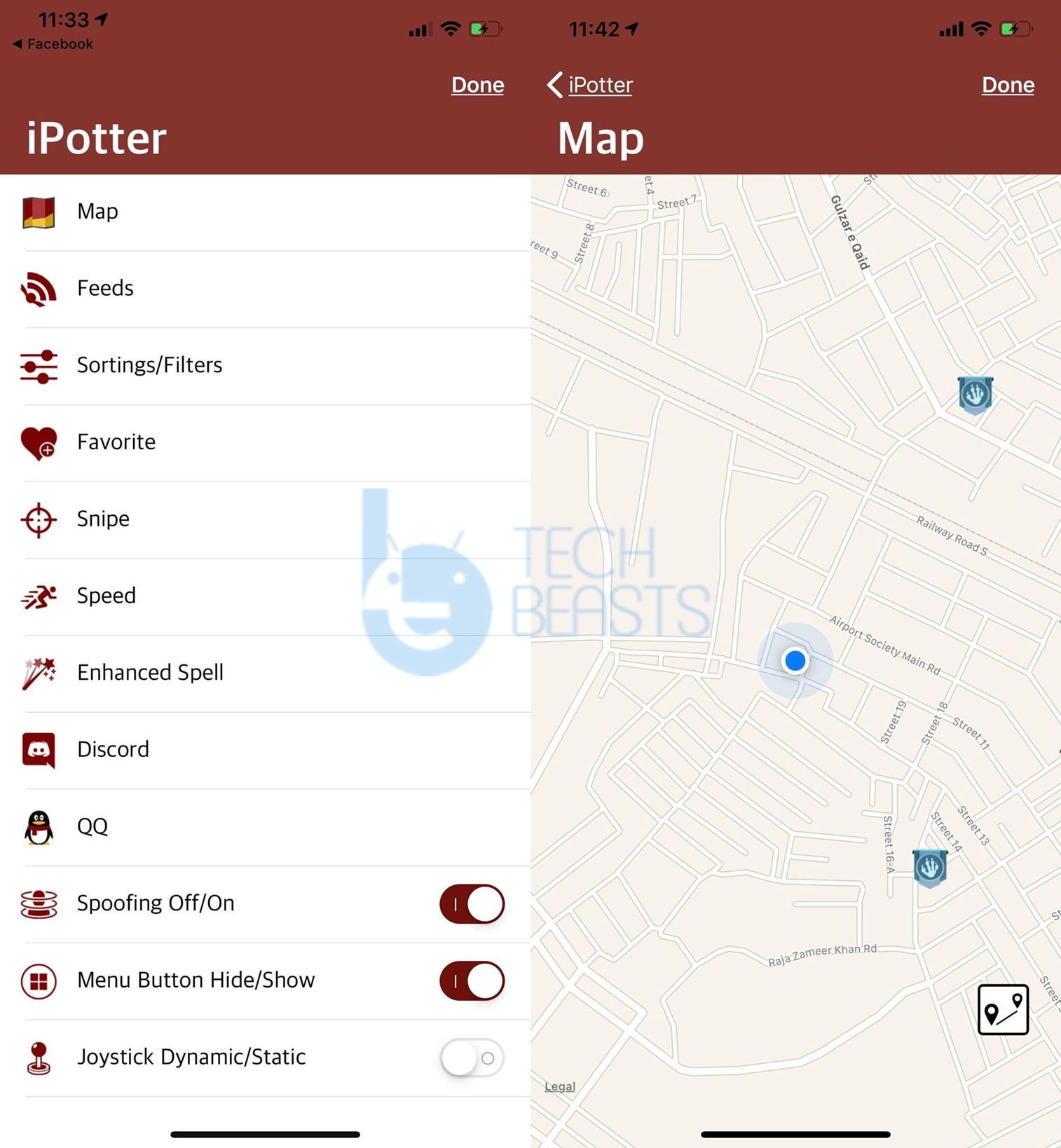
iPotter is a tool developed specifically for Harry Potter Wizards Unite. In the HPWU game, players have to locate the magical creatures and artifacts on the map. Players have to follow the location of the artifacts, once they reach, they can turn on the phone’s camera to discover what’s there. Tapping the screen or performing the required action will complete the task. The game uses your phone’s GPS to show you a map and all the foundables. If you have played Pokemon Go, you will find the HPWU similar to that. HPWU is developed by the developers of Pokemon Go as well.
The number of foundables varies according to each region. You may be able to find a huge number of magical creatures in your area or you may be able to find none. In some cases, you might have to go far away from your home to finish the tasks. Games like Harry Potter Wizards Unite require a lot of movement. While these games come with a very unique concept, they make the players lazy at the same time. When laziness takes over, players start looking for ways to play such games without moving. This is where tools like iPotter land in.
With iPotter, you can change the location of your phone. The GPS coordinates, after switching to another country, will take your Harry Potter character to that location and you might a load of creatures there. All this happens virtually. iPotter teleports your device to another location by spoofing the coordinates.
When your phone’s GPS reads a new location, the game also reads the new location. With the help of iPotter, you can add a JoyStick to HPWU. This JoyStick will let you move the character in any direction you want. By default, the character takes a lot of time to walk. In iPotter, you can change the speed of the character or you can select Auto-Walk. To cut it short, the iPotter takes away all the difficult part. After having it on your phone, you only have to keep switching to new locations to capture all the wizards.
It is true that HPWU becomes a cake of piece with iPotter, but it has got its risks. Activities like spoofing the location are never recommended by the game developer. If the game owners caught players spoofing the location, they do have the right to take your account away for 7 days. The initial 7 days are just a warning. If you do it again, you will be away for another 30 days. Repeating the same thing for the 3rd team will force the developers to permanently take your HPWU account away. So, if you plan on spoofing Harry Potter Wizards Unite location, make sure that you take the responsibility of what you are doing.
iPotter comes for free. It’s not available in the iOS App Store. To install an application like iPotter, you either have to use the direct installation method or you have to go with the Cydia Impactor. Below in this guide, I will share both the methods. Take a look and beat everyone in Harry Potter Wizards Unite.
Note: This will work for all iPhones running on all iOS version and all iPads running on all iPadOS versions.
iPotter will ask you for a few permissions allow it.
iPotter will be installed along with Wizards Unite.
Now open the game from the apps drawer.
When you enter the game, open settings to access iPotter. That’s all.
How to install iPotter using Cydia Impactor
This method requires you to manually install iPotter IPA using the Impactor. I have already made a guide to sideloading iPotter using Cydia Impactor.Take a look at this guide to get it done.
Final Words
That’s all. At this point, I’m assuming that you have successfully spoofed the location of Harry Potter Wizards Unit by installing iPotter. This method will work as long as the developers do not patch it. If you have any questions regarding the game or iPotter, feel free to drop them below. I will try my best to get back to you as soon as possible.
FaceApp is a photo editing application which can show you your younger or the elder self. Users can easily add their photos to the FaceApp application and then apply the different age filters. FaceApp has the artificial intelligence implemented in it. It can make your sad face happy and happy face sad. If you think that you are not looking attractive in a picture, you can let FaceApp handle that photograph and do the magic. There are many other features in FaceApp. The most interesting feature is, you can apply makeover to your face in a picture that will entirely change your gender.
FaceApp has become much popular in the recent while. It’s available in the Google Play Store for Android. FaceApp comes for free. To download and install this application, you can open the Play Store, search for it and then install it. If the application isn’t appearing in the search results at your end, you will have to go after its APK file. We have grabbed the FaceApp APK file and linked it here for download. From below, you can download the latest version of FaceApp APK. The APK attached is in its original form and it won’t cause any kind of harm to your smartphone. To begin editing your photos, you can go ahead and download FaceApp APKand then follow the instructions to install it.
Updated: 8/6/2019/. Download Prince Comsy Odin for PC: Prince Comsy Odin is the modified version of the original Odin. The Comsy Odin version is modified to work better with the latest Samsung Galaxy handsets. Comsy Odin also works better with the carrier branded Snapdragon-powered Galaxy smartphones. While flashing new ROMs and trying to root your phone, you will come across the Comsy Odin.
Odin Recap:
Samsung users need the Odin tool every now and then to perform various operations on their smartphone. Odin is Samsung’s tool that can be used to install a new firmware, a bootloader file, a new CSC file, a new PIT file and a modem file as well. Odin’s flexibility has allowed developers to make the best of this tool. Odin can be used to flash a custom recovery as well.
Chainfire’s famous CF-Autoroot for the Galaxy phones used to get flashed using Odin as well. Odin is the most helpful tool if your phone is stuck in a bootloop or it’s soft bricked. Odin can be used to unroot your phone and restore it back to stock as well. If your phone is rooted and it’s not receiving an OTA update, the only way to update your phone may be through the Odin3 flashtool.
Odin has been around since the introduction of the very first Samsung Galaxy handset which was the Galaxy S1. We have seen numerous iterations of Odin since then. The latest version of Odin at the moment is Odin 3.12.5. Odin is updated in order to keep working with the latest Samsung Galaxy smartphones.
Prince Comsy Odin:
The Odin Comsy tool comes in handy to deal with the new smartphones most of the times. We have already posted almost all versions of Odin on our site. The only version we missed so far is the Prince Comsy Odin. Download Prince Comsy Odin for PC using the download link given below. Links to other versions of Odin are also given below.
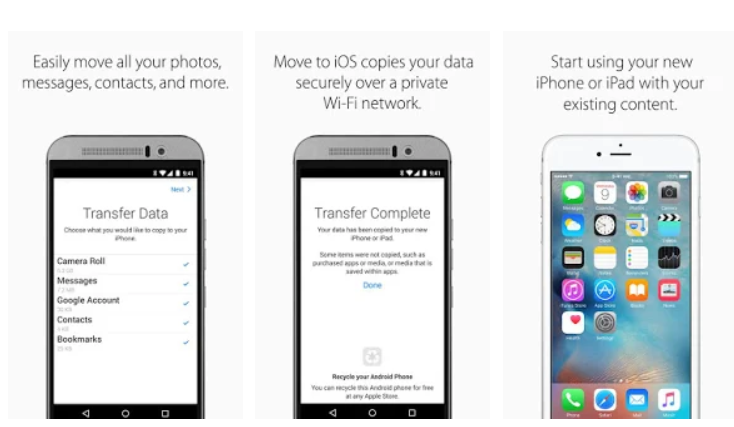
Move to iOS is Apple’s official application to help Android users migrate to iPhone. Now the very first thing that comes to your mind after coming to know about “Move to iOS” application is convenience. Phone makers build this kind of applications to make the phone migration process painless. Almost all the smartphone manufacturers have this kind of applications. For example, Samsung has its own application called Smart Switch. OnePlus has the OnePlus Switch. Huawei, Xiaomi, and others have their own applications.
Moving between Android phones is not hard at all. Even if you don’t want to use the application of a phone company, there are hundreds of third-party applications that you can use to migrate all of your data. However, when it comes to moving data between Android and iOS, the only option you have is the Move to iOS application.
At this point, you should have a clear idea that there is only one method to transfer your data from Android to iOS. Now you have decided to switch from Android to iPhone. Let us say, you have been using Android for past few years and all of a sudden your mind has changed. You have a lot of data including a lot of messages, pictures, contacts, videos, etc on the Android phone. You want all of this data to be migrated in one go.
After turning on your new iPhone, you go for the option to move the data from your Android phone. The Android phone will require the Move to iOS application that you can install from the Play Store. Right when you will fulfill all the requirements, you will get the error “could not communicate with the device” on the Android phone.
This is when the pain starts and believe me, this is the most annoying error you will ever face. I am saying this because I couldn’t bring most of my data to the iPhone XS Max while switching from the OnePlus 6. I had to leave my data on my computer and at this point, my iPhone doesn’t have any of my old data.
So what am I actually trying to tell you is that the word “convenience” that comes to your mind after seeing this application, that is not actually the convenience. It’s really difficult to transfer data from Android to iOS. The cream atop of the cake is that once you set up the iPhonewithout moving data, you will not find the data migration option inside the iPhone. The only moment you see this option is while you are setting up your iPhone. So if you have set up your iPhone and you have already started using it, and you want to bring data from Android to iPhone, you will have to factory reset your iPhone which means you will lose the data that you just brought inside your iPhone from other sources.
Our goal today is to get rid of them could not communicate with the device error. I am going to list all the possible solutions that will help you to move data from Android to iOS without facing this error. There are a few precautions that you have to apply before establishing a connection between the Android phone and the iPhone. If you take appropriate steps before entering the connection code, you can potentially avoid this error.
You have to follow these instructions very, very carefully. If you miss a single point, you will get the error and it is only going to annoy you. So, here is how to fix Move to iOS could not communicate with the device error.
Move to iOS could not communicate with the device – FIXED
First of all, make sure that your iPhone is not already set up. If it’s already configured, perform a factory reset to take it back to to the initial setup screen. The initial screen is only where you will find the Move Data from the Android option.
Now plug both the Android phone and iPhone to the charger. The charger must be turned on.
Forget the current WiFi connection on your Android phone.
On your Android phone, uninstall any application that you think can interrupt the internet connection.
Now turn on flight mode on your Android phone.
Restart the Android phone. There should be no connectivity on the phone as it is in the flight mode or Airplane mode.
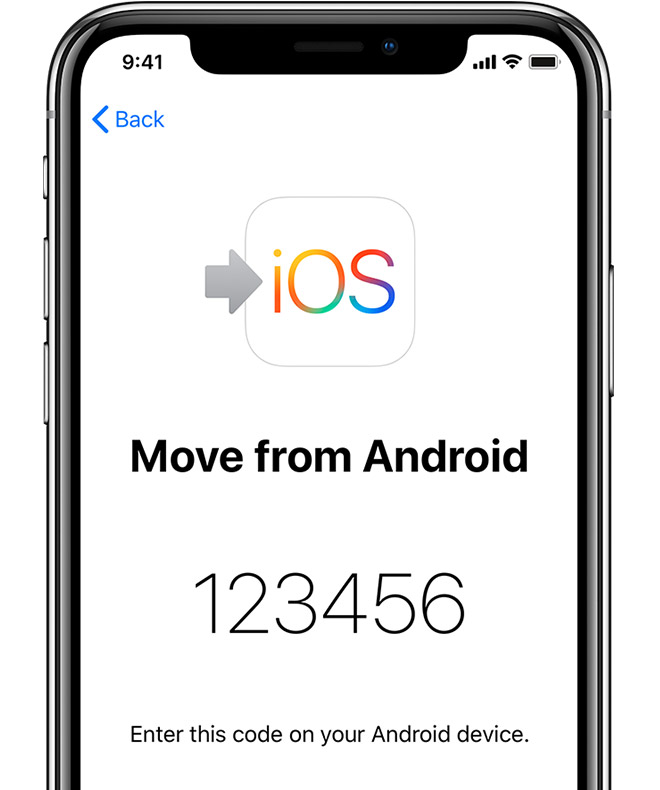
On the iPhone, click on “Move Data from Android”.
You will now get a code on the iPhone.
At this point, your iPhone will generate a WiFi Hotspot connection.
On the Android phone, go to WiFi settings and connect to the iPhone WiFi.
Remember that the iPhoneHotspot WiFi password will be the name of your WiFi. For example, if the WiFi name is iOS fb466, the password will be iOS fb466. If the WiFi name is iOSfb466, the password will beiOSfb466. Do not ignore the SPACES or any other expressions here..
As soon as the WiFi is connected, the data transfer will begin. You may enter the code if it still asks. That’s all.
There are two key points here that are potentially going to avoid the error. The first one is that you need both the phones connected to the charger. Without the charging turned on, you will get the connection error. The second one is the Android phone in the Airplane Mode. If your phone goes through any kind of connectivity before the connection is established with the iPhone, you will get the communication error. So, you need to take these in order to get rid of the “unable to communicate with the device” error.
Devil May Cry is one of the classics and its latest iteration stays true to its heritage. Expect a lot of hack’n’slash action from DMC 5 as well. It makes up for some stunning visuals with extravagant character designs. We have piled up the best Devil May Cry 5 Wallpapers in this post. These are in both 4K and HD (1080) resolution. Ranging from famous characters like Dante, Vergil, V to Urizen, we have got you covered.
Note that you need to check all the wallpapers below individually for their respective resolutions. The smallest size is 1080×1920 and you can also download Devil May Cry 5 4K Wallpapers below.
Download Devil May Cry 5 Wallpapers
Below is the gallery for best wallpapers from DMC 5 game. It contains stills from in-game footage, Devil May Cry Artwork, Dante, Vergil, Nero, V and many other characters. You can also take a glimpse of special bike in one of these.
In order to download and use any wallpapers, click on it to enlarge it. Then right-click on the image and save the wallpaper with “Save image as”.
You can check out the resolutions of these wallpapers as well. They range from 1080 and up to 4K.
DMC 5 Gameplay and Background
Unlike previous titles, this game’s story directly picks up after the events of DMC 4. This time, a new mysterious character comes to Dante for help. There are some new sightings for demons and there are very few people qualified enough to rectify this situation. Play as multiple characters in various situations to have the most fun. Even though this game is all about action, fighting but knowing the folklore and background story makes it even more fun to play.
Here are the steps to download Pokemon Masters for PC. The Pokemon Masters for PC will run smoothly on Windows 10/8/7 and MacOS/OS X.
Pokemon Masters – It’s time to train Pokemon
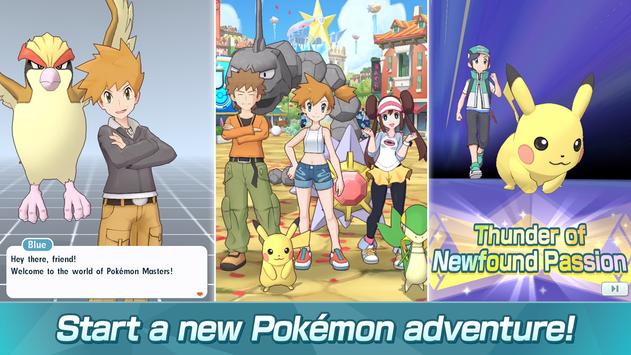
Pokemon Masters, another game with your favorite character is here. Before you confuse Pokemon Masters for something like Pokemon Go, let me tell you that this is a completely different game. Pokemon Masters comes from DeNa Co., Ltd. This game has no business with AR. It’s a plain RPG game in which players will be playing the role of Pokemon Trainers.
To start the game, players have to choose their character. They have to build their character instead. Players can choose everything from the color of the skin of their characters to their cloths. Once they are done defining the character, they can start the game. In the game, players are given a Pokemon. They have to train this Pokemon to beat its opponents. The opponents are the other Pokemon characters controlled by other Pokemon Trainers. To polish your training skills, you can seek help from other Trainers. The game also brings PvP mode in which you can make a team of 3 trainers fight with another 3 trainers. So, the concept here is quite clear. You are going to be the trainer in this game helping your Pokemon to win the battles.
Your Pokemon’s skills completely depend on the way you have trained it. The skills will be demonstrated during a battle. The mission in this game is to become a champion trainer. Remember that the one who will remain unbeatable will become the champion in the end. It’s time to show off your love for Pokemon.
Like most mobile games, Pokemon Masters isn’t going to be available for computers officially. If you plan on running Pokemon Masters for PC, you are going to find this guide handy. I am going to show you the steps to download Pokemon Masters on a desktop PC or a laptop now.
You are all set to play it using your mouse and keyboard. That’s all.
Using the method given above, you should have the game up and running now. The only problem that you can possibly face is not finding the game in the Play Store. In that case, you can get its APK and install it directly. The Pokemon Masters APK can be found here. After downloading the APK, you can simply open it and it will be installed via BlueStacks 4 or Nox. If you have any questions, feel free to ask them in the comments section down below.
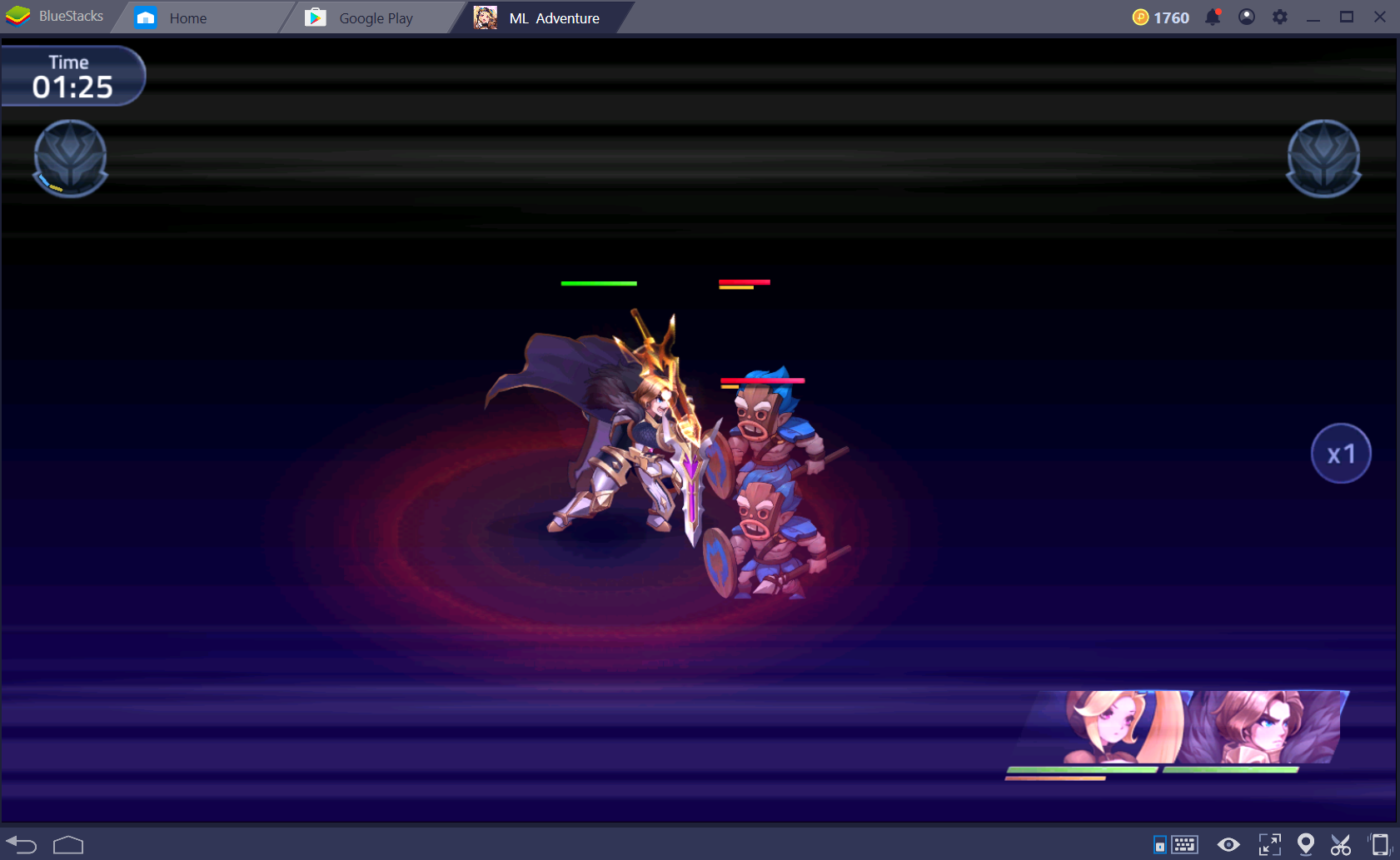
This is the guide to download Mobile Legends Adventure for PC. You can run Mobile Legends Adventure for PC on Windows 7/8/10 & Mac.
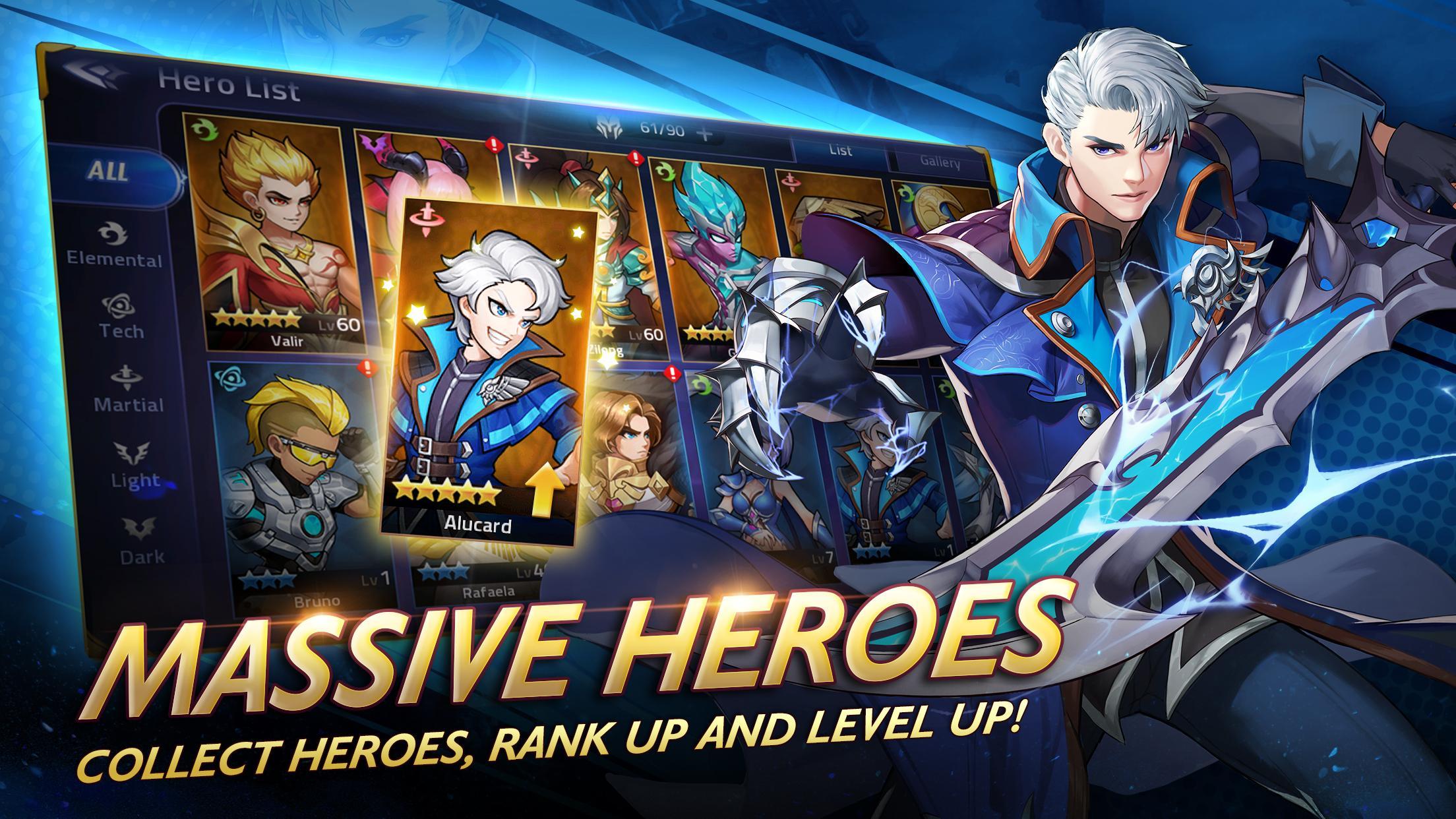
Mobile Legends Adventure is the official sequel of Mobile Legends Bang Bang. This game is developed by Moonton. Mobile Legends Adventure resembles a lot to the original Mobile Legends game. This game also falls in the RPG genre. The heroes need your help to win the battles taking place in the Moniyan Empire. Pack your bags and join Layla and her colleagues on this epic adventure.
Mobile Legends Adventure
Layla is the main character of this game. The game starts off with Layla exploring the Moniyan Empire. She is accompanied by her fellows Tigreal and the Imperial Knights. The Moniyan Empire is surrounded by displeasing silence. This silence rings a bell in Layla’s ears. Layla decides to explore the Empire more to find out the reasons behind this scary silence. Her fellows are reluctant to the fact that there is something wrong with this place. Soon after broadening their area of adventure, they realize that they’ve been caught up in an ambush. The enemies were hiding behind the rocks and the trees. Now that they have come out, Layla and her companions must take them to the task. It’s going to take unique skills and powerups to tackle the enemies.
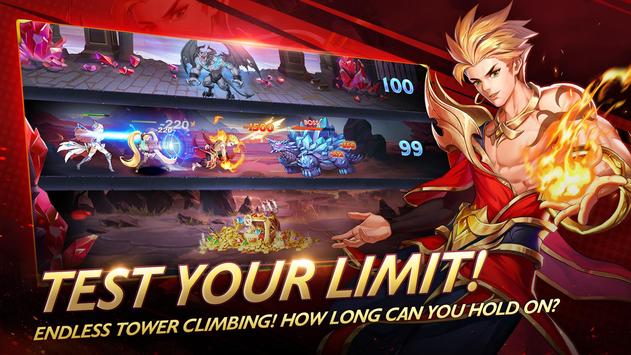
The enemies are further supported by monsters. The monsters will come your way after every 2 or 3 battles. Your existing team is not going to be enough for this mission. Players must unlock and summon new heroes. Furthermore, they can upgrade the current heroes too. Winning battles will earn you rewards, diamonds, and coins. All of these rewards can be used to perform upgrades or summon the heroes. The game also offers a PvP mode in which you can form a team and fight with another team.
Mobile Legends Adventure comes with a huge map. Players will visit a lot of new places for the battles. The game keeps expanding as you level up. To win the battles, you must come up with the best strategy. If you think that you have got the best brains, its time to test your mettle in Mobile Legends Adventure.
The game comes for free and its already released for mobile devices. Unfortunately, we will not be getting any official version of Mobile Legends Adventure for PC. However, it is still possible to play it on the computer using the Android emulators. I am going to show you the steps to download and play Mobile Legends Adventure for PC. The game can be installed on both the desktop PCs and Mac-powered computers.
Mobile Legends Adventure for PC
Install BlueStacks 4 or Nox Player Android Emulator on your computer.
In the emulator, open the Play Store.
In the Play Store, type “Mobile Legends Adventure” and find it.
As you find the game, install it.
The game will show up in the all-apps section or in the app drawer.
Launch the game and play it using your mouse and keyboard. That’s all.
Just in case you can’t find the game in the Play Store, you can download its APK from here.The APK can be directly installed in either of the Android emulators mentioned above. For any queries or questions, feel free to reach out to us. I will try my best to respond back as soon as possible.
Download the Pokemon Masters Android APK from here. The Pokemon Masters APK will run smoothly on all Android phones.
Pokemon Masters
Pokemon Masters is an upcoming game by DeNA Co. The game joins the RPG genre. It gives the Pokemon lovers to interact with their favorite characters once again. Players should not mistake this game for anything like the Pokemon Go. This is not an AR game. It’s a simple role-playing-game in which you will be playing the role of the Pokemon Trainer. You heard that right. There is no Pokemon collecting here. Players have to choose their Pokemon and then battle it out with the opponents.
As the game starts off, it gives you the option to choose your character. The character, which is basically a trainer, is highly customizable. You can select all the facial features and the outfit of the character. Once done, you get into the game. Initially, players can join hands with other trainers to learn the gameplay from them. As a trainer, your target in the game is to equip your Pokemon with the most powerful skills.
Players will take their Pokemon to the field. You will find opponents there. The Pokemon will then tend to attack the opponents. Your training will help the Pokemon to come alive out of the battle. Remember that your opponents in Pokemon Masters are being controlled by other trainers. If the other trainers are more skilled than you, they will easily take over your Pokemon. As you win the challenges, you will get a chance to upgrade your trainer and also your Pokemon character.
The game also features a PvP mode. In this mode, a team of 3 Pokemon Trainers can go on against 3 other trainers. The 3v3 PvP battles take place in real-time. The servers of Pokemon Masters create the teams and find the opponent teams automatically. This is a beautifully designed game meant to kill boredom. It’s not a big game. The game is played in the vertical/portrait mode. The graphics and sound effects are good enough.
Pokemon Masters is out in a few countries at the moment. The game is still in the pre-registration stage in most of the countries. With the help of Pokemon Masters Android APK, you can install it anywhere in the world right now. The Pokemon Masters APK can be found in this post below. You can install the Pokemon Masters Android APK by following the instructions given next to its APK.
Download the latest Mobile Legends Adventure APK for Android. The Mobile Legends Adventure APK can be installed on any Android phone.
Mobile Legends Adventure
Mobile Legends Adventure is the new favorite game of RPG players. This game is the official continuation of Mobile Legends Bang Bang. The Mobile Legends Adventure has been developed by Moonton. If you previously liked playing the Mobile Legends Bang Bang, you are definitely going to love this game too. Mobile Legends Adventure falls in the RPG category.
Gameplay
The story of Mobile Legends Adventure revolves around the character Layla. She is on a raining with her fellows Tigreal and the Imperial Knights. While Layla was patrolling to theMoniyan Empire, she sensed a very obnoxious silence. It seemed more like a calm before the storm. Having no idea of what was coming in, Layla and Tigreal decide to roam around in the area until they find something. Through this adventure, Tigreal tries to tell Layla that there is nothing wrong, but Tigreal can’t really get that curiosity out of Layla. Soon after this little discussion, Layla and her companions realize that they have been caught up in an ambush. The enemies are all over them now. They were hiding in the jungle behind the trees. Now both the characters are facing death on their door. They must unleash their skills to conquer the Moniyan Empire. It is going to take bravery, valor, and bloodshed to get past those enemies.
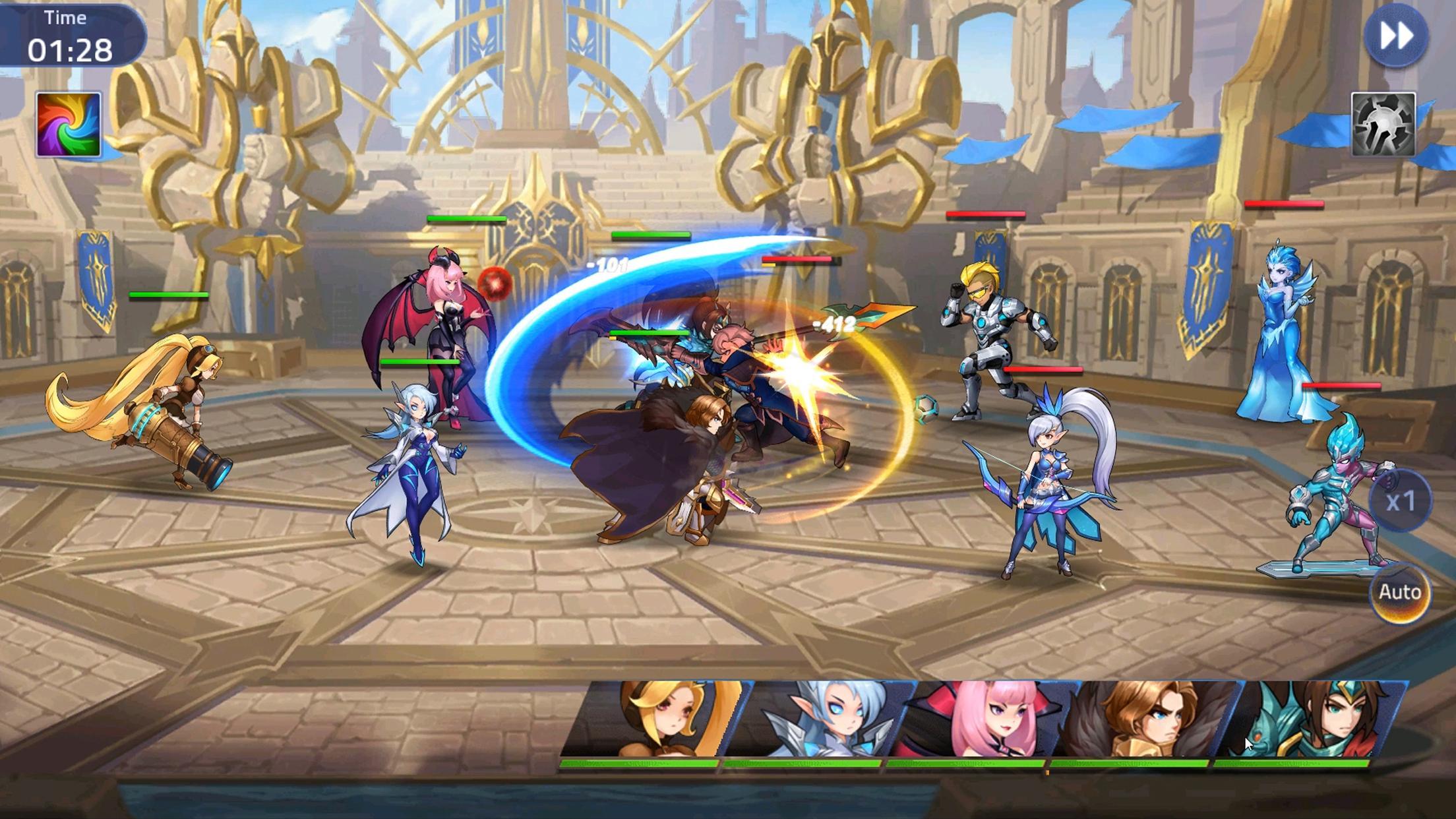
All the heroes in the game carry their unique powers and skills. Players will use the characters one by one to attack the enemies. Once the character is done casting the spell-like attack on the enemies, they can quickly launch the next player. Throughout the game, players will keep unlocking and summoning new heroes. The game comes with a unique reward system. The game currency includes coins and diamonds. It also offers in-game purchases. As far as the graphics of the game are concerned, they are impressive. quality of graphics proves the intensity of effort put in by the developers. Sound effects of Mobile Legends Adventure are equally good.
Although Mobile Legends Adventure is available in the Play Store in most of the countries, it still doesn’t work in a handful of countries. If you are also facing this problem, you can try installing the game using its APK file which would definitely work. Down below in this post, you can find the latest Mobile Legends Adventure APK. The instructions to install Mobile Legends Adventure APK are also given next to the file.





![How to Sideload iOS Apps using Cydia Impactor [Windows/Mac]](https://techbeasts.com/wp-content/uploads/2019/07/Screen-Shot-2019-07-11-at-11.22.32-PM-1.png "How to Sideload iOS Apps using Cydia Impactor [Windows/Mac]")



![Download Prince Comsy Odin for PC [ Latest 2018 ]](https://techbeasts.com/wp-content/uploads/2017/10/Screenshot_23.png "Download Prince Comsy Odin for PC [ Latest 2018 ]")