Home Blog Page 40

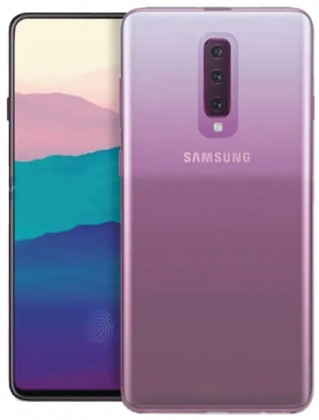
Samsung Galaxy A90 News, Specs, Features, Price & Release Date

0
Samsung Galaxy A90 News, Specs, Features, Price & Release Date
Expected look of Samsung Galaxy A90

Samsung Galaxy A90 is the upcoming smartphone in the Galaxy A lineup. The phone has been making rounds of rumors mills for a few months now. Galaxy A90’s official launch is nearing as the phone is passing through a new kind of certification every second day. The Galaxy A90 will also become the most premium phone of the Galaxy A series. At the moment, the Galaxy A80 is the flagship of new A-series, the spot will be taken over by the A90 as it comes out.

Samsung Galaxy A90
The expected look of Samsung Galaxy A90

A90 Passed through Geekbench

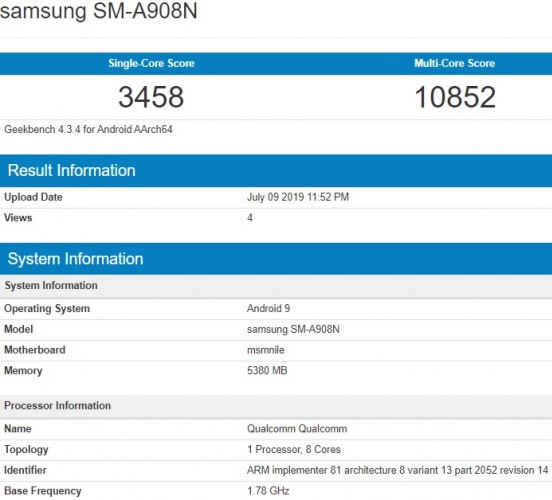
Until a few days ago, the existence of a Galaxy A90 was doubtful. The phone then passed through Geekbench all of a sudden gearing up the hype. Geekbench page showed the A908N with Qualcomm Snapdragon Octa-Core CPU.

Geekbench page of A90.

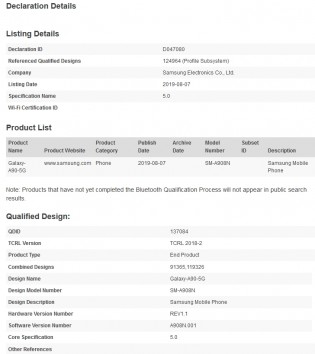
A90 Bluetooth SIG Certification

Soon after that, the A90 received Bluetooth SIG certification. The A90 is coming with Bluetooth 5.0 according to the leaked details. The model numbers to get Bluetooth SIG are A908B and A908N. The A908B is supposed to be the international model and the A908N is the 5G moniker.

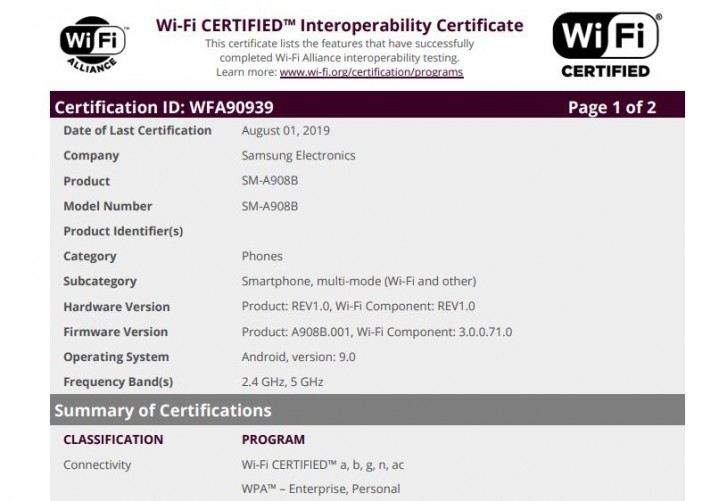
The phone also passed WiFi Alliance

The A90 has also passed through WiFi alliance. The WiFi alliance page showed the Galaxy A90 5G carrying the model number A905N. The N here depicts the A90 variant for the South Korean region. If this information is to be believed, the A90 could become the world’s first non-flagship handset with 5G.

Wi-Fi alliance of A90

A90’s NRRA Certification – Launch Imminent

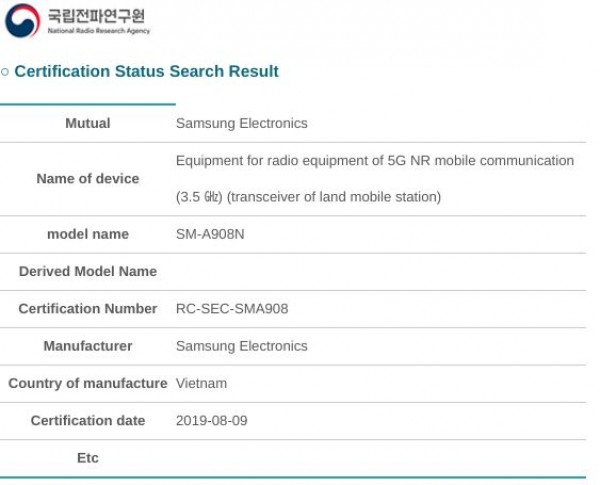
Adding fuel to the fire, the Galaxy A90 5G’s also got an approval from the Korea National Radio Research Agency (NRRA). Yes, the phone passing through NRRA is unannounced, but the model number speaks pretty much everything. A908N is the model number of the phone to get NRRA certification.

A90 South Korean NRRA

If we connect all the dots, there is no reason to not to believe that the A90’s launch is imminent. We are very close to the official unveiling of the Galaxy A90 now. Here are all of the Galaxy A980 news, specs, features, price & release date details for those of you who are interested.

Read More: Samsung Galaxy M20s with 6000 mAh battery is in the works

Samsung Galaxy A90 Display

Samsung has been experimenting with its Galaxy A series. We have seen different kinds of builds, technology, displays, and cameras on these handsets. Keeping in view how each Galaxy A phone has differentiated from its predecessor, the expectations from the Galaxy A90 are pretty high.

According to the leaked reports, the Galaxy A90 will come in with a 6.7-inch Super AMOLED panel. This will be a Full HD screen with a maximum screen-to-body ratio.

Galaxy A80 with Full Display

Previously, it was rumored that the A90 will come with a rotatory camera mechanism or a pop-up camera, but according to Steve H.McFly’s tweet, the A90 will come with the infinity-U display, which means it will have a tiny notch. 

In other news, Samsung’s Galaxy M90 is coming out in India this October. The A-series phones have remained reminiscent of Galaxy M phones. If the Galaxy A90 is going to imitate the M90, it might end-up having a hole-punch camera on the front. The M90 has a hole-punch camera on the top-left corner for that matter. 

Furthermore, Samsung is also rumored to be working on multiple Galaxy A90 variants i.e. there is going to be a Galaxy A90 A905 with a QHD screen and the A908 will have a Full HD screen only.

Samsung Galaxy A90 Hardware

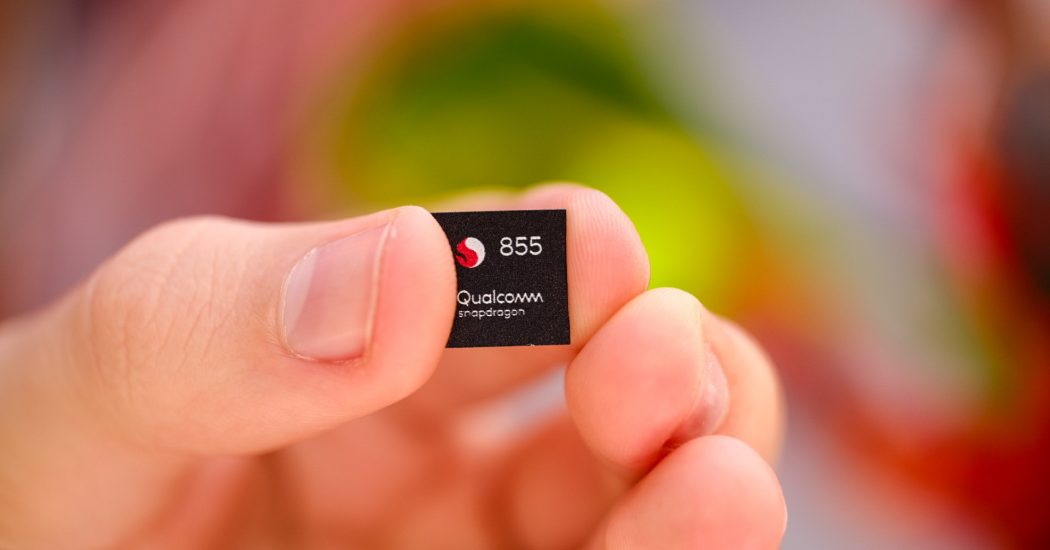
Last year, it was rumored that Samsung was working on a Galaxy A phone with Snapdragon 845 CPU. That didn’t happen. The best processor that we have on a Galaxy A handset is the Snapdragon 730 on the A80. Rumors have it that the A90 will run on the Snapdragon 855 Processor (the 5G model to say the least). 

Snapdragon 855 Image CC: AndroidAuthority

A90 will add a RAM of 6GB. The internal storage of the phone remains a mystery for now.

FYI, the M90 is also coming out with Snapdragon 730, but that doesn’t support 5G. We are talking 5G for the Galaxy A90 here.

Samsung Galaxy A90 Camera

As mentioned earlier, it is still unclear what camera mechanism the A90 will have. Some say that it will have a rotating camera like the A80. Some say that it will have three cameras at the back and a pop-up mechanism for the selfies.

While there is no information about the Camera formation and arrangement on the new phone, there is some information available about its sensors.

A80’s Camera – Expected to be the same on A90.

The A905 variant of the A90 will reportedly come with a 48MP main camera, 12MP ultra-wide camera, and a 5MP depth sensor. The A908 variant will come with a 48MP main, 8MP ultrawide, and a 5MP depth sensor. The A905 variant is also rumored to have the tilt-OIS. We don’t know what the tilt-OIS here means, but having optical image stabilization on a Galaxy A phone will be cool. At the moment, none of the Galaxy A handsets have any kind of OIS.

Galaxy A90 Battery & Other Features

This phone will have a whopping 4,400 mAh battery. It will also support super-fast charging like the Galaxy A80. We are not sure whether it will pack a 25W charger or the new 45W adapter. The A90 will also become the highest-battery juice phone of the A-series.

Furthermore, this phone will have an optical fingerprint scanner under the display. I personally expect Samsung to improve the fingerprint scanner since it’s really painful to use it on the Galaxy A80 and lower.

The presence of headphone jack on this phone is a mystery at the moment.

Galaxy A90 will run on Android 9 Pie out of the box.

Galaxy A90 Price & Release Date

The expected release date of the Galaxy A90 is September 8, 2019. The phone will launch with a 6GB RAM and 64GB base storage. We might see the black and gold colors of this phone in the first phase. As far as the price is concerned, the phone could debut with a price tag of $700.

That’s all for now. While reading this information, don’t forget to take a pinch of salt. We will definitely let you know about this phone’s official specs once it comes out. Don’t forget to share your thoughts about the A90 in the comments section down below.

Samsung Galaxy M20s with 6000 mAh battery is in the works

0
Samsung Galaxy M20s with 6000 mAh battery is in the works

While Samsung is doing very well in the high-end smartphone segment, it’s also putting efforts to make a mark in the midrange section. The South Korean giant is reportedly working on a new device with a 5830 mAh battery. This is the rated capacity which means the actual capacity could be around 6000 mAh. The phone with 6000 mAh battery is rumored to be the Samsung Galaxy M20s.

Galaxy M20s with 6000 mAh battery
Leaked Battery of Galaxy M20s – 6000 mAh

A picture of Galaxy M20s’ battery has appeared on an online source. The picture shows the battery’s product code i.e. EB-BM207ABY. Rumors have it that the M207 in the battery’s code is the model number of the Galaxy M20s.

Last year, Samsung started its quest to compete with the mid-range smartphones of companies like Xiaomi and Huawei. The company was not manufacturing any true value-for-money phone until the Samsung Galaxy M series. M was for the millennials and this series debuted for the Indian consumers first. The Samsung Galaxy M handsets including the M10, M20, and M30 brought all the features that Samsung’s previous low-end/midrange phones were missing.

Read More: Samsung’s ISOCELL Bright HMX 108 MP Phone Camera is here, but do we need it?

Soon after the M series, Samsung re-invented its Galaxy A lineup with some solid phones like the Galaxy A30 and Galaxy A50. Samsung is actively working on advancing the Galaxy A and Galaxy M phones further. The company is further diversifying its Galaxy and M phones by introducing improved models of the existing phones.

Samsung Galaxy M20

The original Galaxy M20 came out back in January. This was Samsung’s first phone with a 5000 mAh battery. The M20 came with a 6.3-inch TFT screen with a 1080P resolution. It carried a 13MP + 8MP camera at the back and an 8MP camera on the front. The M20 was powered by Exynos 7904 SoC and a RAM of 4GB. The internal storage of this phone began at 64GB. Galaxy M20 also sported a rear-fingerprint scanner. The phone also supported fast charging. 

It looks like the Galaxy M20 couldn’t impress Samsung with the result, so the manufacturer is focusing on launching and improved version i.e. the Galaxy M20S. We have seen Samsung launching the Galaxy A10S and Galaxy A20S with improved specifications already which also adds to the reality of the M20s’ existence. 

The rumors also have it that the Galaxy M20s might launch alongside the Galaxy M30s. The launch date of Galaxy M20s is unknown. Only time will tell if these rumors live up to reality. Let us know about your thoughts on the Galaxy M20s’s expected 6000 mAh battery below.

Samsung’s ISOCELL Bright HMX 108 MP Phone Camera is here, but do we need it?

0
Samsung’s ISOCELL Bright HMX 108 MP Phone Camera is here, but do we need it?

Just yesterday, Samsung announced its new ISOCELL Bright HMX sensor. This is the world’s first sensor which can shoot beyond 100 million pixels. The ISOCELL Bright HMX sensor comes in collaboration with Xiaomi Corp. In fact, Xiaomi will be the company to use this sensor even before Samsung. With the new ISOCELL 108 MP shooter, the South Korean giant claims to deliver results equivalent to that of a DSLR.

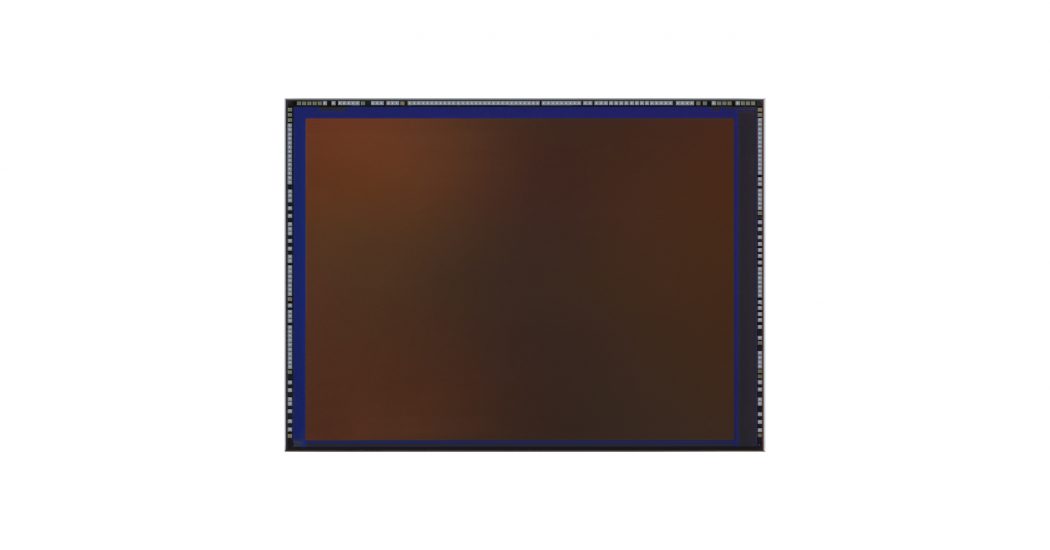
ISOCELL Bright HMX 108 MP
Image CC: Samsung

For those interested in camera tech, the new HMX sensor uses Tetracell plus technology. This is the same pixel binning mechanism that we saw in the GM1, GD1 and the GW1 64 MP sensor. This 108 MP HMX sensor takes 4 x 27 MP sensors to form a 108 MP camera. The sensor size of 1/1.33-inch helps it to absorb more light. The phone can go down to 27MP to take brighter photos in the low light conditions. In bright conditions, the sensor switches to low ISO to improve pixel saturation. The Smart-ISO also helps capture vivid photos in brighter conditions.

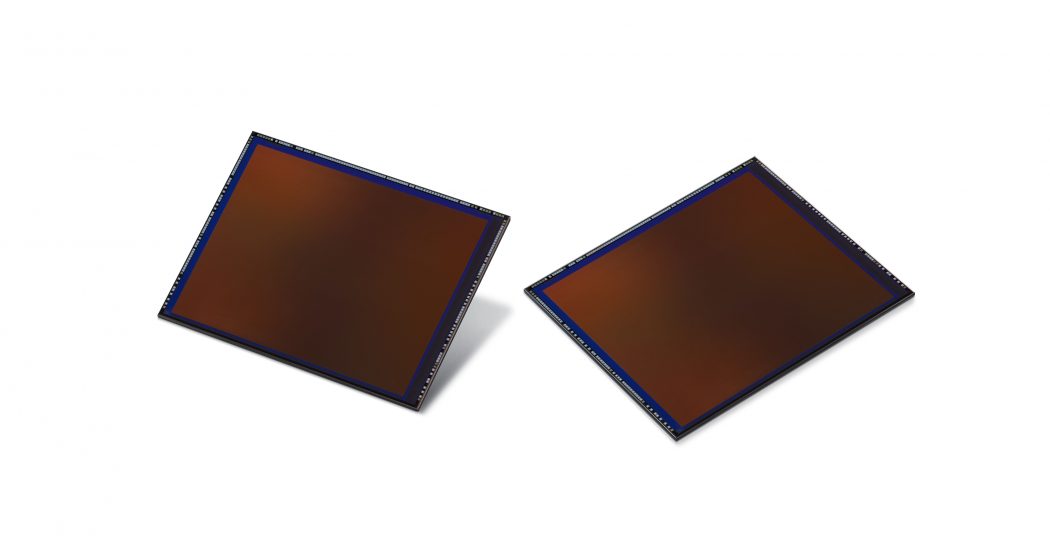
ISOCELL Bright HMX 108 MP
Image Courtesy: Samsung

HMX sensor can shoot 6K videos @30FPS. This is also a first for a smartphone camera.

Furthermore, Xiaomi’s co-founder and president Lin Bin said; “For ISOCELL Bright HMX, Xiaomi and Samsung have worked closely together from the early conceptual stage to production that has resulted in a groundbreaking 108Mp image sensor. We are very pleased that picture resolutions previously available only in a few top-tier DSLR cameras can now be designed into smartphones. As we continue our partnership, we anticipate bringing not only new mobile camera experiences but also a platform through which our users can create unique content.”

108 Mega-Pixels Camera – Do we need it?

Despite all those gimmicky figures and the exaggerated camera technology, the effective resolution for the 108 MP sensor remains 27 MP. The chances of capturing real 108 MP pictures with lossless quality is going to be nearly impossible.

Previously, we saw a 32 MP camera on the Samsung Galaxy A70. That camera also used Tetracell technology and offered better low-light technology. The Galaxy A70’s camera miserably failed when it came to picture quality. In fact, the phone captured in 32MP in only 1 mode.  I talked about the Galaxy A70’s camera in detail in my A70 Camera review.

Similarly, the GM1 sensor by Samsung, which is used in some of the Galaxy A80 units and also in the Redmi Note 7 Pro, also uses the same tech. Realme X’s 64 MP camera, which is the Samsung GW1 sensor, also uses Tetracell plus and the effective resolution in that sensor is of 16 MP. You can learn everything about the A80’s camera in my review here.

Since Samsung keeps emphasizing on Tetracell technology, it is very important to understand how it works.

In other words, the Tetracell plus, on paper, changes the pixel size using algorithms to work in various lighting conditions. 

The 32 MP camera is not a true 32 million pixels camera, the 48 MP is not true 48 million pixels, the 64 MP is not true 64 million pixels, lastly, the 108 MP is not true 100 million pixels shooter.

Knowing all that, why do we even need a camera which is only good to speak of?

Back in the day, we had the Nokia Lumia 1020 which drove the world crazy. The number of pixels used to matter at that time. A decade back, nobody really cared about the quality. Users wanted to have a camera with a higher number of pixels only.

The smartphones enormously improved photography. We returned to an era where the MPs just became a number and the focus was entirely on quality. For example, Apple hasn’t gone above 12 MP for its iPhone cameras, and it is among the best camera smartphones right now. Samsung itself hasn’t gone beyond 16MP on its phones like the Galaxy S10 and Note 10 lineup, then why does it keep adding 48 or 64 MP cameras to its low-end phones?

There seems to be a figure war going on between the Chinese phone makers only. Almost all the Chinese companies prefer adding a monstrous number of megapixels to their phone cameras, but that isn’t improving phone photography.

We would love to see quality improvement rather than the quantity. Let me know in the comments section down below about your thoughts on the HMX 108 MP sensor.

Best Offline iPhone & Android Games without WiFi Internet

0
Best Offline iPhone & Android Games without WiFi Internet

Explore the list of most promising offline games for Android and iPhone. These work without Internet (WiFi). Therefore, play them on trains, buses, taxi or even just to have a chilled time at home.

Mobile gaming is a fast growing industry. It offers both casual fun games and aggressive online multiplayer games. However, not everyone has the luxury of time to play online multiplayer games or even prepare themselves for it. These are generally hard and take a lot of time. Sometimes you just want to site back, relax and play games without much of a hassle. Especially when someone is travelling within or outside the city, internet connection is not always good. Therefore, this list offers you the best Android and iPhone games to play without internet or WiFi at all. These are the best offline mobile games that App Store and Play Store have to offer.

Some of the games in this list work best without internet because of no ads. Yes, a lot of free games come with ads. This is the only way for game developers to make money when game is free. Therefore, with internet off, there’s a good chance that you’d have a more pleasant time with no annoying ads popping in your face every 2 minutes.

iphone android games without wifi internet

Best Games to play without Internet (WiFi) – Android & iPhone/iPad

Minecraft

Without a question, Minecraft is one of the most popular games on this planet. It had lost its popularity thanks to Fortnite. However, since top YouTubers are now back at it again, it’s gaining traction once more. Therefore, it is a must try. The best thing about this game is that you can play it both with and without internet. When someone just wants to chill out, then launch Minecraft in offline mode on iPhone or Android phone. Then go about your business without anyone interrupting it.

Price: $6.99

Play Store | App Store

Subway Surfers

Originally a mobile game, Subway Surfers still continues to dominate the mobile gaming world. It is one of the best time killers because it works without internet. You don’t need WiFi for it to work. Just launch the game and start playing. Thanks to its easy controls and fast pace changing gameplay, you never really get bored of it. 

Price: free

Play Store | App Store

Temple Run 1 & 2

The saga of endless runners continues with infamous Temple Run. Just like out previous pick, it is also one of the best offline Android / iPhone games ever! It is the perfect combination of simple controls and ever changing game environment. Thanks to all the elements, anyone must try out both of these games.

Price: free

Play Store | App Store

Asphalt 9: Legends

Touted as the best mobile racing game, I think the marketing team isn’t far off the mark. Asphalt series is quite old and therefore it’s evolved as much. The game mechanics are insane and are especially designed for mobile phones. Moreover, the graphics are simply astonishing. Therefore, you’d be a fool to not try Asphalt 9. A lot of game modes work without internet. Therefore, it earns a spot in our list.

Price: free

Play Store | App Store

Flow Free: Hexes

Good for both kids and adults. Flow free is a simple yet intriguing puzzle game. Each round is built upon a big board with hex shapes. All you need to do is to connect color dots with their counter parts. All boxes must be filled and none of the lines can cross each other. sounds simple, gets a little bit tough in higher levels. Moreover, it is very easy on the battery life. You can definitely play it for long time without worrying about battery life.

Price: free

Play Store | App Store

Fruit Ninja

Imagine sitting in a subway and violently swiping on your phone screen. Yes! That’s fruit Ninja. A lot of fruits are thrown up in the air, and you have to use Ninja skills to cut them all. Note that there are some explosives mixed up with fruits as well. Avoid them or you may lose a limb or two. Just like other entries in this list, Fruit Ninja is a time-proven offline game for both Android and iPhone. You can avoid ads by playing without internet.

Price: free

Play Store | App Store

Smash Hit

If you are one of those people who like to steam off by breaking things, then Smash hit is the perfect pick! It is all about breaking stuff with a giant metal ball. Navigate through the endless run and smash as much stuff as possible. It is not an easy game, mind you. We are sure that anyone would be hooked onto it for endless number of hours. It’s perfect for when someone wants to cool off on their way from work to home.

Price: free

Play Store | App Store

Monument Valley 2

A visually stunning puzzle game that it is. It changes the perspective of reality to totally confuse its players. Monument Valley 2 is a great time-killer since each puzzle can take a lot of time. It also has a part 1 and you can try that out too. It is great architecture manipulating adventure game for both kids and adults. However, we do feel that small kids may fail at higher levels.

Price: free

Play Store | App Store

Badland 1 & 2

Our next pick is a mix of puzzles and endless running. However, instead of just running over repeating patterns, you actually move from level to level. Moreover, each level progresses between various times of day and even different seasons of the year. Therefore, you never get tired of looking at same kind of visual whole day long.

Price: free

Play Store | App Store

Vector 2

I still remember when parkour was getting traction and original Vector was released. It was simple one of the best parkour games out there. The visuals are stunning, music is great and there are a lot of moves to try out. Moreover, the game physics and mechanics are just one point! If you are a fan of parkour or just action games, then try Vector 2. It is the best offline / no internet required parkour game on both iOS and Android devices.

Price: free

Play Store | App Store

Shadow Fight 3

Our next pick in this list comes from the developers of Vector 2 as well. Nekki is pretty good at making human action physics look good a fluid way. Shadow Fight 3 is a great 2D fighting game for phone. It is comparable to the likes of Street Fighter but on a smaller scale. It is more suited for adults who can learn and execute complex moves on their opponents.

Price: free

Play Store | App Store

Stickman Games

Anyone who’s ever looked for simple yet fun games on mobile, must have always come across stick games. These games feature mini figures with literal sticks for all of the limbs. These games range from archers, to divers to runners and even prison escapes. Therefore, you’d never run out of content to enjoy. 

Price: free

Play Store | App Store

Flip Diving

During the days of university, it used to be one of my favorite games to play during lectures. It is free, works without internet and too much fun! At the start of game, you have only few diving moves. However, as the game progresses, collect more coins and rewards to unlock new diving techniques. These make up for spectacular views. Flip Diving also comes with unique and well thought out places. Since the diving challenge keeps getting harder and harder with each jump, you never get bored of it.

Price: free

Play Store | App Store

Sid Meier’s Civilization® VI

Civilization is a hugely popular game and people have been playing it for years! It is literally a game with no ending. You can keep the Civilization growing and growing. New content updates make is possible to make the game-world modern and updated. Therefore, it is best if its playable offline as well. Sadly, it is not available on Android right now.

Price: free

App Store

The Battle of Polytopia

Now that our civilization is up and running, war is inevitable. Either foreign forces will invade your land or you’d have to invade other lands for any reason. The Battle of Polytopia is an amazing offline turn-based strategy battle game. You play against the AI to fend of the enemies. Make a plan and train soldiers or raise bigger army. Then use your troops to fight enemies in amazing battles of wits and brains. 

Price: free

Play Store | App Store

Alto’s Adventure

Are you a fan of skiing? Are you a fan of relaxing music and good visual? Then try out Alto’s Adventure. It was named as the best visual game of year upon its release. It picks up the simple concept of skiing and merges it with beautiful graphics, game mechanics and visual. It is like playing ski version of Vector to be honest. If you are looking for a relaxing Android or iPhone game that works without internet, then you must try it out.

Price: Free on Play Store | $4.99 on App Store

Play Store | App Store

Alto’s Odyssey

It is the rightful sequel to Alto’s Adventure. This game features more advanced levels, graphics and improved game mechanics. The developers made sure to stay as close to original as possible. This is only in terms of game physics of course. Apart from that, you get a whole lot of new adventure without internet.

Price: Free on Play Store | $4.99 on App Store

Play Store | App Store

Plague Inc.

Would you like to play a twisted game? A game that defies all good and exposes you to various pandemics. Well, Plague Inc. is actually a game focused on various simulations. The purpose of each simulation is to wipe out entire population of earth with help of a virus. It is like a widespread pandemic of which there is no cure. Players have to create a new virus that can wipe out entire earth’s population in each new simulation/level. A great idea for offline mobile game, no? Gives you a lot to think about.

Price: Free on Play Store | $0.99 on App Store

Play Store | App Store

Stardew Valley

Role Playing games like farming are always fun. They offer great entertainment value and you just don’t notice time passing. Stardew Valley is a mobile port of PC game. Therefore, it comes with a huge experience backing it. It is all about farming really. Cut the overgrown weed, plant new seeds, grow vegetable, farm animals, build barns and so on. It is a full on farming simulator for Android and iPhone that works without internet or WiFi.

Price: $7.99

Play Store | App Store

LIMBO

Due to some family problems, a boy has entered Limbo! It means that he’s in a dark place with no way out. It just goes on and on. Thankfully, one good came out of this boy’s misery. Limbo is a fantastic 2D platformer. It is a puzzle / runner version of Alto’s Adventure. It offers various puzzles and decision making levels. Moreover, you need to run away from some monsters here and there too. Overall, LIMBO is one of the best games on this list.

Price: $4.99 on Play Store | $9.99 on App Store

Play Store | App Store

Plants vs. Zombies™ series

PvZ is a huge mobile tower defense game. It is one of the finest works by EA for mobile gaming industry. Thankfully, it plays offline and is not as money hungry as most of EA’s titles are. A series of 4 or more titles is up for grabs on Android. However, iOS users still only get first game. Anyway, it is one of the best games still and anyone would be happy to play it.

Price: free

Play Store | App Store

Microsoft Solitaire Collection

At the time when Windows XP was most famous computer OS, its solitaire was a must-play game. Even though the graphics were not that good, the gameplay more than made up for it. This mobile game brings back the best collection from old days to life. Whether you were an expert or not, now is the chance to re-learn and master it once and for all.

Price: free

Play Store | App Store

Carrom Pool / Disc Pool Carrom

Currently, Disc Carrom Pool is one of the highest trending games in both App Store and Play Store. It is an old board game which is specifically famous in sub-continent. Up to 4 players may play on a single board. Each player gets equal chance to score different points by pocketing pieces. The rules may differ in various households. However, you’d definitely love it on iPhone and Android. Its main game mode is online. However, you may also practice it offline for fun.

Price: free

Play Store | App Store

Hill Climb Racing 2

Mobile gamers are well aware of the hugely popular uphill race Hill Climb Racing. It is not a regular races. The physics of real-world are twisted to make game more fun. Moreover, you can customize the character as well as vehicles. Changes are both cosmetic and functional. Upgrade the vehicles to make them more powerful, use less fuel and go much faster with stability. It is kind of endless runner. As the race goes on, hill climb becomes more and more steep. You need to balance the car as it goes through various turns and jumps.

Price: free

Play Store | App Store

Chess

Lets end out list with a brain teasing game. Chess is by far, the most complex board game ever made. Due to so many permutations, every game is new and unique. Since we are only focusing on offline games, the following iterations for iOS and Android offers AI opponents of varying difficulties. It makes the game more and more difficult as you upgrade. Offline Chess is best to play without internet and improve intelligence at same time.

Price: free

Play Store | App Store

Conclusion

We have compiled a list of best possible offline Android and iPhone games. However, this list is ever-evolving and you are the ones that help us out. Share your best picks in the comments below so that we can feature those games in out list as well.
Samsung set to unveil a new high-resolution ISOCELL Camera Sensor

0
Samsung set to unveil a new high-resolution ISOCELL Camera Sensor
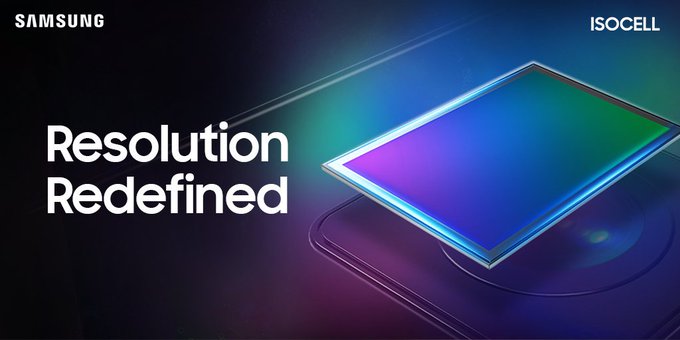
Samsung’s upcoming ISOCELL Camera Sensor Teaser Photo

The South Korean giant is gearing up to launch its new ISOCELL camera sensor. Samsung confirmed the launch of a high-resolution ISOCELL in a tweet having the hashtag #NextGenCapture. The headline reads “Resolution Redefined” which points towards a sensor with a high resolution than the current ISOCELL sensors.

Also read: Huawei’s Hongmeng OS aka Harmony OS is here: Everything you need to know

The unveiling will take place on August 12. Samsung has not mentioned if this ISOCELL sensor will be for its midrange devices or for the flagships.

Back in the day, having a high number of megapixels for a camera was a thing. We had the Nokia Lumia 1020 with a whopping 48 megapixels camera. The trend of high-resolution cameras did not stay on for a long while. With the advent of smartphones, the phone makers focused more on improving the quality rather than increasing the number of pixels only.

The recent smartphones have emphasized most on low-light photography. However, it looks like the mega-pixel war might just start again. The Chinese phone makers started adding 30MP, 40MP, and 48MP cameras in their phones which sparked a competition.

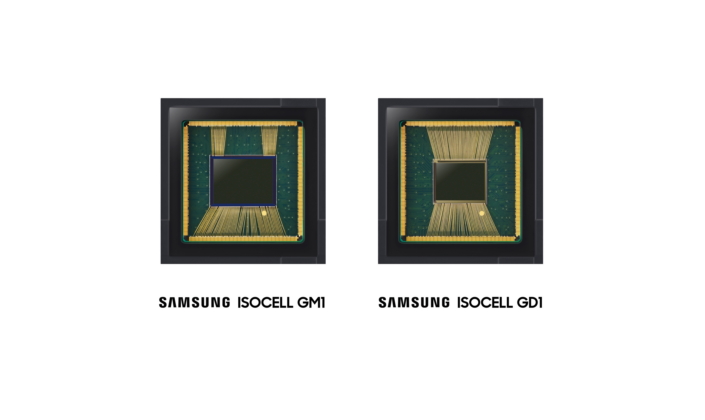
Last year, Samsung introduced its GD1 and GM1 ISOCELL sensors. The GD1 sensor is used by the company itself in its Galaxy A70. The GM1 sensor is used by Xiaomi’s Redmi Note 7. Both these sensors use a pixel-binning mechanism which combines 4 pixels to work as one. Samsung calls it the tetra cell technology. The GM1 and GD1 were not the true 32 and 48MP cameras. The effective resolution for these sensors remained 8 million pixels for 32MP camera and 12 million pixels for 48MP camera.

Image source: Samsung

Earlier this year, Samsung also introduced an ISOCELL Bright GW1 sensor. The new sensor boasts a resolution of up to 64MP. This sensor also uses the tetra cell chroma. The essential output for this camera is 16MP. Samsung has not used this sensor on any of its devices. The GW1 sensor is also expected to be used by Xiaomi’s Redmi brand.

It is also unclear if high-resolution means increasing the number of pixels here or just changing the camera technology or pixel formation. It would be interesting to see how Samsung makes the cameras high-resolution to compete for the best of its league. 

For the record, the Galaxy S10 Plus and the Galaxy Note 10/10 Plus use the S5K2L4 CMOS sensor. This is an ISOCELL Plus sensor. Galaxy S9 also used an ISOCELL Plus sensor. The flagships prior to the Galaxy Note 9 and Galaxy S9 were using the ISOCELL sensors.

Samsung’s Galaxy S11 is the upcoming flagship device and there is also going to be a plethora of the Galaxy A lineup phones in the year 2020. The upcoming sensor might make its way into Samsung’s 2020’s handsets. For now, we will keep our expectations low and wait for further development.

Let us know what are your thoughts about the new ISOCELL sensor which is coming out tomorrow. Share your valuable words in the comments section below.

Best iOS emulators for Windows 10 – Devs & iPhone Games

0
Best iOS emulators for Windows 10 – Devs & iPhone Games

iOS developers and iPhone gamers will benefit from the list of best iOS emulators below. It caters to enterprises, indie developers and even casual iOS users. Whether you want to play an iPhone game on Windows 10 or test apps on it, these iOS emulators for Win 10 are worth checking out.

App Store is the best mobile marketplace for games and apps. Yes, Play Store is a huge competition but it gets a lot of fake and potentially dangerous apps. On the other hand, App Store implements strict code of quality and security over any app uploaded here. Therefore, it is the best resource for getting the assurity of quality apps and games. 

The primary use case for getting an iOS emulator on Windows PC is to test apps. Yes, most iOS developers developer their apps on MacBooks but not everyone. React developers, or even ASP developers may cook up iPhone apps and games on Windows machines. In such a case, there is no go-to tool for devs. Therefore, the list below is bound to help out a lot of folks out there.

Top free iOS emulators for Windows 10

1: iPadian

ipad ios emulators windows

When it comes to popularity, iPadian is definitely one of the most famous and downloaded iOS emulator specifically developed for Windows. It works with Windows 7, Windows 8.1 and Windows 10. Therefore, most of users are definitely set with good enough system to try it out. 

  • Feels like an iPad.
  • It may not work well with dev apps.
  • Download iOS apps directly from a native store within iPadian.
  • Lightweight software.

2: Appetize.io

appetize io ios emulator windows 10

Unlike the previous option, Appetize.io is actually one of web based iOS simulators. It also contains a segment dedicated for Android apps testing. This particular option makes it one of best options to test out cross-platform apps. It works not only on Windows computers, but on mobile browsers as well. 

  • Suited for cross-platform app testing.
  • Works on web browser.
  • Fast updates for new iOS versions to make testing better.

3: Xamarin TestFlight

xamarin testflight iphone ipad simulators windows 10

I’m one of those people who used Xamarin to develop cross-platform apps in the past. However, it is a real pain when it comes to testing or even deploying iOS apps. Note that this particular option won’t run apps on your PC. Rather, it is a workflow that allow users to upload the app as beta testing on App Store and then let selected people use it on their iPhones and iPads.

  • Apps don’t run on laptops or computers, but on actual iOS devices.
  • Use Windows to deploy beta testing iOS apps to up to 1,000 testers.
  • Great for both internal and external beta testing.

4: Remoted iOS Simulator for Windows

This is another tool developed by Visual Studio team. Xamarin users are free to use it for testing and simulate their apps as they develop. And yes, it actually runs apps on a Windows system. You can use the app screen just like an iPhone or iPad. It is best suited for simulating the apps during coding phase. 

  • Works on Win laptops and computers.
  • Simulate apps while coding.
  • You still need a Mac build host for it. (requirement by Xamarin)
  • Great tool for cross-platform app developers while building UI.

5: Smartface

smartface ios emulators windows 7 8 10

Our fifth pick for iOS emulators is an enterprise one. Therefore, it may not come at a very affordable price for individuals. However, its main advantage is that devs use it for testing apps in the cloud. No specific physical hardware is required. All we need is to upload the code to cloud server and then test it via a good internet connection. 

  • Works in cloud.
  • Great for devs in a software house.
  • Use it anywhere.

Conclusion

All the readers should understand that there is no perfect emulator for iOS on Windows. If you’re looking for an iOS emulator that works like Bluestacks (for Android), then it’s not the case. The closest we can get is with iPadian which itself comes with limited number of apps. The main reason for this is closed off OS that iOS is. Unlike Android, there is no such all-out open source kit. Therefore, the options on Windows are really limited. Except for iPadian, all are only good for testing and coding. 

Also Read: Best Android Emulators for Windows and Mac

The best way to emulator iPhone apps on a PC is via XCode hands down! It is fully compatible but it works with Mac OS only. We conclude our list on this note. Feel free to leave your feedback and thoughts in comments below.

Last Updated: 11/2/2019


Huawei’s Hongmeng OS aka Harmony OS is here: Everything you need to know

0
Huawei’s Hongmeng OS aka Harmony OS is here: Everything you need to know

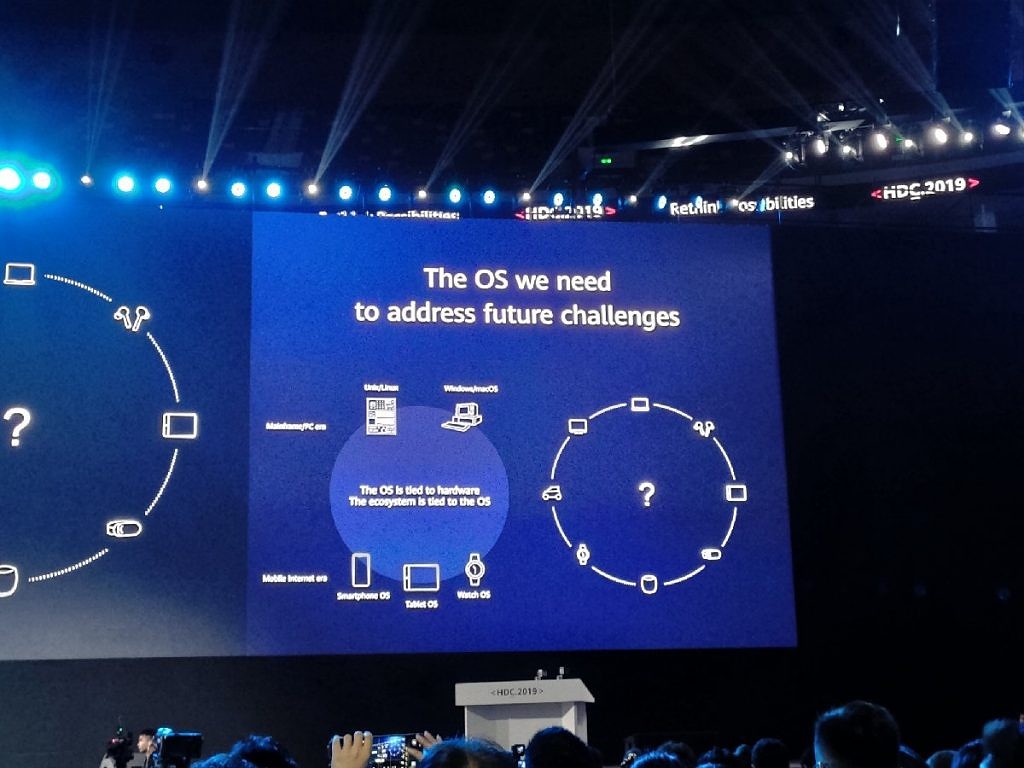
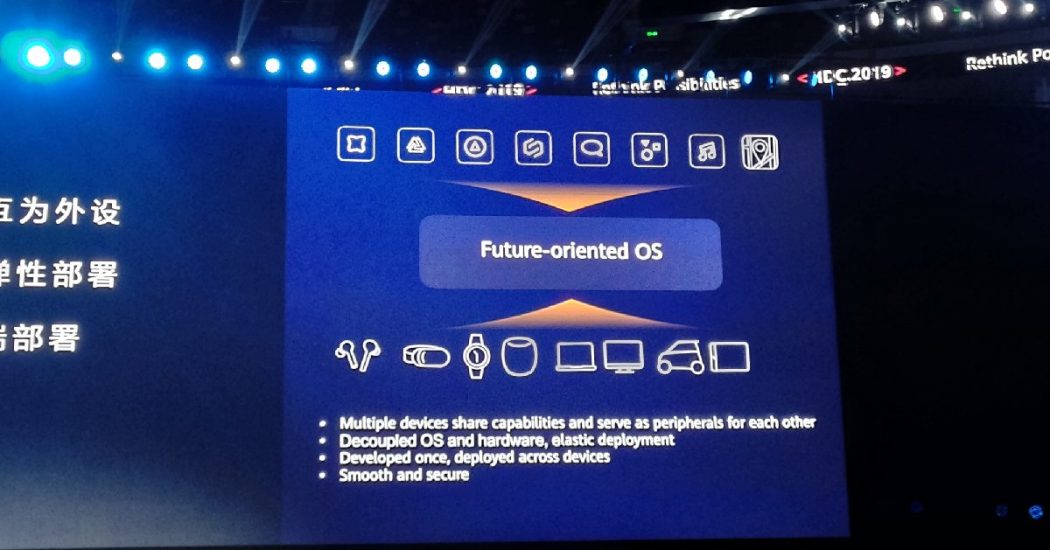
Huawei has finally announced the much-awaited Harmony OS. The new operating system is named Hongmeng for China, and Harmony OS for the rest of the world. To unveil its in-house operating system. Huawei held an exclusive event in the Dongguan city of its home country. The Harmony OS was in the works for almost a decade. The recent US ban on the Chinese tech-maker forced it to accelerate the development work of its own operating system. While Android will remain the main operating system on all of Huawei and Honor’s smartphones, the Harmony OS will be there for contingencies.

Hongmeng OS aka HarmonyOS

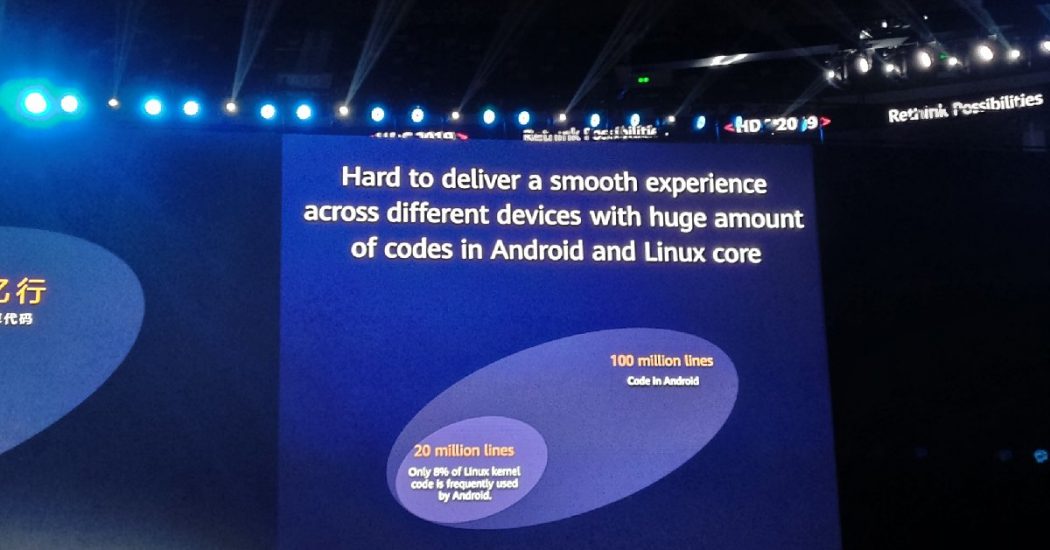
Like Google’s Fuschia OS, the Harmony OS uses the microkernel. Huawei says that its operating system is different as it doesn’t use the “non-distributed design,” like the Fuschia OS. This makes the Harmony OS compatible with various smart devices. To justify the versatility of the Harmony OS, Huawei further says that “it is hard to deliver a smooth experience across different devices with [a] huge amount of [code] in Android and Linux core. That is because the multi-device interconnection raises requirements for security and close-coupling between the app ecosystem and the hardware compromises the user experience and development efficiency”

According to Huawei, the microkernel will also improve security. For the most part, it provides basic services like thread scheduling and IPC as most system services will be implemented in the userspace. The amount of code to audit will be a lot lesser than Android, which means there will be less room for hack attacks. Furthermore, Huawei says that the Harmony OS uses formal verification methods to secure the TEE Kernel. The company says that this kind of technology uses a “mathematical approach to validate system correctness from the source” and it is mainly used in aerospace and chipsets field which demand very high security. This also adds to the reliability and robustness of the system.

The microkernel can be “scaled on-demand for wider system security”. Huawei also boasts that the Harmony OS products can achieve an EAL (Evaluation Assurance Level) 5+ certification level. 

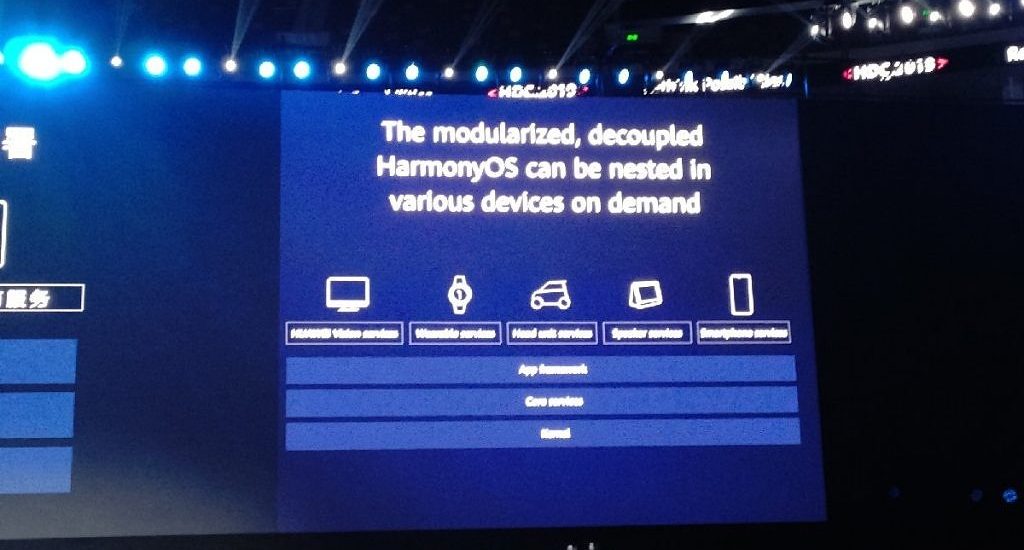
The Chinese tech giant also claims the Harmony OS to be better than Android. Huawei’s presentation also showed that the new OS uses a distributed virtual bus with a more simplified protocol. It uses only 1 layer instead of 4. This boosts payload efficiency. It also makes the fastens the discovery and connections of the display, cameras, speakers and other similar hardware. 

The event focused more on explaining the advantages of Harmony OS over the Android OS. Since the Android OS is based on Linux, it uses the Linux kernel’s scheduling mechanism. The Harmony OS, unlike Android, uses a “deterministic latency engine” which can provide “precise resource scheduling with real-time load analysis and forecasting and app characteristics matching.” It results in providing 25.7% and 55.6% improvement in response latency and latency fluctuation respectively. Huawei further says that Harmony OS’s microkernel makes Inter ProcessCommunication up to 5 times more efficient than the likes of Android and other Linux based systems.


ARK Compiler & Harmony OS IDE

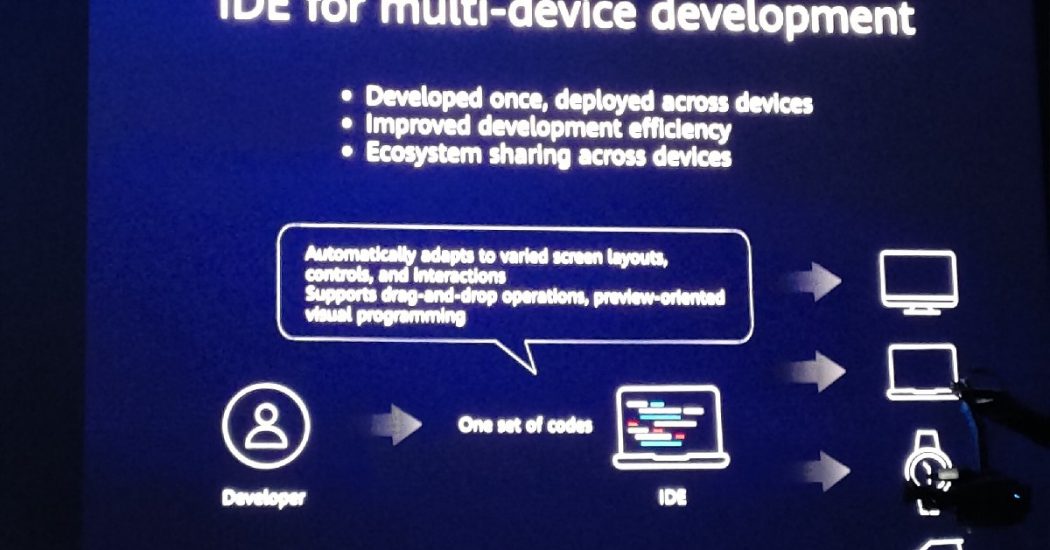
The Harmony OS disengages the software from the hardware. This allows developers to develop an application once and then deploy across all hardware. Huawei will let the developers use ARK Compiler which can compile code from the C, C++, Java, and Kotlin languages. The company will also provide its IDE to support application development. This will work for all platforms including smart TVs, car kits, smartwatches, speakers, washing machines, and all devices that can use an operating system. 

The Huawei IDE will adapt to various screen layouts, controls, and interactions. It will also support the drag-and-drop feature. The preview-oriented visual programming support will be there.

Lately, Huawei has been taking security very serious. Like it didn’t allow root access on its Android phones, it will close the doors for root on the Harmony OS too. Huawei already considers rooting a security risk on all Linux-based operating systems. No root access doesn’t mean the Harmony OS will not be open source either. It will be open source with the help of an open-source foundation. Huawei will also create an open-source community to let developers collaborate with others.

Harmony OS Compatibility

The new mobile operating system does not support Android applications right now. Huawei’s Consumer Business Group CEO, Richard Yu confirmed this on the stage. Users cannot directly install or sideload any Android applications on the Harmony OS. According to the CEO, developers will have to make a few changes in their code here and there in order to make the apps compatible with Harmony OS. The CEO further states that converting Android apps to Harmony OS apps is “very easy”.

2 years ago, Huawei started working on the microkernel 1.0 for the Harmony OS. In 2019, the company pushed the progress to make Harmony OS work on all smart screen products. Huwaei will release the microkernel 2.0 next year. The version 3.0 of microkernel will come out in 2021 with the support for wearables and car infotainment systems.

Huawei also says that it can switch from Android to Harmony OS right now as the microkernel’s nature makes the migration incredibly easy. Huawei’s claim is that they can make this happen within 2 days. Huawei is not ready to prove these claims as it ha decided to stick to Android OS for now. Richard Yu says that Huawei wants to keep a good relationship with its U.S partners, which is why it will not be making the switch anytime soon.

Final Words

Huawei’s Harmony OS looks like a great choice to avoid any unforeseen happenings. However, the company still needs to work on the OS’s adaptability. Especially, making the Android applications compatible with the Harmony OS and making an App Store for the OS from scratch is going to be challenging for the company. Huawei already has its App Gallery, but that’s popular in China only. A major Android audience prefers using the Google Play Store, which also happens to be the biggest application repository for any mobile operating system. These bottlenecks make the Harmony OS a plan B for the world’s 2nd biggest phone manufacturer. Huawei is currently working on its entire ecosystem to overcome all future challenges. Only time will tell how successful the Harmony OS turns out to be.

Don’t forget to share your thoughts about the Harmony OS in the comments section down below.

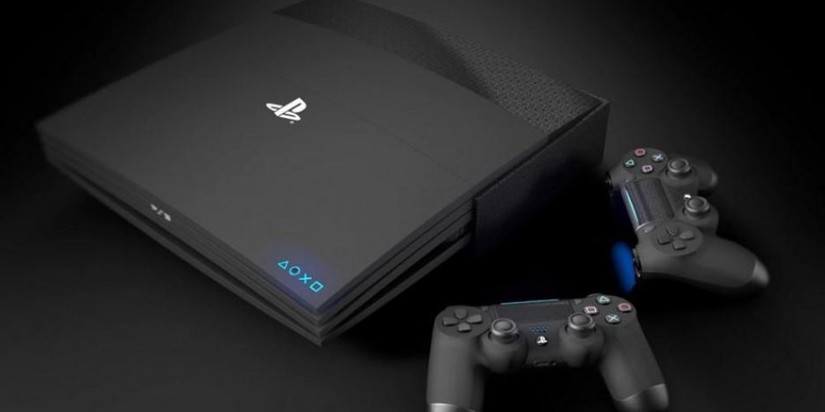
Sony PlayStation 5 News, Specs, Price & Release Date

0
Sony PlayStation 5 News, Specs, Price & Release Date

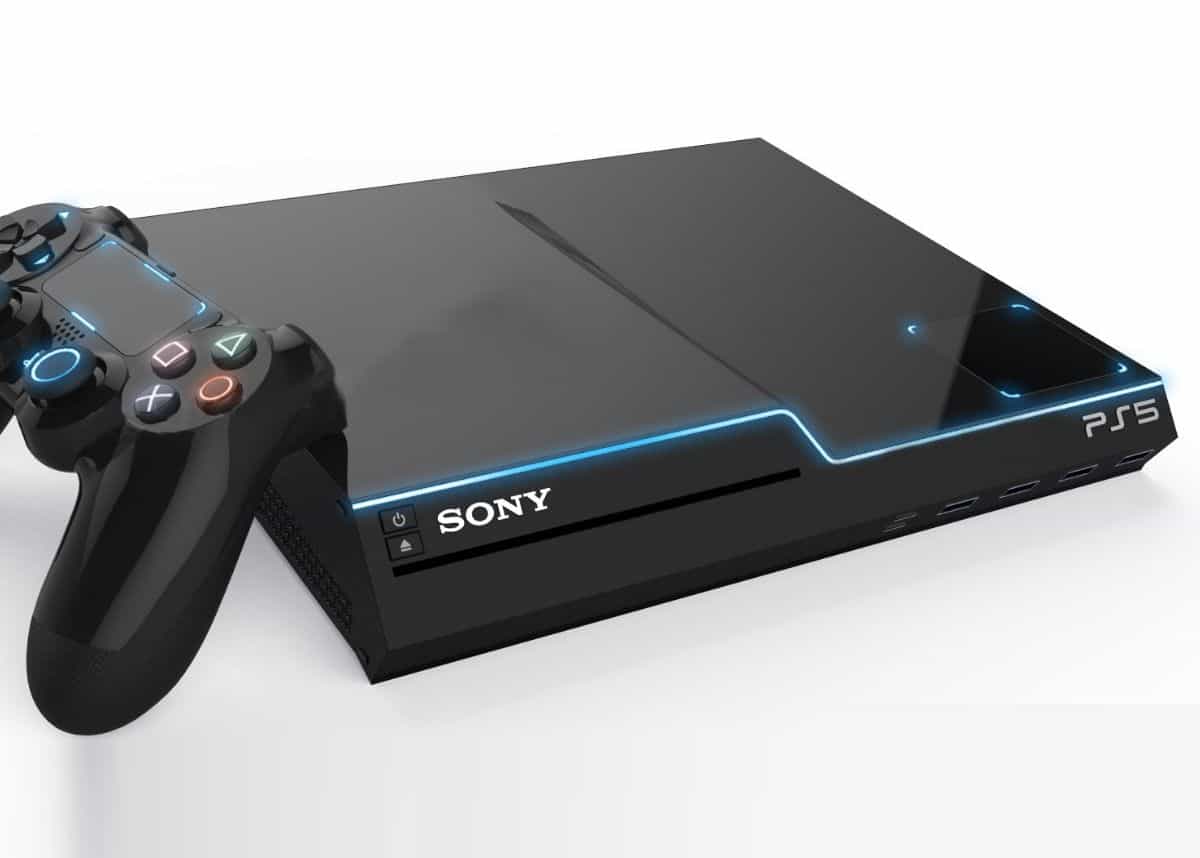
Ever since the original PlayStation was released, with its only close competition being Xbox, it is still the most popular and successful gaming console in whole wide world! PlayStations 5 hopes to continue that legacy of unchallenged reign at the top. One of the main reasons for its success is marketing and a huge library of  fantastic exclusive titles. These are most offline story mode games. 

Some people may argue that Xbox One has a better community and hardware support for online shooting games, multiplayer games like FIFA and Halo. However, there is a huge proportion of players that prefer to play story mode games only. And in that area, Sony ‘s PlayStation is simply the one and only true king. Likes of Last of Us, Uncharted, God of War propelled this console to timeless glory. 

Needless to say, PlayStations 5 is the one of the most anticipated gaming products out there. Its predecessors PS4 and PS4 Pro are quite the machines. It’s marketed all around the world. Moreover, most of the exclusive titles like Horizon Zero Dawn look breathtakingly beautiful on it. The optimization and overall gamepad design never fail to deliver. Lets take a look at what we can expect from the next generation console in the form of PlayStations 5.

playstation 5 news ps5

Sony PlayStations 5 Price – Leaks & Rumours

If we take a close look at history, Sony made a huge mistake when it released PS3 at $599 initially. It made the gamers more inclined towards Xbox 360 at that time. The aftermath of this pricing made the company realize this make on release of PS4 thankfully. Thankfully it launched at $399. The pricing and marketing combined, PlayStation 4 is currently the highest selling gaming console with almost double the amount of units compared to Xbox One. 

Therefore, even the company officials confirmed that they had learned from the PS3 mistake and don’t intent on repeating that. However, thanks to added perks and features, price hike of some degree is inevitable. We were initially expecting to retail PlayStations 5 at a price tag similar to what PS4 launched at.

playstation 5 price ps5

However, to everyone’s dismay, an online retailer posted PlayStations 5 for Pre-order at a price of about $999!! Nobody saw that coming. However, rest assured, there is no authentic backing for it. Since the console is not actually launched yet, it may very well be a hoax. Or it may be a social experiment by the company to see how everyone reacts (conspiracies!). And it is clear that no one really likes this pricing. Anything up to $499 price for PlayStation 5 is acceptable really. All the leaks until now suggest that this might be the right price point. Anything higher than that and it may be PS3 story all over again.

To summarize, the expected price of PS5 in £400 in UK, $499 in UK and about €450 in Europe.

PlayStation 5 backward compatibility with PS4, PS3, PS2 and original PS

I’m gonna be honest here. It doesn’t really matter to players like me if we PlayStation 5 is compatible with PS3, PS2 or the original PS. However, what matters is if PlayStation 5 is compatible with PlayStation 4 games or not. If not, then it is going to cause a huge disruption among the gamers. 

The PS4 gamers do not have much of an issue playing games like FIFA. However, when PS5 is released, then the shift won’t be as smooth. Not every player would suddenly buy the new console. Imagine having a group of friends that play same game on PS4 and then not having the option to play when someone shifts to PS5. That would really suck. Thankfully, Mark Cerny confirmed that PS4 games will work on PS5. Another thing worth noting is that it’d include physical discs as well. 

playstation 5 rumours image ps5

The only key difference is the fact that PS4 games will run significantly faster on PS5. This is because of new hardware upgrades like SSD and Ryzen processor. It not only improves loading speeds, but also makes in-game events like fast-travel much faster than before.

Confirmed specs for PlayStation 5

Here are the main specs that are confirmed for PS5. And all of this comes directly from Mark Cerny. This guy is incharge of PS5 development and design.

  • 8-Core Ryzen CPU based on 3rd-Gen Ryzen architecture.
  • Graphics processor from Radeon Navi GPU Family.
  • An especially built SSD storage for PS5.
  • Support for 8K resolution.
  • 4K at 120 FPS gameplay support in PlayStation 5!
  • Fully compatible 3D audio support.
  • Ray Tracing graphics processing.
  • Getting rid of loading screens between scenes (much similar to God of War).

Just from the initial PS5 news, it has gotten ever gamer super excited already. One of the biggest drawback for PS4 Pro was that it could only play games at 4k30. In 2019, 30 frames are noticed by gamers instantly. And to be honest, it is not a pleasant gaming experience. Xbox One X already supports 4K60 which is really nice.

ps5 playstation 5 specs

However, resolution is not the major update for online gamers. All they need is high framerate to get even more precise in shooting games. Hopefully, the new PS5 will run games at 120fps and higher. This would mean that PC gamers would not have too much to hold against console gamers!

Upcoming PS5 Games

As I mentioned at start of the article, one of the key reasons for PlayStation’s success is exclusive titles. This includes the likes of Red Dead Redemption 2, Spider-man, God of War, Uncharted series, Last of Us and so so many more!

Similarly, we are promised a lot of great titles with release of next-gen console. These include the likes of Last of Us 2, Death Stranding, Final Fantasy VII Remake,  and a lot more on their way.

death stranding ps5 game
Death Stranding in-game shot

According to some sources, the focus of Sony is mainly on AAA titles of instead of Indie titles for next-gen console. This seems like a correct strategy, at least at the launch. The company wants to fully unleash best possible capabilities of its system.

PlayStation 5 Release Date

Initially, it was rumored that PS5 would release in mid or late 2019. However, to our dismay, Mark Cerny confirmed that it won’t release anytime this year. The only plausible release date for PlayStation 5 is mid 2020. By then, PS4 would have completed the tenure of almost 6 years! 

In all fairness, this is more than enough time and we just cannot wait to get our hands on next-gen gaming machine.

Other Rumours and Expectations

Certainly, there are a lot of improvements in hardware department. However, this is not the only front that company is focusing on. Cloud computing and remote play are also in Sony’s priority list.

PlayStation Now

This service is currently available in PS4. For those who don’t know about it it, this service allows gamers to stream games directly to their consoles without downloading it. Therefore, you save yourself a lot of storage. However, this technology is still far from perfect and requires very fast internet connections. Folks at Sony want to make this technology even more accessible in coming time. Who knows this may be the future of gaming? What are your thoughts?

Remote Play

This is another feature that exists in PS4 but not used very often. Why would you want to play a game on mobile phone for example when PS4 is running anyway. In addition to this, the controls do not shift as seamlessly to remote play. Therefore, the AAA titles are harder to play with it. 

Once again, Sony developers are increasing their efforts to make remote play even more accessible and a feasible option. It works well for 2D platformers already. Maybe it would be worthwhile to use it for games like FIFA, Red Dead and Spider-man too?

Conclusion

Gathering from all the rumours, leaks and news, upcoming console is definitely going to hit all the right cords. It is going to be one of the most powerful gaming machines. The highlight features are 4K at 120fps, super-fast SSD and fully supported and high-end 3D audio support for all games. 

We would love to know your thoughts about it as well. Share your comments below!

Let’s recover deleted SMS in an iPhone [ Tips ]

0
Let’s recover deleted SMS in an iPhone [ Tips ]

In this post, I will tell you how to recover deleted SMS in an iPhone. I have seen many methods on the internet either they don’t work at all or you need to buy software to recover deleted SMS. However, the solutions I have are free of cost and they are working so let get going now.

Before the cross messaging platforms the best method to communicate with others using mobile phones was the SMS. It’s still the best but nowadays we have tons of other options. However, if you are an iPhone user then I am sure you use iMessages rather than all the other messaging apps. Now coming back to our topic, somehow you have deleted a single SMS or all of your SMS by mistake, it means you have lost all of your conversations. Once it is done and now you want all of these SMS back or you can say you need to recover deleted SMS.

recover deleted SMS in an iPhone

If you really are in this situation then follow the instructions provided below to recover deleted SMS in an iPhone. The first method is more like a helpful tip, it’s about taking backups every now and then. Let’s start now.

How to recover deleted SMS in an iPhone?

Before I start, Let me give you a short overview of both methods. After that, we will proceed with a complete set of instructions that will be required to recover the deleted SMS from an iOS device.

How to recover deleted SMS in an iPhone?

  • Connect your iPhone with your PC or Mac.
  • Disable auto-sync so nothing new can be added.
  • Restore the last backup.

Recover deleted text messages using Undelete SMS:

  • You need a Jailbroken iOS device.
  • Install a Jailbreak Tweak from Cydia, it’s called xSellize.
  • Run the app and it will Scan SMS database.

So these are the two methods that I will be using to help you recover your deleted SMS from an iPhone. The only thing which is a bit of bummer, Jailbroken device, back in the days Jailbreak was fun but not these days. Apple has taken some serious steps to make sure Jailbreakers stay at bay.

But no matter how hard you try, when there is will there is always a way. Download Unc0ver 3.3.0 IPA – Jailbreak iOS 12.2, Yes, you can Jailbreak iOS 12.2 and 12.3.

Let’s now start our first method and help you.

Recover Deleted SMS using iTunes:

You may not know, When you delete an SMS from an iPhone, it doesn’t get deleted right away. It goes to Trash same as deleting a file on a PC. So since the SMS, your deleted is in the Trash. That means you will be able to recover that SMS. However, if you deleted an SMS or bunch of them and then you connected your iPhone to your PC. As soon as the Automatic Sync comes in the play, all of your SMS will be deleted from trash.

Once it has happened, there is no way you can recover a deleted SMS on an iPhone.

let’s start:

  • Before you do anything, launch iTunes on your PC or Mac. Now you need to Disable Automatic Syncing.
  • Once done, connect your iPhone to your computer. Right-click on your iPhone listed in iTunes.
  • You will be provided with a number of options, click Backup.
  • After you have taken the backup, head back to the Summary tab. Click on the restore button and don’t click on the check for the updates button.
  • You should know that by restoring your iPhone or iPad. All of your data will be lost, make sure to take a complete backup before you do this.
  • Once your device is restored, right-click on your iPhone icon and select restore from backup.
  • Select the recent backup you made and let your iPhone get restored. After the restoring process is finished, you will find all the deleted SMS in your Messages.

Recover Deleted text messages using Undelete SMS:

In this method, you have to Jailbreak your device. For that, you can use our Jailbreak Category and find the best Jailbreaking guides. Once you have successfully Jailbroken your iOS device. Heed the instructions below.

  • Open CYDIA.
  • SOURCES.
  • Tap on the EDIT button.
  • Tap on Add button.
  • Enter the link: http://cydia.xsellize.com/.
  • ADD SOURCE.
  • Open xSellize and look for ‘Undelete SMS.’
  • When you do find the ‘Undelete SMS.’ tweak. Install it.

After the app is installed, Let Cydia do its work and you sit back. Undelete SMS will start recovering all of your deleted SMS on an iPhone.

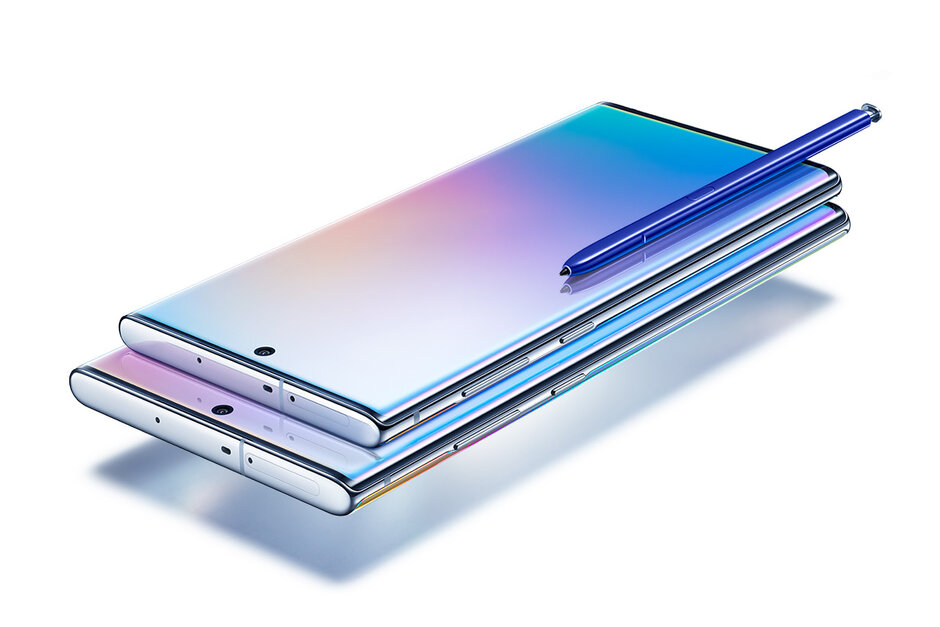
Download Samsung Galaxy Note 10 Stock Wallpapers

Download Samsung Galaxy Note 10 Stock Wallpapers
Default/Stock Wallpapers of new Note 10

Just yesterday, Samsung announced the Galaxy Note 10 and Note 10 Plus. The two new phones come with top-notch displays. To further show off the beauty of the screens, Samsung has added 6 stock wallpapers in the phones. All of the Note 10 Stock wallpapers are now available for download. Wallpaper enthusiasts can download Galaxy Note 10 Stock Wallpapers from here. The same wallpapers are also a part of the Galaxy Note 10 Plus.

Samsung Galaxy Note 10 Stock Wallpapers
Default/Stock Wallpapers of new Note 10

Galaxy Note 10 & Note 10 Plus

The Note 10 is a successor of the Galaxy Note 9. This is the first time in the Note series’s history that we are getting two versions of the same device i.e. the Note10 & Note 10 Plus. The Note 10 is a lighter version while the Note 10 Plus is the one with the top-notch specifications.

Note 10 & 10 Plus

Galaxy Note 10

Galaxy Note 10 is equipped with a 6.3-inches 1080 x 2280 pixels screen. The phone comes with 256GB internal storage and 8GB RAM. There is no microSD card slot in the Galaxy Note 10. The Note 10 has 3 cameras at the back with the main camera being the 12MP wide followed by a 12MP telephoto and a 16MP ultrawide lens. On the front, Note 10 has a single 10MP camera.  There is a 3500 mAh battery on the Note 10.

Note 10

Galaxy Note 10 Plus

Galaxy Note 10 Plus has a 6.8-inches 3040 x 1440 pixels screen. It also has a 256GB internal storage variant along with a 512GB variant. The Note 10 Plus has a 12GB RAM. It also has a microSD card slot. Note 10 Plus has got better cameras too. It has 12MP main + 12MP telephoto + 16MP ultrawide cameras at the back, but it has a 4th 3D VGA Depth sensor camera too. On the front, it also has a 10MP shooter. The note 10 Plus has a 4300 mAh battery.

Note 10 Plus

Similarities between Note 10 & Note 10 Plus

The specifications listed above were the differences between the new Note handsets. Now comes the similarities section. The display on both phones is Dynamic AMOLED and supports HDR10+. Samsung has added a new processor i.e. Exynos 9825 in the phones. There is a Snapdragon 855 variant of both devices. The Note 10 handsets come with a very powerful S Pen with enhanced Air Command feature. There is no headphone jack both handsets. Samsung has also killed the Bixby button. Note 10 and Note 10 Plus have a 25W charger in the box. The Note 10 Plus takes a step ahead to support 45W charging, however, you still get the 25W adapter in the box. These phones run on Android 9 Pie out of the box.

It’s time to get back to the topic. You can download the Note 10 stock wallpapers from below.

Update: Note 10’s Live Wallpapers are available now.

Galaxy Note 10 Stock Wallpapers

The 6 wallpapers of the Note 10 and Note 10 Plus come with a resolution of 3040 x 3040 pixels. If you have any Android phone or an iPhone with such resolution, you can apply these wallpapers on it. You can download all Galaxy Note 10 stock wallpapers one-by-one or all at once.

All Galaxy Note 10 Stock Wallpapers: Download

To download the wallpapers one-by-one, right-click on your desired image and then click on “save image as..”. If you are trying to download on the phone, long-press the image and click on “Download image”.

Note 10 Stock Wallpapers
Default Note 10 Stock Wallpaper
Note 10 Stock Wallpapers
Blue Stock Galaxy Note 10 Wallpaper
Galaxy Note 10 Stock Wallpapers
Essential Note 10/10 Plus Stock Wallpaper
Galaxy Note 10 Plus Stock Wallpaper
Pink Stock Wallpaper of Note 10
Note 10 Stock Wallpaper
Silver Note 10 Default Wallpaper
Note 10 Wallpapers
White Default Note 10 Wallpaper

There are 4 more wallpapers which are a part of the new Samsung DeX. The DeX can now work with your Laptop or Desktop PC as a standalone window. As you activate the DeX through Note 10, you will see a unique wallpaper on the computer. There are 4 such wallpapers in total. These wallpapers are already included in the package file above. You can download the individual wallpapers from here.

Galaxy Note 10 Plus Live Wallpapers

There are two live wallpapers in Note 10 and Note 10 Plus. Both wallpapers are available for download now. These are small video clips which can be applied to the home screen of your Samsung Galaxy handset.

Both wallpapers can be downloaded from here. You can also download them one by one from below.

That’s all. You can explore more stock wallpapers on our site. Find a few new stock wallpapers below.

Download Samsung Galaxy Note 10 Plus Stock Wallpapers

Download Samsung Galaxy Note 10 Plus Stock Wallpapers
Galaxy Note 10 Plus Stock Wallpapers

Not even 24 hours have passed since the launch of 10th Galaxy Note, its stock wallpapers are already out. You can now download the Galaxy Note 10 Plus Stock Wallpapers. These also happen to be the Galaxy Note 10 Wallpapers. The Galaxy Note 10 and Note 10 Plus have 6 QHD+ stock wallpapers which fit very well on the displays of previous Galaxy handsets. Let me give you a brief idea of the Note 10 before you get its wallpapers.

Galaxy Note 10 Plus Stock Wallpapers
Note 10 & Note 10 Plus Stock Wallpapers

Samsung Galaxy Note 10 and Note 10 Plus

First of all, this is the very first time that we are getting two versions of a Galaxy Note handsets. Samsung might have done this to give an affordable Note choice to its consumers and also to keep it up with the competitors. Both handsets come with Samsung’s new body language. Note 10 and Note 10 Plus has a new form factor wrapped inside glass surrounded by a stainless steel bezel. Note 10 and Note 10 Plus has a lot of differences and a few similarities.

Galaxy Note 10 vs Note 10 Plus Comparison
Samsung Galaxy Note 10 vs Note 10 Plus Comparison

Galaxy Note 10

The Note 10 has a 6.3-inch 1080 x 2280 pixels display. It’s got a RAM of 8GB. The battery of the Galaxy Note 10 is 3500 mAh. The Note 10 has 3 cameras at the back including a 12MP main camera, 12MP telephoto, and a 16MP ultrawide camera. On the front, it has a single 16MP camera. The rest of the specifications of the Note 10 remain the same as the Galaxy Note 10 Plus.

Note 10 & Note 10 Plus
Image of Galaxy Note 10

Galaxy Note 10 Plus

Note 10 Plus, on the other hand, has a 6.8-inches QHD+ display. It’s got a resolution of 3040 x 1440 pixels. Galaxy Note 10 Plus has a RAM of 12GB and its internal storage options are 256GB & 512GB. The phone has a microSD card slot too. Note 10 Plus’s battery capacity is 4300 mAh. It has 4 cameras at the back including 12MP + 12MP + 16MP + 3D VGA TOF camera. It also has a 10MP front camera. 

Note 10 & Note 10 Plus
Image of Note 10 Plus

Common Note 10/10 Plus Specs & Features

Both Galaxy Note 10 handsets come with a Dynamic AMOLED screen. These phones are powered by Exynos 9825 7nm chipset or the Qualcomm Snapdragon 855. Samsung has added base storage of 256GB in Note 10 and Note 10 Plus. These handsets also support super-fast charging at 25W. There is no headphone jack. The phones come with a smart S Pen with Air Command feature. Samsung has made the DeX compatible with Laptops and Desktop computers. These handsets run on Android 9 Pie themed by Samsung One UI.

Note 10’s price starts at $950. Note 10 Plus starts at $1100 and goes all the way up to $1300. The phone will start making it to the users on August 23.

Getting back to the topic, you can now download the Galaxy Note 10 stock wallpapers and the Galaxy Note 10 Plus stock wallpapers too. Basically, both handsets have the same wallpapers.

Update: Note 10 Live Wallpapers added!

Galaxy Note 10 Plus Stock Wallpapers

Here are the 6 stock wallpapers that are added to the Galaxy Note 10 and Note 10 Plus. Each Galaxy Note 10 stock wallpaper has a resolution of 3040 x 3040 pixels. You can apply them to any smartphone with QHD+ screen. These wallpapers can be applied to an iPhone as well. 

To download the Note 10 Plus stock wallpapers, simply right-click on your desired wallpaper and then click on “save image as..”. To download on the phone, long press (hold) the image and then click on “Download”. I have also attached an all-in-one link below for your convenience.

All Galaxy Note 10 Stock Wallpapers: Download

Default Note 10/10 Plus Wallpaper
Blue Galaxy Note 10 Plus Stock Wallpaper
Silver Note 10 Wallpaper
White Note 10/Note 10 Plus Default Wallpaper
Pink Note 10 Stock Wallpaper
Essential Note 10 Plus Stock Wallpaper

Bonsu: Samsung has just re-arranged the elements of Note 10’s wallpapers for the Samsung DeX. These are the wallpapers that you will see when you connect the Note 10 to your Laptop in the DeX mode. Although these wallpapers are already there in the all-in-one file, you can download them one-by-one too if you are interested.

Galaxy Note 10 Live Wallpapers

Note 10 and 10 Plus have two Live Wallpapers. Samsung has transformed its live wallpapers into video wallpapers. A clip of 15 seconds can be set as your lock screen. The same goes for new handsets. In the new Note phones, we have two such backgrounds. Below are both Live Wallpapers from the Galaxy Note 10.

To apply the Note 10 Live Wallpapers on the phone, you will download them and copy them to the phone storage. After that, you will open Gallery and swipe down to access videos. Choose the downloaded wallpaper and click on the 3-dotted menu button and then choose “Set as > Wallpaper”.

Both the videos are available for download here. You can download them from below one by one too.

That’s all with the stock wallpapers of Note 10. You can learn more about the Note 10 on the following pages on our site:

10 Exciting Galaxy Note 10 Plus Features You Won’t Find on any iPhone

10 Exciting Galaxy Note 10 Plus Features You Won’t Find on any iPhone
Announced: Galaxy Note 10 & Note 10 Plus

The Galaxy Note 10 and Note 10 Plus are a powerhouse in many ways. These phones have set the bar high for upcoming smartphones. Samsung has posed a serious contender in front of Apple’s existing and upcoming iPhones. Take a look at the 10 Exciting Galaxy Note 10 Plus Features you are unlikely to find on any iPhone. Best Galaxy Note 10 Plus features are explained below.

Exciting Galaxy Note 10 Plus Features
Best Galaxy Note 10/10+ Features

After countless rumors, speculations, and anticipations, the Samsung Galaxy Note 10 is finally out. Samsung released the Note 10 along with the Note 10 Plus at an exclusive event in Barclays Center, Brooklyn today. The Galaxy Note 9 successor has a lot to offer. Samsung has massively improved its devices. Note 10 and Note 10 Plus both are packed with exciting features that we cannot find on any iPhone. There are some features that we cannot find on any Android handset either, thanks to Samsung’s in-house innovation. Here is a list of 10 Exciting Galaxy Note 10 Plus Features that you won’t find on any iPhone.

10 Best Exciting Galaxy Note 10 Features

  1. Dynamic AMOLED Edge-to-Edge Display
  2. Triple Camera [with Ultrawide] + TOF Sensor
  3. Zoom-In Mic
  4. 25W & 45W Charging
  5. Ultrasonic Fingerprint Scanner
  6. Samsung DeX
  7. 256GB Base Storage + MicroSD Card Slot
  8. Up to 12GB RAM
  9. S Pen, that too with Air Command
  10. 4300 mAh battery
Exciting Galaxy Note 10 Plus Features
Note 10/10 Plus

Dynamic AMOLED Edge-to-Edge Display

Samsung is the industry leader when it comes to smartphone displays. Not only the company manufactures great screens for its own phones, but it has also been providing displays to its competitors like Apple, Huawei, and Google as well.

Samsung introduced the Dynamic AMOLED displays on its Galaxy S10 lineup back in February 2019. The Dynamic AMOLED screens carry massive improvements over the Super AMOLED screens. These displays support HDR10+ which can deliver a better color accuracy. Samsung’s competitors are still stuck with the OLED or Super AMOLED screens while the company has gone a step ahead for its own handsets.

Note 10 and Note 10 Plus come with a 6.3″ and 6.8″ Edge-to-Edge screen. Samsung’s Edges are the subtlest and the least notable. Incredible displays are Apple of the eye for Note 10.

Triple Camera [with Ultrawide] + TOF Sensor

Triple camera system simply gives Samsung an edge over the greatest from Apple [the iPhone XS Max]. Apple has not introduced a triple camera module on any of its iPhone(s) so far. Apple is missing out on the best camera – talking about the ultrawide, which makes everything look incredible. While Apple is yet to add a third camera sensor on its phones. Samsung has gone a step ahead and added a 4th camera. The 4th camera is a game-changer here.

Samsung has installed a 3D TOF Sensor on the Galaxy Note 10. The TOF sensor is nothing new. We have already seen it on the Huawei P30 Pro. The thing is, the 3D TOF Sensor takes photography on the Note 10 Plus to a whole new level. It helps with real-time live focus photography. By separating the subject and the background, it adds more depth to the photos and videos.

Zoom-In Mic

Samsung has added a 3 Audio Zoom Mic system on the Note 10 Plus. Now the mic can focus on the incoming sound and cut off the noise. Each mic focuses in its own field of view to capture the sound. The defined range allows the mic to record the least amount of noise. This is something industry-altering that we are yet to see on any other phone including Android and iOS-powered devices both.

25W & 45W Charging

25W, 30W, & 45W adapters have become a norm for the Android phone makers, but what is Apple doing? Apple is still stuck with its 5W charger. iPhone XS Max does support a 29W charger, but that cuts heavy on your pocket. This is where Samsung has taken the lead once again.

The South Korean company was already adding a 15W charger in its flagship handsets. Samsung has upped its game by adding a 25W charger in the Galaxy Note 10 and Note 10 Plus’s box.

Not only that, Note 10 Plus also supports 45W charging. Yes, the 45W charger is not included in the box, but believe me, its not gonna cost as you as much as Apple’s 29W charger.

Ultrasonic Fingerprint Scanner

We saw fingerprint scanners in the home-buttons of the phones. After that, we saw fingerprint scanners at the back and on the sides of Android phones. Nowadays, we have in-display fingerprint scanners. Android phone makers like Xiaomi, Vivo, and Huawei are adding the under-display fingerprint scanners to their low-end and mid-range phones too. Recently, Samsung started adding fingerprint scanners in its midrangers as well.
Ultrasonic Fingerprint Scanner – Image @ Notebookcheck

With the S10 Plus, Samsung achieved another milestone. It introduced an ultrasonic fingerprint scanner. The same scanner is implanted on the Note 10 and Note 10 Plus. The ultrasonic scanner uses air to transmit your thumb’s impression to the scanner. Unlike optical fingerprint scanners, the ultrasonic scanner is extremely fast and secure.

Unfortunately, Apple is yet to introduce a fingerprint scanner on its phones. The iPhone XS and XS Max rely on Face ID for unlocking. I’m sure Apple will come up with a very solid fingerprint scanner to compete with the likes of Galaxy S10 and Note 10.

Samsung DeX

DeX is a feature that can transform your phone into a laptop. At first, Samsung launched a DeX station to connect the phone to a monitor. After that Samsung introduced a USB Type-C to HDMI cable to connect the phone to monitor without DeX. Samsung has improved DeX further in Note 10. Galaxy Note 10 can be connected to any laptop anywhere now. The laptop can open Note 10 in a dedicated window. Furthermore, you can drag and drop files between your laptop and your Note device.

Note 10 DeX – Image @ AndroidAuthority

Anything like this on the iPhone X, XS, or XS Max?

256GB Base Storage + MicroSD Card Slot

Samsung has given the smartphone industry a new direction here. Rather than going with 128GB internal storage, it has straight away opted for 256-onboard storage. We are talking about the base storage. While Apple’s iPhone XS and XS Max started at 64GB, Samsung’s S10 Plus started at 128GB and now the Note 10 at 256GB. The Note 10 Plus further goes up to 512GB, the 5G Note 10 goes up to 1TB and then there is a MicroSD card slot too. You can expand the 256 or 512GB of Note 10 Plus to 1.5TB with the help of 1TB external card.

Apple has never added an external SD card slot on any of its iPhones and it probably will never do so either.

And yes, the storage on the Galaxy Note 10 and Note 10 Plus is UFS 3.0.

Up to 12GB RAM

The Note 10 Plus comes in with a 12GB RAM. The standard Note 10 comes with an 8GB RAM. On the iPhone XS Max, we had a 4GB RAM. Do you think that the upcoming iPhone will have an 8GB or 12GB of RAM? Yes, 4GB or 6GB of RAM is enough for a smartphone, but the competition doesn’t rely on what’s enough and what’s not.

S Pen, that too with Air Command

iPhones have never had, or will never have an S Pen. Samsung’s S Pen is not a plain S Pen anymore. It is super-intelligent now. Samsung has improved the Air Command feature too.

The S Pen can now switch between camera lenses through gesture control. It can change tracks on YouTube or in the music player by simply moving the pen in front of the screen. The S Pen can capture pictures too. To cut it short, it gives you extended control over your phone without touching the phone itself.

4300 mAh battery

We are yet to see a battery over 3000 mAh in an iPhone. Samsung’s Galaxy Note 9 had a 4000 mAh battery. This time around, Samsung has added a 4300 mAh in the Galaxy Note 10 Plus. The Note 10 comes with a 3500 mAh battery, but that makes sense keeping in view the 1080P 6.3-inches panel of the phone. For the Note 10 Plus, even the 4300 mAh battery may not be enough.

That’s all with the Galaxy Note 10 Plus’s benefits over the Apple iPhone. I hope you guys liked the best Galaxy Note 10 Plus features. If you have anything to add to the list, drop it in the comments section below. Don’t forget to drop your feedback.

More: