Home Blog Page 82

How To Hard Reset Nokia 8.1 [ Tutorial ]

0
How To Hard Reset Nokia 8.1 [ Tutorial ]

With the help of this guide, you will be able to Hard Reset Nokia 8.1. There are a number of ways to factory reset Nokia 8.1 and we’ve posted all of them.

This is the best solution so far to boost up the performance level on an Android device. Moreover, it is the ultimate solution of all your hardware or software problems on Nokia 8.1.

Now before we move on and start telling you how to Hard Reset Nokia 8.1. Let me give you an overview of Nokia 8.1 so that you get to know why this device is so much heat.

Hard Reset Nokia 8.1

Nokia 8.1 Official Specs:

The Nokia 8.1 was released in 2018, December. The Phone came out with a screen of 6.18 inches having 1080 x 2280 pixels resolution. Nokia 8.1 was powered by Qualcomm SDM710 Snapdragon 710 (10 nm), Octa-core (2×2.2 GHz 360 Gold & 6×1.7 GHz Kryo 360 Silver) CPU and Adreno 616. It had internal storage of 64 GB, 4 GB RAM. The camera at the back of this phone is 12 MP, f/1.8 – 13MP and on the front, it is 20 MP. Inside this Phone, there was a 3500 mAh battery. The Phone originally ran on Android 9.0 (Pie); Android One.

Benefits of Hard Reset:

Summary:
*You can Wipe all of your Data Stored on your device.
*Easily fix all the performance issue.
*Bypass screen lock through hard reset.
*Bring the factory state.
*Fix all the firmware issues.
*Get rid of signal problems, loop issues, rebooting problems and power problems.

How to Hard Reset Nokia 8.1:

Method 1:

  • First, Turn off your device by holding down the power button for a few seconds.
  • Once your device is completely turned off, Start Pressing Volume Up and Power button together.
  • When you see the Recovery Menu, release all the buttons you were pressing and holding.
  • In the recovery mode, you can navigate using Volume rockers and for selection, you will use the power button.
  • Scroll down in the recovery menu and highlight “wipe data/factory reset“, press to power button to confirm your selection.
  • After that, select “Yes–delete all user data” and press the power button.
  • Now you have to wait for the process to be finished. Once it does, select “reboot system now“.
  • That’s all.

Method 2:

  • Open Settings from the Home Screen.
  • Scroll down and Tap on Backup & Reset -> Factory Reset.
  • Now select Reset device.
  • To Confirm Choose Erase everything.
  • That will be all, wait for the process to complete.

That’s all. You have successfully Hard Reset Nokia 8.1. Please do tell us if you face any problem during this process.

Important Message.
Please follow us on Facebook, Twitter, and Google Plus. Help us grow our social family.

Happy Merry Christmas 2018 Wallpapers, Images, Cards, and Facebook Covers

0
Happy Merry Christmas 2018 Wallpapers, Images, Cards, and Facebook Covers
Stunning Brand New Christmas Wallpaper 2014 Designed by Prince Pal

Here are the best Happy Merry Christmas 2018 Wallpapers, Images, Cards, and Facebook Covers for your computers and phones. Check out the huge collection of Merry Christmas 2018 wallpapers to grab your favorite one right now.

Christmas 2018 is almost here. In just a few days, people from all around the world will get together to celebrate the day of Jesus Christ’s birth. Christmas comes at the time when the Winter Holidays are going and the New Year evening also approaches. This time of the year is definitely the most wonderful time. It is filled with joy, love, and amusement. Everyone is busy these days setting up the Holiday Tree so that they can collect loads of presents. Kids are also planning their activities and what they want to demand from the Santa Clause. The houses, streets, roads, and shopping malls will be seen in the colors of Christmas as we get closer to this day. The Christmas week is busy for most of the people as they start preparing for the New Year evening right after they get free on 25th of December. The two-in-one celebration is a great source of happiness for people across the globe.

To add to your Christmas 2018 celebrations, we have a surprise for you. We have collected the finest Happy Merry Christmas 2018 wallpapers for your desktop PCs, laptops, mobile phones, and other smart devices. The huge collection of wallpapers is uploaded below. You can go ahead and grab your favorite Christmas 2018 wallpaper. Along with the wallpapers, we have also collected Merry Christmas 2018 Images, Cards, and Facebook covers. All the images are available in the Full HD resolution and are sized to match the display of your devices.

Happy Merry Christmas 2018 Wallpapers

Merry Christmas 2018 Wallpaper
Christmas background. Landscape with town houses and Santa Claus
Merry Christmas 2018 Wallpaper
Stunning Brand New Christmas Wallpaper 2014 Designed by Prince Pal
Merry Christmas 2018 Wallpaper
HAPPY CHRISTMAS 2016 and HAPPY NEW YEAR 2017 HD-WALLPAPERS FREE DOWNLOAD

Merry Christmas 2018 Wallpaper
Merry Christmas Wallpapers
Merry Christmas 2018 Wallpaper

Happy Merry Christmas 2018 Images

Happy Merry Christmas 2018 Images

Happy Merry Christmas 2018 Cards

Happy Merry Christmas 2018 Cards
Vector 2018 Happy New Year and Merry Christmas greeting card with sparkling glitter golden textured Christmas ball. Seasonal holidays background. New Year holiday banner
Happy Merry Christmas 2018 Cards
Happy new year 2018 greeting card
Happy Merry Christmas 2018 Cards

Happy Merry Christmas 2018 Facebook Covers

Happy Merry Christmas 2018 Facebook Cover

That is all guys. I hope you really like the collection of wallpapers. A very Happy Merry Christmas to all of you from team TechBeasts. Stay blessed and stay connected.

Happy New Year 2019 Wallpapers, Images, and Facebook Covers

0
Happy New Year 2019 Wallpapers, Images, and Facebook Covers
Happy New Year 2019 Wallpaper

Here are the best HD Happy New Year 2019 wallpapers, images, and Facebook Covers for your computers, mobiles, and laptops.

The most beautiful time of the year has come once again. The Christmas day is just 3 weeks away and right after Christmas, the preparations for the New Year evening will begin. The year 2018 is all set to depart, with some great memories. This year has been really good for some and for some, it will take away some sad memories. Some were able to achieve their goals in the year 2018 while some are now planning to achieve them in 2019. If 2018 did not work out well for you, it is the time to forget it and move on. The year 2019 should be welcomed with a completely new energy.

The New Year evening will be celebrated all around the world according to different cultures and traditions. In most of the countries, the Sky is littered up with Fireworks on the New Year evening. In some countries, the prayers are offered for the upcoming year to be good for the people. And in some countries, there are shows, performances, and a lot of other entertainment. People have started preparing for the New Year right now. To add to your New Year celebrations, we want to play our part as well. We have collected the Happy New Year 2019 Wallpapers, Images, Happy New Year 2019 Fireworks Wallpapers, and Happy New Year 2019 Facebook Covers. You can download the wallpaper or cover of your choice and use it wherever you want.

Here are all the New Year 2019 wallpapers and images.

Happy New Year 2019 Wallpapers

To download the images, simply open your desired one and save to your computer or your mobile phone. The Happy New Year 2019 wallpapers can be applied to a Desktop PC, Laptop, Android, and iPhone.

Note: We do not own any of the images uploaded below. These images are a property of their rightful owners.

Happy New Year 2019 Wallpaper

Happy New Year 2019 Wallpaper Happy New Year 2019 Wallpaper

Happy New Year 2019 Wallpaper
Gold glitter Happy New Year 2017 background. Happy new year glittering texture. Gold sparkles with frame. Chic glittering invitation template for new year eve.
Happy New Year 2019 Wallpaper
2019 Happy New Year background with golden glitter number. Christmas winter holidays design. Seasonal greeting card, calendar, brochure template.
Happy New Year 2019 Wallpaper
Happy New Year 2019 with colorful fireworks
Happy New Year 2019 Wallpaper

Happy New Year 2019 Cards

Happy New Year 2019 Cards
Happy New Year 2019 greeting card
v
Happy New Year 2019 Cards

Happy New Year 2019 Images

Happy New Year 2019 Images
Happy New Year 2019 Wallpaper
Happy New Year 2019 Images
Happy New Year 2019 Wallpaper
Happy New Year 2019 Images

Happy New Year 2019 Fireworks Wallpapers

Happy New Year 2019 Fireworks Wallpaper
Happy New Year 2019 Fireworks WallpaperHappy New Year 2019 Fireworks Wallpaper
Happy New Year 2019 Fireworks Wallpaper
Fireworks on New Year’s Eve, Singapore
Happy New Year 2019 Fireworks Wallpaper

Happy New Year 2019 Facebook Covers

Happy New Year 2019 Facebook Cover
Happy New Year 2019 Facebook CoverHappy New Year 2019 Facebook Cover
Happy New Year 2019 Facebook Cover

That is all folks. I hope you liked this collection. A very Happy New Year to all of you from team TechBeasts. Stay happy, stay blessed, and have a great 2019 ahead.

Best HD Happy New Year 2019 Fireworks Wallpapers

Best HD Happy New Year 2019 Fireworks Wallpapers
Happy New Year Fireworks Wallpapers

Download the best HD Happy New Year 2019 Fireworks Wallpapers for your Desktop PC, Laptop, Android phone, and iOS devices. The wallpapers are available in Full HD resolution.

2018 is finally coming to an end. This year was good for some, and for some, it will take away some sad memories. In the year 2018, the world saw great innovations, many people achieved the milestones that they were after for years. There some disasters in the world this year as well. 2018 was full of happenings and they were both good and bad. Now that its the time to say goodbye to this year, it is also the time to forget all the things that went wrong for you.

Fireworks, Fireworks, and Fireworks!

On the New Year evening, the world gets together to welcome a great New Year ahead. The celebrations take place to lay the basis for a charming time in the upcoming year. People ask prayers for the upcoming year to be the best one in their life. Many countries celebrate the New Year evening according to their culture and tradition. In most parts of the world, the New Year is welcomed with Hard and Heavy Fireworks.

Actually, Fireworks have now become a way of celebrations. This is why Fireworks pictures are also popular when it comes to celebrating something virtually on your computer or on an online platform. If you have been thinking of grabbing some cool graphics for your computer in order to celebrate the Happy New Year 2019, we have got a treat for you. We have got some really beautiful Happy New Year 2019 Fireworks wallpapers.

The Fireworks Wallpapers that I have collected showcase the celebrations that take place in different countries of the world. For example, you can find a Fireworks Wallpapers that have been crafted on the celebrations taking place in Dubai, London, Sydney or any other country. So, go ahead now to download the Happy New Year 2019 Fireworks Wallpapers to give your gadgets a new look.

Happy New Year 2019 Fireworks Wallpapers

These are all the Happy New Year 2019 Fireworks wallpapers that I could find. These wallpapers have full HD resolution and you can use them all on any device. To download, simply open your desired image and save it to your computer or your phone.

Happy New Year Fireworks Wallpaper
Happy New Year Fireworks Wallpapers
Happy New Year Fireworks Wallpaper
Happy New Year Fireworks Wallpapers
Happy New Year Fireworks Wallpaper
Happy New Year Fireworks Wallpapers
Happy New Year Fireworks Wallpaper
Fireworks on New Year’s Eve, Singapore
Happy New Year Fireworks Wallpaper
Happy New Year Fireworks Wallpapers
Happy New Year Fireworks Wallpaper
Happy New Year Fireworks Wallpapers
Happy New Year Fireworks Wallpaper
Happy New Year Fireworks Wallpapers
Happy New Year Fireworks Wallpaper
Happy New Year Fireworks Wallpapers
Happy New Year Fireworks Wallpaper
Happy New Year Fireworks Wallpapers
Happy New Year Fireworks Wallpaper
Happy New Year Fireworks Wallpapers
Happy New Year Fireworks Wallpaper
Happy New Year Fireworks Wallpapers
Happy New Year Fireworks Wallpaper
Happy New Year Fireworks Wallpapers
Happy New Year Fireworks Wallpaper
Happy New Year Fireworks Wallpapers
Happy New Year Fireworks Wallpaper
Happy New Year Fireworks Wallpapers
Happy New Year Fireworks Wallpaper
Happy New Year Fireworks Wallpapers
Happy New Year Fireworks Wallpaper
Happy New Year Fireworks Wallpapers
Happy New Year Fireworks Wallpaper
Happy New Year Fireworks Wallpapers
Happy New Year Fireworks Wallpaper
Happy New Year Fireworks Wallpapers
Happy New Year Fireworks Wallpaper
Happy New Year Fireworks Wallpapers

Note: We do not own any of the wallpapers uploaded above. These images belong to their rightful owner.

Happy New Year 2019 Facebook Covers for your Profile

0
Happy New Year 2019 Facebook Covers for your Profile

Here is a fine collection of Happy New Year 2019 Facebook Covers for your Facebook profiles. Download your favorite New Year 2019 cover to add a charming look to your profile.

The year 2019 is around the corner. The delightful time of the year is here once again as Christmas and the New Year night is approaching. 2018 was great for many people, and for some, this year will keep some sad memories. However it was for you, it is the time to say it goodbye and prepare for a great year ahead. We are about 4 weeks away from 2019. Everyone is busy preparing their houses for Christmas and the New Year evening. This time is to celebrate both the amazing evenings with your friends and family.

Celebrations will begin all around the world as soon as the clock ticks 00:00 on December 1, 2019. All the countries have their own way to celebrate the New Year evening. There are fireworks, shows, performances by your favorite stars, competitions, and family gatherings all around the world. Since the New Year evening is followed by the Christmas evening, people do not really take off all the decor that they apply for the Xmas evening. They continue celebrations till the New Year evening. The 5 days gap between the Christmas and New Year night is all about celebrations. In fact, the last 10 days of December every year are full of joy. These events turn out so picturesque because of the charm added by winter holidays.

Happy New Year 2019 Surprise!

While all of you are busy with the preparations for this auspicious day, we have something to add to your celebrations. Since all of you will start looking for Happy New Year 2019 facebook covers for your facebook profiles, I have collected a set of them here. The New Year 2019 Facebook covers are uploaded below in full HD resolution. You can apply these covers to your profile so that whenever a friend opens your profile, he/she can get your message or wish. So, go ahead and download Happy New Year 2019 facebook covers.

Happy New Year 2019 Facebook Covers

To download these Facebook Covers, simply open your desired image and download it to your computer. After downloading, open your Facebook Profile and upload this picture for the Facebook Cover.

All these images are cropped to match the dimensions of your Facebook cover.

Happy New Year 2019 Facebook Covers
Happy New Year 2019 Facebook Cover
Happy New Year 2019 Facebook Covers
Happy New Year 2019 Facebook Cover
Happy New Year 2019 Facebook Covers
Happy New Year 2019 Facebook Cover
Happy New Year 2019 Facebook Covers
Happy New Year 2019 Facebook Cover
Happy New Year 2019 Facebook Covers
Happy New Year 2019 Facebook Cover
Happy New Year 2019 Facebook Covers
Happy New Year 2019 Facebook Cover
Happy New Year 2019 Facebook Covers
Happy New Year 2019 Facebook Cover
Happy New Year 2019 Facebook Covers
Happy New Year 2019 Facebook Cover
Happy New Year 2019 Facebook Covers
Happy New Year 2019 Facebook Cover
Happy New Year 2019 Facebook Covers
Happy New Year 2019 Facebook Cover
Happy New Year 2019 Facebook Covers
Happy New Year 2019 Facebook Cover
Happy New Year 2019 Facebook Covers
Happy New Year 2019 Facebook Cover
Happy New Year 2019 Facebook Covers
Happy New Year 2019 Facebook Cover
Happy New Year 2019 Facebook Covers
Happy New Year 2019 Facebook Cover
Happy New Year 2019 Facebook Covers
Happy New Year 2019 Facebook Cover
Happy New Year 2019 Facebook Covers
Happy New Year 2019 Facebook Cover
Happy New Year 2019 Facebook Covers
Happy New Year 2019 Facebook Cover
Happy New Year 2019 Facebook Covers
Happy New Year 2019 Facebook Cover
Happy New Year 2019 Facebook Covers
Happy New Year 2019 Facebook Cover
Happy New Year 2019 Facebook Covers
Happy New Year 2019 Facebook Cover
Happy New Year 2019 Facebook Covers
Happy New Year 2019 Facebook Cover
Happy New Year 2019 Facebook Covers
Happy New Year 2019 Facebook Cover
Happy New Year 2019 Facebook Covers
Happy New Year 2019 Facebook Cover
Happy New Year 2019 Facebook Covers
Happy New Year 2019 Facebook Cover
Happy New Year 2019 Facebook Covers
Happy New Year 2019 Facebook Cover
Happy New Year 2019 Facebook Covers
Happy New Year 2019 Facebook Cover
Happy New Year 2019 Facebook Covers
Happy New Year 2019 Facebook Cover
Happy New Year 2019 Facebook Covers
Happy New Year 2019 Facebook Cover
Happy New Year 2019 Facebook Covers
Happy New Year 2019 Facebook Cover
Happy New Year 2019 Facebook Covers
Happy New Year 2019 Facebook Cover
Happy New Year 2019 Facebook Covers
Happy New Year 2019 Facebook Cover
Happy New Year 2019 Facebook Covers
Happy New Year 2019 Facebook Cover
Happy New Year 2019 Facebook Covers
Happy New Year 2019 Facebook Cover

Note: We do not own any of the images uploaded above. These images are the property of their rightful owners.

Also download:

Best HD Happy Merry Christmas 2018 Wallpapers

Best HD Happy Merry Christmas 2018 Wallpapers
Stunning Brand New Christmas Wallpaper 2014 Designed by Prince Pal

Christmas time is here once again. Here are the best HD Happy Merry Christmas 2018 wallpapers for all of you. The Merry Christmas 2018 wallpapers are divided into several categories below.

Christmas season is going on in a full swing at the moment. We are just a few days away from the most picturesque event of the year. The holidays have started everywhere. Winters are at their peak. Everything in the snow looks so beautiful while the most delightful day is approaching. People are busy decorating their houses, buying presents for their loved ones. Kids are busy preparing their wishes and demands from the Santa Clause. Christmas is celebrated all across the world with great zeal.

This time of the year is not pleasant because of Christmas only. There is a number of things which makes this time exciting. At first, the winters surround most parts of the world. This is the time for winter holidays as well. Most of the companies and brands put their items on sale in this season, which means this is a great time for shopping as well. Christmas is celebrated on 25th of December, which means the Happy New Year 2019 is just 6 days away from Christmas, which is another reason for this to be a great time of the year.

The lights are being set up in the streets, markets, shopping malls and everywhere else. Most of the people are busy setting up the Holiday trees in their houses to collect presents. The most beautiful day of the year is celebrated with joy spread all over.

Merry Christmas 2018!

While you all are busy doing your best to welcome Xmass 2018, we have something here today to add to your celebrations. I have collected the best HD Happy Merry Christmas 2018 Wallpapers for your desktop PC, laptops, Android and iOS powered phones. The wallpapers are listed below and you can download them according to your choice. Take a look at the wallpapers now.

A very Happy Merry Christmas to all of you

from team OSCrunch!

Happy Merry Christmas 2018 Wallpapers

These are the Merry Christmas wallpapers for all of you. To download the wallpapers, simply open the image and save it to your computer, phone, or any other device. These wallpapers are in the HD resolution.

Note: You can also use these images as Merry Christmas 2018 Cards, Merry Christmas 2018 Covers, and Merry Christmas 2018 Images.

Merry Christmas 2018 Wallpapers
Merry Christmas 2018 Wallpaper
Merry Christmas 2018 Wallpapers
Merry Christmas 2018 Wallpaper
Merry Christmas 2018 Wallpapers
Merry Christmas 2018 Wallpaper
Merry Christmas 2018 Wallpapers
Merry Christmas 2018 Wallpaper
Merry Christmas 2018 Wallpapers
HAPPY CHRISTMAS 2016 and HAPPY NEW YEAR 2017 HD-WALLPAPERS FREE DOWNLOAD
Merry Christmas 2018 Wallpapers
Merry Christmas 2018 Wallpaper
Merry Christmas 2018 Wallpapers
Merry Christmas 2018 Wallpaper
Merry Christmas 2018 Wallpapers
Merry Christmas 2018 Wallpaper
Merry Christmas 2018 Wallpapers
Merry Christmas 2018 Wallpaper
Merry Christmas 2018 Wallpapers
Merry Christmas 2018 Wallpaper
Merry Christmas 2018 Wallpapers
Merry Christmas 2018 Wallpaper
Merry Christmas 2018 Wallpapers
Merry Christmas 2018 Wallpaper
Merry Christmas 2018 Wallpapers
Christmas background. Landscape with town houses and Santa Claus
Merry Christmas 2018 Wallpapers
Stunning Brand New Christmas Wallpaper 2014 Designed by Prince Pal
Merry Christmas 2018 Wallpapers
Merry Christmas 2018 Wallpaper
Merry Christmas 2018 Wallpapers
Merry Christmas 2018 Wallpaper
Merry Christmas 2018 Wallpapers
Merry Christmas 2018 Wallpaper
Merry Christmas 2018 Wallpapers
Merry Christmas 2018 Wallpaper
Merry Christmas 2018 Wallpapers
Merry Christmas 2018 Wallpaper
Merry Christmas 2018 Wallpapers
Merry Christmas 2018 Wallpaper
Merry Christmas 2018 Wallpapers
Merry Christmas 2018 Wallpaper
Merry Christmas 2018 Wallpapers
Merry Christmas 2018 Wallpaper
Merry Christmas 2018 Wallpapers
Merry Christmas Wallpapers
Merry Christmas 2018 Wallpapers
Merry Christmas 2018 Wallpaper
Merry Christmas 2018 Wallpapers
Merry Christmas 2018 Wallpaper
Merry Christmas 2018 Wallpapers
Merry Christmas 2018 Wallpaper
Merry Christmas 2018 Wallpapers
Merry Christmas 2018 Wallpaper
Merry Christmas 2018 Wallpapers
Merry Christmas 2018 Wallpaper
Merry Christmas 2018 Wallpapers
Merry Christmas 2018 Wallpaper
Merry Christmas 2018 Wallpapers
Merry Christmas 2018 Wallpaper
Merry Christmas 2018 Wallpapers
Merry Christmas 2018 Wallpaper
Merry Christmas 2018 Wallpapers
Merry Christmas 2018 Wallpaper

Disclaimer: We do not own any of the images uploaded above. These images are a property of their rightful owners. We have only made this collection for our viewers.

LG K7 LTE Guides: Hard Reset, Recovery, Safe Mode, Download Mode & More

0
LG K7 LTE Guides: Hard Reset, Recovery, Safe Mode, Download Mode & More
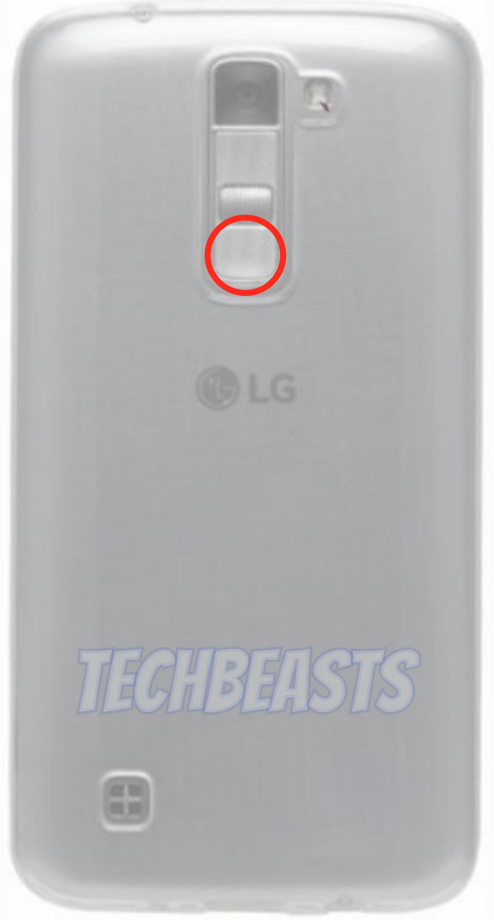
LG K7 LTE Guides

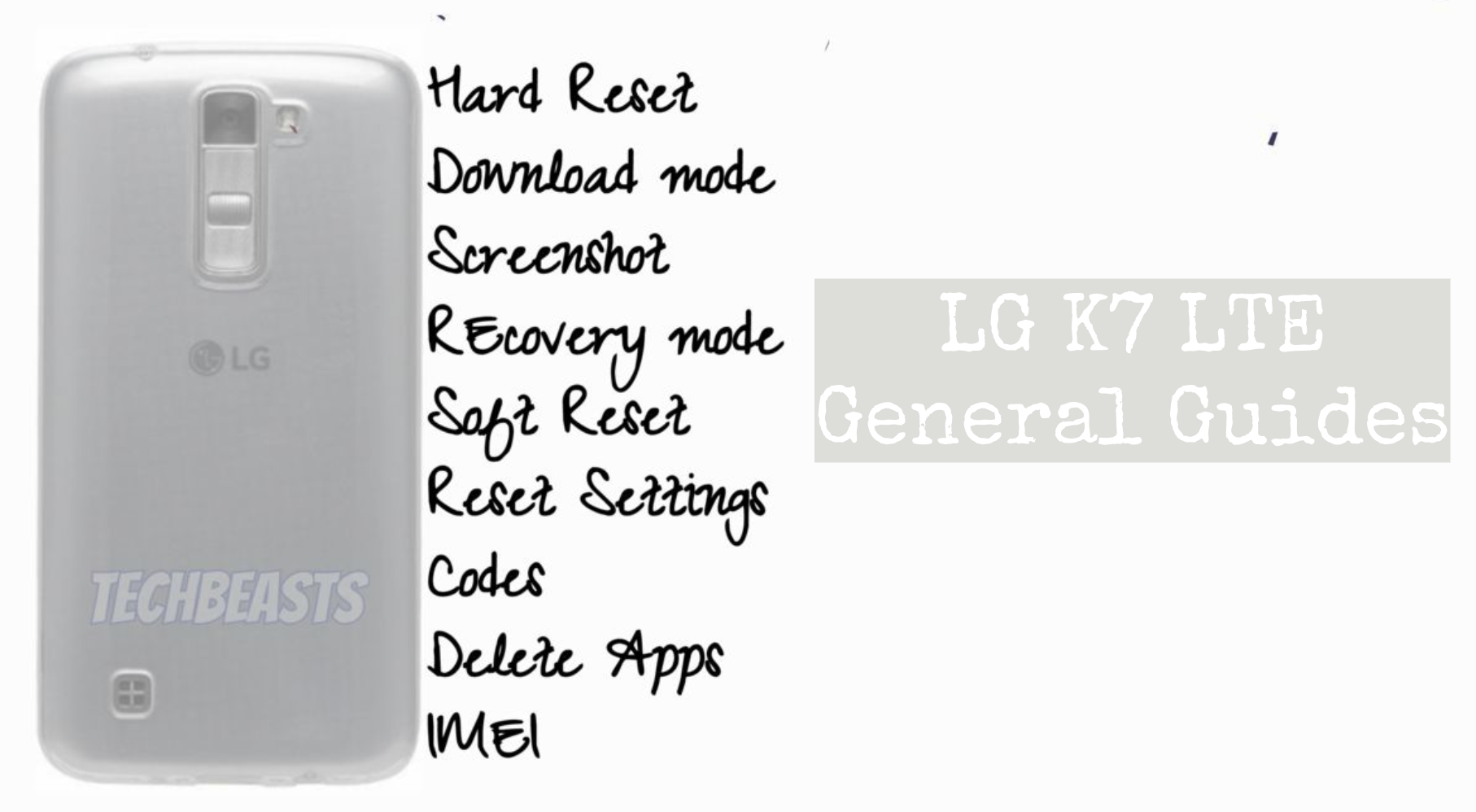
LG K7 LTE Guides Post: We’ve made this post for LG K7 LTE users. They can learn how to Hard Reset, Boot Into Recovery, FastBoot Mode, Factory Mode and much more. You can say that this is the ultimate guides post for LG K7 LTE. Now before we move on to the LG K7 LTE Guides & Tricks. Let me give you an overview of LG K7 LTE specs.

LG K7 LTE Guides
LG K7 LTE Guides

LG K7 LTE:

The LG K7 LTE was released in 2016, February. The Phone came out with a screen of 5.0 inches having 480 x 854 pixels resolution. LG K7 LTE was powered by Qualcomm MSM8909 Snapdragon 210 (28 nm) – Quad-core 1.1 GHz Cortex-A7 CPU and Adreno 304. It had internal storage of 8/16 GB, 1.5 GB RAM. The camera at the back of this phone is 5 MP, f/2.6, or 8 MP, AF, and on the front, it is 5 MP. Inside this Phone, there was a 2125 mAh battery. The Phone originally ran on Android 5.1 (Lollipop).

LG K7 LTE Guides & Tricks:

Summary:

Topics:
Safe Mode
Download Mode
Fastboot Mode
Recovery Mode.
Factory Mode.
USB Debugging Mode

Heed the instructions below and you will find out how you can Clear App data, New Software Update, Factory Mode, Recovery Mode, Fastboot Mode and more on LG K7 LTE.

Hard Reset LG K7 LTE:

Heed the instructions provided in the following link and you will get to know how to hard reset LG K7 LTE.

Clear App data:

  1. On your Android phone, go to Settings.
  2. Find the Application Manager or Application settings.
  3. In the Application settings, swipe towards the All or the Running Applications tab.
  4. Select the application of which you want to clear the cache and data.
  5. A list of further options will appear now, tap the Storage option.
  6. Under the Storage option, you will find Clear Cache and Clear Data options.
  7. Tap the button according to your liking.
  8. That’s all.

Fastboot Mode on LG K7 LTE:

  • First, Turn off your device by holding down the power button for a few seconds.
  • Once your device is turned off completely. Press and hold Volume Up + Power keys together.
  • Let go of both keys when you see Boot Mode on your device screen.
  • Select Fastboot Mode using Volume Up key and to confirm your selection you need to press the Volume Down button.

Factory Mode LG K7 LTE:

  • First, Turn off your device by holding down the power button for a few seconds.
  • Once your device is turned off completely. Press and hold Volume Down + Power keys together.
  • Let go of both keys when you see LG Logo on your device screen.

Boot Mode LG K7 LTE:

  • First, Turn off your device by holding down the power button for a few seconds.
  • Once your device is turned off completely. Press and hold Volume Up + Power keys together.
  • Let go of both keys when you see Boot Mode on your device screen.

Check New Software Update on LG K7 LTE:

  • Open Settings Apps.
  • Scroll down and Tap on software update.
  • It will now check the available software update.
  • If there is any, you will be notified and follow the on-screen instruction in order to proceed.

Enter Recovery Mode on LG K7 LTE:

  • First, Turn off your device by holding down the power button for a few seconds.

  • Once your device is turned off completely. Press and hold Volume Up + Power keys together.

  • Let go of both keys when you see Boot Mode on your device screen.
  • Select Recovery using Volume Up key and to confirm your selection you need to press the Volume Down button.

  • Now you have to hold the power button for a while in order to boot into recovery mode.
  • While holding the power button, you have to press the volume up key for once.
  • You will be in the recovery menu, use volume buttons for navigation

Wipe cache partition on Galaxy LG K7 LTE:

  • First, Turn off your device by holding down the power button for a few seconds.
  • Once your device is turned off completely. Press and hold Volume Up + Power keys together.
  • Let go of both keys when you see Boot Mode on your device screen.
  • Select Recovery using Volume Up key and to confirm your selection you need to press the Volume Down button.
  • Now you have to hold the power button for a while in order to boot into recovery mode.
  • While holding the power button, you have to press the volume up key for once.
  • You will be in the recovery menu, use volume buttons for navigation. Scroll down and select “Wipe Cache partition“. Press the power button to confirm it.
  • In the next menu, select ” Yes ” and press the power button to proceed.

Reset network settings on Galaxy LG K7 LTE:

  1. On your phone, open Settings.
  2. Now in settings, go to About device.
  3. Tap Reset > Reset Network Settings > RESET > RESET.

Enable developer options and USB debugging on Galaxy LG K7 LTE:

  1. Go to settings.
  2. In settings, scroll all the way down and locate About device section.
  3. In the About device section, find build number in the Software details.
  4. Tap the build number 7 times to enable Developer Options.
  5. Once done, the Developer Options section will appear at the bottom where you found the About device option.
  6. Now go to Settings > Developer Options.
  7. Find USB Debugging mode in Developer Options and tap the radio button located next to USB Debugging mode to enable it.
  8. That’s all.

Take Screenshot on LG K7 LTE:

  • Open up the screen of which you want to take the screenshot.
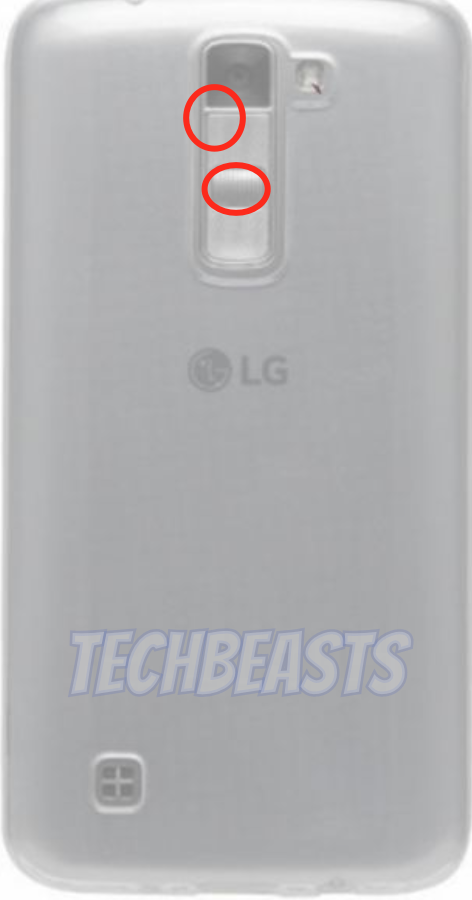
  • Now Press Volume Down and Power button together.
  • You will hear a splash sound.

Boot LG K7 LTE into Safe Mode:

  • You need to restart your device by holding down the power button and when the options appear on the screen. Tap on Reboot.
  • While your device is rebooting, Press + hold Volume down button.
  • When your device boots up, let go of the volume down button.
Important Message.
Please follow us on Facebook, Twitter, and Google Plus. Help us grow our social family.

How To Hard Reset LG K7 LTE [ Tutorial ]

0
How To Hard Reset LG K7 LTE [ Tutorial ]

Here’s how you can Hard Reset LG K7 LTE. In this post, you will learn how to Factory Reset LG K7 LTE. If your device is lagging or freezing up. This the best possible solution for you. Performing a hard reset on LG K7 Lite means you will take back your device to its factory state.

Moreover, not only your device performance will boost up after a hard reset. All of you hardware problems can be fixed through factory data reset.

Now before we move on and start telling you how to Hard Reset LG K7 LTE. Let me give you an overview of LG K7 LTE.

Hard Reset LG K7LG K7 LTE:

The LG K7 LTE was released in 2016, February. The Phone came out with a screen of 5.0 inches having 480 x 854 pixels resolution. LG K7 LTE was powered by Qualcomm MSM8909 Snapdragon 210 (28 nm) – Quad-core 1.1 GHz Cortex-A7 CPU and Adreno 304. It had internal storage of 8/16 GB, 1.5 GB RAM. The camera at the back of this phone is 5 MP, f/2.6, or 8 MP, AF, and on the front, it is 5 MP. Inside this Phone, there was a 2125 mAh battery. The Phone originally ran on Android 5.1 (Lollipop).

Benefits of Hard Reset:

Summary:
*You can Wipe all of your Data Stored on your device.
*Easily fix all the performance issue.
*Bypass screen lock through hard reset.
*Bring the factory state.
*Fix all the firmware issues.
*Get rid of signal problems, loop issues, rebooting problems and power problems.

How To Hard Reset LG K7 LTE:

  • First, Turn off your device by holding down the power button for a few seconds.

  • Once your device is turned off completely. Press and hold Volume Up + Power keys together.

  • Let go of both keys when you see Boot Mode on your device screen.
  • Select Recovery using Volume Up key and to confirm your selection you need to press the Volume Down button.

  • Now you have to hold the power button for a while in order to boot into recovery mode.
  • While holding the power button, you have to press the volume up key for once.
  • You will be in the recovery menu, use volume buttons for navigation. Scroll down and select “wipe data/factory reset“. Press the power button to confirm it.
  • In the next menu, select ” Yes ” and press the power button to proceed.
  • Upon completion of the task, Select Reboot System Now and Press power button.

Method#2:

  • Open Settings from the Home Screen.
  • Scroll down and Tap on Backup & Reset -> Factory Reset.
  • Now select Reset device.
  • To Confirm Choose Erase everything.
  • That will be all, wait for the process to complete.

That’s all. You have successfully Hard Reset LG K7 LTE. Please do tell us if you face any problem during this process.

Important Message.
Please follow us on Facebook, Twitter, and Google Plus. Help us grow our social family.

Fix Galaxy S8 Not registered on network

7
Fix Galaxy S8 Not registered on network

Samsung Galaxy S8 is out in all its glory. Samsung has managed to pull out yet another great device making its Galaxy lineup even stronger. The Galaxy S8 is being offered in two variants; the Galaxy S8 and the Galaxy S8 Plus. Both these phones have differences in the display and the battery department, rest of the features from the specifications to the schematics are all same.

Galaxy S8 and Galaxy S8 Plus both run on Android 7.0 Nougat out of the box. These devices have Samsung’s Samsung Experience UI atop of the Android OS. There are some issues which are common on all the Samsung Galaxy smartphones. One of these issues is known as “Not registered on network”. Although the Galaxy S8 is a very new device, unfortunately, this device isn’t free of this issue.

If you are on this page, I am assuming that you have already started having this “Not registered on network” or the No Service error on your brand new Galaxy S8 or Galaxy S8 Plus. Now that you need a working solution for this, you probably are trying your best to figure it out at your best. The very first thing I’d like to tell you guys is that you are in the right spot.

This same error on the Galaxy S8 or the S8 Plus sometimes comes up as “No service”. Both the Not registered on network and no service issues are almost the same. I have tried to list a few working methods to fix Galaxy S8 not registered on network. These solutions are guaranteed to work only if you haven’t messed up the IMEI of your smartphone. You can give a try to the methods given below. If you manage to fix your phone, it would be great.

For other phones, check:

Fix Galaxy S8 Not registered on network

Galaxy S8 Not registered on network: Reset Network Settings – Solution# 1

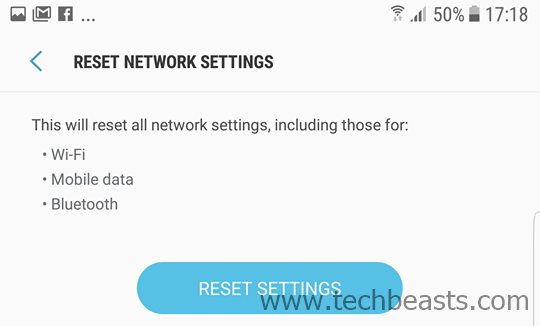
Resetting the network settings will reset it all to default. This will basically reset your mobile data settings, which will ultimately result in resetting the network settings for your carrier. Here’s how you can do this.

  1. Go to Settings > About device > RESET
  2. In RESET > Reset network settings > Tap RESET SETTINGS > RESET SETTINGS.
  3. It will reset your connection settings.
  4. Once done, reboot your device.
  5. Check if the error is gone or not.

Galaxy S8 Not registered on network: Pull the SIM out and put it back in – Solution# 2

Sometimes, a loosely insert SIM can cause the not registered on network issue. First off, make sure that your SIM card is a properly cut NANO SIM card. After making this sure, place the SIM in the SIM adapter carefully and push it back inside the phone. Reboot your device after doing this and then check the phone for the error again.

Galaxy S8 Not registered on network: Try another SIM card from another carrier – Solution# 3

If your phone has any carrier restrictions, it will not let all the carrier networks work. You can swap your SIM card with a SIM card of another network and put that on your phone. If the SIM card from another network works, it means your phone has a network restriction. It will either require unlocking or it just won’t work with that particular carrier.

Galaxy S8 Not registered on network: Set Network mode – Solution# 4

  1. On your phone, go to Settings > Connections.
  2. Under Connections > Mobile Networks > Network mode.
  3. Change the network mode to LTE/3G/2G (auto connect).
  4. Reboot your phone.

Galaxy S8 Not registered on network: Set appropriate Network operator – Solution# 5

  1. In Settings > Connections > Mobile Networks > Network operators > check if your operator name is correct or not. If the name isn’t correct, then change the network mode by following the instructions given above.
  2. After changing the Network mode, tap the Network operators > Search networks > once it brings the list of networks, choose your network.
  3. Reboot the phone now.
  4. The error should be gone now.

Conclusion

These were the basic solutions that will ordinarily help you. In some cases, the IMEI/baseband of the phones gets damaged. In that case, you either need to have the EFS backup of the phone so that you can restore it. If you do not have the EFS backup of the phone, your only solution is to take the phone to a service center. I hope that the solutions listed above worked for you. For further help, feel free to reach me out through the comment box below.

Other Galaxy S8 tutorials:


Fix Galaxy Note 8 Not Registered On Network Error

2
Fix Galaxy Note 8 Not Registered On Network Error

Samsung Galaxy Note 8 is the best Android smartphone that you can find around at the moment. Galaxy Note 8 comes with top-of-the-line specifications. Galaxy Note 8 is a perfect combination of craftsmanship and design. The Galaxy Note 8 sports a massive 6.3-inch WQHD+ display having an 8 MP selfie shooter and no-home button. Galaxy Note 8’s dual-rear camera setup is there to excite all the smartphone photography enthusiasts. This is the first Note device to come with a massive 6 GB RAM. Galaxy Note 8’s internal storage is 64 GB. It runs on Android Nougat out of the box. Note 8’s most highlighted feature is basically the introduction of the new dual-rear camera setup with dual OIS. If you have bought this device and you are encountering the Not Registered On Network error on your brand new Galaxy Note 8, then it’s time to fix it.

Galaxy Note 8 Not Registered On Network

The Not Registered On Network error can occur due to a number of reasons. This error often ends up displaying No Service on your phone where the name of your network carrier should appear. Not Registered On Network is simply linked to the No Service issue. This error comes up whenever you try to dial a number. You are unable to make calls, send SMS messages and also unable to use mobile data. Fixing this error is more than important as you shouldn’t lose connectivity to your network. As long as you haven’t tweaked the IMEI of your phone, fixing this error is pretty easy. Let’s move on to all the solutions that will help you to fix Not Registered On Network error on Galaxy Note 8.

Fix Galaxy Note 8 that is showing Not Registered On Network Error

Method#1: Turn on Flight Mode and then turn it off

  1. Pull down the notification bar on your Galaxy Note 8.
  2. Tap the small plane icon saying “Flight mode”.
  3. Wait for a minute.
  4. Pull down the notification bar again and this time tap the Flight mode button to turn it off.
  5. Check if the error is gone now or not.

Method#2: Pull out the SIM card and put it in again

It is pretty possible that the SIM card got disturbed in your phone and this error is coming up. In order to resolve this, you can simply pull ou the SIM card and insert it back making sure that the SIM card is rightly inserted in your phone.

Method#3: Reset Network Settings

  1. Go to your phone’s Settings.
  2. In Settings > About device > RESET.
  3. In RESET > RESET network settings > RESET SETTINGS > RESET SETTINGS.
  4. It will reset your network connection now.
  5. Reboot your phone once done.
  6. Check if the error is gone or not.

Method#4: Search for correct Network

  1. Go to settings on your phone.
  2. In Settings > Connections > Mobile Networks > Network operators.
  3. In the Network operators, check if the name of your operator is correct or not. If the name isn’t correct, then tap Network operators > Search networks > once it brings the name of your network, select it and reboot your phone.

Method#5: Try SIM card of another network

It isn’t always necessary that there is some issue with your phone. The issue can be with your carrier as well. You can try using the SIM card of another network. If that SIM card works fine, then it means there is some problem with your carrier particularly. In this case, you need to visit your carrier’s nearest service centre.


Fix Galaxy S9 or S9 Plus Not registered on network error

0
Fix Galaxy S9 or S9 Plus Not registered on network error

In a matter of a few days, the Galaxy S9 and S9 Plus will make it to the markets. Samsung enthusiasts will be able to get their phones. The moment you get the phone, you will definitely start experimenting. While trying out new things on your brand new S9/S9+, it’s important to be informed about all the issues it can encounter and also the fixes of those issues.Galaxy S9 or S9 Plus Not registered on network error

For years, Samsung smartphones have been popping up this error saying “Not registered on network”. This error has a long history behind it. It has transpired on every single Samsung device that the company has ever produced. There’s a 100% chance that you will face this issue on your Galaxy S9/S9+ as well.

If you already have the latest S9 or S9 Plus, you are reading this post and you have already faced this issue, then we would like to tell you that there is nothing to worry about. Not registered on network is a very common error. It can come up for a number of reasons. It’s very easy to fix the Not registered on network error on the Galaxy S9 or Galaxy S9 Plus.

In this guide, I will take the Galaxy S9 and S9 owners through all the possible fixes of the not registered on network error. You need to keep a little patience while trying to fix Galaxy S9 or S9 Plus that shows not registered on the network. Before we jump up to the fixes, we will have a recap of both the devices.

Galaxy S9/S9 Plus Flashback

The S9 and S9 Plus were unveiled at an exclusive event held by Samsung on February 25, 2018. The phones come with a brand new camera with an adjustable aperture. The Galaxy S9 has a single shooter and the S9 Plus has a dual shooter. The fingerprint scanner has moved below the camera now making it easier for the users to tap it. These phones are equipped with the latest Snapdragon 845 or Exynos 9810 CPU. Galaxy S9 has a 4GB RAM and the S9 Plus has a 6GB RAM. There’s a 3000 mAh battery on S9 and 3500 mAh on S9+. These phones have a 5.8-inch and 6.2-inch WQHD display. Both phones run on Android 8.0 Oreo out of the box.

That was all about the phones. Let’s get back to fixing the not registered on network error now.

Fix Galaxy S9 or S9 Plus Not registered on network error

Method#1: Turn on Flight Mode and then turn it off

  1. Pull down the notification bar on your Galaxy S9 or S9 Plus.
  2. Tap the small plane icon saying “Flight mode”.
  3. Wait for a minute.
  4. Pull down the notification bar again and this time tap the Flight mode button to turn it off.
  5. Check if the error is gone now or not.

Method#2: Pull out the SIM card and put it in again

It is pretty possible that the SIM card got disturbed in your phone and this error is coming up. In order to resolve this, you can simply pull ou the SIM card and insert it back making sure that the SIM card is rightly inserted in your phone.

Method#3: Reset Network Settings

  1. Go to your phone’s Settings.
  2. In Settings > About device > RESET.
  3. In RESET > RESET network settings > RESET SETTINGS > RESET SETTINGS.
  4. It will reset your network connection now.
  5. Reboot your phone once done.
  6. Check if the error is gone or not.

Method#4: Search for correct Network

  1. Go to settings on your phone.
  2. In Settings > Connections > Mobile Networks > Network operators.
  3. In the Network operators, check if the name of your operator is correct or not. If the name isn’t correct, then tap Network operators > Search networks > once it brings the name of your network, select it and reboot your phone.

Method#5: Try SIM card of another network

It isn’t always necessary that there is some issue with your phone. The issue can be with your carrier as well. You can try using the SIM card of another network. If that SIM card works fine, then it means there is some problem with your carrier particularly. In this case, you need to visit your carrier’s nearest service center.

Those were all the possible fixes for the Galaxy S9 or S9 Plus showing not registered on network. If you have anything to add to this guide or if you have any query, feel free to reach out to us using the comment box below. Galaxy S9 and S9 Plus’s stock wallpapers are also available on our site. Don’t forget to give them a try.

Fix Galaxy Note 9 Not Registered On Network Error

0
Fix Galaxy Note 9 Not Registered On Network Error

Not registered on network error is undoubtedly one of the most frustrating and annoying error. This error is very common on Samsung Galaxy smartphones. There is no Samsung Galaxy handset that is free of this error. Sooner or later, you will see this error popping up on the screen of your phone. It is very important to know why this error comes up and how to fix it as well. If you are planning to get the Galaxy Note 9, you will find this guide helpful. In this guide, we will talk about the Galaxy Note 9 Not Registered On Network error.

Note 9 Not Registered On Network Error

Why Not Registered On Network Error pops up?

The error is pretty much self-explanatory, however, if you are new to this, let’s us take a detailed look into the matter. The error comes up when the network fails to communicate with your device. The SIM card of a phone connects with the network with the help of the IMEI and Mac address of the phone.

When the SIM card fails to communicate with the network, it shows the error “Not registered on network” on the phone. The error comes up on its own, or it comes up every time you try to dial a number.

Now there are different factors that can push this error. The very first reason is the SIM card of the phone. If the SIM card is not properly inserted, it can give this error or if the SIM card is expired, it can display this error as well.

The other and the worst scenario is the IMEI Address of the phone being null. If you have wiped off the IMEI address of your phone as a result of some experiment, you will have to face this error. The IMEI and Mac address of the phone is stored in the EFS partition. If the EFS partition of your phone got damaged while experimenting with something, you will face the problem in the form of not registered on the network.

What does this error mean?

This error means only one thing, and that is your phone not being capable of making phone calls or sending text messages anymore. Your phone will not be able to connect to mobile data either. However, the WiFi and Bluetooth will keep working. This error only hurts the GSM connectivity of the phone.

How to Fix Galaxy Note 9 that is Not Registered On Network Error

Check the IMEI of your phone, make sure it is not NULL or 00000

  1. First of all, open your phone’s dialer and dial: *#06#
  2. Check the IMEI of your phone. It must the be the proper IMEI as written on the phone’s back or on the box.
  3. If the IMEI says Null or 000000, it would mean that the IMEI of your phone has been wiped off.
  4. In such a case, either you need to flash the EFS backup if you made one previously or you have to take your phone to the nearest Samsung service center.

Turn on Flight Mode or Airplane Mode and then turn it off

  1. Pull down the notifications bar of your phone.
  2. Tap the “Airplane or Flight Mode” button to turn it on.
  3. Wait for a few minutes.
  4. Turn the Airplane Flight Mode off again.
  5. Check the network connectivity now.

Check the SIM card, pull it out and insert it back

  1. Eject the SIM card tray of your phone.
  2. Check the SIM card if it’s rightly placed or not.
  3. Fix the SIM card placement and insert it back.
  4. Restart your phone.
  5. Check if the issue is gone or not.

Reset Network Settings

  1. On your phone, open Settings.
  2. Now in settings, go to About device.
  3. Tap Reset > Reset Network Settings > RESET > RESET.
  4. The Network Settings will be reset now. Restart your phone.
  5. Check the network connectivity now by dialing a phone number.

Make sure the correct network is selected

  1. On the phone, go to Settings.
  2. In Settings > Connections > Mobile Networks > Network Operators.
  3. Now in the Network Operators, check the name of your operator. If the name of your operator is not selected here, then go to Network Operators > Search Networks. 
  4. Let it find the name of your operator. Restart your phone afterward.

Try SIM card of another carrier

At times, the network itself is an issue. In such a case, you can try getting your hands on the SIM card of another carrier. This will verify if the issue is with your phone or with your carrier.

That’s all for now. If you have any queries, feel free to reach out to me through the comments section below.