Home Blog Page 300

Download Hill Climb Racing 2 APK

0
Download Hill Climb Racing 2 APK

Hill Climb Racing has a successor in town. Fingersoft, the developers of Hill Climb Racing have released the sequel of their popular racing game. The sequel is named as Hill Climb Racing 2. The game takes the legacy of Hill Climb Racing a step ahead. The new Hill Climb Racing 2 has the same game-play, it adds a number of new features, packed up in new graphics and brings tons of exciting levels. Hill Climb Racing 2 offers stunning graphics making the game much more beautiful than it ever was. New locations are there for you to have a long-drive while you collect coins and perform stunts.hill-climb-racing-2

Hill Climb Racing 2 has started making its way to select regions. The game has appeared in Google Play Store in several countries. In case you want to get your hands on it right now, you will need to access its APK file. We have managed to grab the APK file of Hill Climb Racing 2 and put it right here. You can go ahead, download Hill Climb Racing 2 APK and install it using the installation instructions listed below.

Before jumping up to the download link and installation instructions of Hill Climb Racing 2, let’s have a look at the features of this new game.

Hill Climb Racing 2 is here! Bill is back with his red jeep in a sequel to the most popular racing game ever with over 500 million overall downloads! Hill Climb Racing 2 has it all: lots of stages, stunning graphics and a physics engine unlike any other.
CUSTOMIZE YOUR VEHICLES
Dozens of different customizations. Upgrade your vehicles’ engines, tyres, suspension, rollcage, paintjob – the list is endless!

DEVELOP YOUR DRIVER
Gain ranks by competing in cups. Customize your driver’s looks by changing hats, shirts, trousers.

CHALLENGE YOUR FRIENDS
Send challenges to your friends to compete in a race with the same vehicle. Now it’s up to who has more skills, you or your friend!

NEW DYNAMIC STAGES
Driving up a mountain? The environment is really different on a mountaintop compared to a valley. All stages contain different surprises. Unlock new stages by racing in challenging cups.

BECOME THE WORLD #1
Can you beat the world’s top race times? Rise in leagues and leaderboards by beating other players.

Download Hill Climb Racing 2 APK

  1. Download Hill Climb Racing 2 APK [v1.16.3 [Added 6/20/2018] – Download Link
  2. Either download the file to your phone straight away or copy it to your phone from your PC.
  3. Now on your phone, go to settings > security > allow unknown sources > check this.
  4. Now using a file manager, locate the APK file that you just copied or downloaded.
  5. Tap the APK file and finish installation using the on-screen instructions.
  6. Once installed, access the newly installed game through app drawer.
  7. That’s all. Enjoy Hill Climb Racing 2!

Just in case you’re willing to play Hill Climb Racing for PC then check out Hill Climb Racing 2 for PC!

Angry Birds Blast for PC (Windows and Mac)

0
Angry Birds Blast for PC (Windows and Mac)

Angry Birds Blast is the new game by Rovio. It’s a match 3 game in which you have to match the balloons of same color and then pop them up. The balloons have the cute birds locked down in them. These birds are locked down by evil piggies. Now your job is to bring the balloons of same color together and burst them to release the birdies. The higher number of same colored balloons you burst together, the higher will be your score on the leader-board. Popping up a group of 5, 7 or 9 balloons will give you an extra bursting-boost in the form of a rocket or a bomb. Angry Birds Blast brings over 250 exciting levels. The game is out for Android now and it happens to be absolutely free.angry-birds-blast-for-pc

Angry Birds games never fail to entertain the users. While expecting Angry Birds Blast to be another hit by Rovio, we have come up with a method to play this game on your computer. You can download, install and play Angry Birds Blast for PC on your Windows powered Desktop PC/Laptop or a Mac as well. You only need the support of an Android emulator to play Angry Birds Blast for PC. Basically, an Android emulator will help you to emulate the Android version of Angry Birds Blast on your Windows PC or a Mac PC. You can use emulators like BlueStacks, Remix OS and Andy OS for this purpose. To make it easy for you, we have put together a method. Let’s have a look on it and learn how to start playing Angry Birds Blast for PC.

Download Angry Birds Blast for PC

  1. Download Angry Birds Blast APK
  2. Download and install Bluestacks or Remix OS Player: Bluestacks Offline Installer | Rooted Bluestacks |Bluestacks App Player | Remix OS Player for PC
  3. Once you’ve installed Bluestacks, double click the APK that you just downloaded above.
  4. The APK will be installed using Bluestacks, once installed open Bluestacks and locate the recently installed Angry Birds Blast.
  5. Click the Angry Birds Blast icon to open it, follow the on-screen instructions to play it.

You can also use Andy OS  to install Angry Birds Blast for PC, here’s the tutorial: How To Run Android Apps On Mac OS X With Andy.


Google Pixel and Pixel XL are official now, here’s everything you should know

0
Google Pixel and Pixel XL are official now, here’s everything you should know

We have the Google Pixel and Pixel XL out of the curtains today for real. A pro-long sessions of news, rumours, speculations and hints has finally met its fate today. Sundar Pichai, Google’s CEO, took the stage today at Google’s event to unleash the new Google smartphones which are made in collaboration with HTC. HTC is there as far as the phone’s manufacturer stamp is concerned, otherwise it’s all Google.

After having a look at the specifications of these phones, it won’t be wrong to say that there is nothing surprising. No, we do not mean to say that the phone’s specifications are not surprising.  We mean to say that most of the specifications which were floating around the web have turned out to be the real specs of the two new smartphones. We even had the official renders of the smartphone out before a few hours of its official release, and the phone looks exactly the same.google-pixel-and-pixel-xl-images

Let’s dig out what these two new phones by Google and HTC have to offer.

Both the Pixel and Pixel XL sport a very new design. Polished aluminium build is packing up these new phones of Google. The phones have a glass covering the front and the upper part of the back is also covered under the glass. The beautiful curves around the bezel make it easy to hold the phone in your hands. The camera, that little black spot at the back is flat with the phone’s body. You won’t find a camera bump coming out of it.google-pixel-and-pixel-xl-images-3

There is a fingerprint scanner at the back in the middle of the smartphone. Google has named its new fingerprint scanner as the Pixel Imprint. The new Pixel Imprint does not only unlock your phone, but Google has managed to add some extra functionality in  it as well. Swiping your finger down over the Pixel Imprint will result in pulling down the notification bar for you.google-pixel-and-pixel-xl-images-7

Another thing to note here is that these smartphones are powered up by Qualcomm’s latest Snapdragon 821 CPU. Addition of the top-of-the-line CPU makes these two smartphones join the elite league of Snapdragon 821 powered phones. There is a new smartbust mode in the Camera of these smartphones. Google Assistant has also found life through the Pixels. Google has made the phones water resistant. Pixel and Pixel XL are IP53 certified. Both the phones will be offered in Black, Silver and Blue colors. The colors look amazing though.google-pixel-and-pixel-xl-images-2

With the release of Pixel lineup, Google has also unveiled the Android 7.1 Nougat. We definitely expect the Android 7.1 Nougat to bring some new features and a handful of performance and stability fixes. Let’s have a look on the specifications of these two smartphones now.

Google Pixel and Pixel XL: Specs, Features, Price and Release Date

SpecificationGoogle PixelGoogle Pixel XL
Dimensions & Weight5.66 x 2.74 x 0.34 inches (143.84 x 69.54 x 8.58 mm) - 143g154.7 x 75.7 x 8.6 mm (6.09 x 2.98 x 0.34 in) - 168g
CPUQualcomm MSM8996 Snapdragon 821
Quad-core (2x2.15 GHz Kryo & 2x1.6 GHz Kryo)
Qualcomm MSM8996 Snapdragon 821
Quad-core (2x2.15 GHz Kryo & 2x1.6 GHz Kryo)
GPUAdreno 530Adreno 530
RAM4GB4GB
Storage32/128GB - No external card slot.32/128GB - No external card slot.
SoftwareAndroid 7.1 NougatAndroid 7.1 Nougat
ConnectivityWi-Fi 802.11 a/b/g/n/ac, dual-band, Wi-Fi Direct, DLNA, hotspot
Bluetooth v4.2, A2DP, LE
USB Type-C reversible connector
Wi-Fi 802.11 a/b/g/n/ac, dual-band, Wi-Fi Direct, DLNA, hotspot
Bluetooth v4.2, A2DP, LE
USB Type-C reversible connector
Camera - Back12 MP, f/2.0, phase detection autofocus, dual-LED (dual tone) flash
1/2.3" sensor size, 1.55µm pixel size, geo-tagging, touch focus, face detection, HDR, panorama
12 MP, f/2.0, phase detection autofocus, dual-LED (dual tone) flash
1/2.3" sensor size, 1.55µm pixel size, geo-tagging, touch focus, face detection, HDR, panorama
Camera - Front8 MP, f/2.0, 1/3.2" sensor size, 1.4 µm pixel size, 1080p8 MP, f/2.0, 1/3.2" sensor size, 1.4 µm pixel size, 1080p
Battery2770 mAh3450 mAh
ColorsBlue, Silver, BlackBlue, Silver, Black
AvailabilityExp. October 20, 2016Exp. October 20, 2016
Price32GB - $649
128GB - $749
32GB - $769
128GB - $869


Download LG V20 Stock Wallpapers

0
Download LG V20 Stock Wallpapers

LG V20 is out for quite some time now. The V20 is loaded with specifications making it yet another great flagship from the South Korean Giant. The all new V20 brings a 5.7-inch QHD display at a ppi of 513. The screen to body ratio on this handset is 72.4%. Corning Gorilla Glass 4 is protecting the display. LG V20 brings a dual camera setup on its back having a camera of 16MP and another of 8MP. On the front we have a 5MP selfie shooter. The phone is powered up with Snapdragon 820 CPU and Adreno 530 GPU. A RAM of 4GB is there while the internal storage starts from 32GB. LG V20 rocks a 3200 mAh battery under the hood. LG V20 is the world’s first smartphone that runs on Android 7.0 Nougat out of the box. LG has taken the lead this time by leaving Google behind.

If I personally have to pick up an LG smartphone, the only reason that convinces me is the beautiful display on these devices. LG never fails to satisfy the consumers when it comes to display and graphics. Even LG’s low-end smartphones have an amazingly beautiful display to show off. To make the displays look even better, LG loads its phones with a handful of mesmerising wallpapers. That’s what LG has done here as well. The V20 packs a bunch of wallpapers which make its display look crispy and beautiful. lg_v20_wallpaper_techbeasts-1-tile

There are total 12 stock wallpapers from the LG V20. All the wallpapers are in HD resolution. You can grab the LG V20 stock wallpaper of your choice and use it either on your Android smartphone or the tablet. Just go ahead, click on your favorite wallpaper and save it to your computer or directly on your Android device.

Download Messenger Lite for PC

0
Download Messenger Lite for PC

Facebook just released a lite version of its Messenger application. The new application named as Messenger Lite is just a trimmed down version of the original Messenger. With the release of this new application, it looks like Facebook is all set to cater in a few thousand million or a billion more people to its community. Messenger Lite is fast and that’s what it is supposed to do. The app uses a very small amount of your internet data and also stresses up your network a lot less as compared to the original Messenger. Apart from the responsiveness in its processes, Messenger Lite also loads quickly while you just blink your eye. It has some cool options on-board as well, it does allow you to send photos and links as well. Messenger Lite basically targets the users using a 2G network or the users with a very poor internet connectivity. It is meant to make sure that you are capable of reaching our your buddies no matter what condition of the network is.

The changes in Messenger Lite are way too easy to spot. You will see an entirely different UI as soon as you open this application. Facebook has also restricted animations in Messenger Lite. That means you cannot evolve the emoji assigned in a chat using this application. Another cool thing about the Messenger Lite is that it runs on almost all versions of Android starting from Android Gingerbread till date.messenger-lite-for-pc

Today, Facebook released this application for Android. Now that the Android version is out, that means you are all set to run this same application on your computer as well by means of an Android emulator. You can download, install and run Messenger Lite for PC on your Windows 7/8/8.1/10 Desktop PC/Laptop and also MacOS/Mac OS X Macbook and iMac. You can use BlueStacks, BlueStacks 2, Andy OS or Remix OS Player for this purpose. The guide going down explains the method in very easy steps. Go through it and start running Messenger Lite for PC to stay connected with your friends and family on the go.

Download Messenger Lite for PC

  1. Download Messenger Lite APK
  2. Download and install Bluestacks or Remix OS Player: Bluestacks Offline Installer | Rooted Bluestacks |Bluestacks App Player | Remix OS Player for PC
  3. Once you’ve installed Bluestacks, double click the APK that you just downloaded above.
  4. The APK will be installed using Bluestacks, once installed open Bluestacks and locate the recently installed Messenger Lite.
  5. Click the Messenger Lite icon to open it, follow the on-screen instructions to use it.

You can also use Andy OS  to install Messenger Lite for PC, here’s the tutorial: How To Run Android Apps On Mac OS X With Andy.

Download Messenger Lite 1.0 APK

0
Download Messenger Lite 1.0 APK

Facebook added another application named as the Messenger Lite under its hood today. The Messenger Lite, just as the name suggests, is supposed to use a small amount of data, loads quickly, does everything faster than the ordinary Messenger and stresses up your network a lot less. Messenger Lite allows users to send links, photos and text messages. It is designed to work on phones making the use of 2G networks or the users who have a poor network connection. Messenger Lite is in spotlight at the moment and we are expecting Facebook to hit another benchmark of a few million users in a few days. If your Messenger has been keeping you from chatting with your friends because it takes a lot of time to load or it takes a lot of time to do everything that you want it to, then you should definitely try the all new Messenger Lite.messenger-lite-for-pc

Messenger Lite is available in select locations at the moment. The application is making its way to different regions slowly. If you are living in a region where Messenger Lite hasn’t made a mark yet, you may want to try a different method to get your hands on it quickly. You can actually do that and for that you need the Messenger Lite APK. We have managed to grab the Messenger Lite v1.0 APK and put it right here for our beloved users. You can now download Messenger Lite 1.0 APK and install it on your Android phone running Android Gingerbread or higher.

Download Messenger Lite 1.0 APK

  1. Download Messenger Lite APK
  2. Download the file to your phone straight away, or copy it to your phone from your PC.
  3. Now on your phone, go to settings > security > allow unknown sources > check this.
  4. Now using a file manager, locate the APK file that your just copied or downloaded.
  5. Tap the APK file and finish installation using the on-screen instructions.
  6. Once installed, access the newly installed game through app drawer.
  7. That’s all. Enjoy Messenger Lite!

How to install Xposed Framework on Samsung Galaxy S7/S7 Edge

6
How to install Xposed Framework on Samsung Galaxy S7/S7 Edge

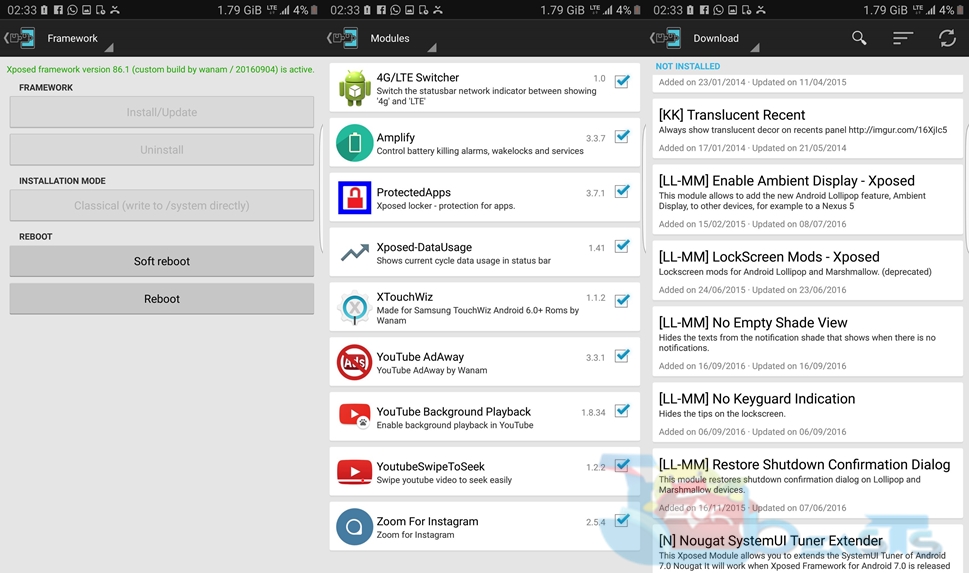
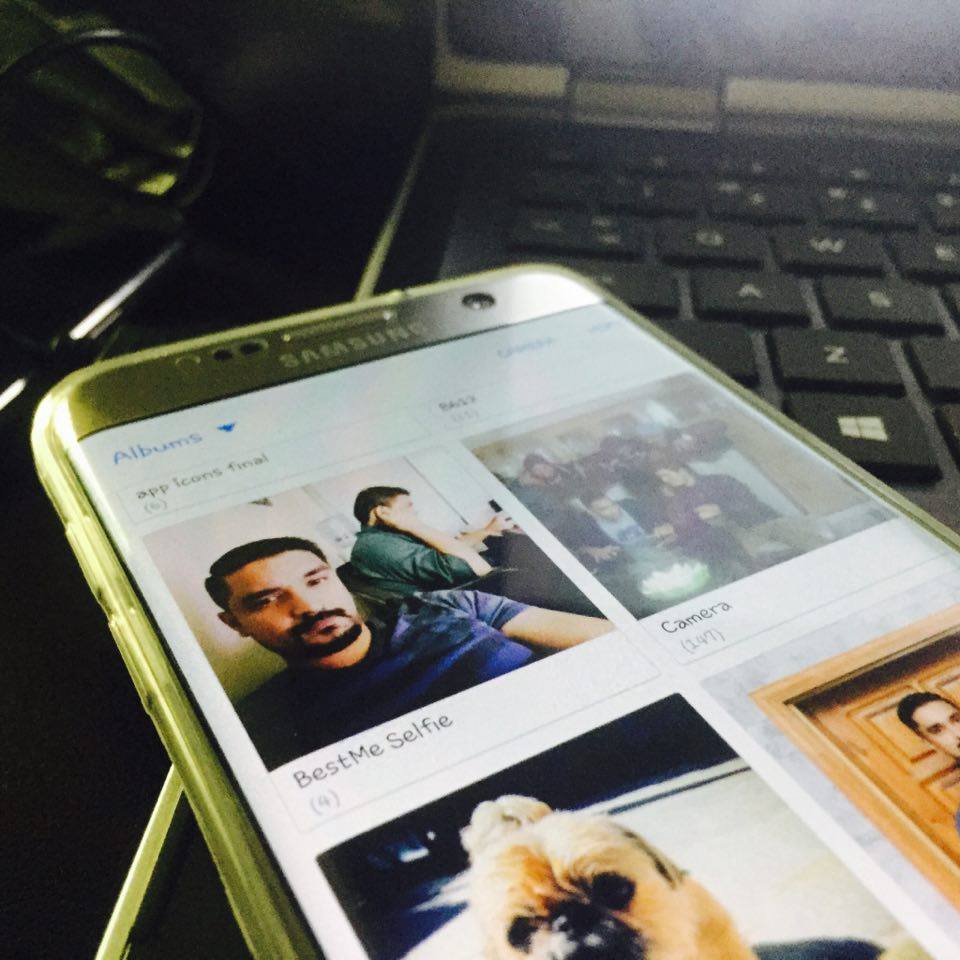
I just got my hands on the Samsung Galaxy S7 Edge and the very first thing that I did was to root the phone and start tinkering it. I had no plans to get my hands on the Galaxy S7 Edge, but because of the Galaxy Note 7 fiasco, I decided to wait and got the S7 Edge for a while to replace my Galaxy Note 5. After finding no custom ROM that would fulfil all my needs, I stumbled upon the Xposed Framework for the Galaxy S7 Edge and installed it. With the help of Xposed Framework, you can turn your Galaxy S7 or the Galaxy S7 Edge into a beast.

There is a number of cool modules such as playing Youtube in the background, changing the 4G icon to LTE in the status bar, displaying the data usage in status bar or in the notification panel, adding more toggles to the screen instead of just 5, and much more. The coolest module that I came across was Xtouchwiz. To be honest, this is the only module that you are going to need to get everything out of your Galaxy S7 Edge and probably you are not going to look forward to any custom ROM after installing this module.s7

XTouchWiz has tweaks for your phone’s notification panel, the lockscreen, sound notifications and you can tweak your phone’s system. You can add features like call recording and add call to the existing call, the security hacks are there as well. After giving all the mentioned tweaks a try, I decided to put up the method to install the Xposed Framework on our beloved Galaxy S7 and S7 Edge phones. The method is simple and divided into a few steps, you have to be careful while installing it using the instructions below. Once you have installed it, you are all good to tweak your phone.

How to install Xposed Framework on Samsung Galaxy S7/S7 Edge

      1. Your Galaxy S7 or S7 Edge must be rooted and must have a TWRP recovery installed on it. Here’s an easy guide:

Install Custom Recovery and Root Exynos Galaxy S7 & S7 Edge

  1. Download the required files for installing Xposed on your Galaxy S7 or S7 Ege.
    1. for ARM 64 devices: xposed-v86.1-sdk23-arm64-custom-build-by-wanam-20160904.zip
    2. Xposed uninstaller for ARM 64 devices: xposed-uninstaller-20151116-arm64.zip
    3. Also download Xposed Installer APK file: XposedInstaller_3.0_alpha4.apk
    4. Just in case you wish to uninstall Xposed at a later stage, then download: xposed-uninstaller-20160211.zip
  2. Now copy both .zip and XposedInstaller APK files to your phone’s internal or external storage.
  3. Now boot your phone into recovery mode. The button combination (Vol Up + Power + Home button) to boot into recovery mode varies from device to device, but if you have ADB and Fastboot drivers installed on your PC you can boot into recovery mode using the following command: adb reboot recovery
  4. Once you’re in recovery, select Install or Install Zip depending on your recovery.
  5. Locate the xposed-sdk.zip file that you just copied.
  6. Select the file and flash it following the on-screen instructions.
  7. Once you’re done flashing, reboot your device.
  8. Now locate the XposedInstaller APK file using a file manager like ES File Explorer or Astro File Manager.
  9. Install the XposedInstaller APK.
  10. You will have Xposed Installer in app drawer now.
  11. Open Xposed Installer now and apply your favourite tweaks from the list of available and working Modules.
  12. To uninstall Xposed, simply flash xposed-uninstaller.zip file and it will be wiped off from your device.
  13. That’s all.

cats

Let us know what modules are you going to apply on your Galaxy S7 or the S7 Edge. In case you’re stuck with something, feel free to reach us out through the comment box below. Best of luck 🙂

Source

Fix iOS 10 Siri “Sorry, You’ll Need To Continue In The App” Error

0
Fix iOS 10 Siri “Sorry, You’ll Need To Continue In The App” Error

In this Post, I’ll tell you how to fix iOS 10 Siri “Sorry, You’ll Need To Continue In The App” Error. Following methods are for iPhone, iPad, and iPod Touch.

iOS 10 came out with many new features including a feature which allow Siri to interact with third party apps. This feature gives you the option to use the apps as you use Siri to access stocks apps, but things don’t always work quite the way they should. In this post, I’ll tell you all methods which can help you fix iOS 10 Siri “Sorry, You’ll Need To Continue In The App” Error.

fix-ios-10-siri-sorry-youll-need-to-continue-in-the-app-error

List of third-party apps for Siri:

How To Enable App Support For Siri In iOS 10:

  • Once you have downloaded the apps given above, follow the steps below in order to enable app support for Siri in iOS 10.
  • Open Settings app and then tap on Siri.
  • Tap on App Support.
  • Here you’ll see the list of the apps which are compatible with Siri, Toggle on the app you want to use Via Siri.

Fix iOS 10 Siri “Sorry, You’ll Need To Continue In The App” Error:

  • First, thing you need to check is that you have given the permission to access the specific app, Go to Settings, Siri, App Support. Make you have turned on the App permissions.
  • IF you have no success after the first solution, then try to delete the app which is causing issue and re-install it. Then go to Settings of your device, Go to Settings, Siri, App Support. Make you have turned on the App permissions.

Xiaomi Mi 5s and Mi 5s Plus: Specs and Price

0
Xiaomi Mi 5s and Mi 5s Plus: Specs and Price

Xiaomi, one of the mainstream Chinese smartphone manufacturer has upped its game today with the release of two its new flagship devices called the Xiaomi Mi 5s and Xiaomi Mi 5s. Xiaomi is known for launching phones packed with high-end specifications and providing them to the users in a very cheap price tag. A phone which costs a hefty price tag of $600 – $800 from a company like Samsung, Sony or LG, Xiaomi offers a phone with same specifications under a price tag of $250 – $400. With that said, we will know have a look on what these two new phones have to offer.

Xiaomi Mi 5s

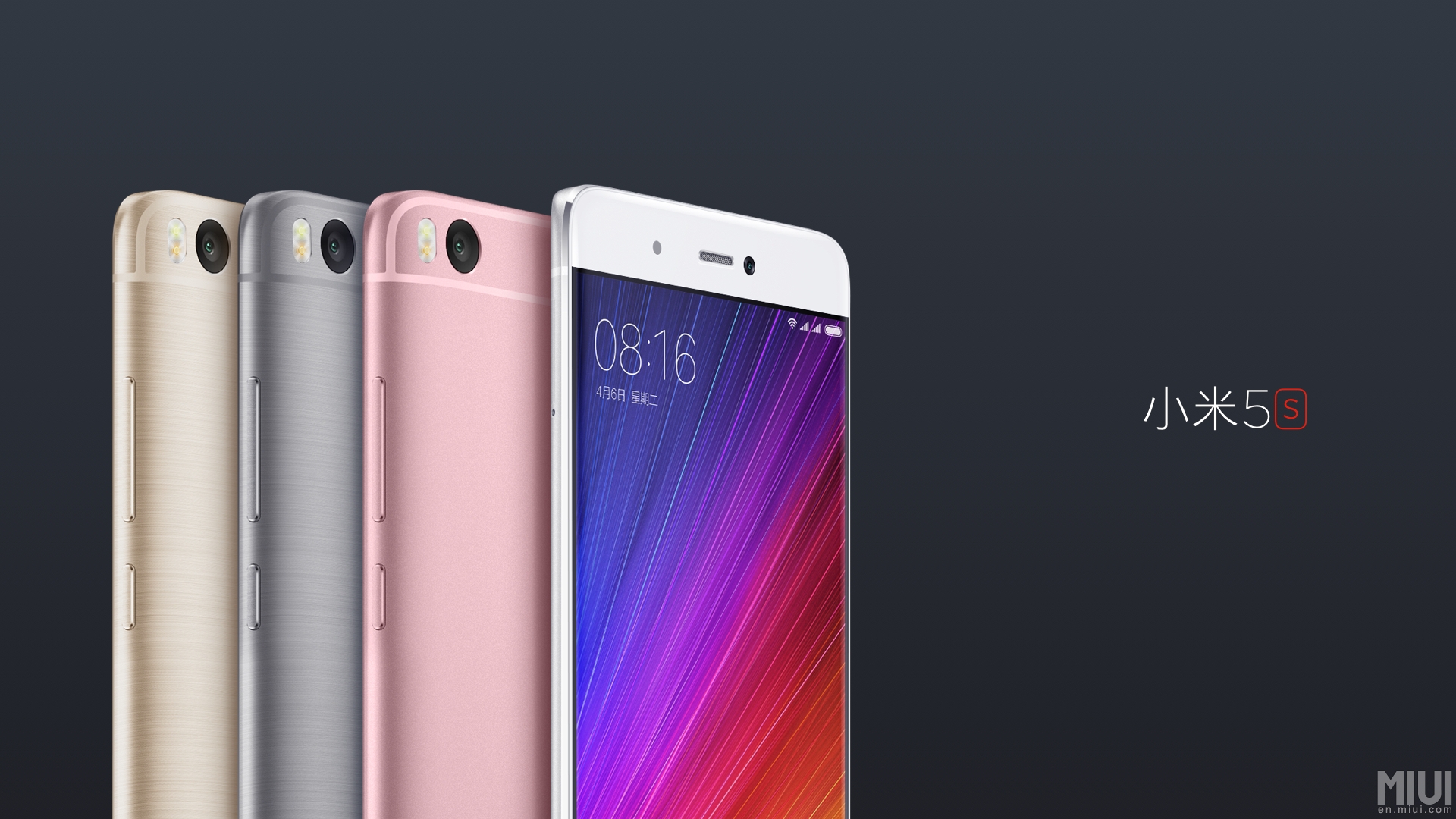
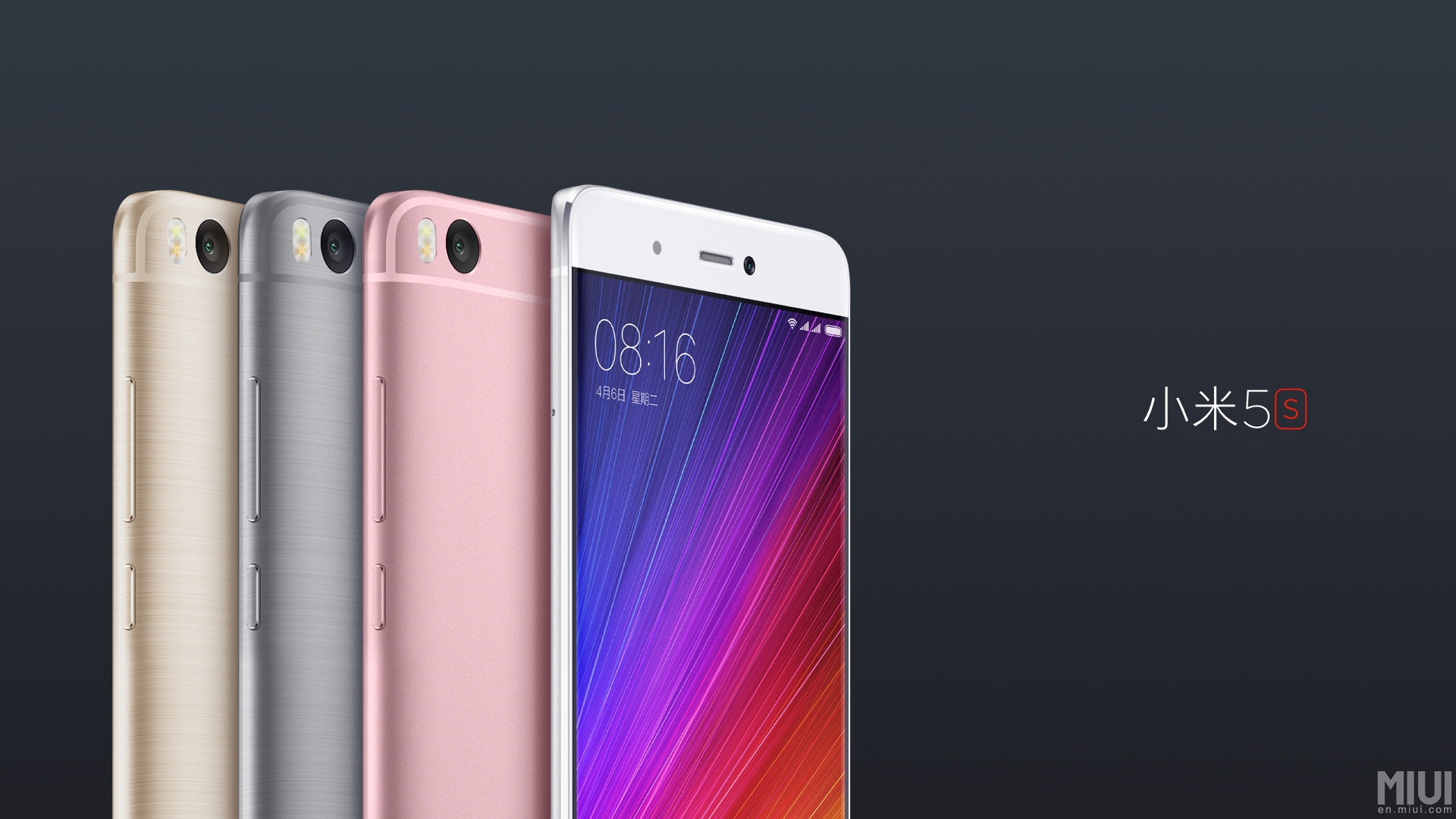
Both the new Xiaomi Mi 5s smartphones are packed inside a Unibody aluminium body. A brushed metal finish has been applied to the phone’s casing and the edges are slightly curved. Xiaomi has managed to pull out beautiful smartphones once again.xiaomi-mi-5s-design-and-official-camera-samples-1

The Mi 5s can be measured at 145.6 x 70.3 x 8.3 mm and weighs at 145 g. Xiaomi MI 5s has a 5.1-inch full HD IPS LCD display to offer at a ppi of 428. The screen to body ratio is 71.4%. Xiaomi has equipped the Mi 5s with Qualcomm Snapdragon 821 CPU accompanied by Adreno 530 GPU. A 3GB RAM is being offered with an internal storage of 64GB while the 4GB RAM variant has 128GB storage offering. Mi 5s also has a new ultrasonic fingerprint scanner. The scanner makes the use of Qualcomm Snapdragon’s sense ID to and works efficiently. The fingerprint scanner on these new phones is immune to surface containment (Sweat and Dust). Both the variants can get a storage boost by means of an external SD.

Xiaomi has worked hard on the camera department as well. The 5s offers a 12 MP camera with f/2.0 aperture. The camera comes loaded with features like PDAF, dual-LED. The sensor size of the rear camera is 1/2.3″ and the pizel size is 1.55µm. The front camera on the Xiaomi Mi 5s offers 4MP with an aperture of f/2.0 and 1/3″ sensor size. The front camera offers a pixel size of 2µm.

Mi 5s has a whopping 3200 mAh battery which should be enough to last for a day or two at a moderate use. If you’re a gaming geek, you will definitely need some battery juice while playing the games. Mi 5s runs on Android 6.0.1 Marshmallow out of the box. It’s questionable here why Xiaomi didn’t release the devices running on Android 7.0 Nougat when the firmware is officially out and LG has even rolled it out with the LG V20.

As far as the price of the Mi 5s is concerned, the 3GB RAM and 64GB storage variant will cost around $300 and the 4GB RAM and 128GB internal storage variant will cost around $350. Color options are Gray, Pink and Gold.

Xiaomi Mi 5s Plus

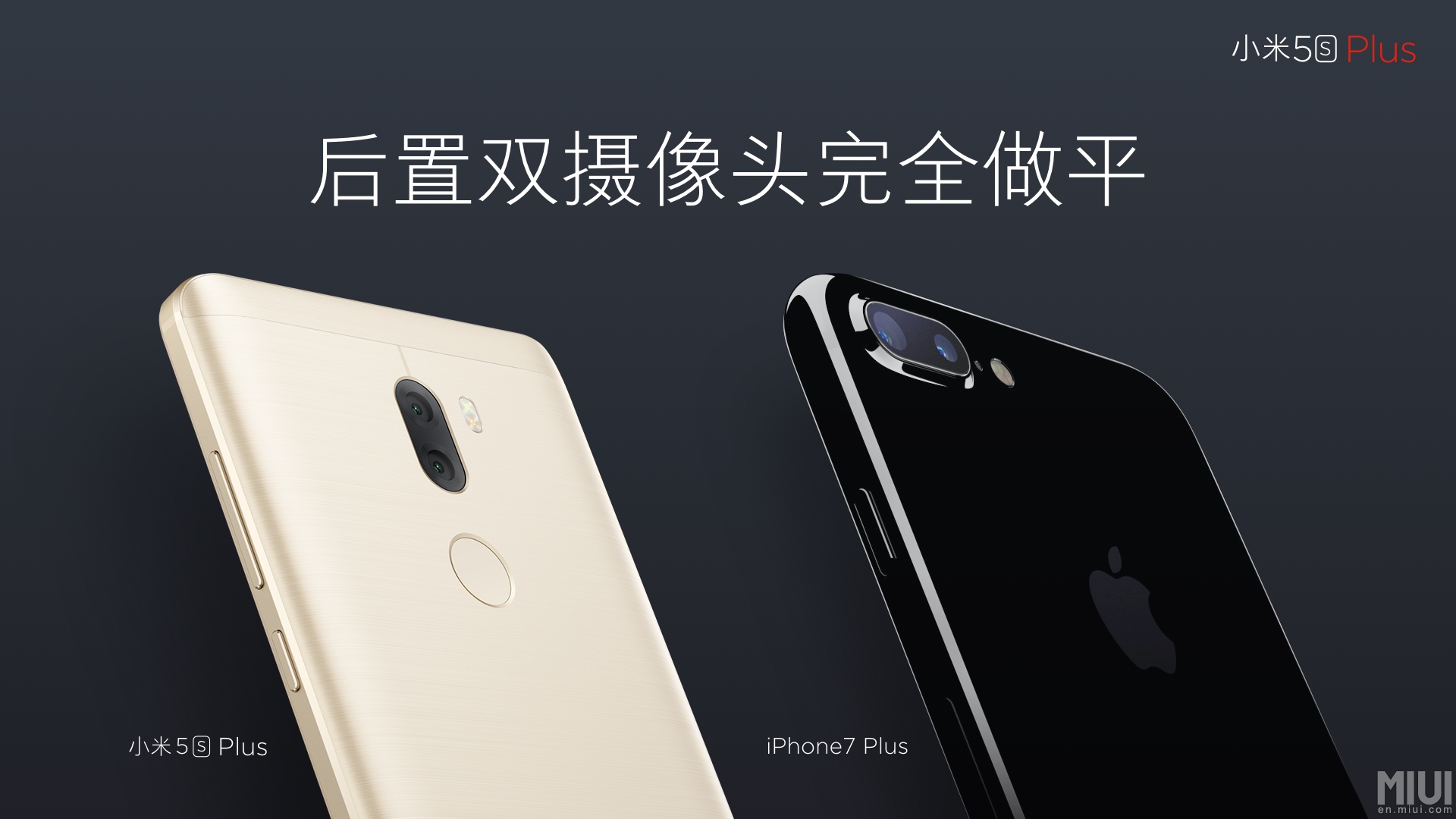
Xiaomi is known as the Apple of China. We expect it to follow the footsteps of the original Apple and that’s what Xiaomi did here as well. Xiaomi Mi 5s Plus has some offerings similar to the Apple’s iPhone 7 Plus with a different OS running on-board and a different hardware architecture.xiaomi-mi-5s-plus-design-and-official-camera-samples-8

The Mi 5s Plus has the same design and build quality as the Mi 5s. The phone measures at 154.6 x 77.7 x 8 mm and weighs at 168 g. It has a 5.7-inch Full HD Display at a ppi of 386. The screen to body ratio on this variant is 74.6%.

Mi 5s Plus is equipped with the same Snapdragon 821 CPU accompanied by Adreno 530 GPU. This variant has a boost in the RAM department. Mi 5s Plus offers a 4GB variant with 64GB internal storage and a 6GB RAM variant with a storage of 128GB. Mi 5s Plus has a fingerprint scanner as well which is the same as that of the Mi 5s.

As we talked about the Xiaomi’s likings towards Apple, Xiaomi’s use of dual rear camera setup on the Mi 5s Plus is what gave us those hints. There is a 12 MP dual camera with f/2.0 aperture on this phone which has a sensor size of 1/2.3″ and pixel size of 1.55µm. The front camera is 4 MP with f/2.0 aperture, 1/3″ sensor size and 2µm pixel size.

This bigger variant has a massive battery of 3800 mAh. Mi 5s Plus also runs on Android Marshmallow out of the box.

The price of Xiaomi Mi 5s Plus is also something that should lie inside your budget. The 4GB RAM, 64GB internal storage variant costs $350 and the 6GB RAM, 128GB internal storage variant costs $390. Color options are same as the Mi 5s.

Google Pixel and Pixel XL: Specs, Features, Price & Release Dates

0
Google Pixel and Pixel XL: Specs, Features, Price & Release Dates

Google impressed last year with its top notch Nexus devices which even got listed in top smartphone’s of the year on a lot of tech sites. With the predecessor setting such a high bar, people are anticipating what the company will do to top the standard that they set last year. The wait is almost over and the tech giant will be unveiling Google Pixel XL and Pixel on 4th October in San Francisco. The invites are already out and we can’t wait to see what specs and features Google will wow the critics and consumers with.

google-pixel-4th-october

Google, this time around seems to be stepping up the game with their smartphones. The rebranding can be seen in their use of the name “Pixel”, where previously they used “Nexus”. Nexus is synonymous with quality, high spec Android devices. A question that comes to mind is, if the company has an established brand why would they leave it behind. The answer lies in Google’s strive for innovation and bringing the best in the market. With Pixel, the company is ushering in a new phase of developing devices ‘Made by Google’. This also marks another step in Google’s evolution in the industry where they are aiming to compete with the likes of iPhone and Samsung. Pixel will not just be a name but an experience.

In the past Google has partnered with different manufacturers like Huawei, LG and HTC for producing their Nexus devices. This time around they have collaborated with HTC for the production of Pixel smartphone’s. With ‘Made by Google’ initiative, it is speculated that Google will be taking a more hands on approach for the device’s hardware design and production. This will definitely give Google an edge over other competitors in the market. Not only will they provide optimized OS and high-end specs but a smartly deigned device as well. Apple does the same with iPhone and every element of their device is in sync with each other which provides users the ultimate experience. If Google with the Pixel lineup does the same, we have a competitor which directly challenges Apple.

Checkout: Download Google Pixel and Pixel XL Stock Wallpapers

Let’s have look at the rumored specs and design features of Google Pixel XL and Pixel. Both the devices will make use of Qualacomm’s latest offering, Snapdragon 821 along with 4 GB RAM. As of the moment, only Asus Zenfone3 uses this processor and there is a strong possibility that Snapdragon 821 will be used instead of 820. The processor features 4 cores cocked at 1.5 GHz. Along with this the device will come with a 32 GB, 64 GB and 128 GB internal storage options. Both the devices will feature the same cameras. A 12 MP, Sony IMX378 rear and 8MP Sony IMX 179 front camera will grace the devices. Paired with Google’s optimized software, this sure looks like a winning combination. If last year’s Nexus camera results are anything to go by, Google definitely will up the ante this time around.google_pixel_narrow

Leaks and rumors suggest possible upgrades in the OS department as well. Pixels will be equipped with Android 7.0 Nougat right out of the box. There are speculations that Google will end up using Nougat 7.1 to give their devices the edge over other Android devices. Along with that a new Pixel launcher will be introduced instead of the Google Now Launcher. The Ambient Display Mode which gets activated by the double tap gesture and Night Light Mode which reduces the emission of Blue light will also be part of the upcoming Pixels. Along with that a Live Support Tab will provide online support for any ongoing issues that one faces.

Checkout: Download Google Pixel Launcher APK

Google Pixel will come with a 5 inch AMOLED full HD display and the Pixel XL will sport a 5.5-inch Quad HD display. This is one of the differentiating factors between Pixel and Pixel XL. Along with that Pixel will house a 2270 mAh non-removable battery. Pixel XL will be equipped with a 3450 mAh battery power. Both these details show that with Pixel XL, Google is targeting the high-end phablet market which at the moment is up for the taking. With the Samsung Note 7 exploding batteries fiasco, it would be difficult for Samsung to regain sales with this phablet despite the recall. Hence, with Pixel XL, Google has a really good chance of higher sales and dominating the Android phablet market if they play their cards well.

nexus2cee_px2-668x564

People looking forward to the Pixels being waterproof or water-resistant are in for disappointment. Google Pixel and Pixel XL will come with an IP53 rating. This means that they will be protected from ‘limited dust ingress’ and ‘water spray at less than 60 degree vertical’. This can put Google smartphone’s at a slight disadvantage because at the moment both Samsung and Apple have introduced this element for their flagships for increased durability.gsmarena_003-1

Google Pixel and Pixel XL will be markedly different from the Nexus devices in terms of design. If leaked images and renders are something to go by then we will be looking at a metal-body design with a savy G logo at the back. Beforehand Google has made use of plastic for its casing; this time around they seem to be redesigning every aspect of the device. The metal-design display will definitely give it a premium look and feel. They seem to have taken a page out of Samsung’s book when they switched to metal-glass designs last year with their flagships. The smartphone will be available in three distinctive colors: Aluminum, Black and Bright Blue. As of the moment we do not have any information about the prices but we sure can speculate. For Google Pixel XL, the price will most probably be set around $600-$650 or even more based on the premium specs and features offered. Goggle Pixel will be priced around $450-$480. But this is just our assessment based on last yeas prices, the prices will be confirmed on 4th October.

gsmarena_002-1

Usually Google holds low key affairs for their smartphone launches. Well this time around they have adopted a different strategy which goes in sync with the Pixel rebranding. This time around the company has started marketing the launch event through bill boards and statues in USA and building side projections in Germany. This is a bit unusual for Google and shows that the company is serious about its space in the market. At the moment with the Samsung Note 7 debacle they have a great chance to shine especially when they provide people with high end specs and a premium product. Furthermore, the marketing and rebranding are the right steps for the company’s evolution process that is important for growth.

With the 4th October launch a few days to go, we can’t wait to see what more Google has to offer with its Pixel products. What do you say is Google on the right track and will Pixel XL turn out to be one of the best smartphone’s of the year?


Fix Gallery not showing images on Android

0
Fix Gallery not showing images on Android

When you are using an Android device you may have faced this error ” Gallery not showing images “, Well it’s a common error and we have seen many users reported about this issue. In this Post, I’ll tell you how to Fix Gallery not showing images on Android. Now you want to know why you are facing this issue, there is a file named as .nomedia file. It’s a core file which is used by Android to restrict images stored inside a folder on the device to appear on the Gallery apps. In this issue .nomedia is generated by the error in all the directory containing media files. Now let’s start the method to Fix Gallery not showing images on Android.

fix-gallery-not-showing-images-on-android

How To Fix Gallery not showing images on Android:

Media Rescan
Price: Free
  • Once you have installed ES File Explorer on your device, Open it and search for .nomedia.
  • You’ll get a list of .nomedia files, delete all the files named as .nomedia.
  • Now open Media rescan app-> Tick All media->Tap Start Media Scan.
  • Once the process is finished, Open gallery and all of your photos and videos will be in your gallery.

All Done.

Enable WiFi Calling on AT&T Samsung Galaxy Devices

0
Enable WiFi Calling on AT&T Samsung Galaxy Devices

In this post, I’ll tell you how to enable WiFi calling on AT&T Samsung Galaxy Devices, AT&T has is extending support for WiFi calling to more Samsung devices for e.g, Galaxy S6, S6 Edge Plus and Note 5, other devices are listed below, Let’s start the method to enable WiFi Calling on AT&T Samsung Galaxy Devices.

List:

  • Galaxy S6
  • Galaxy S6 Edge
  • Galaxy S6 Edge Plus
  • Galaxy S6 Active
  • Galaxy S7
  • Galaxy S7 Edge
  • Galaxy S7 Active
  • Galaxy Note 5

enable-wifi-calling-on-att-samsung-galaxy-devices


How To Enable WiFi Calling on AT&T Samsung Galaxy Devices:

  • Open Phone App on your device.
  • Tap on More located on top right corner of your screen.
  • Tap on Settings.
  • Scroll down and Tap on WiFi Calling, to enable it.
  • This is all, now make your calls as you normally do.

All Done.