Home Blog Page 242

Install Android 7.1 Nougat on Galaxy Tab 3 via LineageOS 14.1 [T310/T311/T315]

2
Install Android 7.1 Nougat on Galaxy Tab 3 via LineageOS 14.1 [T310/T311/T315]

Samsung Galaxy Tab 3 succeeded the Galaxy Tab 2 in the year 2013. Galaxy Tab 3 came in multiple variants. The 8.0 Galaxy Tab 3 came out in 3 different variants out of which 2 had the GSM support and one was the WiFi only variant. Galaxy Tab 3 T310 is the WiFi only device while the Tab 3 T311 and T315 have the GSM connectivity as well. Galaxy Tab 3 was powered up with Samsung’s in-house Exynos 4212 Dual Core CPU accompanied by Mali-400MP4 GPU and a RAM of 1.5 GB. Internal storage options were 16 and 32 GB with expandable memory slot. Galaxy Tab 3 helped Samsung to maintain its fair share in the tablet industry.

As far as the software aspects of Galaxy Tab 3 8.0 are concerned, it ran on Android 4.2.2 Jelly Bean out of the box. This device was never updated by Samsung to a higher version of Android. Users willing to update their Tab 3 to Android KitKat, Lollipop or Marshmallow had to opt for a good working custom ROM. Google has already released Android 7.1.1 Nougat and there are many Galaxy Tab 3 users who wish to get this Android firmware on their devices.

While it is not officially possible to install Android Nougat on your Galaxy Tab 3, custom ROMs are the only choice you have. The latest Lineage OS 14.1 in the shape of Android 7.1.1 Nougat is available for our beloved Tab 3. The ROM is stable, it can be kept for your daily usage. The development for this particular ROM for the Tab 3 is still active, which means we will continue to see the improvements for a while.

We will cut-off the discussion for now and have a look on the steps to install Android 7.1 Nougat on Galaxy Tab 3 via LineageOS 14.1 now.

Install Android 7.1 Nougat on Galaxy Tab 3 via LineageOS 14.1

Precautions

  1. This ROM is intended for Galaxy Tab 3 8.0 T310, T311 and 315. Do not try flashing this ROM on any other device otherwise you will result in bricking it. Check your device’s model number under settings > about device.
  2. Charge your phone up to 50% to avoid any power issues during the flashing process.
  3. Flash TWRP 3.1.x custom recovery on your Galaxy Tab 3 8.0 T310, T311.
  4. Backup everything including your important contacts, call logs and text messages.
  5. Don’t forget to create a Nandroid backup. This is highly recommended so that you can revert back to your previous system in case of a mishap.
  6. Backup EFS partition to avoid EFS corruption later on.
  7. Follow the instructions to the letter.

Disclaimer: Flashing custom ROMs voids the warranty of a device and its not recommended officially. While you’re going to do this, make sure that you’re doing this at your own risk. In case of a mishap TechBeasts, Samsung or the device manufacturers may not be held responsible.

How To Update Galaxy Tab 3 8.0 to Android Nougat now

  1. Download latest LineageOS 14.1.zip file according to your device
    1. SM-T310: lineage-14.1-20170325-UNOFFICIAL-lt01wifi.zip
    2. SM-T311: lineage-14.1-20170325-UNOFFICIAL-lt013g.zip
    3. SM-T315: lineage-14.1-20170325-UNOFFICIAL-lt01lte.zip
  2. Download Gapps.zip [arm, 7.1.zip] file for Android 7.1 Nougat.
  3. Connect your phone to your PC now.
  4. Copy all .zip files to the storage of your phone.
  5. Now disconnect your phone and turn it off complete.
  6. Boot into TWRP recovery now, in order to do so, turn it on by pressing and holding Volume Up + Home Button + Power Key. You should see the recovery mode in a while.
  7. Using TWRP recovery, factory reset your Galaxy Tab 3 8.0.
  8. Now in TWRP  recovery, tap Wipe > select data, cache and dalvik cache > wipe > swipe finger to confirm.
  9. After wiping all these three, select “Install” option.
  10. Now select “Install > locate the LineageOS 14.1.zip file > Select lineageOS-14.1.0…….zip file > swipe finger to flash”.
  11. This will flash the ROM in your phone, once done get back to the main menu in recovery.
  12. Now once again select “Install > locate Gapps.zip file in the SD card > Select Gapps.zip file > swipe finger to flash”
  13. This will flash the Gapps in your phone.
  14. Reboot your device.
  15. You should see the Android 7.1 Nougat LineageOS 14.1 running on your device in a while.
  16. That’s all!

First boot may take up to 10 minutes, you may not worry if it’s taking that much long. In case it’s taking too long, you may boot into TWRP recovery and wipe cache and dalvik cache and reboot your device as it may fix the issue. In case your device is having issues, you may return to your old system using the Nandroid backup or follow our guide here to install stock firmware.

Got any queries? Reach us out through the comment box below.

Source

How to wipe cache partition of Galaxy S8 and S8 Plus

0
How to wipe cache partition of Galaxy S8 and S8 Plus

Wiping cache of your Galaxy S8 or S8 Plus will come in handy when your smartphone starts lagging all of a sudden. In case your phone’s performance has slowed down significantly or it’s just acting dizzy without a reason, then having the cache partition cleared can do wonders at times. Cache partition can also give a boost to the battery life of your new Galaxy S8 and the S8 Plus. Apart from these perks, if a few applications are crashing on your smartphone, then having the cache partition wiped might be the best solution to go with.Wipe cache partition of Galaxy S8 and S8 Plus

It’s fairly easy to wipe the cache partition of Galaxy S8 and S8 Plus. Wiping cache will not wipe the factory data or touch any other component of your device. It’s a very safe option to go with. If your new Galaxy S8 or S8 Plus has already started having some issues, then here is the method to wipe cache partition of Galaxy S8 and S8 Plus.

Wipe cache partition of Galaxy S8 and S8 Plus

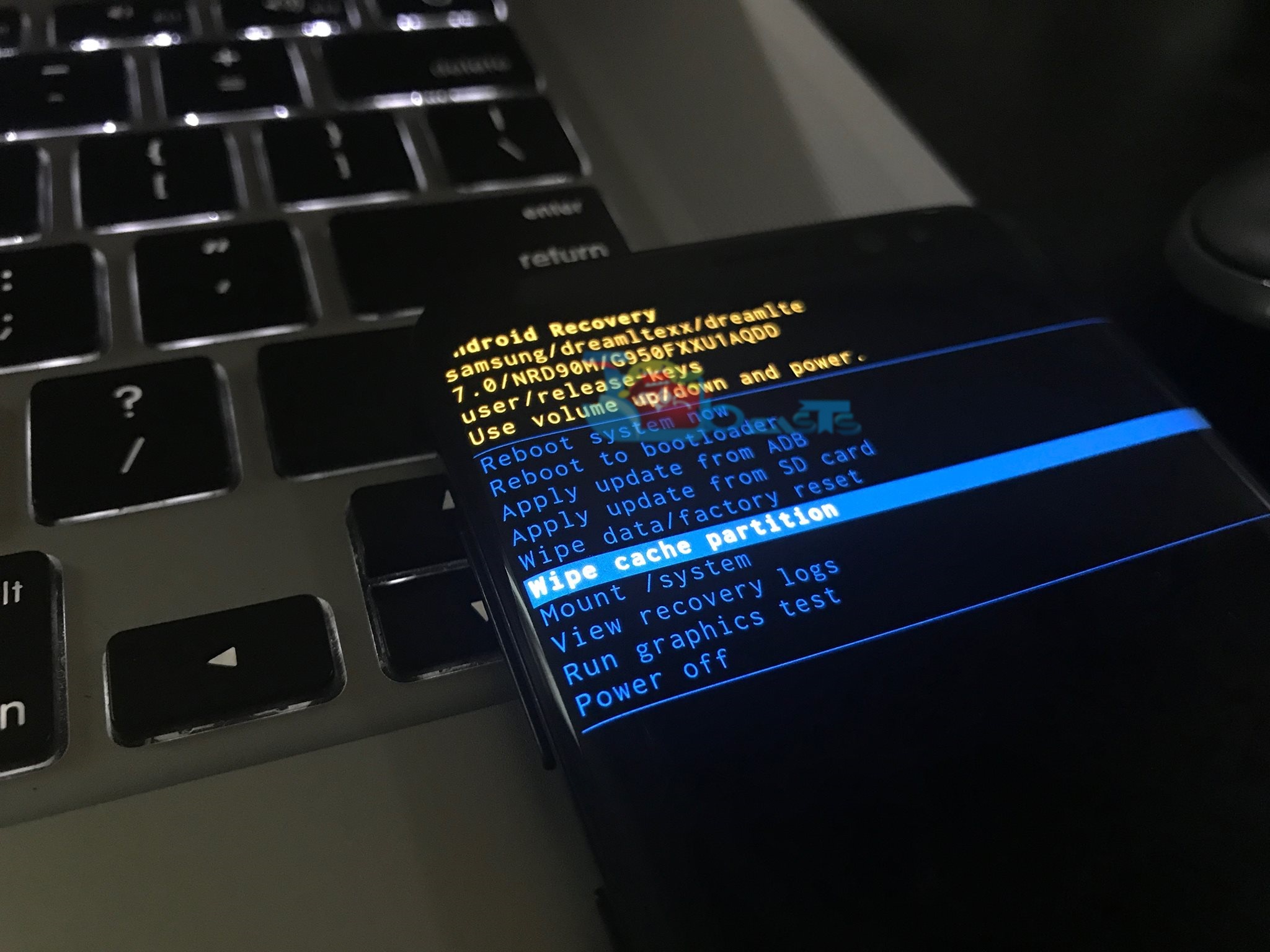
  1. Boot your Galaxy S8 or the S8 Plus into recovery mode. To do so, turn off your phone completely first. Now turn it on by pressing and holding Volume Up + Bixby + Power key. As soon as the screen turns on, let the Power key go. Your phone will boot into recovery in a few seconds.
  2. Now in the recovery screen, scroll down using Volume Down key and highlight the “wipe cache partition” option.
  3. As the wipe cache partition option gets highlighted, press the Power key to make a selection.wipe cache partition of Galaxy S8 and S8 Plus
  4. In the next screen, press Volume Down to highlight “Yes” and then press the Power key to make the selection.wipe cache partition of Galaxy S8 and S8 Plus
  5. This will clear the cache partition of your phone. Reboot it now to see the improvement. That’s all.

To learn more about the Galaxy S8 and S8 Plus, check out the S8 tutorials section on our site.

How to factory reset Samsung Galaxy S8 and S8 Plus

0
How to factory reset Samsung Galaxy S8 and S8 Plus

Samsung’s new rockstars, the Galaxy S8 and S8 Plus are all set to hit the market starting April 21, 2017. As soon as the phones come out, the Android power users will try their best to unleash the beast hidden inside their Galaxy S8 and S8 Plus. While trying to break the boundaries on your device, you will get stuck many times. Many situations will get you trapped in a situation from where the only solution to get out will be to factory reset your Samsung Galaxy S8 or the S8 Plus.factory reset Samsung Galaxy S8 and S8 Plus

Factory resetting your new S8 will wipe off everything stored on it. It will erase all the data stored on your internal storage and also erase the applications with their data from your device. This option comes in handy when your device comes up with an intermittent error or it something simply just goes wrong. If your device’s performance has slowed down, factory resetting it would be a good choice as well.

It’s very important to learn these common functionalities of your Android smartphone. Accessing these options on Samsung Galaxy smartphones is relatively easy as compared to other manufacturers. Wiping factory data on your Galaxy S8 or the S8 Plus is similar to how you used to do it on your previous Samsung Galaxy device. If you need to learn it, then here is a detailed method explaining it in a few steps to factory reset Samsung Galaxy S8 and S8 Plus.

Factory reset Samsung Galaxy S8 and S8 Plus

Before factory resetting your Galaxy S8, make sure that you know what Google account you have used to login into your Galaxy S8. Upon factory resetting your device, it will ask you to login using the same account. In case you forget that account, you will be out of luck to get back into your smartphone again. Factory resetting will wipe all of your data. Be careful while using this option.

Method#1: Reset your Galaxy S8 or S8 Plus using settings

  1. Go to settings application on your new S8/S8 Plus
  2. In settings, tap “RESET” under “LOOKING FOR SOMETHING ELSE?”.
  3. Now in RESET, tap Factory data reset.
  4. Read the instructions carefully on the next page and tap “RESET DEVICE”.
  5. It will ask for your password/pin/fingerprint and after that it will wipe your device.

Method#2: Reset your Galaxy S8 or S8 Plus using recovery

  1. Turn off your Galaxy S8 or Galaxy S8 Plus completely.
  2. Now turn it on by pressing and holding Volume Up + Bixby + Power button. As soon as the screen turns on, release the Power button and keep the Volume Up key pressed.
  3. As soon as your phone boots up in recovery, you will find multiple options on screen.
  4. Use Volume Down key to navigate to “Wipe factory data” and then press the Power key to make selection. factory reset Samsung Galaxy S8
  5. In the next screen, navigate to the option “Yes” and press the Power key. factory reset Samsung Galaxy S8
  6. This will factory reset your Galaxy S8 and S8 Plus. Your phone will reboot after this. That’s all.

How to take screenshot on Galaxy S8 & S8 Plus

0
How to take screenshot on Galaxy S8 & S8 Plus

Galaxy S8 and Galaxy S8 are the new powerhouses from Samsung. Both the phones carry the best specifications. A great combination of hardware and software can be seen on these devices. Samsung is using the latest Exynos 8895 and Snapdragon 835 CPU to power up these smartphones. A new display called the infinity display is all set to stun the users of these smartphones. The QHD+ makes the graphics look crispy. Galaxy S8 and S8 Plus run on Android 7.0 Nougat out of the box. The smartphones are successors of Galaxy S7 Edge and the Galaxy S7.take screenshot on Galaxy S8 & S8 Plus

Samsung is using its very own TouchWiz UI on these phones. The functionality of most of the features is almost as same as that of the previous Galaxy flagship devices. As soon as you get your hands on your Galaxy S8 unit, you would like to discover its features and also learn how to do particular things like taking a screenshot on your brand new Galaxy S8 or Galaxy S8 Plus.

Capturing screens on your new S8 or the S8 Plus is no different from the S7. You can still swipe your palm over the screen to capture the screen, you can use the Volume button with the Power button to capture the screen. You can also take scrolling screenshots on the new S8 and S8 Plus. The exact method to take screenshot on the Galaxy S8 & S8 Plus gives below.

Take screenshot on Galaxy S8 & S8 Plus

Method#1: Swipe palm on the screen

  1. By default, the palm-screenshot option should be enabled on your phone.
  2. Open up the screen that you want to capture.
  3. Now tilt your hand over the screen in such a position that the thumb of your right or left hand is in the opposite direction of the screen.
  4. Now swipe your palm over the screen from left to right or right to left.
  5. You will hear a capture sound, it will immediately capture screen now.
  6. The screen capture will show several options on the screen like “Capture More” and others. You can press capture more to take a scrolling screenshot.
  7. Your capture screenshots will appear in the gallery in Screenshots folder. That’s all.

Method#2: Volume Down + Bixby + Power Key

  1. Open the screen that you want to capture.
  2. Press Volume Down + Bixby + Power key simultaneously while the screen you want to capture is opened.
  3. You will hear a capture sound, it will immediately capture screen now.
  4. The screen capture will show several options on the screen like “Capture More” and others. You can press capture more to take a scrolling screenshot.
  5. Your capture screenshots will appear in the gallery in Screenshots folder. That’s all.

Also learn: How to factory reset Samsung Galaxy S8 and S8 Plus

How to boot Galaxy S8/S8 Plus into recovery and download mode

0
How to boot Galaxy S8/S8 Plus into recovery and download mode

Samsung is done with its 2017 flagship smartphones. Galaxy S8 and Galaxy S8 Plus are out in all their glory. Samsung has pulled out both these smartphones carrying out top-of-the-line specifications and massive improvements. Both the smartphones follow Samsung’s new design language sporting an infinity display on the front. The QHD+ display makes the display look absolutely stunning and crispy. Galaxy S8 and Galaxy S8 Plus are all set to hit markets start April 21, 2017.boot Galaxy S8/S8 Plus into recovery and download mode

As the phone starts hitting the pockets and hands of the users, the custom development will kickstart as well. To start installing anything official or custom on your phone, you will deal with the recovery and download modes. It’s pretty important to learn how you can boot your Galaxy S8 and the Galaxy S8 Plus into the recovery and download mode.

The recovery mode on the Galaxy S8 and S8 Plus will allow you to perform various operations like wiping factory data, wiping cache partition, updating your phone and rebooting into the system or the download mode. The download mode will let you install files using Samsung’s Odin tool. You can flash custom recoveries and official firmware using Odin through the download mode on your S8/S8 Plus.

You don’t need to wonder anymore about booting up into these modes on your phone. Have a look at the method to teach yourself to boot Galaxy S8/S8 Plus into recovery and download mode now.

Boot Galaxy S8/S8 Plus into recovery and download mode

Boot Galaxy S8/S8 Plus into recovery mode

  1. Turn off your Galaxy S8/S8 Plus completely.
  2. Now press and hold Volume Up + Bixby + Power button on your Galaxy S8/S8 Plus.
  3. As soon as the screen turns on, leave the Home button and keep the Volume Up button pressed.
  4. In a while you will see the recovery booting up on your Galaxy S8/S8 Plus.

Boot Galaxy S8/S8 Plus into download mode

  1. Turn off your Galaxy S8/S8 Plus completely.
  2. Now press and hold Volume Down + Bixby + Power button to turn on your Galaxy S8/S8 Plus.
  3. As soon as your phone boots up, you will see a warning on the screen. Press Volume Up to continue.
  4. You are now in the download mode. That’s all.

Boot Galaxy S8/S8 Plus into Safe Mode

  1. To boot into Safe Mode, turn off your phone completely. Now turn on your phone. While your phone boots up press the Volume Down key and keep it pressed until the phone boots into the system.
  2. As your phone boots into the system, you will find the Safe Mode watermark on the lower left corner. This means you are now in the Safe Mode.

In case the above method fails to work for you, you can have a look at the ADB and Fastboot method covered in this post.

Also learn: How to take a screenshot on Galaxy S8/S8 Plus.

List of Samsung Galaxy S8 & Galaxy S8 Plus Model Numbers

10
List of Samsung Galaxy S8 & Galaxy S8 Plus Model Numbers

Galaxy S8 and Galaxy S8 Plus have been announced by Samsung. The phones were announced at Samsung’s exclusive unpacked event taking place in London and New York simultaneously. Samsung introduced the world to the innovation hidden inside its new flagship devices.

Samsung Galaxy S8 carries a 5.8-inch WQHD display and the Galaxy S8 Plus carries a 6.2-inch WQHD display. Both the phones have a Super AMOLED panel. Samsung installed an 8 MP camera for selfie lovers and a 12 MP camera as a primary shooter in these phones. Both the phones either have a Snapdragon 835 CPU accompanied by Adreno 530 GPU or the Exynos 8895 accompanying its relevant GPU.

A RAM of 4 GB is installed in the phones. Storage starts from 64 GB and it can be expanded using a microSD card of up to 256 GB. S8 and S8 Plus run on Android 7.0 Nougat out of the box. S8 has a 3000 mAh battery and the S8 Plus has a 3500 mAh battery. USB Type-C port is attached at the bottom. Both phones have the 3.5mm headphone jack. Samsung has added the new AKG headphones in these smartphones. IP68 certification makes these phones water and dust resistant.

Like every-time, Samsung will release multiple variants of the S8 and S8 Plus in various regions all across the world. Samsung gives the smartphones in different regions a different model number. This is done in order to keep the smartphone’s identification for the radio frequencies and other such addresses.

A Galaxy S8 in China will have a different model number, slightly different specifications e.g. dual SIM, and different frequency bands as compared to a Galaxy S8 in the United States. Similarly, a Galaxy S8 or S8 Plus by At&t will have a different model number and frequency bands as compared to the Galaxy S8 by Verizon or T-Mobile.

To overcome this confusion and solve the matter, we have collected a list of all the Galaxy S8 and Galaxy S8 Plus variants. The model numbers and CPU chipsets of the phones are mentioned in the table alongside the region of the phones.

Samsung Galaxy S8 Model Numbers / Variant List

Device NameModel NumberRegionConnectivity
Galaxy S8SM-G9500 (Snapdragon 835)China (Hong Kong)SIM1:TDD-LTE+FDD-LTE+WCDMA+TD-SCDMA+GSM;SIM2:GSM
Galaxy S8SM-G950FGlobalFDD-LTE+WCDMA+GSM
Galaxy S8SM-G950T (Snapdragon 835)T-MobileFDD-LTE+WCDMA+GSM
Galaxy S8SM-G950SKorea SKTFDD-LTE+WCDMA+CDMA+GSM
Galaxy S8SM-G950KKorea KT+FDD-LTE+WCDMA+GSM
Galaxy S8SM-G950LKoreaFDD-LTE+WCDMA+GSM
Galaxy S8SM-G950P (Snapdragon 835))Sprint - (United States)FDD-LTE+WCDMA+GSM
Galaxy S8SM-G950A (Snapdragon 835)
At&t - (United States)FDD-LTE+WCDMA+GSM
Galaxy S8SM-G9509ChinaSIM1:TDD-LTE+FDD-LTE+CDMA;SIM2:GSM;Roaming:WCDMA+GSM
Galaxy S8SM-G9508ChinaSIM1:TDD-LTE+TD-SCDMA+GSM;SIM2:GSM;Roaming:FDD-LTE+WCDMA
Galaxy S8SM-G950R4 (Snapdragon 835)US Cellular - (United States)FDD-LTE+WCDMA+GSM
Galaxy S8SM-G950V (Snapdragon 835)Verizon - (United States)FDD-LTE+WCDMA+CDMA+GSM
Galaxy S8SM-G950FDSoutheast AsiaSIM1:FDD-LTE+WCDMA+GSM;SIM2:GSM
Galaxy S8SM-G950W8Canada

Samsung Galaxy S8 Plus Model Numbers / Variant List

Device NameModel NumberRegionConnectivity
Galaxy S8 PlusSM-G9550 (Snapdragon 835)China (Hong Kong)SIM1:TDD-LTE+FDD-LTE+WCDMA+TD-SCDMA+GSM;SIM2:GSM
Galaxy S8 PlusSM-G955FGlobalFDD-LTE+WCDMA+GSM
Galaxy S8 PlusSM-G955T (Snapdragon 835)T-MobileFDD-LTE+WCDMA+GSM
Galaxy S8 PlusSM-G955SKorea SKTFDD-LTE+WCDMA+CDMA+GSM
Galaxy S8 PlusSM-G955KKorea KT+FDD-LTE+WCDMA+GSM
Galaxy S8 PlusSM-G955LKoreaFDD-LTE+WCDMA+GSM
Galaxy S8 PlusSM-G955P (Snapdragon 835))Sprint - (United States)FDD-LTE+WCDMA+GSM
Galaxy S8 PlusSM-G955A (Snapdragon 835)
At&t - (United States)FDD-LTE+WCDMA+GSM
Galaxy S8 PlusSM-G9559ChinaSIM1:TDD-LTE+FDD-LTE+CDMA;SIM2:GSM;Roaming:WCDMA+GSM
Galaxy S8 PlusSM-G9558ChinaSIM1:TDD-LTE+TD-SCDMA+GSM;SIM2:GSM;Roaming:FDD-LTE+WCDMA
Galaxy S8 PlusSM-G955R4 (Snapdragon 835)US Cellular - (United States)FDD-LTE+WCDMA+GSM
Galaxy S8 PlusSM-G955V (Snapdragon 835)Verizon - (United States)FDD-LTE+WCDMA+CDMA+GSM
Galaxy S8 PlusSM-G955FDSoutheast AsiaSIM1:FDD-LTE+WCDMA+GSM;SIM2:GSM
Galaxy S8 PlusSM-G955W8Canada


T-Mobile goes underwater to welcome the Galaxy S8 with Sharks

0
T-Mobile goes underwater to welcome the Galaxy S8 with Sharks

T-Mobile does it again, it goes under water to unbox the all new Samsung Galaxy S8. The interesting facts come out as T-Mobile does it beneath the water. Galaxy S8 has all of its in-box components water resistant. Even the new AKG headphones are water resistant and you can use them underwater. Shark come around to welcome the Galaxy S8 as well.

Witness this unique and catchy unboxing of the Samsung Galaxy S8 underwater by T-Mobile.

Don’t forget to have a look at:


Samsung Galaxy S8 and S8 Plus Price and Release Date

0
Samsung Galaxy S8 and S8 Plus Price and Release Date

Ladies and gentleman! Samsung announced the Galaxy S8 and S8 Plus. If you have been excited about these smartphones, there are merely a few days left until you have to hold your horses. Samsung has revealed both the smartphones at its unpacked event in London and New York. The phones come at as a pure beauty. Galaxy S8 and S8 Plus will hit the shelves in a month. Samsung will start shipping the Galaxy S8 and Galaxy S8 units starting from April 21.

Samsung Galaxy S8 offers an infinity display. It’s very hard to identify where the display of this phone ends and from where the frame starts. Samsung has increased the screen size keeping the body compact. Galaxy S8 sports a 5.8 inch WQHD display and the S8 Plus has a 6.2-inch WQHD display. Samsung hasn’t ditched the headphone jack yet. The home-button of this phone is beneath the infinity display. Samsung has said goodbye to the hard capacitive keys. The phone now has soft keys below the display carrying slightly less space. Galaxy S8 has a 12-MP shooter at its back and an 8 MP shooter on the front. S8 has 3000 mAh battery and the S8 Plus has 3500 mAh battery. Both the smartphones are powered up either by Snapdragon 835 CPU or the Exynos 8895 CPU alongside a RAM of 4 GB. Internal storage begins at 64 GB with microSD card slot supporting up to 256 GB. Both phones run on Android 7.0 Nougat out of the box.

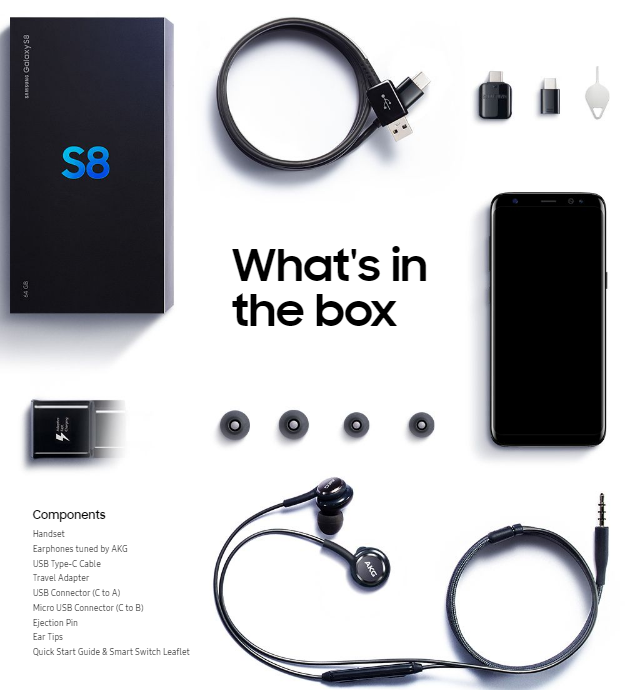
Samsung has added brand new AKG headphones in the box. The headphones are supposed to give you a unique listening experience. The box also contains Samsung’s quick charger, Galaxy S8 and S8 Plus booklet. Major carriers like At&t and T-Mobile are all set to start the pre-orders of the Galaxy S8 from March 30. Other carriers like Verizon, Sprint, US Cellular are also expected to carry the footsteps of these carriers.

As far as the price of the Galaxy S8 is concerned, it should cost an amount of $750-$780 and the S8 Plus should cost around $850-$880. We, in no way, are expecting Samsung to hike the prices of its smartphones over 1K bucks. The Galaxy S8 will be available with various offers through the carriers operating in different countries. The information regarding the availability of the S8 through T-Mobile and At&t is already out. Here’s what we know so far about them.

Galaxy S8 will cost $750, Galaxy S8 Plus will cost $850. Preorders start March 30 at 12:01AM ET and shipping starts on April 21, 2017

Verizon Galaxy S8

  • Galaxy S8 Price: $720
    Monthly installments: $30/month for 24 months.
  • Preorders: March 30
  • Available/Shipping: April 21, 2017.

Perks for preorder customers: Free Gear VR with Controller and Oculus content pack. Option to choose $99 Experience Box with Gear VR and Controller, Harman Kardon Headphones and 256 GB microSD card will be given to the users as well.

Trade options:

Sign up for Verzion Unlimited and trade your phone to get the Galaxy S8, pay $15/month for next 24 months.

  • Apple iPhone 6
  • Apple iPhone 6 Plus
  • Apple iPhone 6S
  • Apple iPhone 6S Plus
  • Samsung Galaxy S6
  • Samsung Galaxy S6 edge
  • Samsung Galaxy S6 Edge Plus
  • Samsung Galaxy S7
  • Samsung Galaxy S7 Edge
  • Samsung Galaxy Note 5
  • Google Pixel
  • Google Pixel XL
  • LG G5
  • LG V20
  • HTC 10
  • Moto Z Droid
  • Moto Z Force

Sign up for Verzion Unlimited and trade your phone to get the Galaxy S8, pay $20/month for next 24 months.

  • Apple iPhone SE
  • Samsung Galaxy Note 4
  • Galaxy S5
  • LG G4
  • LG v10
  • HTC M9
  • Motorola Turbo 2
  • Motorola Z Play

Verizon Galaxy S8 Plus

  • Galaxy S8 Plus Price: $840
  • Monthly installments: $35/month for 24 months.
  • Preorders: March 30
  • Available/Shipping: April 21, 2017

Sign up for Verzion Unlimited and trade your phone to get the Galaxy S8 Plus, pay $15/month for next 24 months.

  • Apple iPhone 7 Plus
  • Google Pixel XL
  • Moto Z Force
  • Samsung Galaxy S7 Edge

Sign up for Verzion Unlimited and trade your phone to get the Galaxy S8 Plus, pay $20/month for next 24 months.

  • Apple iPhone 6
  • Apple iPhone 6 Plus
  • Apple iPhone 6S
  • Apple iPhone 6S Plus
  • Apple iPhone 7
  • Google Pixel
  • Samsung Galaxy S6
  • Samsung Galaxy S6 edge
  • Samsung Galaxy S6 Edge Plus
  • Samsung Galaxy S7
  • Samsung Galaxy Note 5
  • LG G5
  • LG V20
  • HTC 10
  • Moto Z Droid

At&T Galaxy S8

  • Preorders start: March 30.
  • Shipping expected: April 21, 2017
  • Galaxy S8 Price: $750
  • At&t Next: $25/month for 30 months.
  • At&t Next Every Year: $31.25/month for 24 months.

At&t Galaxy S8 Plus

  • Preorders start: March 30.
  • Shipping expected: April 21, 2017.
  • Galaxy S8 Plus Price: $850
  • At&t Next: $28.34/month for 30 months.
  • At&t Next Every Year: $35.42/month for 24 months.

Trade options:

  • Preorder customers will get the following perks.
  • $750 credits leading to another Galaxy S8 or Galaxy S8 Plus.
  • Samsung Gear S3 for $49 with a 2 year service agreement.
  • Galaxy Tab E or a Gear S2 for only .99 cents upon a 2 year service agreement.

T-Mobile Galaxy S8 and Galaxy S8 Plus

  • Galaxy S8 Price: $750.
  • Installment plan: $30 down payment – $30/month for 24 months.
  • Jump! On Demand: No down payment – $33/month for 24 months.


  • Jump! On Demand: same as above.
  • Installment plan: $130 down payment – $30/month for 24 months.
  • Galaxy S8 Plus Price: $850


  • Preorders start: March 30, 2017
  • Shipping Date: April 21, 2017.
  • T-Mobile @Work customers to get free DeX dock with the pre-order.
  • Preorder customers to get free Gear VR with Controller and Oculus game pack.

Best Buy

Save up to $100 if you get a Galaxy S8/S8 Plus from the Best Buy (retailer) and ditch the carrier or any other retailer. Best Buy will open the preoreders at 12:01AM ET on March 30th alongside all other retailers and carriers. You can also reserve a phone for yourself from your nearby Best Buy store on Thursday morning


Samsung Galaxy S8 and S8 Plus Official Images

0
Samsung Galaxy S8 and S8 Plus Official Images

Samsung has released its most beautiful smartphones ever. Galaxy S8 and S8 Plus duo is what you need to have a look at if you are bored. The phones are masterpieces when it comes to the art. Galaxy S8 and S8 Plus sport Samsung’s dual-edge display. Yes, there is no flat-screen variant for the Sammy-flagship this time around. Samsung has improved the edge-display more than a lot. The edges are not as bulky as they used to be. Samsung has made the edge effect and feel in hands minimum. Apart from that, the huge screen with no hard-keys at the bottom looks awesome.

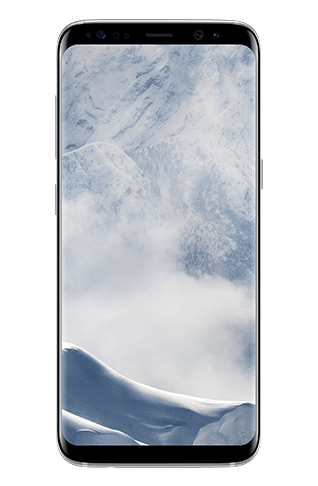
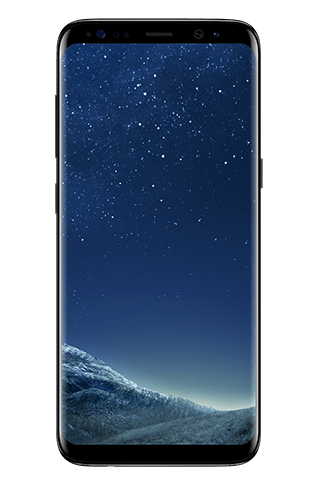
Galaxy S8 and S8 Plus also have a 3.5 mm headphone jack. The phones were making rounds of the rumor mills as they won’t have a headphone jack. Samsung added a 12 MP dual-autofocus camera at the back and an 8MP selfie shooter at the front. Galaxy S8 has a 5.8-inch WQHD display and a 3000 mAh battery. S8 Plus has a 6.2-inch WQHD display and a 3500 mAh battery. You can learn everything about the Galaxy S8 and S8 Plus specifications here. For now, we will continue with what we are here for. Galaxy S8 and S8 Plus will make their way in Coral Blue, Arctic Silver, Orchid Grey, Black and Maple Gold colors.

Here are all the Samsung Galaxy S8 and S8 Plus official images by Samsung. you can have a look at the phones from different angles and look into the details. The art of craftsmanship can be seen clearly in the beauty of the new Samsung S8 handsets.


Clash of Titans: Galaxy S8 vs Galaxy S8 Plus vs LG G6 vs XZ Premium vs P10 Plus

0
Clash of Titans: Galaxy S8 vs Galaxy S8 Plus vs LG G6 vs XZ Premium vs P10 Plus

Samsung just announced the Galaxy S8 and Galaxy S8 Plus today at its exclusive unpacked event. In case you are wondering what these phones have to offer and how these phones stand next to the previous flagship devices of the year 2017, here’s a comparison of the specifications.
The table below compares Samsung Galaxy S8 and Galaxy S8 Plus with the LG G6, Sony Xperia XZ Premium and the Huawei P10 Plus. A detailed comparison of the specifications can help you to choose the device you want to go for in this year.

Specification comparison: Galaxy S8 vs Galaxy S8 Plus vs LG G6 vs XZ Premium vs P10 Plus

Samsung Galaxy S8

Samsung Galaxy S8 Plus

LG G6

Xperia XZ Premium

Huawei P10 Plus

 Display
5.8-inch WQHD
Super AMOLED
2960 x 1440 pixels
6.2-inch WQHD

Super AMOLED
2960 x 1440 pixels

 5.7-inch QHD, 18:9 LCD, 1440X 2880  5.5-inch 4K LCD, 3840X2160  5.5-inch QHD LCD, 2560X1440
 Processor
Qualcomm Snapdragon 835 or Exynos 8895 Qualcomm Snapdragon 835 or Exynos 8895  Qualcomm Snapdragon 821 Qualcomm  Snapdragon 835  HiSiilicon Kirin 960
GPU
 Adreno 530 Adreno 530  Adreno 530   Adreno 540  Mali G-71
RAM
 4 GB – 6 GB for China  4 GB  4GB  4/6 GB
Storage
 64 GB internal.
Expandable up to 256 GB
 64 GB internal.
Expandable up to 256 GB
 32/64 GB 64 GB 64/128 GB
Main Camera
 12 MP
dual-autofocus.
4K Video
Slow motion at 1000 fps
 12 MP
dual-autofocus.
4K Video
Slow motion at 1000 fps
 13 MP dual cameras, F/1.8, ois, 4K video  19 MP, F/2.0, 960 fps slow motion video, 4K video  12MP & 20MP dual camera, F/1.8, OIS, 4K video
 Front Camera
 8 MP 8 MP 5 MP, F/2.2   13 MP, F/2.0  8 MP, F/1.9
 IP rating
IP68 IP68  IP68 IP68 N/A
Size
 148.9 x 71.9 x 7.9 mm  156 x 77 x 7.9 mm 153.5 x 74.2 x 6.98 mm
Battery
 3000 mAh 3500 mAh 3300mAh 3230mAh 3750mAh
Others
 Fingerprint scanner, Fast charging, 4G LTE, Bluetooth 4.2, NFC, GPS, USB Type-C   Fingerprint scanner, Fast charging, 4G LTE, Bluetooth 4.2, NFC, GPS, USB Type-C Quick Charge 3.0, Fingerprint scanner Fast Charging, Dual Sim support Quick Charge 3.0, Dual Sim support, PS4 Remote Play

That’s all we have for you at the moment. You can learn more about all these smartphones here.

Samsung Galaxy S8 and S8 Plus announced: Here’s everything you need to know

0
Samsung Galaxy S8 and S8 Plus announced: Here’s everything you need to know

2017 is the year to write down the greatest happenings of the smartphone industry. Making this day the best in Samsung’s timeline, Samsung announced the Galaxy S8 and S8 Plus at its exclusive unpacked event taking place in London and New York at the same time. Against all odds, Samsung managed to release 2 stunningly beautiful smartphones. The new rockstars by the Korean giant have some massive improvements over the smartphones of the past. The Galaxy S8 seems Samsung’s comeback particularly keeping in mind what happened to the Galaxy Note 7. It’s time for us to go down the specification street and learn a little about what these phones have to offer.

First off, this is the year when we are all set to say goodbye to the flat-screen flagship devices by Samsung. Both the Galaxy S8 and S8 Plus have an edge display with different screen sizes. The curves on both the phones are the best ones Samsung has ever produced. The Galaxy S6 Edge had slightly prominent curves, Galaxy S7 Edge improved them and the Note 7 had them the best. Now the Galaxy S8 comes with the edges that are more like a primary build of the phone, the display doesn’t seem any uncomfortable like it did when Samsung started off with the phones back in the year 2015. Galaxy S8 and S8 Plus also say goodbye to Samsung’s hard capacitive keys at the bottom of the phone. Samsung has added the soft-keys inside the display of these phones. Galaxy S8 and S8 Plus sport a whole new design-language and also a new build.

If you remember what the rumors making rounds for the last 3 months had in them, there might not be so much that will excite you about both these smartphones. Most of the specifications of these phones are exactly as what we saw in the leaks and rumors.

Samsung Galaxy S8

The standard Galaxy S8 has a 5.8 inch Super AMOLED display on the front with a resolution of 2960 x 1440 pixels, which is the WQHD display resolution. Galaxy S8 has an 8 MP shooter on the front. A 12 MP dual-autofocus shooter is fixed at the back of this phone. Samsung has acquired the Sony IMX333 sensor from Sony for its latest flagship.

Infinity display is real!

Galaxy S8 is equipped either by Snapdragon 835 CPU by Qualcomm or its very own Exynos 8895 CPU. The phone has a 4GB RAM for its standard variant, the Chinese variant may or may not have a 6 GB RAM. Adreno 530 GPU will power up the Snapdragon variant of the Galaxy S8.

It is worth noting that the Galaxy S8 doesn’t say goodbye to the 3.5mm headphone jack. The phone has it, which might cater in a lot of audience for Samsung as it is strictly not following Apple’s footsteps in this regard.

Galaxy S8 carries a 3000 mAh battery under the hood. The battery may seem a downgrade for users who have had a chance to run the Galaxy S7 Edge. We hope that Samsung has made enough software enhancements on the Galaxy S8 to last a little longer at this battery capacity. Galaxy S8 has a USB-Type C port at the bottom for charging and connection with the computers. The phone is IP68 certified, which makes it resistant to both the water and dust. 64 GB is the base storage of this smartphone with an external card slot supporting up to 256 GB of the card.

Google’s latest Android OS, the Android 7.0 Nougat is what will be adding life to the software aspects of the Galaxy S8. Samsung is using its own TouchWiz UI over the Android 7.0 Nougat for the Galaxy S8.

A variety of colors including Orchid Gray, Black, Coral Blue, Arctic Silver and Maple Gold will be made available for the Galaxy S8. The expected price tag is 799 Euros. Galaxy S8 will hit the shelves started April 29, 2017.

Have a look at: Clash of Titans: Galaxy S8 vs Galaxy S8 Plus vs LG G6 vs XZ Premium vs P10 Plus

Samsung Galaxy S8 Plus

This is the bigger variant of the Galaxy S8. Samsung has stepped in this new trend of the Plus variant as well alongside the other smartphone manufacturers. With every single smartphone coming out from the giants like Apple, Huawei, Google and many others, we see a Plus variant of their flagship device.

The Plus variants aren’t supposed to carry massive upgrades over the standard variant. Just like that, the Galaxy S8 doesn’t deviate too much from the spec-sheet of the S8. The very first notable change is in the display department. Galaxy S8 Plus equips a 6.2-inch WQHD display for the users who love it big on their smartphones.

Other specifications of the Galaxy S8 Plus are almost exactly the same as that off the S8. The phone carries a same Snapdragon 835 CPU with Adreno 530 GPU or the Exynos 8895 CPU. The phone has a 4 GB RAM under the hood. The phone has 64 GB internal storage which is expandable by means of an external SD card. Galaxy S8 Plus is also IP68 certified to protect itself from water and dust. The phone also touts a USB Type-C port. A battery of 3500 mAh is fixed inside this phone, which is definitely more than the Galaxy S8 to cope up with the display needs of the Galaxy S8 Plus. S8 Plus also sports 12 MP dual-autofocus shooter at the back and an 8 MP shooter on the front.

Samsung’s own Bixby assistant is a part of both the smartphones.

Galaxy S8 Plus also runs on Android 7.0 Nougat running Samsung’s in-house TouchWiz UI atop. The Galaxy S8 Plus will also hit the shelves with the Galaxy S8. Color options of this phone are also as same as that of the S8. Galaxy S8 Plus is expected to carry a price tag of 899 Euros.

Galaxy S8 and Galaxy S8 Plus Specifications in a nutshell

Galaxy S8 Galaxy S8+
Display 5.8-inch Super AMOLED display 6.2-inch Super AMOLED display
Processor Exynos 8895/ Snapdragon 835 Exynos 8895/ Snapdragon 835
RAM 4GB 4GB
Storage 64GB, 256 GB via SDcard 64GB, 256 GB via SDcard
OS Android 7.0 Nougat Android 7.0 Nougat
Rear Camera 12MP 12MP
Front Camera 8MP 8MP
Battery  3,000mAh 3,500mAh
Connectivity 4G LTE, Bluetooth 4.2, NFC, GPS, USB Type-C 4G LTE, Bluetooth 4.2, NFC, GPS, USB Type-C
Other IP68 , Wireless Charging IP68, Wireless Charging
Price € 799 € 899
Color Black, Blue, Gold, Orchid Gray and Silver Black, Blue, Gold, Orchid Gray and Silver.

That’s all for now. We are keeping an eye on everything Galaxy S8. Stay tuned with us to have a look at the Galaxy S8 and S8 Plus Price and Release Date, Galaxy S8 and S8 Plus official images and the Galaxy S8 and S8 Plus camera samples.

Don’t forget to drop us a word on your perspective regarding these phones by Samsung. Do you think that Samsung will be able to undo the damage done by the Galaxy Note 7 with the help of the Galaxy S8 Duo? What are your expectations from these brand new flagships?

Watch Live Now: When, Where and How to watch Samsung Galaxy S8 Unpacked Event Live along with Pre-order & Shipping details

0
Watch Live Now: When, Where and How to watch Samsung Galaxy S8 Unpacked Event Live along with Pre-order & Shipping details

Watch Samsung Galaxy S8 Unpacked 2017 Live Now!

The launch of Samsung’s new Galaxy S-series flagship is just three days away. If you have been following through, you would agree to the journey this has been. Samsung usually announced the S-series smartphones at the Mobile World Congress but this year they delayed the launch as they wanted to take the extra time for testing and the yield for the 10nm chipset used was low.

Now Samsung is all set to launch Galaxy S8 and Galaxy S8+ on March 29 with dedicated Unpacked events taking place simultaneously in London (4pm BST) and New York (11am ETD). As most of us cannot access both of the events, how do we go about watching the ‘magic’ happen? Worry not, we have you covered as there are couple of very convenient ways to watching the Unpacked Event live.

Webpage/ YouTube livestream

The Korean giant knows that fans globally want to see the new flagship official announcement. So, for that company has planned to livestream the event on their Galaxy webpage. You will have to see in which timezone you fall in, so that you don’t miss out on the event. At the moment the webpage shows the teaser ad ‘This is a phone’, which is one of the promo’s that Samsung launched at the MWC, to confirm the dates of the announcement.

On the day of the event, as soon as the events kicks off, expect to see the live stream there. Along with that users will also be able to watch the livestream on Samsung’s YouTube channel. There is a probability that Samsung may livestream the event through their Facebook page too. We will keep you updated if that is an option.

Unpacked 2017 App

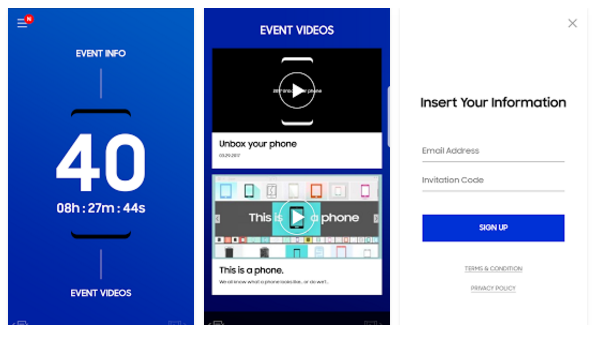
To make things even more fun, Samsung has launched an Unpacked 2017 app just for this purpose. The app is accessible to both Android and iOS users. If you go ahead an install the app, right now you can just see the countdown to the event.

There is more, as you swipe up you can see Event Info, Event Videos, Registration and Livestram. The Event Info sections, as the name suggests will give users the information on when and where the events are going to take place. The Event Videos will lead to the different teasers that Samsung has launched to date regrading Galaxy S8 and Galaxy S8+ so that users get to know what they will be getting.

The Registration sections is for users who will be attending the events in London or New York. They can get the QR code which is required to enter the venue, they will just need to enter their email ID and invitation code to get that. The Livestream section will live stream the event on the day of the official announcement. This seems like a nifty option, go ahead and download the app.

Pre-order Dates for Different Regions

Now after the official announcement, the next question on users mind is when will they be able to get their hands on the device. Pre-orders in Europe will start on March 29. A report last week claimed that pre-orders in Netherlands will start on March 29. In Samsung’s home country, pre-orders will start on April 7 and will continue till April 17. During that time Samsung will be offering different deals for users to attract users to get the device.

In the USA, Target will start pre-orders for Galaxy S8 and Galaxy S8+ on April 2. Users pre-ordering the device through Target will get a free Gear VR along with the Controller worth $150 and to sweeten the deal the company will throw in a $100 Target Gift Card.

Launch and Shipping Dates

At the moment the expected launch date for Galaxy S8 and Galaxy S8+ is April 28. It is expected that the devices will launch in South Korea on April 21. Canada has confirmed the launch date to be April 28, so rest of the regions are also going to follow suit.

A report out suggests that user who pre-order will get their hands on the device on April 18th, that means 10 days earlier than the rest of the users get to see the new flagship. Samsung at the moment is following an aggressive marketing plan in which they have already launched different TV advertisements in South Korea. They plan to set up different popup booths in the country so users can get a hands on experience with the device and be persuaded to buy it. This will happen not only in South Korea but London and New York too starting March 30.

Galaxy S8 will cost € 799 and Galaxy S8+ will be priced at € 899, the prices may vary a little bit in different regions given the local taxes. Not only will you get the new flagship but will also have the option of getting a slew of different accessories with it. So, what do you have your eye on?