Home Blog Page 311

Turn on Screen Mirroring on Samsung Galaxy Note 7 and Connect With SmartTV

Turn on Screen Mirroring on Samsung Galaxy Note 7 and Connect With SmartTV

Samsung has given us everything we need, In the start of 2016 they gave the best device you can ask for Samsung Galaxy S7 Edge and now they have set the stakes so high with their Galaxy Note 7. This device has what we need and there is no doubt that any other device can beat Galaxy Note 7. Today I’ll tell you people how you can Turn on Screen Mirroring on Samsung Galaxy Note 7 and Connect With SmartTV. We have covered all the Galaxy device when it comes to Screen Mirroring, you can check the following links for all other devices. Let’s start the guide on how to Turn on Screen Mirroring on Samsung Galaxy Note 7 and Connect With SmartTV.

Read more:

Turn on Screen Mirroring on Samsung Galaxy Note 7 and Connect With SmartTV

How To share the screen and data between your PC and mobile device:

  • First of all download SideSync on your Windows/Mac and mobile device. You can download SideSync from Google Play on your device.
  • Once SideSync is installed on your PC and mobile device, connect your device with PC using USB cable or WiFi.
  • If you have Samsung Smart TV then you can connect your device using WiFi, but if you don’t have Samsung SmatTV then you have buy a AllShare cast hub in order to connect with TV.

How to screen mirror from Samsung Galaxy Note 7 to a TV using AllShare Cast:

  • Turn on your television.
  • Power on your AllShare Cast though charger.
  • Connect your TV with AllShare Cast with HDMI Cable.
  • Kindly properly put HDMI Cable in the right port.
  • Now wait for the light to get blue from red on your AllShare Cast device.
  • Your TV is connected with AllShare Cast.
  • Now go to Samsung Galaxy Note 7 quick setting and tap on screen mirroring and first turn off then turn on it again.
  • After turning on Screen mirroring you will get a list of available devices. Select AllShare Cast’s dongle and enter the PIN as showed on TV.
  • Your Samsung Galaxy S7 is connected with your TV through AllShare Cast.

How to screen mirror from Samsung Galaxy Note 7 to a Samsung Smart TV:

  1. Press Input from your Samsung SmartTV remote.
  2. Select Screen Mirroring from your Smart Tv screen.
  3. Now go to your Galaxy Note 7 quick setting tap on Screen Mirroring.
  4. Your Phone will list all the available device available for Screen Mirroring.
  5. Select Samsung Smart TV. That’s all.

Download Smart Poke V2 POK v0.4d2 APK

0
Download Smart Poke V2 POK v0.4d2 APK

Now this is what i am waiting for, Smart Poke V2 is the app you want to become a Pokemon Master. Smart Poke V2 show a real-time map on your phone or your watch to catch poke characters, yup that means no hard work now all you have to do is install Smart Poke V2 and catch ’em all. You can download the Smart Poke V2 from Google Play and also you can download the Smart Poke V2 POK v0.4d2 APK from the following links.

Read more: Smart Poke V2 for PC

Smart Poke V2 POK v0.4d2 APK

What’s New:

v0.4d2: should fix the crash encountered by so many people..
v0.4c:
New option to disable app when closed
Various issues fixed
v0.4a & b:
Various crash fixed
v0.4:
Filter the poke you want to show
Select the poke name language (English, French, German, Japon1, Japon2 or Japon3)
v0.3a
Various crash fixed
v0.3
Increased Scan radius
New option to turn screen on if a rare poke is found
New option to vibrate if a rare poke is found
Better behaviour of the map fragment

Download and Install Smart Poke V2 POK v0.4d2 APK:

  1. Download Smart Poke V2 POK v0.4d2 APK.
  2. Copy the downloaded APK file to your phone or download it directly on your phone.
  3. Locate the downloaded APK file on your phone and tap it to begin the installation.
  4. Select “Package Installer” if prompted.
  5. All “Unknown Sources” if required.
  6. Complete the installation and access the app through app drawer.
  7. That’s all!

Pokémap Live for PC Download ( Windows and Mac )

0
Pokémap Live for PC Download ( Windows and Mac )

As Pokemon Go making every smartphone users to go out and find Pokemon, Google Play is getting rocked by other Pokemon apps. Yesterday I posted about Smart Poke V2 and today I’ve another app which will help you to catch ’em all. Pokémap Live is a real-time map of all the Pokemon in your area. That means you don’t have wonder off on roads and parks, just open this app and go to the exact location where Pokemon is. Let’s start the method to download and install Pokémap Live for PC running Windows and Mac.

Pokemap live for PC

Pokémap Live for PC can be installed and used on a computer powered up with Windows (XP/7/8/8.1/10) Desktop PC/Laptop and MacOS/OS X powered Macbook Air, Macbook Pro and iMac. In order to be able to get Pokémap Live for PC, you need an Android emulator like BlueStacks or Andy OS. We have this guide going down explaining the method to grab Pokémap Live for PC right away.

Download Pokémap Live For Windows PC & Mac

  1. Pokémap Live APK.
  2. Download and install Bluestacks: Bluestacks Offline Installer | Rooted Bluestacks |Bluestacks App Player
  3. Once you’ve installed Bluestacks, double click the downloaded Pokémap Live APK.
  4. The APK will be installed using Bluestacks, once installed open Bluestacks and locate the recently installed Pokémap Live.
  5. Click the Pokémap Live icon to open it, follow the on-screen instructions to use it.

You can also use Andy OS to install Pokémap Live, here’s the tutorialHow To Run Android Apps On Mac OS X With Andy

The Andy OS tutorial explains how to play a game on your Mac OSX, but the same guide will also work for a Windows PC.

That’s all. In case you’re stuck with anything, reach us out through the comment box below.

Download Mobius Final Fantasy APK for Android

1
Download Mobius Final Fantasy APK for Android

After the success of Final Fantasy Brave Exvius, Square Enix have launched their new game titled as Mobius Final Fantasy. The game happens to be a predecessor of previous Final Fantasy games by Square Enix. Mobius Final Fantasy comes out as a Role Playing Game and brings an entirely new store to play in. The land has been struck by evil forces. The darkness has conquered the earth. Poor souls are now waiting for the Warrior of Light to save them. You are going to play the role of Warrior of Light and it is now your job to save everyone from the forces of evil. This variant of Final Fantasy incorporates various chapters. Each chapters brings a new game play and requires you to play it differently. The characters in this game are inspired by previous Final Fantasy games. You can discover each and every other thing about this game upon playing it.Mobius Final Fantasy for PC

Mobius Final Fantasy is available for free in the Play Store. If the game isn’t appearing at your end in the Play Store, you may want to install it manually. In order to install Mobius Final Fantasy on your Android phone, you will need its APK file. We’ve pulled out the Mobius Final Fantasy APK  and linked it for download here. Have a look on the installation instructions below to download Mobius Final Fantasy APK for Android and install it right now.

Download Mobius Final Fantasy APK for Android and How to Install it

  1. Download Mobius Final Fantasy APK
  2. Download the file to your phone straight away, or copy it to your phone from your PC.
  3. Now on your phone, go to settings > security > allow unknown sources > check this.
  4. Now using a file manager, locate the APK file that your just copied or downloaded.
  5. Tap the APK file and finish installation using the on-screen instructions.
  6. Once installed, access the newly installed game through app drawer.
  7. That’s all. Enjoy Mobius Final Fantasy!

Just in case you’re willing to play the new version of  Pokemon Go on your  PC then checkout Mobius Final Fantasy for PC!

Download Mobius Final Fantasy for PC (Windows and Mac)

0
Download Mobius Final Fantasy for PC (Windows and Mac)

Mobius Final Fantasy, the long awaited game has finally found its way to the Google Play Store. The game comes under the umbrella of Square Enix, who is actually behind all the previous Final Fantasy titles available for mobile gaming. Mobius Final Fantasy is also a role playing game. The game comes with an interesting story and is all set to replace your current role playing game. Mobius Final Fantasy brings efficiently crafted 3-D graphics. The game promises to give you a graphical experience that you have never had before. The game is divided into various chapters. Each chapter brings a new story, a new set of goals and requires you to devise a completely new strategy. Mobius Final Fantasy characters are inspired by its predecessors. The game enforces you to play the role of the Warrior of Light. Your job is to pave off the dark shadows and save the land before it devastates. You’ve to prove the predictions right and show your hero-side now. The future of the land lies in your hands. The enemy forces are all set to give you a tough time. Mobius Final Fantasy is a free to play game. You can get this game on your Android tablet or smartphones from the Google Play. If you’re willing to play Mobius Final Fantasy on your desktop PC, you may consider following the guide we have for all of you here.Mobius Final Fantasy for PC

Mobius Final Fantasy for PC can be played and installed on a Windows(XP/7/8/8.1/10) powered Desktop PC/Laptop and also a Mac OS X powered Macbook/iMac. In order to install and play Mobius Final Fantasy for PC, you need an Android emulator like BlueStacks,BlueStacks 2, Andy OS or Remix OS. It’s time for us to take you ahead and start playing Mobius Final Fantasy for PC.

Download Mobius Final Fantasy For Windows PC & Mac

  1. Download Mobius Final Fantasy APK
  2. Download and install Bluestacks: Bluestacks Offline Installer | Rooted Bluestacks |Bluestacks App Player
  3. Once you’ve installed Bluestacks, double click the downloaded Mobius Final Fantasy APK.
  4. The APK will be installed using Bluestacks, once installed open Bluestacks and locate the recently installed Mobius Final Fantasy.
  5. Click the Mobius Final Fantasy icon to open it, follow the on-screen instructions to play it.

You can also use Andy OS to install Mobius Final Fantasy, here’s the tutorialHow To Run Android Apps On Mac OS X With Andy

The Andy OS tutorial explains how to play a game on your Mac OSX, but the same guide will also work for a Windows PC.

That’s all. In case you’re stuck with anything, reach us out through the comment box below.


List of Samsung Galaxy Note 7 Model Numbers

3
List of Samsung Galaxy Note 7 Model Numbers

Samsung unwrapped its latest note, the all new Galaxy Note 7 yesterday at the 7 Unpacked, 2016 in New York city. The Galaxy Note 7 took the entire Note family a step ahead. Samsung has loaded this device with top of the line specifications leaving no competitor in parallel out there. Galaxy Note 7 flaunts a 5.7-inch QHD Super AMOLED screen having 1440 x 2560 pixels resolution and 518 ppi. Samsung has powered up the new beast either with the Snapdragon 820 CPU or its own Exynos 8890 CPU. The phone equips a RAM of 4 GB and an internal storage of 64 GB which is accompanied by an external card slot as well. Galaxy Note 7 has a whopping 3500 mAh battery. Samsung has added an iris scanner in this device and also plugged in a USB Type-C port at the bottom. Galaxy Note 7 has a 12 MP dual pixel camera at the back and a 5 MP shooter on the front. The Note 7 runs on Android 6.0.1 Marshmallow out of the box.13882145_1312756418753312_8861931134928758520_n

That was a brief overview of this device. Like always, Samsung has released a plethora of Galaxy Note 7 variants this time as well. The Galaxy Note 7 carries a different model number of different regions. If you’re living in India, you won’t likely receive the same variant of the Note 7 which the users will get in the United States. Apart from that, different carriers have different model numbers of the Note 7 for them. The AT&T Galaxy Note 7 doesn’t carry the same model number as the Verizon Note 7. To help you better understand the Galaxy Note 7 variants and spot the difference between them, we’ve put up this huge list of Samsung Galaxy Note 7 Model Numbers.

List of Samsung Galaxy Note 7 Model Numbers

Device NameModel NumberRegionConnectivity
Galaxy Note 7SM-N9300 (Snapdragon 820)China (Hong Kong)SIM1:TDD-LTE+FDD-LTE+WCDMA+TD-SCDMA+GSM;SIM2:GSM
Galaxy Note 7SM-N930F (Exynos 8890)Europe/GlobalFDD-LTE+WCDMA+GSM
Galaxy Note 7SM-N930T (Snapdragon 820)T-MobileFDD-LTE+WCDMA+GSM
Galaxy Note 7SM-N930S (Exynos 8890)Korea SKTFDD-LTE+WCDMA+CDMA+GSM
Galaxy Note 7SM-N930K (Exynos 8890)Korea KT+FDD-LTE+WCDMA+GSM
Galaxy Note 7SM-N930L (Exynos 8890)KoreaFDD-LTE+WCDMA+GSM
Galaxy Note 7SM-N930P (Snapdragon 820)Sprint - (United States)FDD-LTE+WCDMA+GSM
Galaxy Note 7SM-N930A (Snapdragon 820)At&t - (United States)FDD-LTE+WCDMA+GSM
Galaxy Note 7SM-N9309 (Exynos 8890)ChinaSIM1:TDD-LTE+FDD-LTE+CDMA;SIM2:GSM;Roaming:WCDMA+GSM
Galaxy Note 7SM-N9308 (Exynos 8890)ChinaSIM1:TDD-LTE+TD-SCDMA+GSM;SIM2:GSM;Roaming:FDD-LTE+WCDMA
Galaxy Note 7SM-N930R4 (Snapdragon 820)US Cellular - (United States)FDD-LTE+WCDMA+GSM
Galaxy Note 7SM-N930V (Snapdragon 820)Verizon - (United States)FDD-LTE+WCDMA+CDMA+GSM
Galaxy Note 7SM-N930FD (Exynos 8890)Southeast AsiaSIM1:FDD-LTE+WCDMA+GSM;SIM2:GSM
Galaxy Note 7SM-N930W8 (Exynos 8890)Canada/North AmericaFDD-LTE+WCDMA+GSM

PokeDetector for PC Download ( Windows and Mac )

0
PokeDetector for PC Download ( Windows and Mac )

Pokemon Go is not gonna stop because it’s pure madness, Yesterday I’ve posted about how you can install Smart Poke V2 for PC and today I’ve another app which will help you to catch them all. PokeDetector is an app which will notify you whenever there is a Pokemon in catching range. That means you can put your phone in your pocket while on hunting Pokemon. Let’s start the method to download and install PokeDetector for PC running Windows and Mac.

PokeDetector for PC

PokeDetector for PC can be installed and used on a computer powered up with Windows (XP/7/8/8.1/10) Desktop PC/Laptop and MacOS/OS X powered Macbook Air, Macbook Pro and iMac. In order to be able to get PokeDetector for PC, you need an Android emulator like BlueStacks or Andy OS. We have this guide going down explaining the method to grab PokeDetector for PC right away.

Download PokeDetector For Windows PC & Mac

  1. PokeDetector APK.
  2. Download and install Bluestacks: Bluestacks Offline Installer | Rooted Bluestacks |Bluestacks App Player
  3. Once you’ve installed Bluestacks, double click the downloaded PokeDetector APK.
  4. The APK will be installed using Bluestacks, once installed open Bluestacks and locate the recently installed PokeDetector.
  5. Click the PokeDetector  icon to open it, follow the on-screen instructions to use it.

You can also use Andy OS to install PokeDetector, here’s the tutorialHow To Run Android Apps On Mac OS X With Andy

The Andy OS tutorial explains how to play a game on your Mac OSX, but the same guide will also work for a Windows PC.

That’s all. In case you’re stuck with anything, reach us out through the comment box below.

Samsung Galaxy Note 7 Official Images

0
Samsung Galaxy Note 7 Official Images

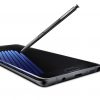
Samsung just introduced its latest Galaxy Note 7 device to the world and it’s astonishing. The Galaxy Note 7 is the latest addition to Samsung’s Note family after the Galaxy Note 5. Galaxy Note 7 carries massive improvements over its predecessor. After looking at the specifications, design and build of this device, we are having good vibes about its future.

Samsung-Galaxy-Note-7---all-the-official-images (3)

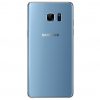
The Galaxy Note 7 flaunts a beautiful 5.7-inch QHD display. Under the hood we can find an Exynos 8890 or Snapdragon 820 CPU accompanied by a 4 GB RAM. A 12 MP camera is fixed at its back and a 5 MP camera on the front. A 3500 mAh battery is there to entertain gaming and music freaks. Galaxy Note 7 houses USB Type-C support and an Iris scanner as well. The phone is IP68 certified (Water and Dust resistant). It runs on Android Marshmallow out of the box. Galaxy Note 7 is wrapped inside Gorilla Glass 5 for sturdy protection. Samsung Galaxy Note 7 has made its way in multiple colors included Blue Coral, Black Onyx, Silver Titanium and Gold Platinum.

Galaxy Note 7’s official images in high resolution are out now. Let’s have a look on the images and conclude how beautiful the device looks.

Also checkout the Galaxy Note 7 stock wallpapers.

Smart Poke V2 for PC Download (Windows and Mac )

0
Smart Poke V2 for PC Download (Windows and Mac )

Pokemon Go is the hottest topic on the Web, this game has taken over the world like a storm. There are many apps which are helping Pokemon masters to catch Pokemon all around the world, today we have an app which will show a real-time map on your phone or your watch to catch poke characters. As if now we have shown you how to install and play Pokemon Go for PC, In this post, I’ll tell you how you can download and install Smart Poke V2 for PC running Windows and Mac.

Smart Poke V2 for PC

Smart Poke V2 for PC can be installed and used on a computer powered up with Windows (XP/7/8/8.1/10) Desktop PC/Laptop and MacOS/OS X powered Macbook Air, Macbook Pro and iMac. In order to be able to get Smart Poke V2 for PC, you need an Android emulator like BlueStacks or Andy OS. We have this guide going down explaining the method to grab Smart Poke V2 for PC right away.

Download Smart Poke V2 For Windows PC & Mac

  1. Smart Poke V2 APK.
  2. Download and install Bluestacks: Bluestacks Offline Installer | Rooted Bluestacks |Bluestacks App Player
  3. Once you’ve installed Bluestacks, double click the downloaded Smart Poke V2 APK.
  4. The APK will be installed using Bluestacks, once installed open Bluestacks and locate the recently installed Smart Poke V2.
  5. Click the Smart Poke V2 icon to open it, follow the on-screen instructions to play it.

You can also use Andy OS to install Smart Poke V2, here’s the tutorialHow To Run Android Apps On Mac OS X With Andy

The Andy OS tutorial explains how to play a game on your Mac OSX, but the same guide will also work for a Windows PC.

That’s all. In case you’re stuck with anything, reach us out through the comment box below.

Download 2016 Google Nexus Stock Wallpapers

0
Download 2016 Google Nexus Stock Wallpapers

Google is working on several Nexus devices which it is due to release later this year. Google is working with various smartphone manufacturers to pull out these devices. For the next Nexus flagship smartphone, HTC is expected to be Google’s partner. The new series of Nexus devices will surprise many for sure. Upcoming devices will supposedly run on Android 7.0  Nougat out of the box. While Google is still keeping the devices under the hood, a handful of wallpapers have already slipped out.On a journey, South Africa

Around 15 stock wallpapers from the unreleased Nexus devices have leaked online today. The wallpapers look quite beautiful. The wallpapers give us a reason to believe in existence of various Nexus devices. While you wait for Google to officially unveil the devices, you can grab any of the wallpaper that attracts you the most and enjoy it on your non-nexus or current nexus device. The stock wallpapers of upcoming 2016 Nexus devices are attached below in high resolution. You can either pick up your favorite wallpaper or download all wallpapers from the all in one link attached below.

Download All Google Nexus 2016 Stock Wallpapers

Source

Download Lucky Patcher for Windows PC and Mac

0
Download Lucky Patcher for Windows PC and Mac

Luck Patcher is the best tool available to manipulate the functionality of the Android apps installed on your phone. The application does not actually crack the applications, but modifies the way applications act inside your Android device. You can make the applications behave the way you wish. Lucky Patcher helps you to install third party applications as system apps on your phone. You can apply different patches to the applications, but it only depends if the patch is available. Lucky Patcher also helps you to disconnect an application from the Google Play Store. This will finish the association between the Google Play Store and the application installed on your phone. You will not be able to update the application using Play Store or anything afterwards. With the help of Lucky Patcher, you can remove certain permission checks from applications and install them on incompatible phones and tablets. You can also pull out the APK files of applications for backup purposes.

Although most of the features offered by Lucky Patcher are something that we do not recommend are totally illegal, but it does have a white face as well. Lucky Patcher can help you to find out modified applications installed on your phone. It simply shows a flag indication point towards the trustworthiness of an application. This way you can kick out malicious applications if you did not intend to install them in the first place. Lucky Patcher requires a rooted Android device to run on. It doesn’t have any other hard and fast rules to go through.Lucky Patcher for PC

Recently, a lot of Android freaks have been using the Android OS on their desktop PCs by means of emulators like BlueStacks, Remix OS and others. Users have been modifying the behavior of Android emulators the same way they do with their Android phone or tablet. If you wish to tweak the working of Android applications on your BlueStacks, then you may need to install Lucky Patcher for PC. Luckily, a rooted version of BlueStacks is available and its also easily possible to root the BlueStacks 2. This makes it quite easy to install Lucky Patcher for PC. You can now install Lucky Patcher for PC on your PC powered up with Windows XP/7/8/8.1/10 and Mac OS X as well. Let’s have a look on the steps and install Lucky Patcher for PC now.

Download Lucky Patcher for Windows PC and Mac

  1. Download Rooted BlueStacks. If you’re wishing to use BlueStacks 2, then here’s the guide to root BlueStacks 2.
  2. Download Lucky Patcher APK.
  3. Make sure you’ve installed and rooted your desired Android emulator.
  4. Now double click the downloaded APK and let BlueStacks install it.
  5. Once done, open BlueStacks > All Apps > Lucky Patcher. For BlueStacks 2, open BlueStacks 2 > Android tab > All Apps > Lucky Patcher.
  6. Launch Lucky Patcher and give it root permissions.
  7. Now start playing with how applications work in your Android emulator on your PC. That’s all.

App Store Icon is Missing From iPhone or iPad [ Fix ]

0
App Store Icon is Missing From iPhone or iPad [ Fix ]

In this post, I’ll tell you what to do when App Store Icon is Missing From iPhone or iPad, it doesn’t happen usually but it does. Let’s start the method to fix the App Store Icon is Missing From iPhone or iPad.

Read more:

App Store Icon missing from iPhone or iPad

Fix App Store Icon is Missing From iPhone or iPad:

Following are the three different methods which will help you to fix App Store Icon is Missing From iPhone or iPad. If none of this works for you then you have no other choice left, you have to go to the Apple store and get it fixed by the professionals.

Fix 1 – Double Check Everywhere:

I would suggest firstly, you check everywhere, sometimes by mistake we put an app in a folder so you should check all your folders. Run through your home screen carefully and check for App store. Also use search option to search for “App Store” to see if it appears.

Fix 2 – Check Restrictions:

  • Open Settings from your home screen.
  • Tap on “General“.
  • Scroll down and look for “Restrictions“ and Tap on it.
  • Make sure “App Store” is set to “On”.

Fix 3 – Reset Home Screen:

Now this solution worked for everyone, first may be App Store icon is on other screens so go ahead and check for it. If you still can’t find it try the following steps.

  • Settings” > “General “> “Reset” > “Reset Home Screen Layout

This will take your home screen back to its default settings and restore the App Store icon. If by any means still there is no luck then as i suggested before take it to your near Apple Store they’ll fix this for you.

If your iPad was provided to you by the organization you work for or a school, it is possible there is software on the device that locks access to the App Store. Ask your IT department for access if you feel this might be the case.