
In this Post, I’ll tell you how to Install Bob Kodi 17.3 Krypton. Bob is a very good Add-on to stream movies and you’ll HD Movies Stream while using Bob. Although this Add-on seems a bit confusing because the categories are named very odd. But the one thing you’ll find interesting, the New Release section provides all the new movies in high quality.
Must See:
- Top Live TV Addons for Kodi 2017 – Watch Live TV on Kodi
- Top Best Kodi Movie Add-ons for 4K, Full HD, 3D Movies 2017
- Top Best KODI 17.3 Krypton Builds July 2017
- How to Clear Cache in Kodi
*Kodi Tips*:
- Now keep that in mind if you need a proper coverage of Kodi then we would suggest you install the best and low-cost VPN. IPVanish is specially designed for Kodi and it has multiple high-speed servers with no throttling or logs.
- Learn how to enable Unknown Sources in Kodi. Click Here.
Install Bob Kodi 17.3 Krypton:
- Download Kodi and Install it. Launch Kodi, Click on Settings.

- Click on File Manager.
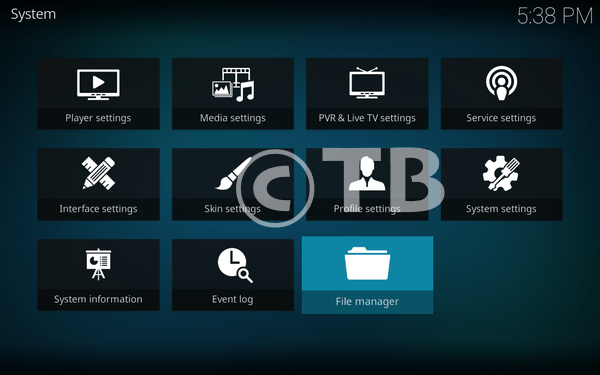
- Click on Add Sources.

- Click on None.
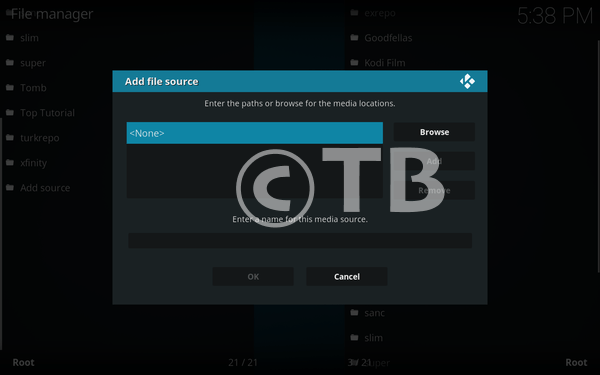
- Add this URL: http://noobsandnerds.com/portal – Name it noobsandnerds.

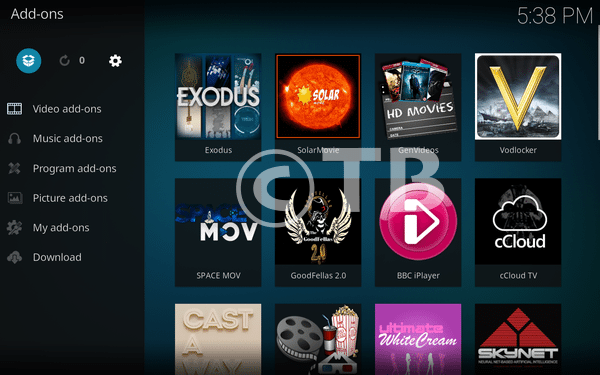
- Head back to the home page -> Click on Add-ons.

- Click on the Package Installer icon.
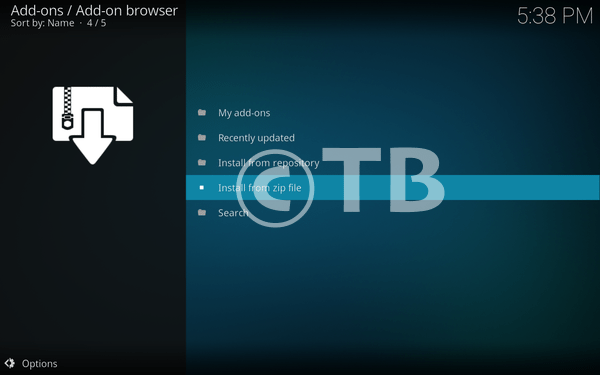
- Click on Install from ZIP File.
- Click on NoobsandNerds.

- Click on noobsandnerds Repo.
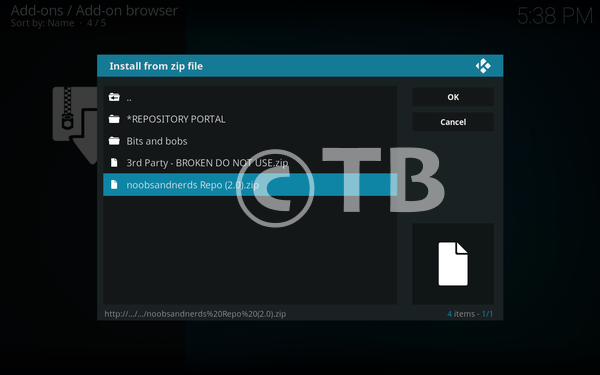
- You have to wait for few seconds When you see noobsandnerds add-on installed pop-up. Follow next step.
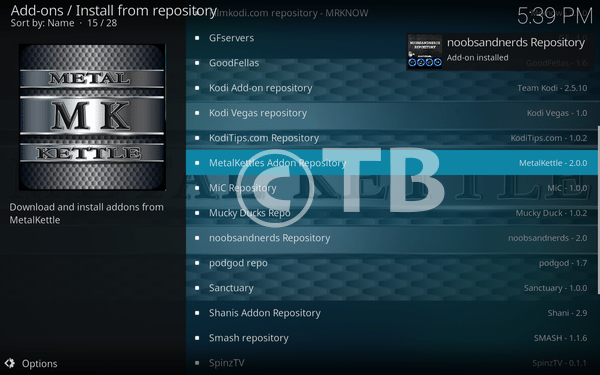
- Click on Install from Repository.

- Click on noobsandnerds Repository.

- Click on Video Add-ons.

- Click on Bob.

- Click on Install. 🙂

That’s all. That would be all If you face any issue you can tell me in comments. Thanks.
See More: