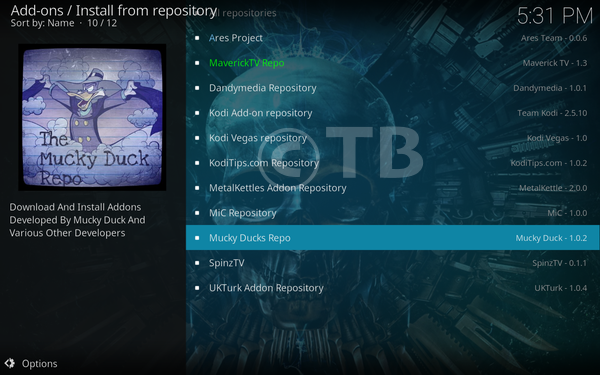
Here’s How to Install GenVideos Add-on on Kodi 17.3 and Kodi 16.1. This Add-on is created by Mucky Duck and if you are looking for latest and famous movies then you must install GenVideos Kodi addon.
GenVideos Kodi Add-on is getting famous nowadays, this Add-on gets its content from GenVideos website. Let start the method to Install GenVideos Kodi addon. Mucky Duck has many Add-ons for Kodi you should try them out.
*Kodi Tips*:
- Now keep that in mind if you need a proper coverage of Kodi then we would suggest you install IPVanish the best and low-cost VPN. IPVanish is specially designed for Kodi and it has multiple high-speed servers with no throttling or logs.
- Learn how to enable Unknown Sources in Kodi. Click Here.
Important Kodi Links:
- Enable Unknown Sources in Kodi 17.3 Krypton.
- Best Kodi Video Add-ons.
- Top Best KODI 17.3 Krypton Builds.
Install GenVideos Kodi addon:
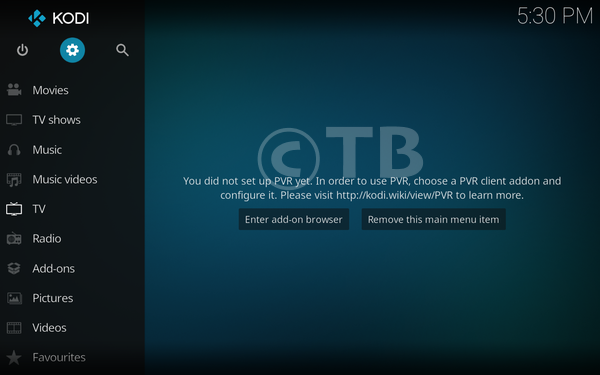
- Download Kodi and Install it. Launch Kodi Click on Setting icon.
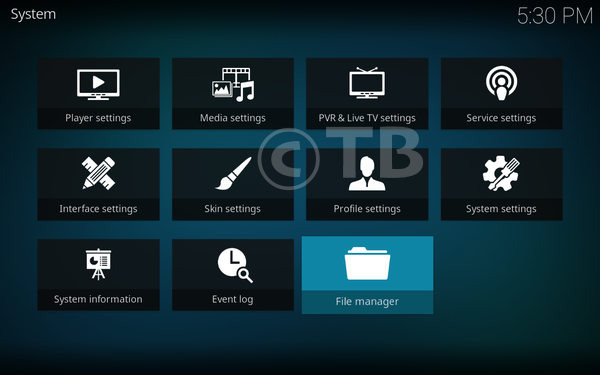
- Click on File Manager.
- Click Add Source.
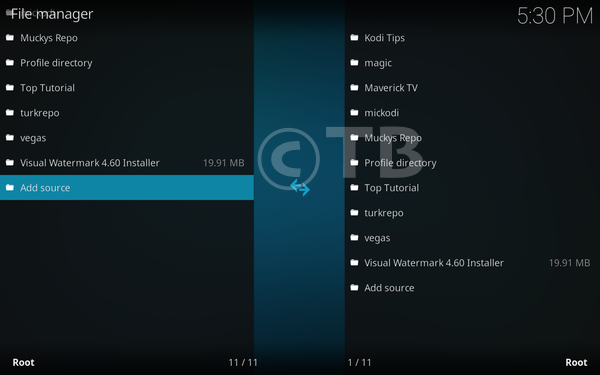
- Click None.
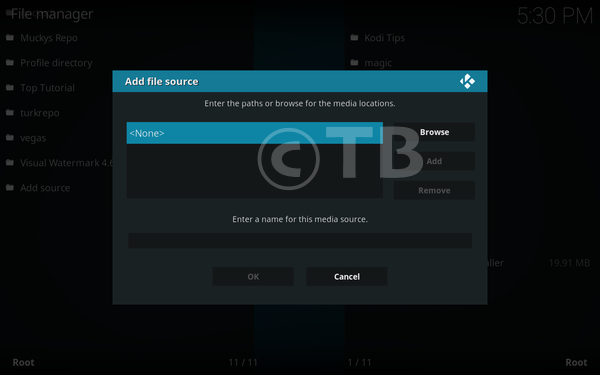
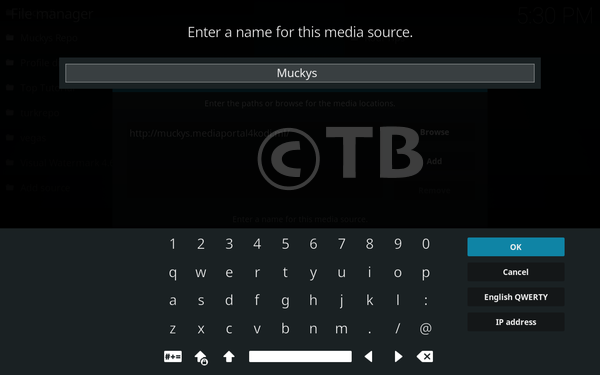
- Add this Url: http://muckys.mediaportal4kodi.ml and name it Muckys.
- Home Screen, Click Add-ons.
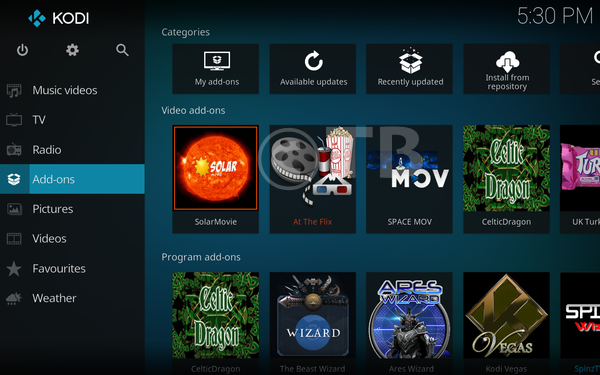
- Click on the Package Installer as shown in the photo.
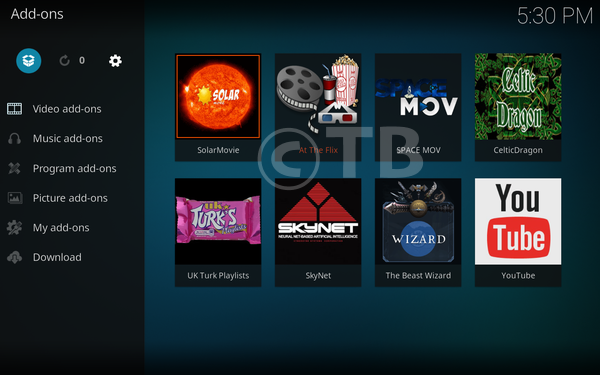
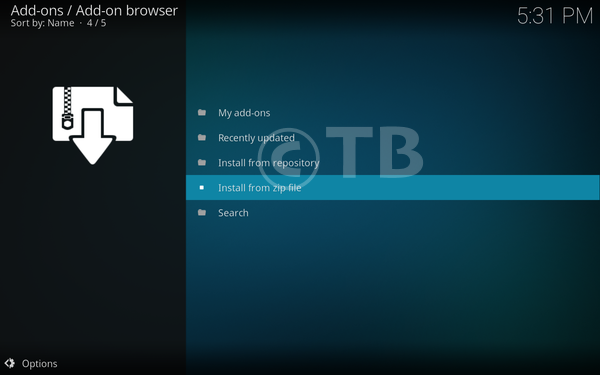
- Click Install from zip file.
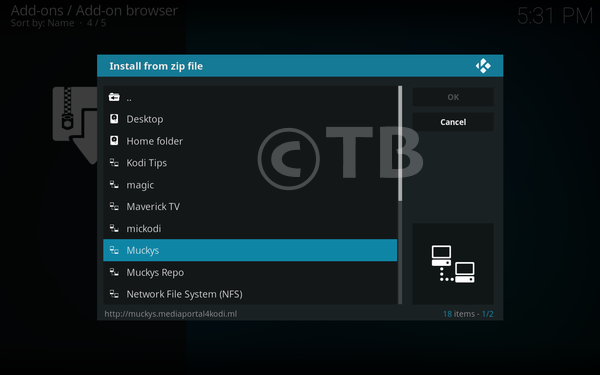
- Click Muckys from the list.
- Click Repository.MDRepo-x.x.x.zip
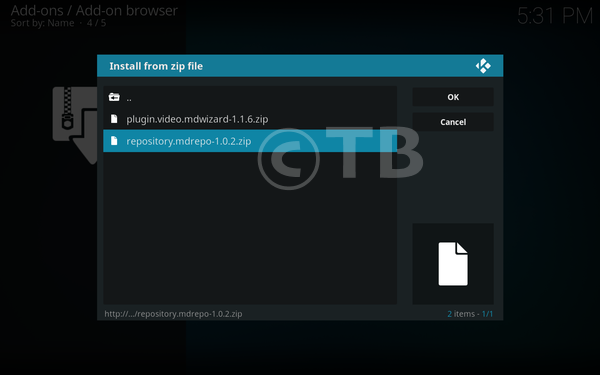
- Wait till you see the Add-on Enabled Pop-up.
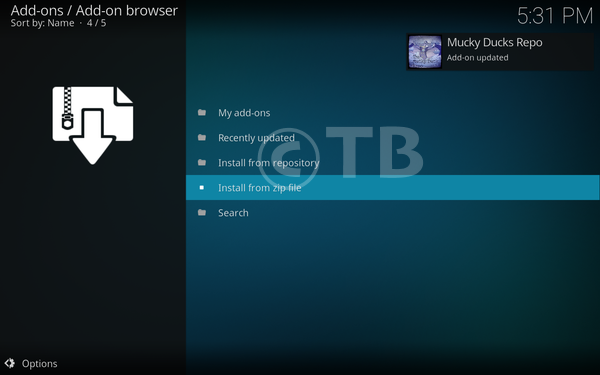
- Click on Mucky Ducks Repo.
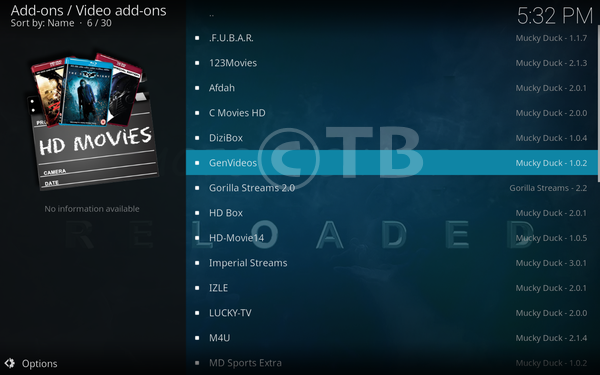
- Click Video Add-ons.

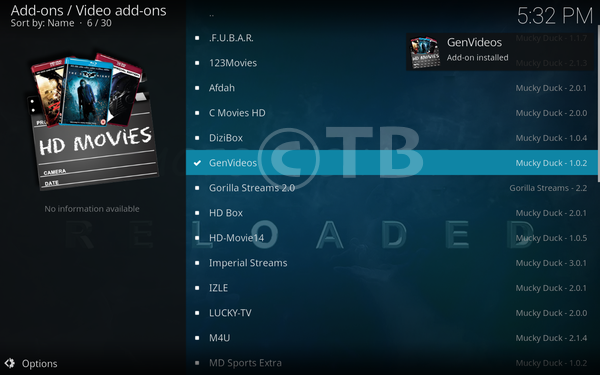
- Click On GenVideos from the list.
- Click on Install.
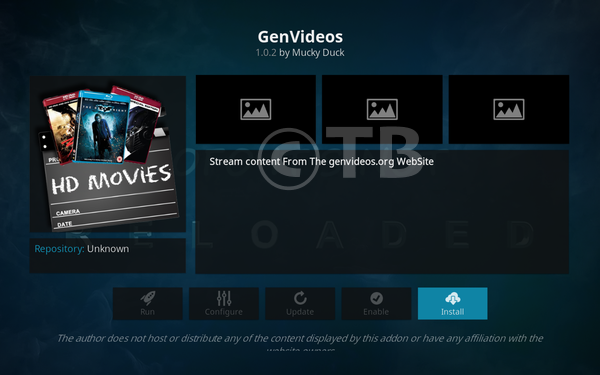
That’s all. That would be all If you face any issue you can tell me in comments. Thanks.
See More: