![Install Genie TV Add-on Kodi 17.3 Krypton [ Tutorial ]](https://techbeasts.com/wp-content/uploads/2017/07/Genie-TV-Add-on-Kodi18.png "Install Genie TV Add-on Kodi 17.3 Krypton [ Tutorial ]")
Hey, Everyone! Today I’ll tell you how you can Install Genie TV Add-on Kodi 17 Krypton, but moving on let me give you an overview on Genie TV Add-on. Genie TV Add-on is a complete all in one package for Kodi, this Add-on allows you to stream TV Channels and along with that sports, movies, and comedy. It also has maintenance, tools, tv guides, Wizard, Tommy Sports, G-TV Live list, and Music. Let’s start the method to Install Genie TV Add-on Kodi 17.3 Krypton.
Important Things:
- Now keep that in mind if you need a proper coverage of Kodi then we would suggest you install the best and low-cost VPN. IPVanish is specially designed for Kodi and it has multiple high-speed servers with no throttling or logs.
- Learn how to enable Unknown Sources in Kodi. Click Here.
Must See:
- Install Players Klub Add-on Kodi 17.3 Krypton [ Tutorial ]
- Install Back in the Time Add-on Kodi 17 Krypton
- Install FTFA Live TV Add-on Kodi 17.3 Krypton [ Tutorial ]
- Install Chappie Build Kodi 17.3 Krypton [ Tutorial ]
Install Genie TV Add-on Kodi 17.3 Krypton:
- Download Kodi and Install it. Launch Kodi, Click on Settings.
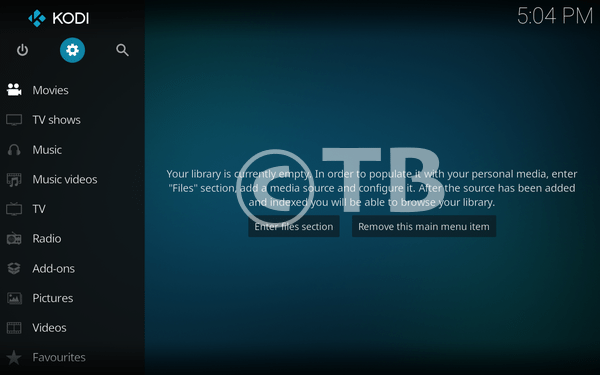
Click File Manager.

- Click Add Source.

- Click None.

- Type this URL: http://genietv.co.uk/repo/

- Name it Gene TV.

- Click Add-ons.

- Click on the Package Installer Icon.

- Click Install from ZIP File.

- Click GenieTV.

- Click Repository.GenieTv-0.1.3.ZIP.

- Wait till you see the GenieTV Repo Add-on Installed Pop-up.

- Click Install from Repository.

- Click GenieTV Repo.

- Click Video Add-ons.

- Click GenieTV.
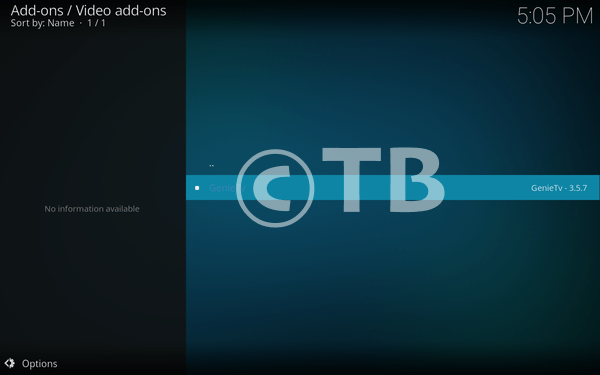
- Click Install.
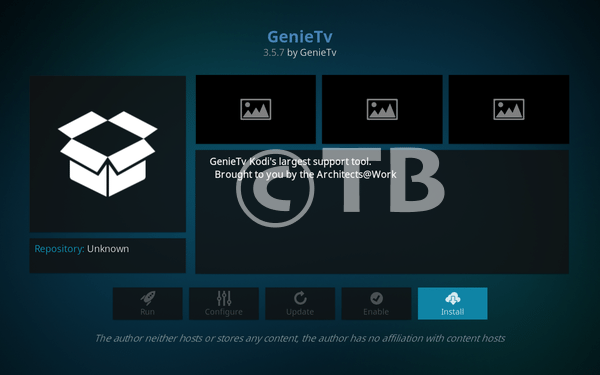
That’s all. That would be all If you face any issue you can tell me in comments. Thanks.
See More:
Is anyone having trouble installing any addons