![Install Flixanity Kodi Addon Repo – [ Tutorial ]](https://techbeasts.com/wp-content/uploads/2017/08/Flixanity-Kodi-Addon-Repo17.png "Install Flixanity Kodi Addon Repo – [ Tutorial ]")
Hello, Everyone! Today you’ll learn how to Install Flixanity Kodi Addon Repo, but before moving on let me give you an overview on Flixanity. Flixanity is the remake of old famous Add-on KinKin, the developer is same but Add-on is all new. The one thing I found strange that if you have already Installed KinKin then you’ll face issue while updating the old one because both Add-on has the same version number. Now let’s get started with installation method of Flixanity Kodi Addon Repo.
Best of Kodi:
- Best Live TV IPTV Kodi Add-ons 2017 & Live TV on Kodi
- Top Best KODI 17.3 Krypton Builds July 2017
- Top Best Kodi Repositories of 2017 & Still Working
- Top Best Kodi Addons for Movies 2017
Must See:
- Now keep that in mind if you need a proper coverage of Kodi then we would suggest you install the best and low-cost VPN. IPVanish is specially designed for Kodi and it has multiple high-speed servers with no throttling or logs.
- Learn how to enable Unknown Sources in Kodi. Click Here.
Guide Install Flixanity Kodi Addon Repo:
- Download Kodi and Install it. Launch Kodi, Click on Settings.

- Click File Manager.
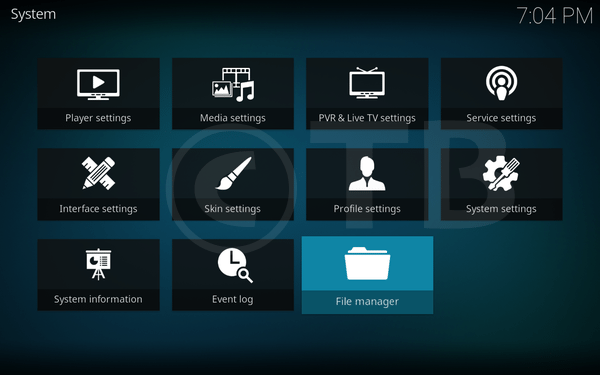
- Click Add Source.

- Click None.

- Type this URL: https://archive.org/download/repository.streamhub

- Name it Stream.

- Head to home screen -> Click Add-ons.

- Click on the Package Installer icon.

- Click Install from ZIP File.

- Click Stream.

- Click Repository.StreamHub-x.x.x.zip.

- Wait till you see the pop-up as shown in the photo.

- Click Install from Repository.

- Click Stream Hub Repository.

- Click Video Add-ons.
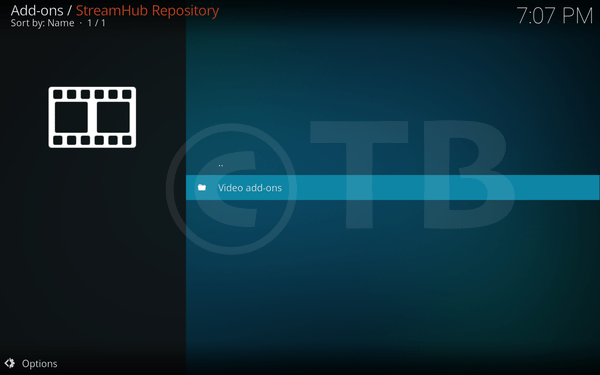
- Click Flixanity.

- Click Install.
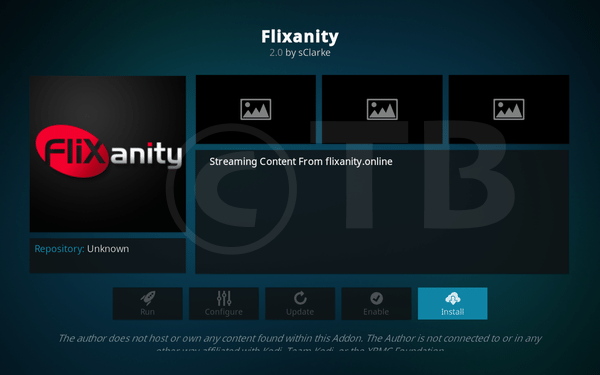
Guide Install Flixanity Kodi Addon Repo:
That’s all. That would be all If you face any issue you can tell me in comments. Thanks.
See More: