Langrisser is a famous Japanese RPG. For a very long time, this game was available to the Japanese audience only. Just recently, a global version of Langrisser came out. The global version is already available for the Android and iOS platforms. If you are interested in playing Langrisser for PC, that is possible too. In this guide, I will show you how you can download Langrisser for PC. Before installing Langrisser for PC, let us take a look at the overview of this game.

Contents
Langrisser – Adventure Takes A Toll
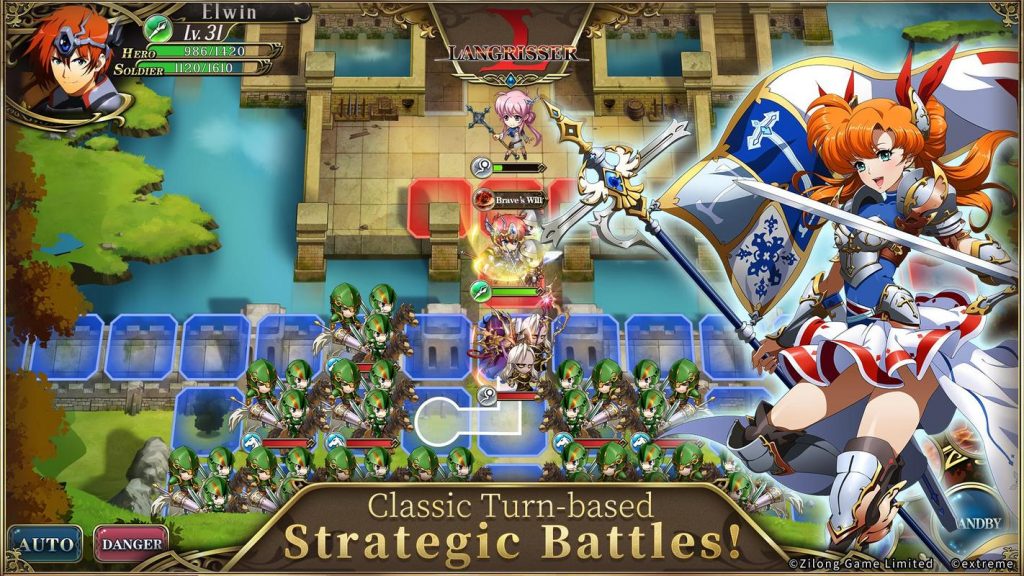
Langrisser’s newly released English version is a treat. This is a strategy-based role-playing game. Langrisser brings thrilling turn-based battles to please the gamers. If you have been missing the real-time PvP fun for a while, it’s time to play Langrisser to fulfill your gaming buds. Langrisser is packed with world-class artwork. The game is calling you to save the El Sallia continent which is on the brink of devastation.
Anime Inspired
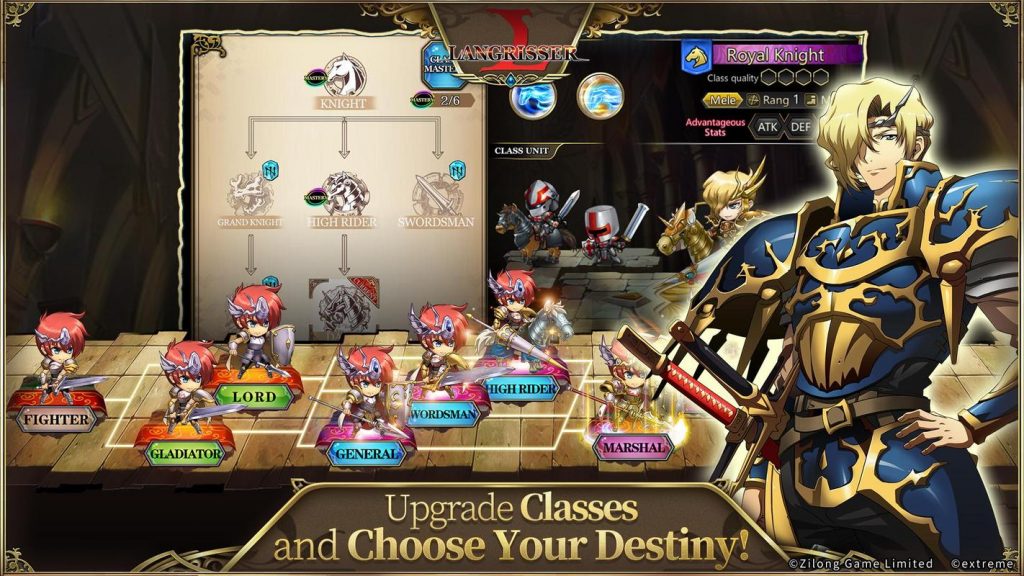
Langrisser is an anime-inspired game. Each character in this game has its own storyline. The characters come with unique power-ups and magic tricks. All the characters have their own class-based upgrade tree. The more classes you surpass, the more powerful your character will be in this game.
Gameplay
In this game, players will make their way to the El Sallia continent. This continent is all about the great legend of the holy sword. The land of El Sallia is under attack by the forces of evil. The bad times for this peaceful continent are upon the players now. they must take action before the continent breaks down. The action against the dark forces requires your heroes to be trained professionally and super powerful too. You may cast your magic spell to weaken the forces. Do whatever you can to save El Sallia. The holy sword should stay intact no matter what.
The PvP mode in this game will give you a chance to take on the powerful bosses all alone. You can indulge in a fight with another player sitting somewhere else in the world. Join other players to help them in their endeavors.
Graphics
As far as the graphics are concerned, this game comes from ZlongGames, who already have some really amazing games to their credit. The developers have a good reputation when it comes to the graphics. Langrisser is built out of 3D graphics. The graphics are good enough to enjoy this game on a bigger screen and that is what we are here for. As you go ahead now, you will learn how to install Langrisser for PC.
Langrisser for PC via Android Emulator
Langrisser’s Android version can be downloaded on Desktop PCs and Laptops with the help of an Android emulator. The purpose of Android emulators is to bring the whole Android experience to your computer. There are some really good emulators out there including tdhe BlueStacks 4 and the Nox App Player. With the help of such emulators, you can play any Android game or run any Android applications on your Windows or Mac computer. Go ahead now to download Langrisser for PC on Windows 7/8/8.1/10 and Mac.
Langrisser for PC
Time needed: 5 minutes.
These are the steps to install Langrisser for PC on desktop PC and Laptop.
- Download and install Android emulator of your choice.
If you are using Windows 7, 8, or 10, it is advised to get the BlueStacks 4. Mac users should get the Nox App Player. Download and install the emulator depending on your operating system.
- Set up BlueStacks 4 or Nox Player using Google Account.
After installation, open your Emulator and set it up using your new or existing Google Account.
- Open Google Play Store and search for “Langrisser”.
Now open Play Store in BlueStacks 4/Nox and look for “Langrisser”. As you find the game, install it.
- Launch Langrisser and play it.
After installation, Langrisser will appear on the Home Screen of BlueStacks 4, and in the App Drawer of Nox Player. Launch the game and play it using your Mouse and Keyboard. That’s it.

Conclusion
That is all with the installation of Langrisser for PC. I hope that by this time, you are playing the game on your computer. If you are unable to play the game using BlueStacks 4 or Nox, you can try using another Android emulator. There are best lightweight Android emulators in 2019 listed on our site. For any king of queries/suggestions, feel free to reach out to us.