![Install FTFA Live TV Add-on Kodi 17.3 Krypton [ Tutorial ]](https://techbeasts.com/wp-content/uploads/2017/07/FTFA-Live-TV-Add-on-Kodi-Screenshots3.png "Install FTFA Live TV Add-on Kodi 17.3 Krypton [ Tutorial ]")
Today You’ll learn how to Install FTFA Live TV Add-on Kodi 17.3 Krypton, But before moving on any further, let me give you an overview on FTFA Live TV Add-on. FTFA Live is among the top best Kodi Live TV IPTV add-ons, you can stream all the UK and USA TV channels for free. This Add-on is working perfectly with Kodi 17.3 but sometimes you might face some down time because of server load. Let’s start the method to Install FTFA Live TV Add-on Kodi.

Read more:
- Install Kodi Live TV Add-on Kodi 17.3 Krypton & Watch Kodi Live TV
- Install Chappie Build Kodi 17.3 Krypton [ Tutorial ]
- Install Tesla Light Build Kodi 17.3 Krypton [ Tutorial ]
- Install Diggz Mega All in One Build Kodi 17.3 Krypton [ Tutorial ]
FTFA Live TV Add-on ScreenShots:


*Kodi Tips*:
- Now keep that in mind if you need a proper coverage of Kodi then we would suggest you install the best and low-cost VPN. IPVanish is specially designed for Kodi and it has multiple high-speed servers with no throttling or logs.
- Learn how to enable Unknown Sources in Kodi. Click Here.
Install FTFA Live TV Add-on Kodi 17.3 Krypton:
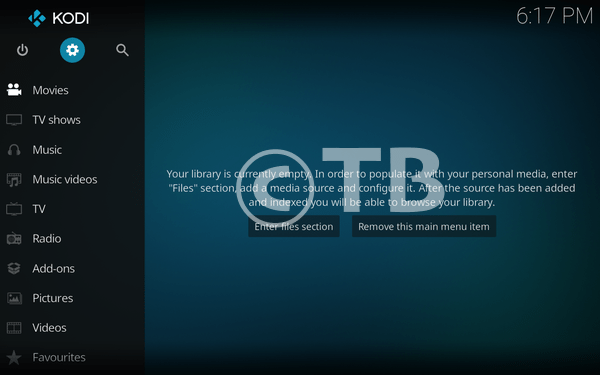
- Download Kodi and Install it. Launch Kodi, Click on Add-ons.
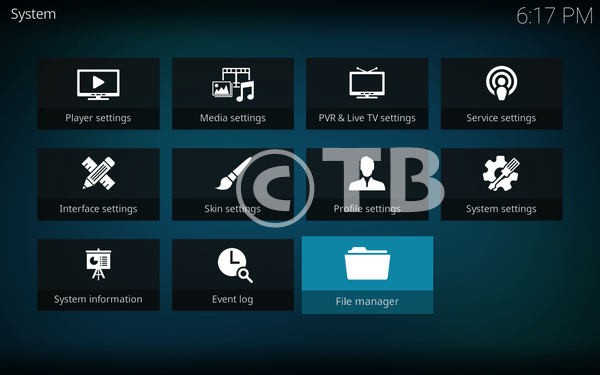
- Click File Manager.
- Click Add Source.

- Click None.

- Type this URL: http://rmkodi.uk/repo/Addons/.

- Name it RM Kodi.

- Head back to home page, Click Add-ons.

- Click on Package Installer icon.
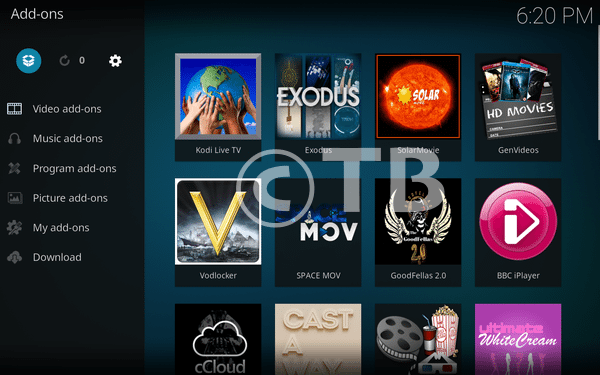
- Click Install from ZIP File.

- Click RM Kodi.

- Click Repository.Brettusrepo-1.o.ZIP.

- Now you have to wait for Pop-up saying Brettus Builds Repository Add-on Installed.

- Now Click on Install from Repository.

- Click Brettus Build Repository.

- Click Video Add-ons.

- Click FTFA from the list.
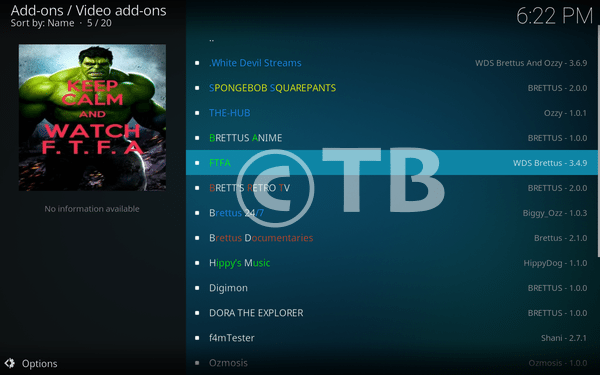
- Click on Install.
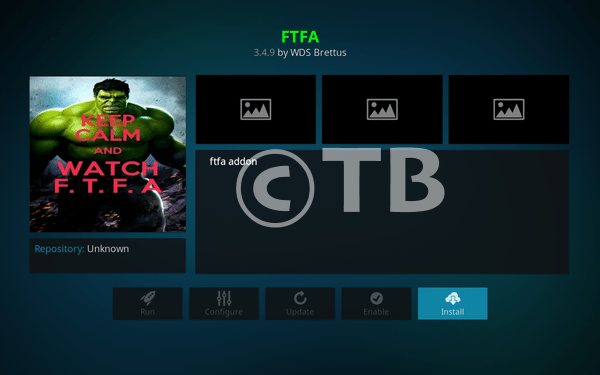
- Click on Version 3.4.9 ( Brettus Builds Repository ).

- After few seconds you’ll a pop-up saying FTFA Add-on Installed.

That’s all. That would be all If you face any issue you can tell me in comments. Thanks.
See More:
- Install/Watch BBC iPlayer on Kodi – BBC iPlayer Kodi Addon
- Install cCloud TV Add-on Kodi 17.3 Krypton
- Install Goodfellas 2.0 Addon Kodi 17.3 Krypton
- How To Install USTVNow Addon Kodi 17.3 Krypton