
Necessary Preparations:
- Download the Saferoot Tool: Link
- Motorola USB Drivers: Link
- Enable USB Debugging Mode. Go to Settings > Developer Options and Tick USB Debugging.
How To Root.
- Download Saferoot package and Extract it.
- Connect your Motorola Phone with PC.
- Now Run the File Install.bat
- The CMD Windows will pop-up asking you to press any key to start the process.
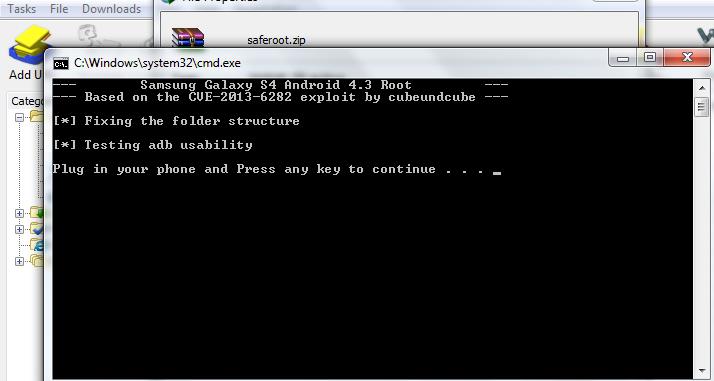
- Press any key to start and let the Script run, which will push the Super SU binaries and install the Super SU, thus rooting your device