![Install Alluc Add-on For Kodi 17.3 [ Tutorial ]](https://techbeasts.com/wp-content/uploads/2017/08/Alluc-Addon-For-Kodi19.png "Install Alluc Add-on For Kodi 17.3 [ Tutorial ]")
Looking to Install Alluc Add-on For Kodi? Alluc is the best alternative of Exodus and this new Add-on is getting popular. Alluc provides you a large collection of most popular movies and TV shows. You can setup Alluc Add-on For Kodi using our step by step guide. If you are a fan of movies and want to watch them any of your friends do try Alluc.

*Must Do*:
- Now keep that in mind if you need a proper coverage of Kodi then we would suggest you install IPVanish the best and low-cost VPN. IPVanish is specially designed for Kodi and it has multiple high-speed servers with no throttling or logs.
- Learn how to enable Unknown Sources in Kodi. Click here.
Best Kodi Builds:
Install Alluc Add-on For Kodi:
Kodi 16.1 Install Guide:
- Click on the System icon.
- Click on the File Manager.
- Click on Add Sources.
- Click on None.
- Type in URL: http://srp.nu Click on OK.
- Now you have to name it ( Super Repo) and Click OK.
- Head back to the main menu and click on System Settings-> Add-ons.
- Click on Install from Zip.
- Click on Super.
- Click Krypton -> Repositories -> Krypton -> Super Repo .
- Click on Superrepo.kodi.krypton.repositories-0.7.04.zip..
- You have to wait for few seconds and you’ll see a pop-up saying SuperRepo Add-on is Enabled.
- select Install from Repository.
- Click SuperRepo All [Krypton][v7].
- Click on Video add-ons.
- Select Alluc.
- Click Install.
Install Alluc Add-on For Kodi 17.3:
- Download Kodi and Install it. Launch Kodi, Click on Settings.

- Click File Manager.

- Click Add Source.

- Click None.

- Type the URL: http://srp.nu/.

- Name it Super.

- Click Add-ons.
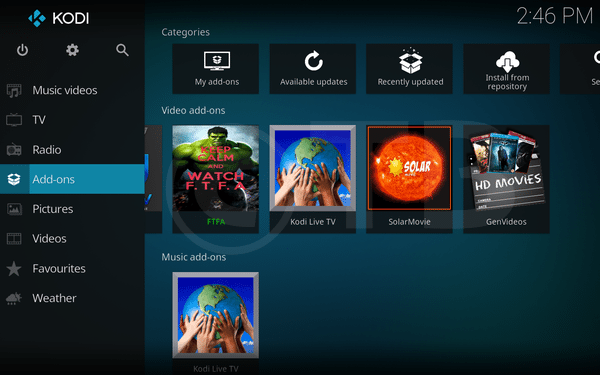
- Click Package Installer.

- Click Install from ZIP File.

- Click Super.

- Click Krypton.

- Click Repositories.

- Click Superrepo.

- Click Superrepo.kodi.krypton.repositories-0.7.04.zip.

- Now you have to wait for Pop-up saying SuperRepo Add-on Installed. -> Click Install from Repository.

- Click SuperRepo All [Krypton][v7].

- Click Video Add-ons.

- Click Alluc.
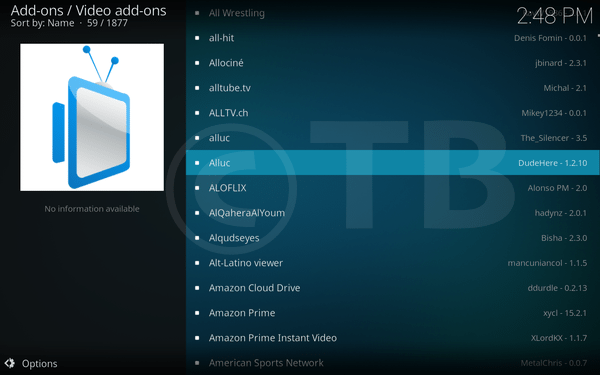
- Click Install.