![Install Ganool Add-on Kodi 17.3 Krypton [ Tutorial ]](https://techbeasts.com/wp-content/uploads/2017/06/Install-Ganool-Kodi-Add-ons.jpg "Install Ganool Add-on Kodi 17.3 Krypton [ Tutorial ]")
Ganool Kodi Add-on is new latest Add-on from the Entertainment Repos. If you are looking for movies in 720p or 1080p then you must install Ganool Add-on Kodi. In this post, I’ll tell you how to Install Ganool Add-on Kodi 17.3 Krypton. I’ll tell two methods in this post, let’s start the method.
Before moving on let me tell you main source of Ganool Add-on Kodi.
- openload.co.
- uptobox.com.
- up2stream.com.
*Kodi Tips*:
- Now keep that in mind if you need a proper coverage of Kodi then we would suggest you install the best and low-cost VPN. IPVanish is specially designed for Kodi and it has multiple high-speed servers with no throttling or logs.
- Learn how to enable Unknown Sources in Kodi. Click Here.
Important Kodi Links:
- Enable Unknown Sources in Kodi 17.3 Krypton.
- Best Kodi Video Add-ons.
- Top Best KODI 17.3 Krypton Builds.
Install Ganool Add-on Kodi 17.3 Krypton:
- Download Entertainment Repo Zip and place it on the desktop.
- Launch Kodi, Click on Add-ons.

- Click on Package Installer as shown in the photo.
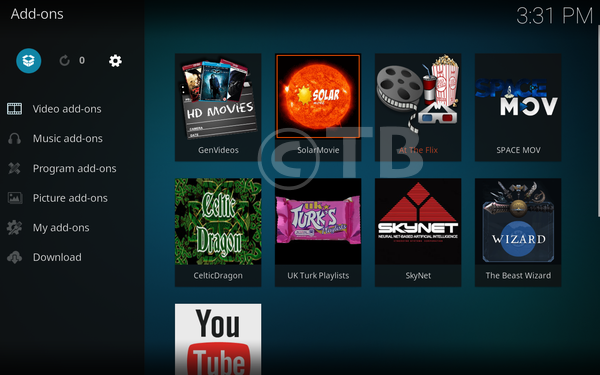
- Click on Install from Zip file.

- Click on Desktop as shown below.

- Now look for repository.entertainmnetrepobackup-1.1.2.zip.

Install Ganool Add-on Kodi 17.3 Krypton using Fusion:
- Click on the System icon.
- Click on the File Manager.
- Click on Add Sources.
- Click on None.
- Type in URL: http://fusion.tvaddons.ag, Click on OK. Now you have to name it ( Fusion ) and Click OK.
- Head back to the main menu and click on System Settings-> Add-ons.
- Click on Install from Zip.
- Click on Fusion.
- Click on xbmc-repos.
- Click on English then select Entertainmentrepobackup-x.x.x.zip.
- You have to wait for few seconds and you’ll see a pop-up saying Add-on Enabled/Installed.
- Select Install from Repository.
- Click Entertainment Repo.
- Click on Video add-ons.
- Select Ganool.
- Click Install.
That’s all. That would be all If you face any issue you can tell me in comments. Thanks.
See More: