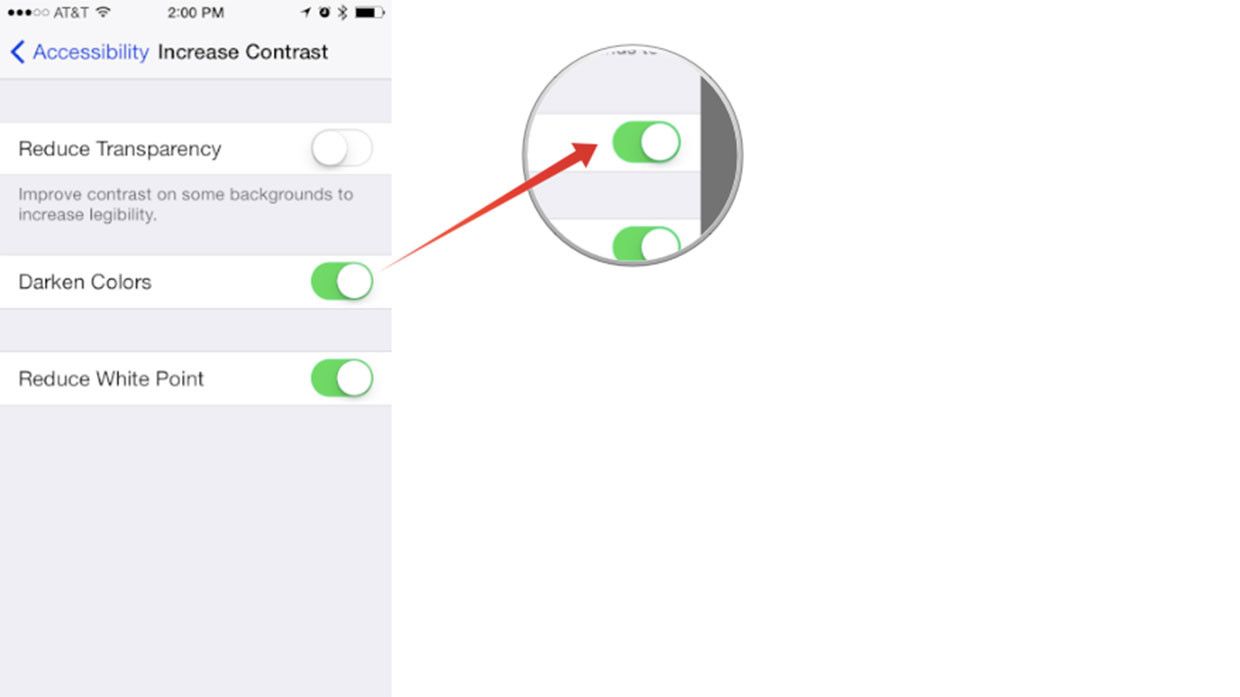
Frankly speaking iOS 7, is the not that good as users say it is. The white theme Apple has added in iOS 7, it’s so light that many a times I cannot read clearly and then I have to see more closely as well. But now Apple has done a splendid job and a better one, with Apple iOS 7.1 comes a lot of new and improved features including font and menu visibility, with the darken colors option. Many of you don’t know how to do so, that’s why I’ve prepared a step by step guide on how to increase the font and menu visibility with the darken colors option in iOS 7.1.
Also See: how to reduce white point in iOS 7.1
How to darken colors for better visibility in iOS 7.1:
Open your settings on your iPhone or iPod Touch.
- Tap on General.
- Tap on Accessibility.
- Tap on Increase Contrast.
- Now Tap on Darken Colors.