
Want to experience stock Android on your Galaxy Note 5? Well, for that you will have to make your Galaxy Note 5 feel and look a Google Nexus. Wondering how you can do so? Well, we are here to help you out with that. We are going to make your Galaxy Note 5 feel and look like a Google Nexus in the on-going guide. Before we head towards the method, let’s go through some reasons to change your Galaxy Note 5 into a Google Nexus.
Samsung released the Galaxy Note 5 back in August, 2015. Galaxy Note 5 is a pure beast in terms of specifications. It also sports an elegant design and premium build quality. Galaxy Note 5 is equipped with a superb camera, other hardware specifications are also the best ones. Samsung did load the device with plethora of features. Galaxy Note 5 received great appreciation from users all around the world, the only thing that bothers the users is the TouchWiz UI. Over the past few years, Samsung has improved its devices in terms of software and hardware up to a great extent, but the TouchWiz is still disliked by a huge audience. The bloatware that comes pre-installed in these devices makes the TouchWiz UI laggy that makes the users hate it. You can either remove or disable the bloatware applications to enhance your TouchWiz UI, but that won’t actually help. In this case you would want to have a close-to-stock Android experience on your Galaxy Note 5. While we know that the Nexus devices come with pure, neat and clean version of Android carrying almost no bloatware, we can replicate some features of Nexus on our beloved Galaxy Note 5. By Nexifying the Galaxy Note 5, you will be able to get a handful of Google apps, Google’s home launcher and some other features that will give your Galaxy Note 5 a touch and feel of pure Android as similar to that of the Google Nexus devices. This will also help you to boost up the performance of your Galaxy Note 5. I hope this clears up the purpose of this post and removes any confusions that some of you might have in your mind.
We will be going through a very simple process, which involves no complexity at all. All we will do is, we will only replace the stock Samsung applications and cosmetics by Google’s applications and launcher.
Let’s get back to the topic now and begin with nexifying our beloved Galaxy Note 5 now.
Get a Material Design Theme
First off, you need to get a material design theme on your Galaxy Note 5. This will change the UI of your Galaxy Note 5 to something pure Android. Changing the theme will also remove those cartoonish graphics from your Galaxy Note 5.
- To get the material design theme, simply open settings and go to “Themes” under personal tab.
- Now in themes, tap “THEME STORE”.
- Now in search type “Material Design”.
- You will find a free theme named as “Material Design”. Tap this theme and download it.
- Once downloaded, apply the newly downloaded Material Design theme.

Get Google Apps on your Galaxy Note 5
Now the next step is to replace some TouchWiz applications with Google Apps.
Download and install the following applications on your Galaxy Note 5 one by one from the Google Play Store.
- Google Calendar (To Replace S Planner) [Disable stock S Planner application using the method given below]
- Google Keyboard (To Replace TouchWiz UI Keyboard) [Change Keyboard input method in settings]
- Google Messenger (To Replace TouchWiz Messaging App) [Use Google Messenger as default messaging app]
- Google Camera (To Replace Samsung Stock Camera App) [Disable stock camera application using the method given below]
- Google Photos (To Replace Samsung Stock Gallery App) [Disable stock Gallery application using the method given below]
- Google Clock (To Replace TouchWiz’s Stock Clock) [Disable stock Clock application using the method given below]
- Google Play Music (To Replace Samsung Music Application) [Disable stock Music application using the method given below]


Disable Samsung Applications that you just replaced (requires root)
Now you got to disable or hide the Samsung applications that you just replaced with the Google applications. To do so, follow these instructions.
- Install Hide App-Hide Application Icon application.
- Open the application from the app drawer.
- Grant it root rights.
- Select the Samsung stock applications like Gallery, Messaging, S Planner, TouchWiz Keyboard, Music, Clock and Calendar and disable/hide these applications now.


Disable Samsung Bloatware Apps
Now we need to disable some bloatware apps to light up your Galaxy Note 5.
- Open app drawer on your Galaxy Note 5.
- Tap the “Edit” option at the top-right corner.
- Now tap the “-” icon on the applications to disable your desired applications. You can disable bloatware apps like S Health, S Voice, Samsung Galaxy Lite and others.


Get Google Now Launcher
- Now the next step is to replace the TouchWiz Home launcher with Google Now Launcher.
- To do so, simply open Google Play Store and search for “Google Now Launcher“.
- Install the launcher on your phone.
- Once installed, press the home key. You will be asked to choose a launcher. Select “Google Now Launcher”.
- Your device’s UI will change now, which will be stock Android UI now.
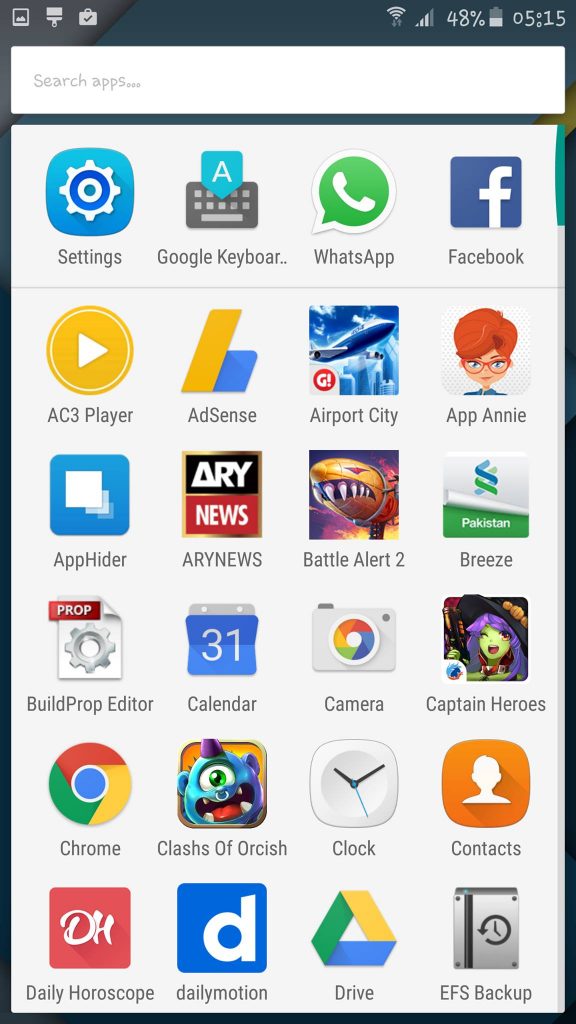

Now grab some Android Lollipop stock wallpapers and get done with giving your Galaxy Note 5 a makeover of Google Nexus.
That’s all. Don’t forget to make your thoughts reach us out about this post. Thanks all 🙂
You can’t root the AT&T version of Samsung Galaxy Note 5.
@grunt0300:disqus you don’t need root for this guide. Please go through the instructions carefully. Best of luck 🙂
Disable Samsung Applications that you just replaced (requires root)
Now you got to disable or hide the Samsung applications that you just replaced with the Google applications. To do so, follow these instructions.
Install Hide App-Hide Application Icon application.
Open the application from the app drawer.
Grant it root rights…..
Disable Samsung Applications that you just replaced (requires root)
Now you got to disable or hide the Samsung applications that you just replaced with the Google applications. To do so, follow these instructions.
Install Hide App-Hide Application Icon application.
Open the application from the app drawer.
Grant it root rights.