Categories Kodi Add-ons

Install Maverick TV on Kodi – [Tutorial]

In this Tutorial, I’ll show you how to Install Maverick TV on Kodi 17.4, 17.3, and 16.1.

Maverick TV is not the best but this Kodi Add-on is worth trying. It provides you World IPTV channels, live sports, movies, and documentaries, but in order to access all the content, you need a VPN.

Contents

*Must Do*:

  • Now keep that in mind if you need a proper coverage of Kodi then we would suggest you install IPVanish the best and low-cost VPN. IPVanish is specially designed for Kodi and it has multiple high-speed servers with no throttling or logs.
  • Learn how to enable Unknown Sources in Kodi. Click here.

Best Kodi Builds:

Install Maverick TV on Kodi:

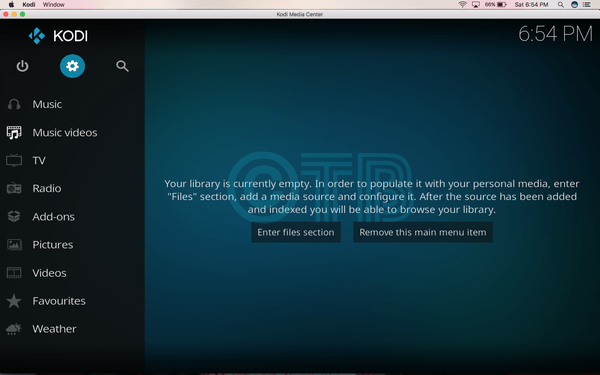
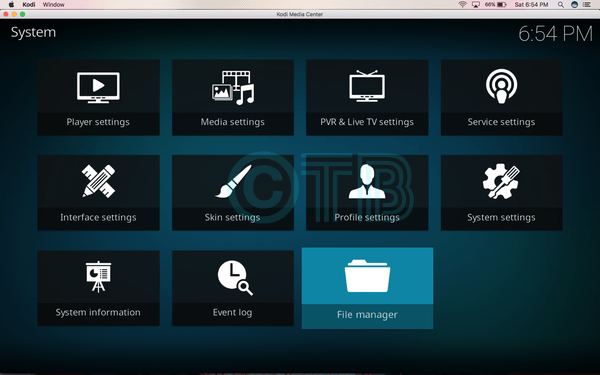
  • Click Settings.

Click File Manager.

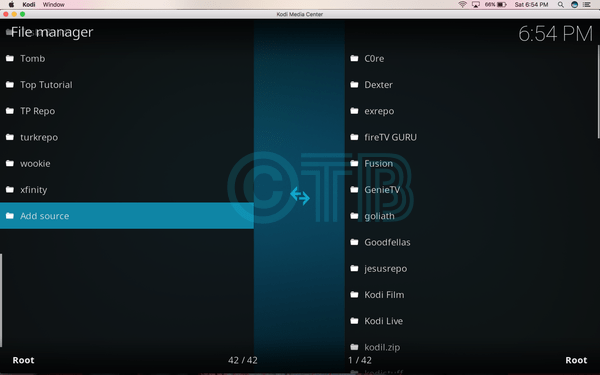
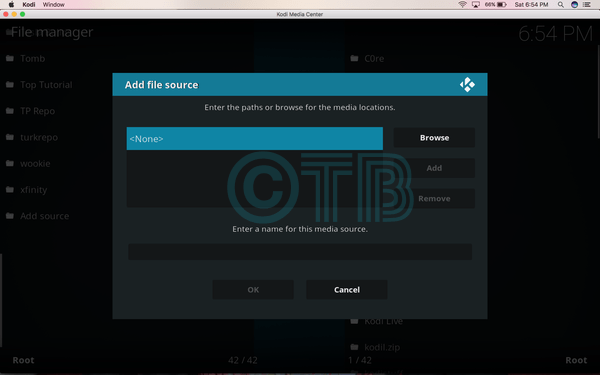
  • Click Add Source.

  • Click None.

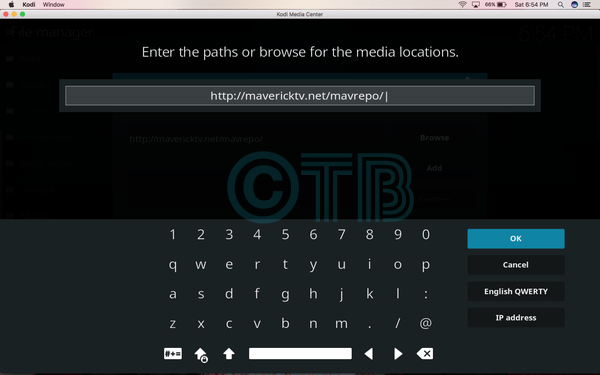
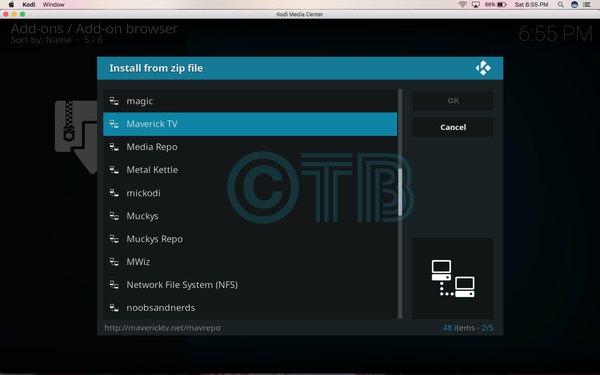
  • Click http://mavericktv.net/mavrepo.

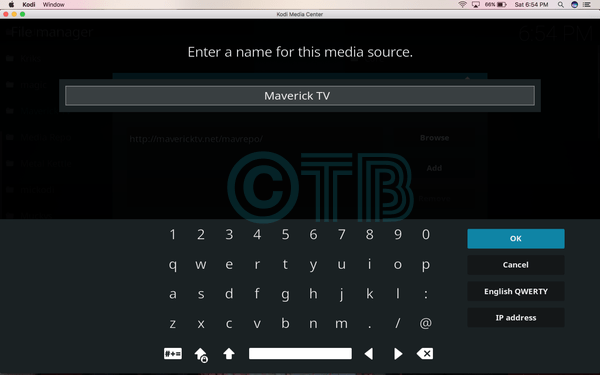
  • Name it Maverick TV.

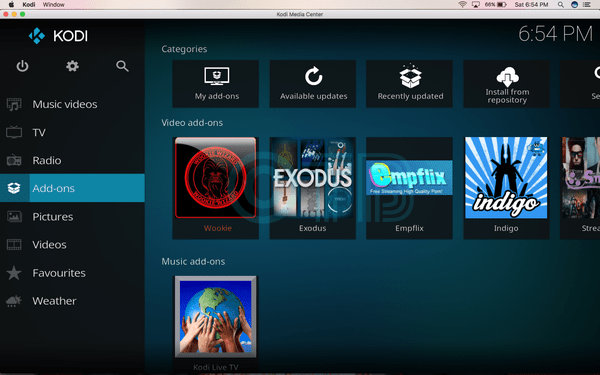
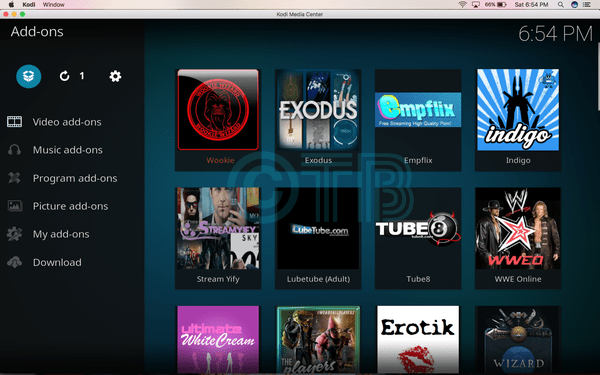
Click Add-ons.

  • Click Add-ons.

  • Click Install from ZIP File.

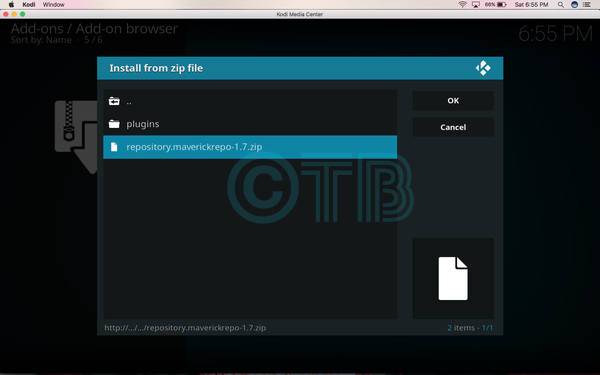
  • Click repository.maverickrepo-1.7.ZIP.

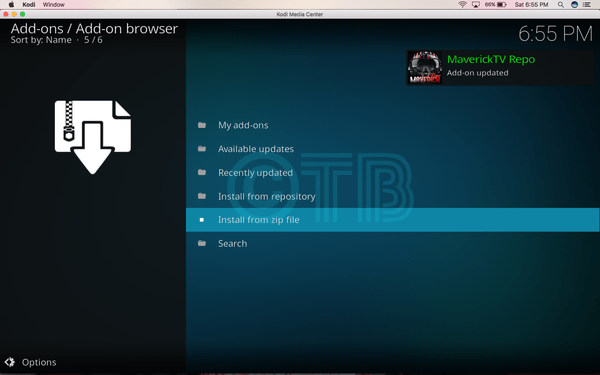
  • Wait till you see the pop-up saying ” MaverickTV Repo Add-on Installed “.

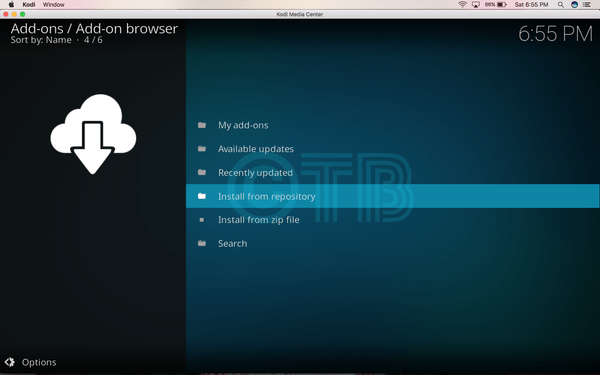
  • Click Install from Repository.

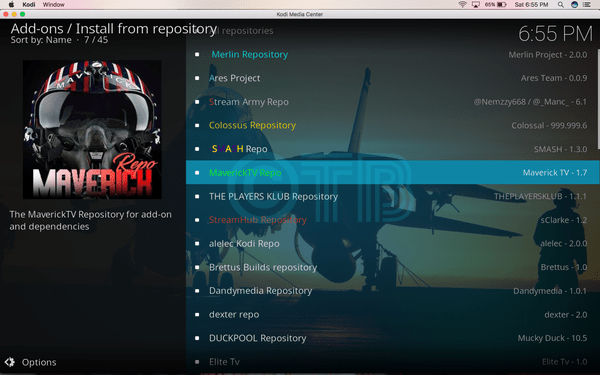
  • Click MaverickTV Repo.

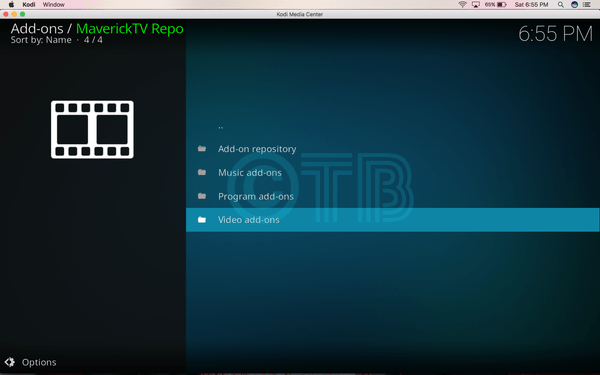
  • Click Video Add-ons.

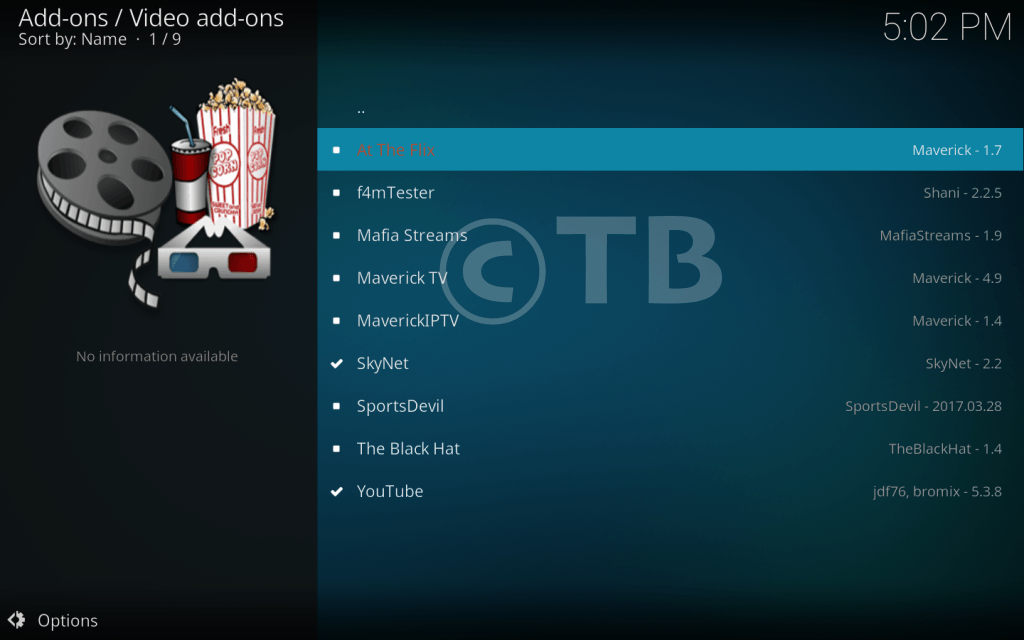
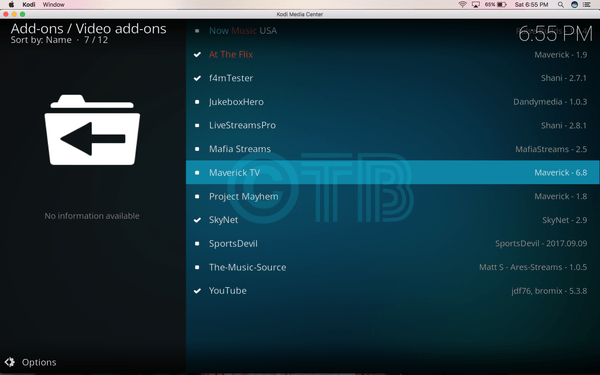
  • Click Maverick TV.

  • Click Install.

This post was last modified on November 22, 2017 7:59 pm

Ali Raza

On Techbeasts, Ali Raza shares his experiences about the Gadgets he uses, He loves to collect different wallpapers for his Android, Apple smartphones, and his laptops, so he also brings you the best wallpapers for your devices.

Share
Published by
Ali Raza

Recent Posts

Apple Just Dropped Some Serious Heat at WWDC 2025

Apple's Worldwide Developers Conference introduced major updates across its operating systems. Highlights include the visual…

12 months ago

Nintendo Switch 2: What You Need to Know Before Jumping In

Nintendo’s long-awaited Switch 2 is finally here — and it’s more than just a prettier…

12 months ago

Snapchat not working? Here are the top 7 solutions you should try

Snapchat is a popular social sharing platform so when something goes wrong it can be…

5 years ago

Android 12: Details on the CDD arrives – How the performance classes will work

Android 12 Compatibility Definition Document (CDD) calls for device manufacturers to specify the performance classes…

5 years ago

Telegram: Beta 8.0.0 news for Android plus new feed for channels

New features in Telegram Beta 8.0.0 for Android include group video chat 2.0, live video…

5 years ago

Blackout Bingo for PC – Play for free on Windows 10, Mac

Download the Blackout Bingo app on your PC. With a competitive twist to the classic…

5 years ago

This website uses cookies to provide you up-to-the-mark services.