OnePlus 5T is a new feather in OnePlus’s cap. OnePlus joined the 18:9 aspect ratio brigade with the help of the OnePlus 5T. It’s a great device by all means. OnePlus 5T comes with a huge 6.0-inch display having a full HD resolution. The home button is gone from the phone now. Fingerprint scanner has been moved to the back right in the middle of the phone’s body. There’s a dual-camera shooter having one shooter of 16MP and another of 8MP at the top-left corner of the phone’s back.
OnePlus 5T is powered by Snapdragon 835 CPU. The phone comes in two variants. There is a variant with 6GB RAM and 64GB internal storage and there’s one with 8GB RAM and 128GB internal storage. OnePlus 5T houses a headphone jack and a USB Type-C port. It supports dash-charging. There’s a 3300 mAh battery placed under the hood. OnePlus announced the phone in November 2017. Although the Android 8.0 Oreo was available, the company choose to launch this phone with Android 7.1.1 Nougat instead. Until 1st February 2018, the phone ran on Android 7.1.1 Nougat. OnePlus just rolled out the Android 8.0 Oreo for this phone now. The update is pretty late, but, as they say, it’s better late than never.
The latest Android 8.0 Oreo update moves the OxygenOS version number to 5.0.2. The update brings a lot of changes. The notable changes in the UI are in the notification panel. Users can now find new icons for the toggles in the notification panel. OnePlus has updated the Gallery application, the launcher and the weather application as well. A lot of bugs and security issues have been fixed in this update. The update also makes the phone more stable and swift when it comes to performing a task. I personally tried the update and I was pretty impressed by the performance of the phone afterwards.
Here’s the official changelog:
System
Upgraded Android version to Oreo(8.0)New design for Quick Settings
General bug fixes and improvements
Applied CPU security patch: CVE-2017-13218
ApplicationsUpdated Launcher to v2.2
Gallery to v2.0
Weather to v1.9
File Manager to v1.7.6
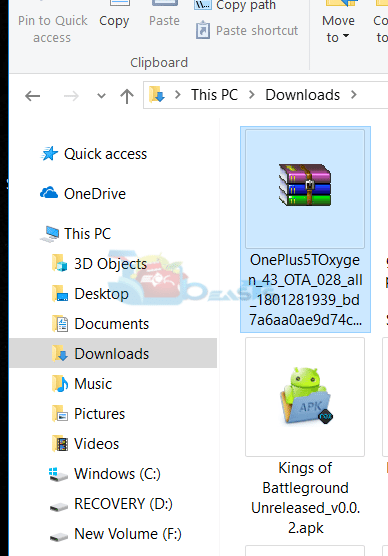
The update started rolling out in the form of OTA. As always, it started rolling out region-by-region. It will take a lot of time for this update to reach all the OnePlus 5T users all across the globe. If you have a OnePlus 5T and you haven’t got this update, you may have to wait for a while or you can choose to update your phone manually. OxygenOS 5.0.2 OTA is officially available for download. The update can be installed using the install option located in the Software Update menu of OnePlus 5T’s settings. All you have to do is to download the update package, copy it to your phone and flash it.
In this guide, I have written the steps to install Android Oreo on OnePlus 5T. This is the OxygenOS 5.0.2 Android 8.0 Oreo official update for the OnePlus 5T. The update download link is given below. First of all, you guys will download the update and then follow the steps to install/flash it.
Got any issues? Feel free to reach me out using the comments below.
Apple's Worldwide Developers Conference introduced major updates across its operating systems. Highlights include the visual…
Nintendo’s long-awaited Switch 2 is finally here — and it’s more than just a prettier…
Snapchat is a popular social sharing platform so when something goes wrong it can be…
Android 12 Compatibility Definition Document (CDD) calls for device manufacturers to specify the performance classes…
New features in Telegram Beta 8.0.0 for Android include group video chat 2.0, live video…
Download the Blackout Bingo app on your PC. With a competitive twist to the classic…
This website uses cookies to provide you up-to-the-mark services.